Tips & tricks · Communication · Mobile · ~5 min a week · 2 min read
Pinning in WhatsApp: an important message stays on top
Last reviewed:
In this article
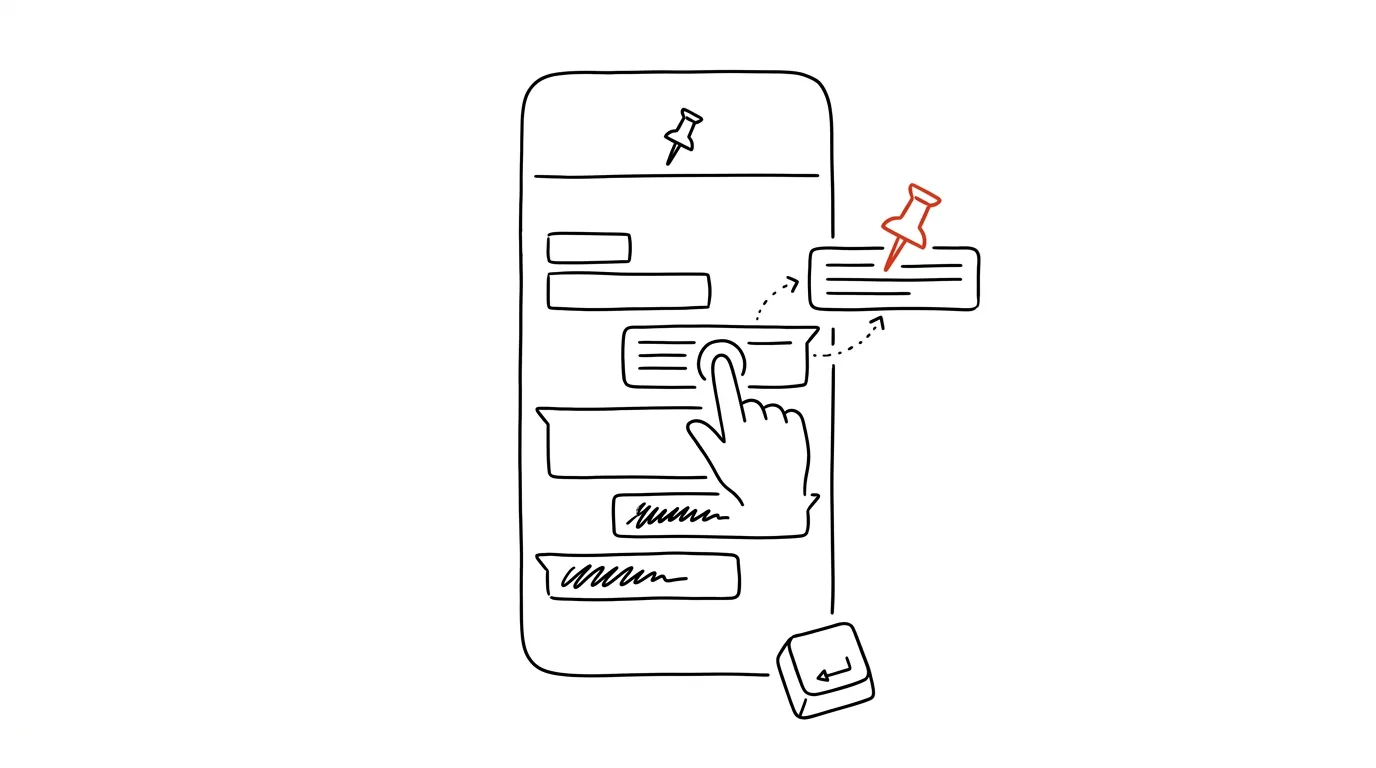
A group agrees on a meeting time and place — and by evening it's buried under fifty other messages. The ritual follows: “when was that again?”, someone scrolls, someone reposts it. WhatsApp has two features that put an end to that folklore. Pinning a chat keeps selected conversations at the top of the list, no matter what else happens. And pinning a message posts a specific message into a bar above the conversation, where every member of the chat can see it — complete with a timer that unpins it automatically.
How to do it
Pinning a message in a chat:
- Long-press the message (on a computer, the arrow next to the message) and choose Pin.
- Choose a duration: 24 hours, 7 days, or 30 days. The message shows up in the bar at the top for every participant; tapping the bar takes anyone straight to it.
- Once the time's up, it unpins itself — the bulletin board doesn't get clogged with old notes.
Pinning an entire chat:
- Long-press a conversation in the chat list and tap the pin icon — the chat stays at the top regardless of newer messages elsewhere (you can pin up to three).
Bonus — starring, just for you: long-press a message and choose Star. A private bookmark you'll find in the chat settings under Starred Messages — ideal for codes, addresses, and arrangements only you need to come back to. Unlike pinning, nobody else sees it and it has no timer, so it stays until you remove it yourself.
A typical scenario
An organizer pins a message into the class-reunion group with the date, restaurant address, and time — for 30 days. Anyone who asks “where is it again?” from then on gets the answer “top of the bar.” She also stars a message where she promised to bring the projector, so she doesn't forget. And she pins the reunion chat itself with the icon, because she's opening it daily for the next month now.
What you get out of it
Key information stops competing with the flow of conversation: whatever's pinned can be found in a second, by anyone, without scrolling. Repeated questions drop off — and the timer ensures the bulletin board clears itself after the event, so pinning doesn't degenerate into just another cluttered list. In work groups (shifts, temp staff, a construction site), the same trick works for schedules and contacts: one pinned message saves ten private questions about the same thing.
Pro tip
The same principle exists in Teams pinning — the habit of “important stays on top, not in the flow” is worth carrying into every chat where deadlines get arranged. And in groups where things get pinned and unpinned constantly, agree that one person manages the board — typically whoever's organizing the event. Otherwise, after a week nobody's sure which pinned version of the meetup actually holds.
Want to go deeper? The handbook has a whole chapter on it — Professional email communication.
Similar tips
In-depth guide · 27 min
Data Analysis in Plain Language: A Persistent Skill Built on DuckDB
A guide with prompts: why a chatbot silently gets math wrong, how a persistent DuckDB skill lets you query CSV or Excel in plain words — and check results.
In-depth guide · 37 min
From pencil sketch to computer: what you can actually turn into vectors, CAD, and 3D today
A complete guide with 18 prompts: how to turn a hand sketch, a photo, or an old floor plan into an editable file that CAD, 3D, or layout software can actually work with — including scale calibration, an overview of MCP connectors (official vs. community), and a hard line between reference material and an actual project.
A Ten-Minute Subscription Audit: Search Your Own Inbox
You don't have to painfully recall every subscription you're paying for — searching payment confirmations in your inbox plus two system screens puts the list together in ten minutes.
Was this helpful?
Liked this tip?
I send one like it every week by email. Two minutes to read, hours saved.
The Top 30 tips e-book, free — it lands in your inbox right away.
Then 1 tip a week · no spam · unsubscribe in one click
Prefer a system to single tips? The free email course — seven days, seven emails, one skill a day.