Tips & tricks · Workflow · Everywhere · ~45 min a week · 3 min read
A written status instead of a status meeting
Last reviewed:
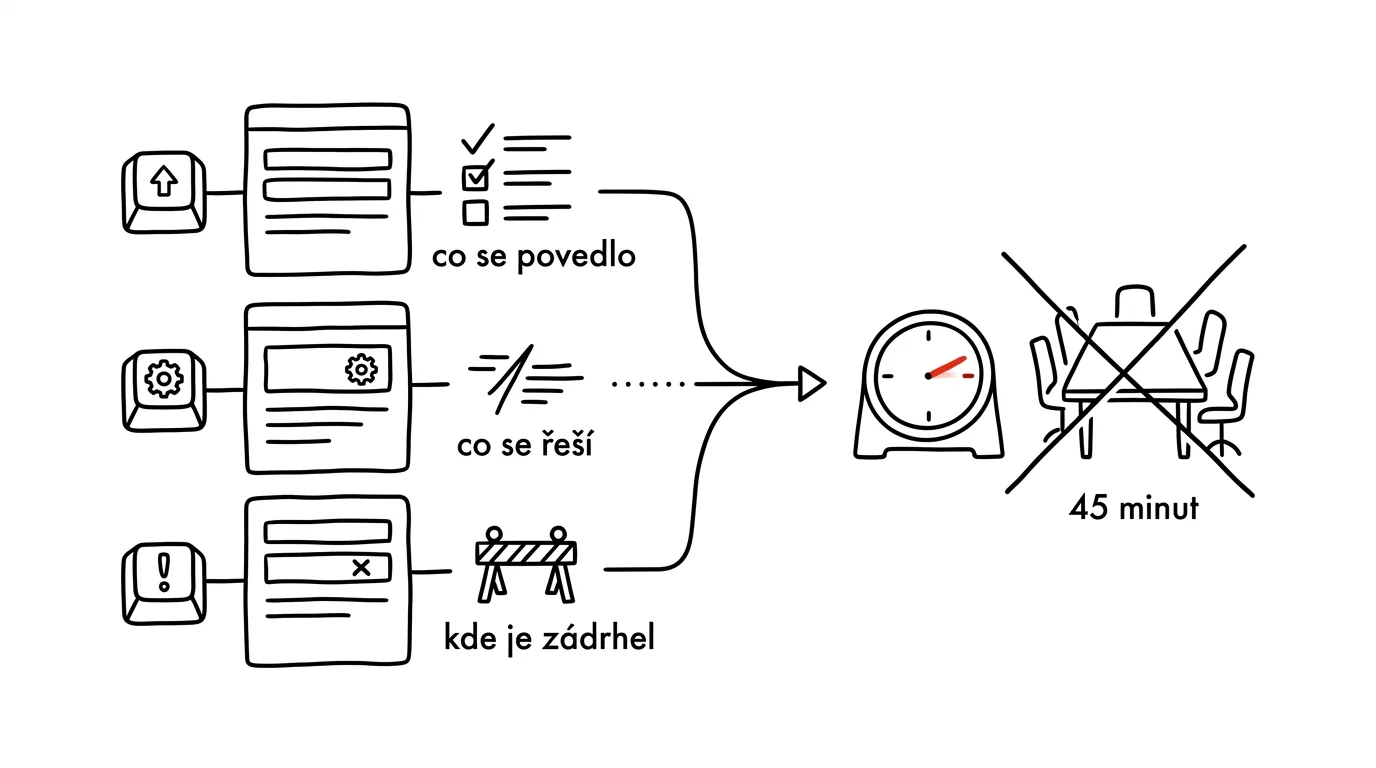
The round-robin “what's everyone working on” is the most expensive way companies know to move information around. Ten people in a room (or on a video call), each speaking for two minutes about things that don't concern the other nine — and yet everyone sits through the whole hour anyway. A written status delivers the same information in a fraction of the time, and it stays written down instead of just spoken and forgotten.
A typical scenario
A team of eight has a Monday morning meeting where everyone in turn reports what they did last week and what they're planning this week. While one person talks, the other seven are only half-listening ninety percent of the time, because most of it doesn't concern them — and yet the meeting sits on the calendar as a fixed hour nobody questions.
After switching to a written status, the manager reads three bullet points from each person at their own pace, can ask follow-up questions in writing wherever something needs clarifying, and only calls a meeting when something genuinely worth a live discussion comes up. An hour a week shrinks to ten minutes of reading, plus the occasional short meeting for exceptions.
How to do it
- Introduce a weekly written status with three fixed bullet points per person: what went well (things finished in the past week), what's in progress (work currently underway), and what's stuck (what's blocking progress, or where help or a decision is needed).
- Set a clear deadline, typically Friday by 3 pm — the status gets written at the end of the week, while information is still fresh, not rushed on Monday morning right before the meeting.
- Pick a shared place to write the status: a shared document, spreadsheet, or channel in a communication tool that the whole team and you as manager can see.
- Keep the format short and the same for everyone — three bullets, not paragraphs. The goal is quick readability, not storytelling.
- Either cancel the classic status meeting entirely, or shorten it and devote it only to points that genuinely need live discussion — the blockers the written status surfaced.
- After a few weeks, check whether the format is working: whether people are actually writing blockers in time, not only once it's too late to address them.
The best tools
- A shared document (Google Docs, Notion) — the simplest start, nothing to set up, just a table or page with a paragraph per person per week.
- A channel in a communication tool (Slack, Microsoft Teams) — status as a message in a dedicated channel, with the advantage of visibility and the ability to reply directly under the post.
- Project management tools (Asana, Linear, Jira) — if the team already tracks tasks there, status can tie directly into task state instead of a separate write-up.
- A simple form (Google Forms, Typeform) — structured collection of responses, useful for larger teams that need answers neatly gathered in one table.
What you get out of it
- Time: a classic hour-long meeting with eight people costs eight person-hours a week — a written status replaces it for a fraction of that, even with an occasional short meeting for exceptions.
- Better information quality: written text is more specific than an off-the-cuff spoken summary, since people think it through before sending.
- A lasting record: unlike a meeting, the status stays written down — you can go back to it a month later and see exactly what happened that week.
- Faster problem detection: a blocker written on Friday can be tackled right away, not only at the next meeting a week later.
Pro tip
Read and respond to the status the same day it comes in — if a manager doesn't react to written blockers, the team quickly concludes that writing a status is a formality with no impact, and the quality of the entries starts to slip.
Want to go deeper? The handbook has a whole chapter on it — Core systems: inbox, priorities, reviews.
Similar tips
Take calls on your Mac — even when the iPhone's in another room
Your Mac can receive and dial calls from your iPhone. The phone can stay on the charger in the hallway while you talk through your computer's headset.
Turn on your iPhone's hotspot from your Mac — the phone stays in your bag
Your Mac sees your iPhone's hotspot right in the Wi-Fi menu, even when it's off on the phone. One click and you're online — no touching your phone.
iPhone as a webcam: the best camera you already own
Your Mac's built-in camera is mediocre. Just set your iPhone near the monitor and the Mac offers it as a webcam — wirelessly, with nothing to install.
Was this helpful?
Liked this tip?
I send one like it every week by email. Two minutes to read, hours saved.
The Top 30 tips e-book, free — it lands in your inbox right away.
Then 1 tip a week · no spam · unsubscribe in one click
Prefer a system to single tips? The free email course — seven days, seven emails, one skill a day.