Tips & tricks · Shortcuts · Browser · ~3 min a day · 2 min read
Google Calendar from the keyboard: C creates an event, T jumps to today
Last reviewed:
CT
In this article
You probably open Google Calendar ten times a day — and every time you reach for the mouse: click Create, click your way back to today, switch from month to week. Yet Calendar has a set of single-letter shortcuts just like Gmail: no modifiers, you simply press a letter and the thing happens. You'll learn them in an afternoon because they're logical — and from then on you'll drive Calendar faster than you can find the cursor.
How to do it
The most useful shortcuts (work on the web, outside of a text field):
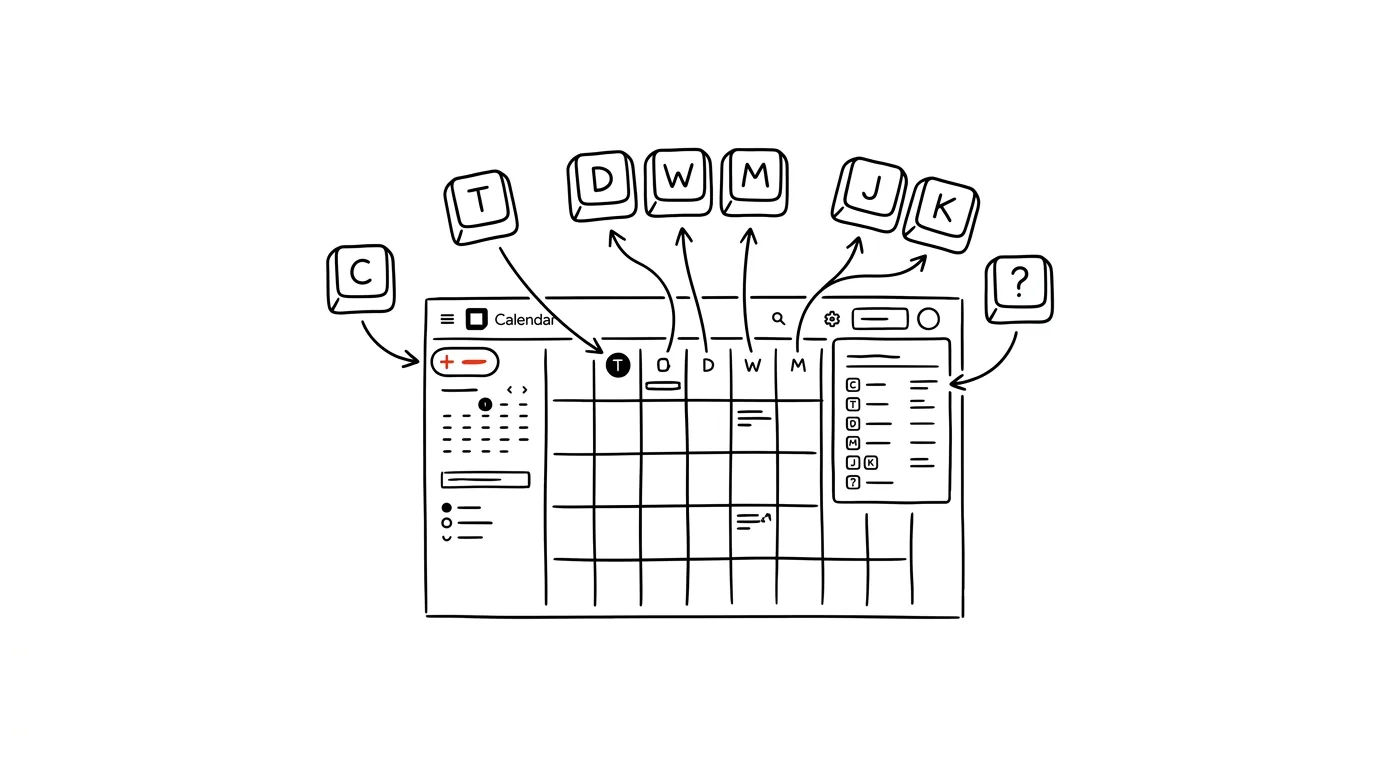
- C — creates a new event. The form opens right away, ready for you to type a title.
- T — jumps to today. A lifesaver when you've paged your way into November and are looking for a way back.
- D, W, M — switch the view to day, week, month. A shows the agenda — a clean list of upcoming events.
- J and K — page to the next and previous day/week/month, depending on the active view.
- / — jumps into search for events.
- Close an open event with Esc — it takes you back to the calendar grid.
- And the main tool: ? (Shift+slash) shows an overview of every shortcut right inside Calendar. If shortcuts aren't responding, check in Settings that keyboard shortcuts are turned on.
A typical scenario
You're on a call with a client and someone says "let's do a check-in in two weeks." Instead of reaching for the mouse: W for week view, J twice to jump two weeks ahead, C, type "check-in call," Enter. Five seconds later the meeting is booked, and you never dropped out of the conversation with the client. Checking your morning schedule is just as fast: T, D — and you're looking at your day.
What you get out of it
Calendar stops being an app you click your way through and becomes a tool that keeps pace with your thoughts. A few seconds per open doesn't sound like much, but at ten opens a day it adds up to minutes — and more importantly, the small friction that makes people put off booking a meeting "for later" (and then forget) disappears. Booked right away means booked, period.
Pro tip
The same logic applies in Gmail — the single-letter shortcuts E, R, and others work on the same principle there. Learn one and you already know half of the other. And don't try to learn everything at once: pick the two shortcuts that cover your most common actions (typically C and T) and use them for a week. Once they're automatic, add two more — within a month you'll be driving Calendar blind.
Want to go deeper? The handbook has a whole chapter on it — The app categories that matter.
Similar tips
A written status instead of a status meeting
Three questions in a form on Friday: what went well, what's in progress, what's stuck. Suddenly the 45-minute status meeting is unnecessary.
Delegate the outcome, not the process
A good assignment has four parts: what needs to exist, why, by when, and how you'll know it's done. Leave the process to the person doing it.
1:1s with a standing document
A shared document both sides keep adding to between meetings. The meeting has structure, and the history is easy to find.
Was this helpful?
Liked this tip?
I send one like it every week by email. Two minutes to read, hours saved.
The Top 30 tips e-book, free — it lands in your inbox right away.
Then 1 tip a week · no spam · unsubscribe in one click
Prefer a system to single tips? The free email course — seven days, seven emails, one skill a day.