Tips & tricks · Apps · Everywhere · ~10 min a week · 3 min read
Templates in Notion databases: a new entry, pre-filled
Last reviewed:
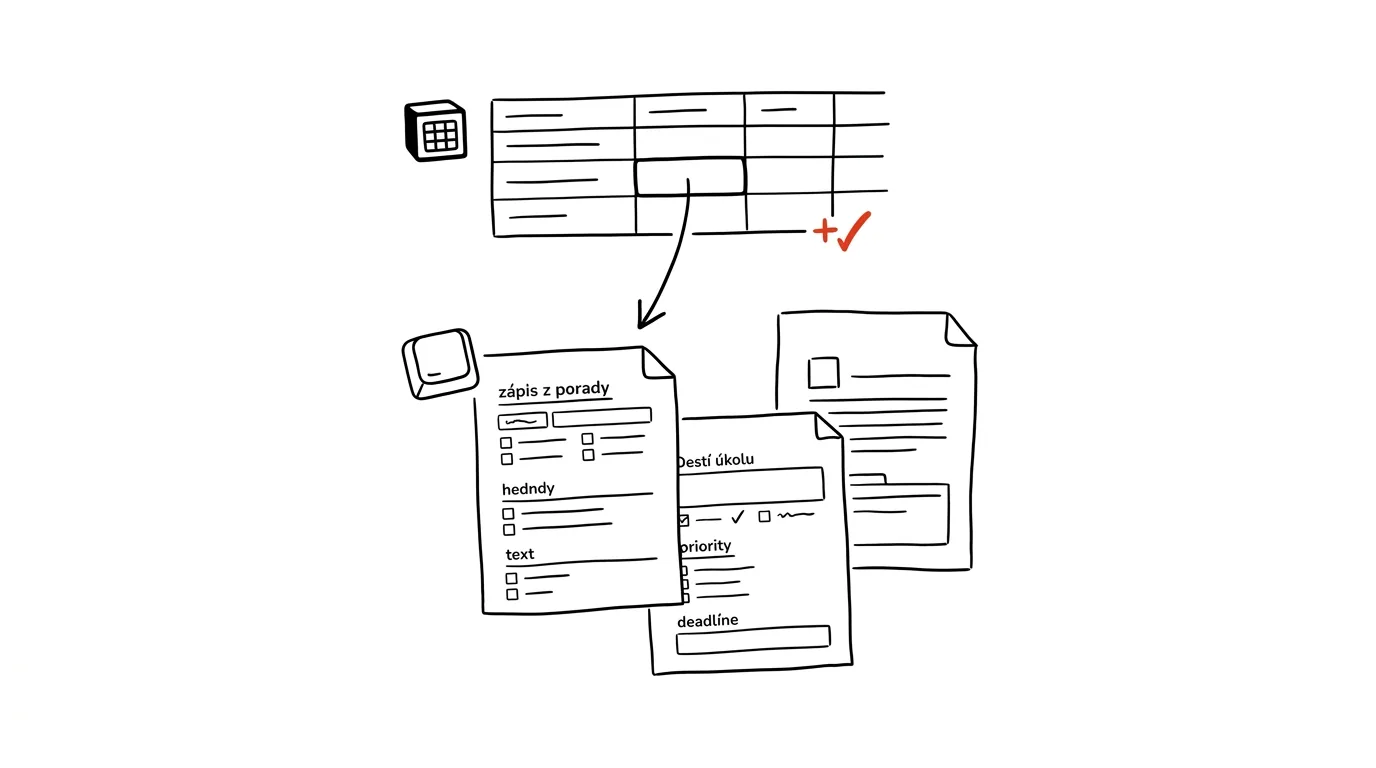
A blank page is unnecessary decision-making — before you can start writing, you have to remember all over again what sections your notes usually have and in what order you list them. A template in a Notion database is the same decision, just made ahead of time. You build the structure once, and after that you just open ready-made record skeletons and fill in content.
A typical scenario
Team lead Martin keeps notes for every meeting — team, client, one-on-one — in a Notion database. Without a template, he has to remember every time what sections the notes should have (attendees, discussion points, decisions, action items with deadlines) and rebuild the structure manually, spending five to ten minutes on it before the meeting has even started. With a template, he just clicks to create a new entry from it and the structure is already there: a task checklist, an attendees section, and an empty field for decisions, all pre-filled and waiting. Martin can focus on the content of the meeting instead of rebuilding the notes from scratch.
How to do it
- In the database, click the arrow next to the New button and select New template.
- Build the template's structure with the same blocks you'd use in a regular entry — meeting sections, a task checklist, empty fields for notes, or even a table or an embedded database.
- Add default property values too — say, status set to “New,” priority set to “Medium,” or a task assigned straight to yourself if you create most entries yourself.
- Save the template and name it by purpose, like “Meeting notes” or “Task brief” — if you have several, a clear name saves time when choosing.
- Create new entries directly from the template by clicking its name in the New menu, instead of them starting blank and needing to be structured from zero.
- A database can have multiple templates at once — say, one for internal notes and one for client notes, each with a different structure. Set the most-used one as the default so it opens automatically when you click New, without having to pick from a list every time.
The best tools
- Record templates in Notion databases — a built-in, free feature that works on any existing database.
- Notion's Template gallery — ready-made templates from Notion and the community for common use cases; a good starting point if you don't want to build the structure from scratch.
- Duplicating an existing page — a simpler alternative for one-off cases where it's not worth building a full template.
- Templates across linked databases — if meeting notes automatically spawn follow-up tasks in another database, it's worth designing that connection right into the template's structure.
What you get out of it
- Time: roughly ten minutes a week you'd otherwise spend rebuilding the same record structure over and over.
- Consistency: every set of notes or brief has the same structure, making it easier to search through later, even months on.
- Less mental load: you don't have to remember what sections a set of notes should have — the template remembers for you.
- Easier onboarding for colleagues: a new team member who creates an entry from the template automatically follows the same format as everyone else.
Pro tip
A template can carry default property values too, not just content structure — say, status “New” and assignment straight to you. That saves you extra clicking after creating the entry, not just extra typing.
Want to go deeper? The handbook has a whole chapter on it — The app categories that matter.
Similar tips
XLOOKUP: Lookups Without VLOOKUP's Weaknesses
The newer replacement for VLOOKUP searches in either direction, doesn't break when a column gets inserted, and has a built-in “not found” fallback.
Freeze Panes: Keep Headers Visible Even at Row 500
View → Freeze Panes keeps the table header locked at the top no matter how far you scroll.
Voice capture: write down an idea even when you can't type
In the car, on a walk, with your hands full of groceries: “Hey Siri, add…” and the thought is in the system.
Was this helpful?
Liked this tip?
I send one like it every week by email. Two minutes to read, hours saved.
The Top 30 tips e-book, free — it lands in your inbox right away.
Then 1 tip a week · no spam · unsubscribe in one click
Prefer a system to single tips? The free email course — seven days, seven emails, one skill a day.