Handbook · Methods · 14 min read
Pomodoro and time-blocking
Last reviewed:
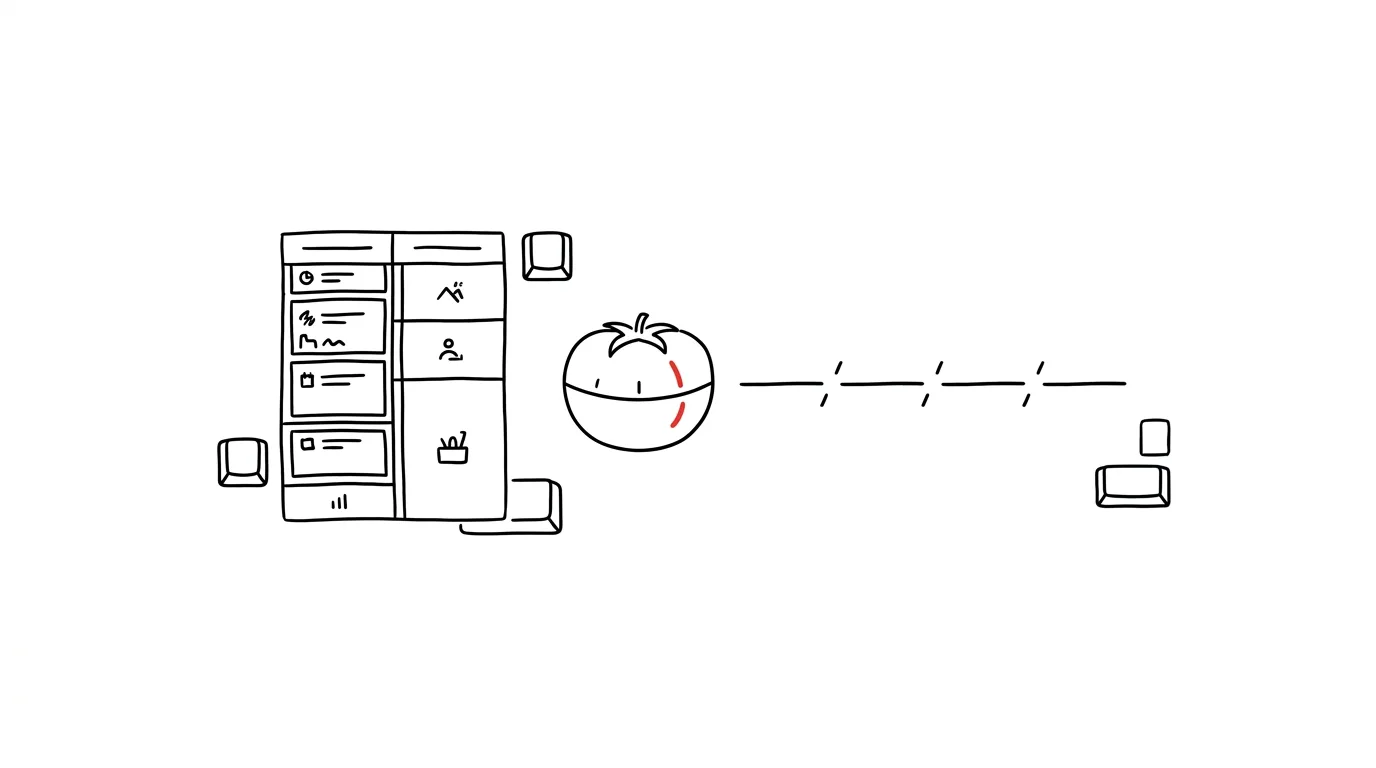
The two simplest ways to take control of your time: a day built from time blocks, and work done in focused 25-minute intervals.
In this article
Know the feeling of ending a workday wondering where the time went? This chapter covers the two methods that fix it: time-blocking (a day built from blocks of time) and Pomodoro (focus in 25-minute bursts). They work on their own — and best together.
Neither is about planning more work. Both are about getting back a sense of control: knowing when you'll do what, and finishing the day clear on what you actually accomplished in that time.
Time-blocking: a day built from blocks
Picture an ordinary Monday morning. Jana, a project manager, arrives at work with a clear plan for the day. Unlike her colleagues, who start by scrolling through email and reacting to urgent requests, Jana laid out her day in deliberate time blocks the night before.
Instead of just keeping a task list, you actively plan exactly when you'll do what. Every hour has a clear purpose and focus. It works because it eliminates multitasking, reduces decision paralysis (“what should I do now?”), creates a realistic picture of your time, and helps you stick to your priorities.
Here's what Jana's day looks like:
- 8:30Planning block (30 min)review priorities — like a chef prepping ingredients before service
- 9:00Deep work #1 (2 h)the hardest work, no email, no phone
- 11:15Shallow work (1 h)admin, email, routine — during the low-energy stretch
- 13:15Meeting blockmeetings clustered into one stretch = less context switching
- 15:00Deep work #2 (1.5 h)energy climbs again after lunch
- 16:30Flexible buffer (30 min)reserve for the unexpected — like a financial cushion
- 17:00Closing the day (15 min)what worked, what moves, tomorrow's plan — then she can truly switch off
Two hours of uninterrupted focus in the morning let Jana achieve more than an entire morning spent switching between tasks. The flexible block between 4:30 and 5:00 acts as a buffer for surprises and overruns — like a financial reserve: you won't always use it, but when you need it, it's priceless. And the closing ritual at 5:00 lets her genuinely switch off, because she knows everything is under control.
Time-blocking isn't a rigid system, though. It's more like planning the perfect vacation — you have a clear idea of what you want to do on which day, but you're ready to adjust for the weather or an unexpected opportunity.
The four types of block
- Deep work (90–120 min) — demanding, creative tasks that require full focus, ideally during your highest-energy hours
- Shallow work (30–60 min) — routine, email, admin; good for low-energy stretches
- Planning (15–30 min) — reviewing tasks and priorities, preparing for the next day or week, ideally at the end of a day or week
- Flexible (30–60 min) — a buffer for the unexpected and room for other blocks to run over, spread through the day
Preparation before you start planning
- Audit how you currently spend time. For a week, write down everything you do. Mark productive and unproductive time, identify patterns and distractions. Skip this and you're planning blind.
- Identify your priorities. Which tasks matter most? When is your energy highest? What are your deadlines?
- Choose a tool. Google Calendar, Outlook, or dedicated apps like Motion and Sunsama.
A basic schedule to start from:
08:00 - 08:30 | Morning planning and prep
08:30 - 10:00 | Deep work block #1
10:00 - 10:15 | Short break
10:15 - 11:45 | Deep work block #2
11:45 - 12:45 | Lunch and rest
12:45 - 14:15 | Meetings and collaboration
14:15 - 15:15 | Shallow work (email, admin)
15:15 - 16:45 | Deep work block #3
16:45 - 17:00 | Daily close and planning
Setting it up in your calendar
Color-code your blocks in the calendar — red for deep work, yellow for meetings, blue for shallow work, green for personal time and breaks, for instance. Set up recurring blocks (morning routine, deep work, admin time, breaks) as repeating events so you don't have to recreate them. And set alerts: five minutes before deep work, break reminders, and a daily overview.
How to start and how to defend your blocks
Don't start by planning every minute. In the first week, block only two or three hours a day — a single two-hour deep work block is fine. Once the rhythm settles, add more structure and experiment with length and timing.
Blocks then need protection: do-not-disturb on your phone, email and chat closed, colleagues informed, a quiet place. And they need flexibility: buffers between blocks, an allowance for the unexpected, and a plan B.
Specific situations
- Working from home: start earlier while it's quiet; sync your blocks with the family; set up a dedicated workspace.
- In the office: tell colleagues about your blocks, use headphones as a visual signal, find a quiet spot for deep work.
- Hybrid: schedule deep work for home days, use the office for collaboration, and sync your blocks with the team.
Advanced techniques
- Time-boxing — give every task a fixed window and let Parkinson's law work for you. A timer is mandatory here.
- Themed days — Monday for strategic planning, Tuesday for creative work, Wednesday for meetings, Thursday for deep work, Friday for review and admin.
- Energy management — track your energy through the day, schedule demanding tasks for your peaks, and fit your blocks to your own rhythm.
Tracking and optimization
A system you never review degrades. Keep three levels of feedback:
- Daily review: what worked, where the obstacles were, what needs adjusting.
- Weekly analysis: plan versus reality, patterns, adjustments to your blocks.
- Monthly optimization: review the whole system, adjust block lengths, revisit priorities.
You can measure quantitatively (tasks completed, time spent in deep work, number of interruptions, how well you stuck to planned blocks) and qualitatively (sense of control over your time, stress level, quality of work, work-life balance). The second group is subjective, but it matters more in the long run.
Layouts by profession
The ideal day looks different for a designer than for a manager. Take the following schedules as starting points, not prescriptions.
Creative professions (designers, writers, artists):
09:00 - 10:00 | Inspiration block (browsing references)
10:00 - 12:00 | Creative deep work
12:00 - 13:00 | Lunch and rest
13:00 - 14:00 | Admin and email
14:00 - 16:00 | Second creative block
16:00 - 17:00 | Review and feedback
Plan longer unstructured blocks, leave a buffer for finishing a creative flow, put an inspiration block before the main work, and don't force creativity at the wrong time of day.
Managers and team leads:
08:00 - 08:30 | Daily planning
08:30 - 10:00 | Deep work (strategic tasks)
10:00 - 12:00 | One-on-ones
12:00 - 13:00 | Lunch
13:00 - 14:00 | Email and admin
14:00 - 15:30 | Team meetings
15:30 - 16:30 | Deep work (review and planning)
16:30 - 17:00 | Daily close
Block “office hours” for your team, cluster one-on-ones together, keep a buffer for crises, and protect a regular block for strategic thinking.
Developers and technical roles:
09:00 - 09:30 | Stand-up and planning
09:30 - 12:00 | Main coding block
12:00 - 13:00 | Lunch
13:00 - 14:00 | Code review and collaboration
14:00 - 16:30 | Second coding block
16:30 - 17:00 | Documentation and close
Long uninterrupted blocks for code, sync with the team's cycles, dedicated time for code review, and a buffer for technical problems.
Marketers and content creators:
09:00 - 10:00 | Data analysis and planning
10:00 - 12:00 | Content creation
12:00 - 13:00 | Lunch and social media
13:00 - 14:30 | Meetings and coordination
14:30 - 16:00 | Editing and optimization
16:00 - 17:00 | Planning and prep
Align your blocks with the publishing calendar, set aside time for social monitoring, research and trend analysis, and keep a flexible block for whatever is breaking that day.
Pomodoro: 25 minutes of full focus
Peter sat over a programming textbook and felt his thoughts scattering in every direction. Social media beckoned like a siren, he checked his phone every few minutes, and after two hours of “studying” he felt he had learned nothing at all.
The method was developed by Francesco Cirillo in the 1980s, when he was a student wrestling with exactly the same problem. He used a kitchen timer shaped like a tomato (pomodoro in Italian) — and discovered something surprisingly powerful. It sounds almost laughably simple: sit down to work for a mere 25 minutes? And that simplicity is precisely where its genius lies. Knowing you only have to focus for 25 minutes turns a mountain into a manageable hill.
After his first interval, Peter found he had learned more in 25 minutes of real focus than in the previous two hours of multitasking. He started the second interval with fresh energy — twenty-five minutes turned into a kind of mini-race against himself. After four intervals he took a fifteen-minute break and realized he had done more than he usually managed in a whole afternoon. And he still felt fresh.
The key rule: when a message arrives mid-interval, or you remember you need to water the plants, write it down and keep going. Every distraction can wait for the break. That one simple trick preserves your focus and makes sure you don't forget the important things either.
Preparation and the shape of one interval
Before you start the timer: turn off notifications, close apps you don't need, get water or coffee, keep your task list handy, and signal to colleagues (headphones, say).
Minute 0-1:
  - pick a specific task
  - set the timer
  - get your head into it

Minute 1-24:
  - focused work
  - note interruptions on paper
  - no breaks

Minute 25:
  - finish the thought
  - write down where you stopped
Breaks have rules of their own. Short break (5 minutes): stretch, a quick walk, a glass of water, a breathing exercise. Long break (15–30 minutes): light movement, food, human contact, a walk outside. Scrolling social media isn't rest — your brain keeps processing input the whole time.
Tune your intervals
The classic 25 minutes isn't dogma — fit the length to the type of work:
For creative work a longer interval respects the flow state. For programming, 30 minutes of code, 5 minutes of your own code review and 5 minutes of break works well. For writing, 25 minutes of writing and 5 minutes of revision — with a rule that you don't edit while writing. Admin, on the other hand, does well with mini-intervals of around 15 minutes.
What to track
It pays to keep a simple record: intervals completed, types of interruption, the ratio of productive to unproductive time, and your energy level through the day. A table on paper or in your notes is enough:
| Date  | Pomodoro | Task    | Interruptions | Note    |
|-------|----------|---------|---------------|---------|
| Jan 1 | 1        | Website | 2x chat       | Flow    |
| Jan 1 | 2        | Email   | 0             | Routine |
After a week you'll see the patterns: when you get interrupted most, which tasks you systematically underestimate, and what time of day suits your intervals best.
Tools: an ordinary timer will do — on your phone, in a browser, or a classic kitchen timer. If you want more, try Forest (gamification), Focus@Will (music for concentration) or RescueTime (automatic tracking).
Advanced techniques
- Pomodoro chaining — chain related tasks together so you keep the momentum and the context. For example: research (25 min) → outline (25 min) → first draft (25 min) → revision (25 min).
- Pomodoro planning — estimate up front how many intervals a task will take. Your estimates will be terrible at first and surprisingly accurate after a few weeks. Always leave a buffer.
- Pomodoro batching — group similar tasks into one interval to minimize context switching.
The strongest combination: blocks × Pomodoro
The point of combining methods isn't a more complicated system, it's a workflow that matches how you work.
Time-blocking and Pomodoro. A deep work block = 3–4 Pomodoros with automatic breaks; a shallow work block = 1–2 Pomodoros. In practice:
10:00 - 11:30 | Deep work block
  - Pomodoro 1 (25 min)
  - Break (5 min)
  - Pomodoro 2 (25 min)
  - Break (5 min)
  - Pomodoro 3 (25 min)
Time-blocking and GTD. Thirty minutes in the morning to process your GTD inbox and sort tasks, then plan blocks by category: projects → deep work blocks, next actions → shorter action blocks, “waiting for” → follow-up blocks. Fifteen minutes in the evening to review what's done, prepare tomorrow's blocks and update the system.
Time-blocking and the Eisenhower matrix. Important and urgent → the first blocks of the day. Important and not urgent → deep work blocks. Not important but urgent → shorter blocks (and candidates for delegation). Neither important nor urgent → flexible blocks, or straight into the bin. Color-coding by quadrant in your calendar then gives you instant visual prioritization.
Time-blocking and Kanban. Columns represent time blocks, cards represent tasks, and each block has its own work-in-progress limit. In the morning you move cards into today's blocks, during the day you advance them, and in the evening you review.
Pomodoro and deep work. Use intervals as an on-ramp into flow — the first Pomodoro is the warm-up, the rest run on their own. For deep work, extend the intervals and structure the breaks as genuine recovery rather than a switch to a different screen.
The most practical advice of all: master one method first, then start adding elements of another. Useful tools include Notion (calendar plus databases, with links to GTD and Kanban) and TickTick or Todoist (calendar and task integration, a built-in Pomodoro timer, GTD labels and filters). Basic automation — recurring blocks, calendar synced with your task manager, automatic reminders — saves more time than any clever technique.
Common problems
“I can't keep to my blocks.” Fewer blocks, longer buffers, a more realistic plan. A plan that doesn't hold isn't a failure of discipline — it's a bad estimate, and estimates improve with practice.
“I can't finish the work in one Pomodoro.” Break the task into smaller pieces, use longer intervals, and note where you got to so you can pick it straight back up.
“I don't want to break my flow.” Extend the interval to 45 minutes, finish the thought, push the break back. Pomodoro is a rhythm, not a police force.
“I forget to take breaks.” Set an alarm, use an app, or attach the break to a routine — coffee, a glass of water, a stretch by the window.
“People interrupt me constantly.” Tell colleagues about your blocks, use headphones as a visual signal, turn off notifications, agree on shared “quiet hours” across the team.
“I'm losing flexibility.” Plan buffer blocks, have a plan B, and keep adjusting the system. Time-blocking is there to serve you, not the other way around.
Productivity isn't about grinding for as long as possible. It's about working smart, with full focus and respect for the limits of your own mind. It doesn't matter that you can't be productive all day — can you be fully focused for the next 25 minutes? Then start there.
Related tips
A physical Pomodoro timer instead of an app
A mechanical kitchen timer or a TimeFlip cube. Visible, tangible — and it doesn't tempt you to pick up your phone.
Block off calendar time for focused work
An empty calendar is an invitation to meetings. Block off your mornings for deep work before someone else does it for you.
Pomodoro: 25 minutes of work, 5 minutes of break
Studying in short blocks with breaks holds your attention longer than heroic three-hour marathons. And starting is easier — it's just 25 minutes.
Timeboxing: put your tasks straight into the calendar
A task with no time attached is just a wish. Drag your tasks into concrete calendar slots — and give your day a budget, like money.
Want to keep the momentum?
One tip from the handbook by email each week — in an order that makes sense.
The Top 30 tips e-book, free — it lands in your inbox right away.
Then 1 tip a week · no spam · unsubscribe in one click
Prefer a system to single tips? The free email course — seven days, seven emails, one skill a day.