Tips & tricks · AI · Everywhere · ~30 min a day · 16 min read · in-depth guide, doing it ~1 h
Role, context, task, format: anatomy of a prompt that gets work done
Last reviewed:
In this article
- A typical scenario
- Anatomy of a prompt: the four pieces that decide the outcome
- One request, taken apart: bad, better, best
- Role: who to set, and when a role is pointless
- Context: how much is enough
- Task and format: what should come out, and what it should look like
- A template, and three rewrites from real work
- When a prompt doesn't land: tune it, don't rewrite it
- Common mistakes
- The best tools
- What you get out of it
- Pro tip
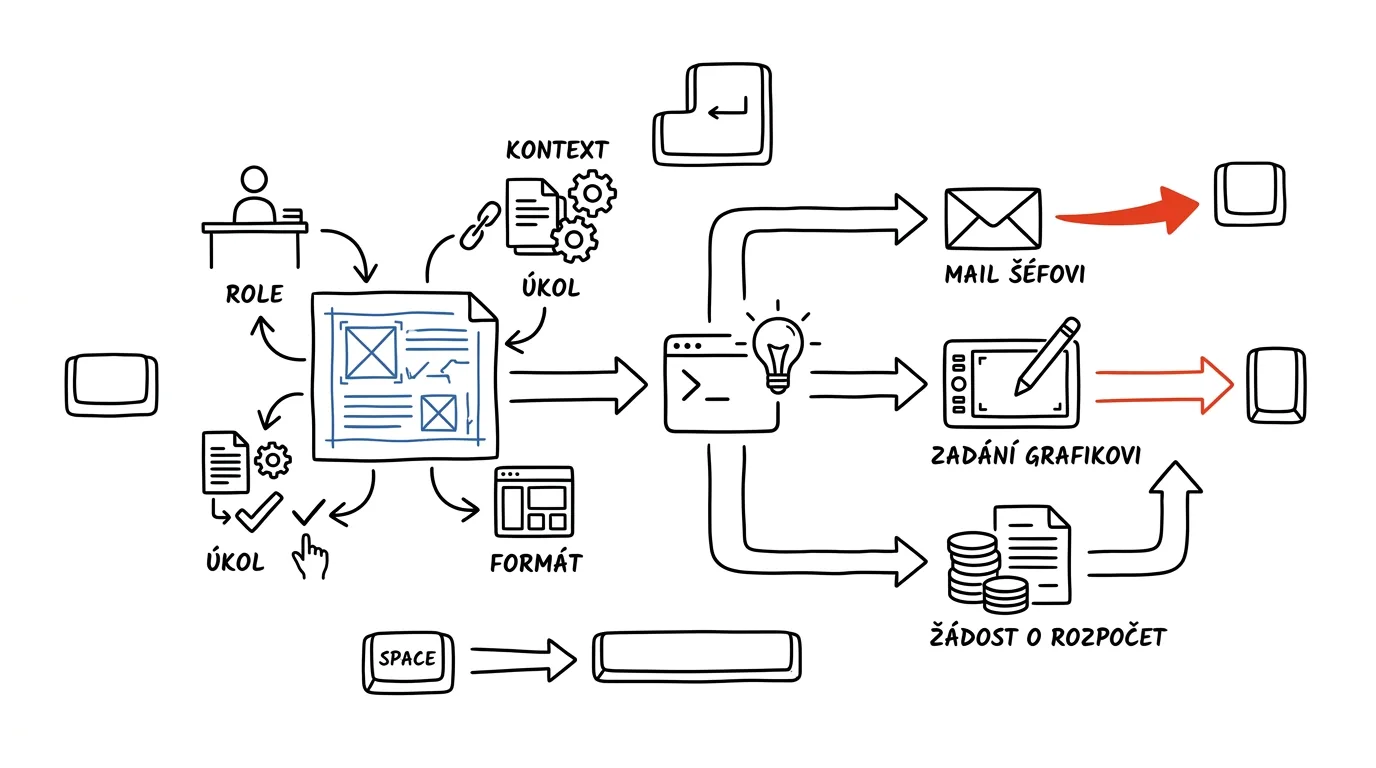
“Write me something about productivity” returns filler — text that would fit any blog and help no one specifically. Add four things to the same request, though, and the same model hands back material you can actually use after reading it once. Those four things are role (who AI should be), context (what situation you're in and what you have to work with), task (exactly what it should do), and format (what the output should look like). There's nothing more to it, and none of it is a trick — it's simply how you hand work to a person.
The key idea: answer quality is decided in the request, not in which model you pick. People AI doesn't work for usually don't have a worse tool — they have a request missing half the information, and the model fills in the rest. It fills it in with an average, because average is the most probable continuation. Adding three lines of context is cheaper than hunting for a better model.
This guide takes one request and rewrites it three times, so you can see exactly what each layer adds. Then it goes through the pieces one at a time — role, context, task, format — and finishes with a fill-in template and three rewrites from everyday work: an email to your boss, a brief for a designer, a budget request. The prompts are ready to copy — just fill in the brackets. Master this one skill, and the rest of the tips about AI start working on their own.
A typical scenario
Petra runs a seven-person studio and just got a lease to sign for a new office — twelve pages, due back by end of week. She doesn't want to hire a lawyer for it, but she doesn't want to sign blind either.
She wrote AI “check this contract for me” and got back a summary of general truths: leases tend to carry risk in the notice period, watch the inflation clause, verify the condition of the premises. None of it was wrong, and none of it helped — she could have guessed all of it herself. Half an hour of reading, zero decisions.
The second time, she wrote it differently: that it should talk like an experienced commercial lawyer, that this was an office for seven people over three years, that she needed the option to leave early if she lost her biggest client, that she couldn't afford to fund a renovation herself, and that she wanted a table back with columns for risk, exactly where it is in the contract, how serious it is, and what to propose to the landlord. The output was fourteen lines, nine of them pointing at specific clauses in her actual contract. She took three to the landlord and won two. Total time: twelve minutes, including writing the request.
The difference between the two attempts wasn't the model, and it wasn't that she got lucky the second time. The second time, she said who AI should be, what situation she was in, exactly what she wanted from it, and what the output should look like. The rest of this guide teaches you how to do that every time — even when you don't feel like writing a long request.
Anatomy of a prompt: the four pieces that decide the outcome
A good prompt breaks down into four parts, and each does its own job. They don't have to appear in this order, and they don't need separate headers — they just need to be present.
Role: sets the perspective and the vocabulary
A role isn't a costume. When you write “you're an experienced commercial lawyer,” the model doesn't gain new knowledge — what changes is what it treats as relevant. A lawyer notices deadlines, penalties, and definitions. A marketer reads the same text and notices the brand promise. An accountant notices the VAT. A role is a filter that decides what stays in the answer and what falls out.
Context: the one thing the model doesn't know
The model knows the world in general and knows nothing about your situation. Context is everything you'd have to tell a new coworker before handing them the task: who it's for, what's already happened, what constraints you're under, what you're afraid of, what you've already tried. Without context, you get an answer valid for an average person in an average situation.
Task: one verb, a clear scope
The most commonly underrated piece. “Take a look at this” isn't a task. “List the risks,” “rewrite in three sentences,” “compare two options and recommend one” are tasks. If the request doesn't contain a verb that says what should come out of it, the model picks one for you — usually a description or a summary.
Format: how the output will actually get used
Format isn't decoration, it's time saved. An answer you have to restructure before you can use it is half an answer. Specify the length, the structure (bullets, a table with named columns, an email), the tone, and the language if it matters. And above all, say what you don't want too — “no generic advice,” “no intro paragraph,” “don't suggest anything that requires new software” — because a prohibition is often more effective than a request.
Here's what all four pieces look like put together, on Petra's contract:
You're an experienced commercial lawyer specializing in
commercial leases in the Czech Republic.

Situation: I own a studio with 7 people, and we're moving into
an office of [size] in [city]. The lease runs 3 years. My
biggest client accounts for roughly half of revenue — if I lost
them, I'd need to be able to get out of the lease early. I
can't afford to fund a renovation myself. Treat the deposit and
the rent amount as fixed — don't touch those.

Contract text:
[paste the contract]

Task: go through the contract clause by clause and find spots
that could hurt me given the situation above.

Format: a table with columns
risk | clause and paragraph | how serious (high/medium/low) |
a specific fix, worded so I can send it straight to the
landlord.

Don't write generic advice about leases. Only things that are
actually in this text, or conspicuously missing — list any
missing provisions separately at the end.
You'll get a table tied to specific clauses that you can actually negotiate with. Two catches: the model sometimes flags something as a risk that's just standard practice in commercial leases, so ask yourself for each point whether it really bothers you specifically. And legal analysis from AI isn't legal counsel — for a contract where the stakes are high, treat the output as prep for an hour with a lawyer, not a substitute for it. If the contract has names, amounts, and addresses, either replace them before pasting it in, or work in a paid account with contractual data protection.
One request, taken apart: bad, better, best
The fastest way to understand this is one request, in three versions. The task: you need web copy about a service you offer.
Version 1: what people actually write
Write me web copy about my service.
You'll get roughly four paragraphs that open with “in today's fast-paced world” and promise a personal approach and quality. The fault isn't the model's — there's not a single piece of information in the request that couldn't be guessed. So the model generates the average of every text like this it's ever seen. Usability: zero.
Version 2: add context and a task
Write web copy about my service. I'm an accountant, I do full
bookkeeping for small businesses with up to 15 employees,
mostly tradespeople and online shops. The copy is for a
"Services" page, around 250 words.
This is already a usable base. The answer will be about bookkeeping for small businesses, will mention tradespeople and online shops, and will stay within scope. It still won't know what sets you apart from two hundred other accountants, who you'd rather not attract, or what the reader should do after reading it. Usability: a draft you rewrite about half of.
Version 3: all four pieces
You're a copywriter who writes for small Czech businesses —
plainly, no marketing phrases, no superlatives.

About me: I'm a freelance accountant, I do full bookkeeping for
companies with up to 15 employees, mostly tradespeople and
online shops. Eight years of experience. What sets me apart:
clients send me receipts by phone as they go instead of
dropping off a binder once a quarter, and I respond to
questions by the next day. Who I DON'T want: businesses looking
to "sort it out somehow" after a deadline has passed, and
companies with revenue above [threshold].
What clients are most afraid of: getting fined, missing a
change in the law, and not being able to reach anyone by phone.

Task: write copy for the "Services" page.

Format:
- an opening paragraph under 60 words that talks about the
  client's worry, not about me
- 4 bullets covering what's included in the service, one
  sentence each
- a paragraph on "how we'll work together" in 3 steps
- 2 sentences on who I'm not a good fit for
- a closing call to action (a no-obligation call)

Under 300 words total. No phrases like "personal approach,"
"tailored," "in today's world." Write in second person,
addressing the reader directly.
You'll get text where you're typically changing individual words, not the structure. Three specific things make the difference from version 2: differentiation (receipts by phone, next-day responses), who you don't want (which, paradoxically, attracts the right people), and client fears, which give the copy something to actually be about. Worth checking: whether the model snuck in a service you don't actually offer — models like to invent items in a list to make it feel “complete.”
The lesson from this breakdown fits in one sentence: every line in the request that could apply to anyone else is wasted — and every line that's true only of you raises the quality of the answer.
Role: who to set, and when a role is pointless
Typical roles by situation
- Critic or opponent — “you're a strict reviewer,” “you're the person this proposal will cost budget.” The single most useful role, because the model tends to agree with you by default.
- Domain expert — a lawyer, an accountant, an HR person, a security engineer. Changes what the model notices.
- A specific reader — “you're a CFO with 90 seconds,” “you're a customer who already filed one complaint and got turned down.” Great for stress-testing text before you send it.
- A teacher for a given level — “explain this like you would to a high schooler,” “like to someone hearing about it for the first time.”
- An editor or proofreader — “you're an editor who cuts filler and adds nothing.” Make sure to say what it must not do.
- A process facilitator — “you're an experienced meeting facilitator,” “you're a project manager watching deadlines and risk.”
When to skip the role
A role doesn't help with purely mechanical tasks: format conversion, sorting, searching within text, turning text into a table. There it just takes up space. And it doesn't help in the form of “you're an expert in everything” or “you're the world's best marketer” either — superlatives don't do anything except make the tone more confident, which is a liability, not an advantage.
When you're not sure which role to pick, ask for suggestions:
I want you to [describe the task]. Don't do it yet.

Write me 4 different roles I could assign you for this task.
For each one, note:
- exactly how the first sentence of the prompt would read
- what you'd notice in this role that you wouldn't notice in
  the others
- what kind of decision this answer would be good for
- what you'd necessarily miss in this role

At the end, recommend one role for my situation: [situation in
one or two sentences], and justify it in one sentence.
You'll get four angles, and usually at least one you hadn't thought of. A useful side effect: you'll often find it's worth running the same material through two roles back to back — a lawyer and a salesperson — because each one catches something different.
Context: how much is enough
The question beginners ask most. The answer: as much as you'd tell a capable person who knows nothing about your situation and can't ask follow-up questions. In practice that's three to ten lines for a typical task, plus source material if you have any.
What always belongs in context
Who the output is for, and what that person will do with it. What's already happened (previous talks, past attempts, the history of the relationship). Constraints — time, budget without a specific figure, technology, company rules. What you're worried about or what must not happen. And a sample, if you have one: nothing works as reliably as a finished piece of output you like, paired with “match this structure and tone.”
What doesn't belong in context
The company's history since founding, and personal feelings unrelated to the task. And above all: sensitive data. Client names, national ID numbers, health information, credentials, unreleased financial statements. Most tasks work fine with anonymized material — swap a name for “Client A,” a figure for a rounded value, and the structure stays the same. Where anonymizing isn't enough, the work belongs only in a paid account with contractual data protection.
The safest way to find out what's missing
Instead of guessing, let it ask. This prompt is worth using on every task that actually matters.
I want you to [task]. Here's the context I could think of:

[3-8 lines of context]

Don't start working yet. First tell me:
1. Which pieces of information are missing enough that you'd
   have to guess — ranked by how much they'd change the result.
2. What you'd guess if I didn't fill it in (give a specific
   guess, not "it depends").
3. Which of the things I gave you are actually irrelevant to
   this task.

Then wait for my answer.
Point 3 is the unexpectedly useful one: it shows that half of what you laboriously typed out has no bearing on the result, and next time you write a shorter, better request. Point 2 reveals where the model would have gone on its own — and sometimes you'll find its guess is better than your original idea.
Task and format: what should come out, and what it should look like
The verb decides
Replace “I need help with…” with a concrete verb: list, compare, rewrite, shorten, split, propose three options, find inconsistencies, fill in what's missing, quiz me. When one request needs two things done, number them — the model tends to handle the first one properly and shortchange the second.
Specify the scope, too. “Briefly” means something different to everyone; “under 120 words” or “five one-sentence bullets” means the same thing to everyone.
Formats you can actually keep working with
The most useful formats for everyday work: a table with named columns (the best choice anywhere you're comparing things), bullets with a fixed structure (“for each: what, who, by when”), a ready-to-send email (subject, body, sign-off), a checklist, two or three options side by side, and a script or formula wherever numbers are involved. That last one matters: don't let the model do arithmetic in its head — have it write a formula into your spreadsheet that recalculates itself.
I have [description of source material, e.g. seven supplier
quotes in emails]. I'm pasting them in below.

Task: turn them into one comparison table so we can decide
based on the same criteria across the board.

Format: table, one row per supplier, columns:
supplier | exactly what's offered | delivery date | warranty
length | what's missing or unclear in the quote | what to ask
about

Rules:
- write prices exactly as they appear in the quote, don't
  recalculate or sum anything
- where a field is missing from a quote, write "not stated" —
  don't guess
- below the table, add 3 questions I should send to all
  suppliers at once, so the quotes finally become comparable

Don't recommend a winner — that's my call.

[paste the quotes]
You'll get an overview ready for a decision, and — often more valuable — a list of places where the quotes go quiet. Spot-check two figures against the originals, especially delivery dates and warranty terms; converting long text into a table is exactly where a condition buried in a footnote tends to get lost.
A sample instead of a description
When a format is hard to describe, attach a finished example instead. The sentence “match this exact structure, tone, and length” plus one sample document replaces a paragraph of instructions and works more reliably.
A template, and three rewrites from real work
A fill-in template
Save it in your notes or as a text expander snippet, and fill it in. After twenty uses you'll stop needing it, because you'll start asking yourself those four questions automatically.
ROLE:
You're [profession or perspective] who [what defines them —
e.g. writes plainly with no fluff / hunts for risk / watches
deadlines].

CONTEXT:
- Who I am and what I do: [one sentence]
- Situation: [what happened, where I am now]
- Who the output is for and what they'll do with it: [recipient]
- Constraints: [time, scope, rules, what to stick to]
- What must not happen: [worry]
- Source material: [paste text, numbers, notes]

TASK:
[Verb] [exactly what] [scope].
If there's more than one task, number them: 1. ... 2. ...

FORMAT:
[length, structure, table columns, tone, language]

WHAT I DON'T WANT:
[phrases, generic advice, suggestions that require X, intro and
closing summaries]
Rewrite 1: an email to your boss
Before: “Write my boss an email saying I won't make the deadline.”
You'll get a polite apology with no information in it — which you'd rewrite entirely anyway — and which reads like an excuse besides, since it offers nothing but regret.
After:
You're an experienced manager who gets emails like this
yourself. You write plainly, without apologizing and without
explaining yourself in advance.

Situation: I owe [deliverable] by Friday. I won't make it,
because [the real reason — e.g. the supplier sent the material
8 days late]. I can realistically deliver by [new date]. My
boss hates surprises and wants to know what I'm doing about it.
We've had this kind of slip once before on [project], so I
don't want this to read like it's happening again with no
fix in place.

Task: write an email that informs him about the delay and
offers a solution right away.

Format: subject line + body under 150 words. Structure:
1. the fact, one sentence (what's slipping and to when)
2. why — one sentence, no blaming the supplier
3. what I've already done to limit the impact
4. what I need from him (a decision, not sympathy)
5. what I'll do so this doesn't happen again

No apologetic phrases up front. Don't write "sorry for the
inconvenience," and don't say it's regrettable.
You'll get an email you typically tweak in two sentences. The order of the points is deliberate: the fact first, the reason second. And a rule you can't get around here either — AI proposes, you send. Read the whole email, especially point 3, to make sure it doesn't credit you with something you haven't actually done yet.
Rewrite 2: a brief for a designer
Before: “Write a brief for a designer for a flyer.”
You'll get a generic template with fields you'd have to fill in yourself anyway — and all a designer gets from it is that you want a flyer.
After:
You're an art director who briefs external designers and knows
that a bad brief costs two extra rounds of revisions.

Context: [company's field], we're doing [event/product]. The
flyer will run [where it'll be distributed — noticeboards,
mailboxes, an event booth], target audience [description]. Our
visual style: [description or link to a style guide]. Print:
[format, color, single-sided?]. Print deadline [date], so the
artwork needs to be done by [date]. The budget is fixed, but
don't put the figure in the brief — I'll add it myself. The
designer is working with us for the first time and doesn't
know our materials.

Task: write a brief that's enough for the designer to produce a
first draft without having to ask follow-up questions.

Format:
- the flyer's goal in one sentence (what someone should do
  after seeing it)
- required elements (copy, logo, contact info, QR code,
  mandatory disclosures)
- hierarchy: what must be readable from three meters away,
  what only up close
- technical specs (dimensions, bleed, color mode, file format)
- what we'll supply, and by when
- how many revision rounds, and what approval looks like
- 3 examples of what we DON'T want (styles, clichés, elements)

At the end, list any information I didn't give you that would
leave the brief with gaps.
You'll get a brief ready to send, plus a list of gaps that's the most valuable part of the output. Use that last paragraph on every brief you send to outside people — it's exactly where you'll catch that you forgot the file format, or who's supplying the photos.
Rewrite 3: a budget request
Before: “Write a request to increase our budget.”
You'll get a request with no argument behind it. Leadership doesn't need a request — it needs a reason and numbers it can respond to.
You're the CFO this request lands on. Read it first the way a
decision-maker would, not the way the person who wrote it would.

Context: I run [team/project]. I need to increase the budget
for [what specifically]. Reason: [what changed — volume,
prices, scope, a shortfall]. Data I have: [list what you can
back up — counts, hours, dates; I'll add the amounts myself,
don't put them in the text]. Who decides on this: [role]. What
they care about most: [return on investment / risk / impact
on deadlines]. What happens if it isn't increased: [consequence].
Alternative I considered: [narrowing scope / delaying].

Task:
1. Write a one-page request.
2. Then, separately, write 5 questions the decision-maker will
   likely ask in response, and for each one, what I should have
   ready to back it up.

Request format: a heading, 3 paragraphs (what I need, why now,
what the company gets for it), a table "option | impact | what
it means for deadlines," and a final sentence that's a specific
ask for a decision by [date].

Don't use the words "unfortunately," "we're trying to," or "it
would be good." Don't invent any numbers — where one's needed,
write [FILL IN].
You'll get a request with clearly marked spots for your own numbers, and a list of questions to go through the day before the meeting. The ban on inventing numbers is there deliberately: models love filling gaps in source material with a plausible-looking value, and the worst moment to discover that is in the middle of a meeting.
When a prompt doesn't land: tune it, don't rewrite it
When an answer isn't good, most people delete the request and write a new one. It's faster to fix just the layer that failed — and the diagnosis is straightforward.
The answer is generic and could apply to anyone — missing context. The answer is off in the wrong direction, solving different problems than you need — wrong or missing role. The answer is about the right thing but unusable as is — missing format or scope. The answer responds to something other than what you asked — a missing verb in the task, or two tasks in one request and the model only did the first one.
When you're not sure, have the prompt itself analyzed:
Here's the prompt I wrote you, and the answer I got back. The
answer doesn't work for me because [what specifically is wrong].

Prompt:
[paste the original prompt]

Answer:
[paste the answer, or the start of it]

Break it down for me:
1. Which of the four parts — role, context, task, format — is
   missing or weak in my prompt.
2. What exactly you had to guess, and how you guessed it.
3. Write a corrected prompt. Mark the changes so I can see what
   you added and why.

Don't regenerate the answer yet.
You'll get a breakdown that teaches you more for next time than a good answer would. Read the corrected prompt before you use it — models tend to pad requests with requirements you never asked for.
And one last layer of tuning: adjusting mid-conversation. You don't need a perfect prompt on the first try, because “cut it in half” or “make the third paragraph more concrete” takes five seconds, as covered in the tip talk to AI, don't shoot blind. A good first prompt just shortens the path — it doesn't replace it.
Common mistakes
- A request you could send to anyone else. If nothing in the prompt marks it as yours, you get an answer that isn't yours either.
- A role used as decoration. “You're the world's foremost expert in the field” changes nothing but the tone. A role only matters if it changes what the model notices.
- Context with no constraints and no worries. A deadline, a scope, and the sentence “here's what must not happen” change the outcome more than another paragraph describing your company.
- A missing format. Continuous text you have to restructure into a table costs you most of the time you thought you saved.
- Two tasks in one sentence. The model mostly does the first one. Number them, or ask separately.
- Pasting real sensitive data into context. Replace names, ID numbers, and unreleased statements with placeholders; where that's not possible, work only in a paid account with contractual data protection.
- Trusting whatever a well-written prompt returns. A good request raises quality, not truth — numbers, citations, and clauses still get verified against the source; see fact-checking with AI.
The best tools
- ChatGPT, Claude, or Gemini — the four-part structure works the same in all of them; the prompt does the work, not switching apps.
- Custom instructions in your settings — set the role and tone you use constantly (language, length, banned phrases) once, and it applies to every conversation; the how-to is in the tip custom instructions.
- Projects with persistent context — for recurring work, upload a company description, sample documents, and rules once instead of pasting them into every prompt.
- A prompt library — a note, Notion, or text expander snippets where you save requests that proved themselves; the how-to is in a prompt library.
- Text expander snippets on your system — triggering the template from the end of this page with three characters is the difference between “I'll write it properly” and “I write it properly, every time.”
What you get out of it
- Time: typically twenty to forty minutes a day for people who use AI daily — not because the answer arrives faster, but because it skips three rounds of follow-up questions and rewriting the output into something usable.
- Money: fewer revision rounds with outside vendors, because a brief AI helps you write is more specific than one you'd type in a hurry yourself.
- Peace of mind: the feeling that “AI doesn't work” disappears. Once you know which of the four layers is missing, you have a specific fix instead of disappointment.
- Quality: output tied to your actual situation, in a format you can keep working with, plus a list of questions you'd otherwise only discover in front of the client.
Pro tip
The strongest sentence you can add to the end of any request is: “Before you start, tell me in one sentence how you understood the request, and what you're noticing first.” It takes five seconds and catches a misunderstanding before it turns into three hundred words heading the wrong direction — it's the same trick good project managers use when handing off work.
And the closing rule: write requests the way you'd write them for a capable person who knows nothing about your situation and can't ask a follow-up question. Master that one sentence, and you don't need to remember any other prompting technique.
Want to go deeper? The handbook has a whole chapter on it — AI and automation.
Similar tips
F4 in Excel: Repeats Your Last Action and Locks a Reference
F4
One key, two superpowers — repeating your last action and toggling dollar signs in a formula.
Flash Fill: Excel Finishes the Pattern for You
Ctrl+E
Type one example into the next column (say, a name pulled from an email address) and Ctrl+E fills in the rest to match. No formulas.
A PivotTable in Two Minutes
A revenue summary by month and category out of thousands of rows? Insert → PivotTable, then drag three fields.
Common questions
Why do I get generic answers that would fit anyone?
Because the request contains not a single piece of information that couldn't be guessed — so the model generates an average of everything such a text has ever contained. The rule: every line of a request that could be sent by anyone else is wasted — and every line that's true only for you raises the answer's quality.
What's the point of a role if the model gains no new knowledge?
A role is a filter: it changes what the model treats as relevant. On the same text, a lawyer notices deadlines and penalties, a marketer the brand promise, an accountant the VAT. The most useful role of all is the critic or opponent, because the model tends to agree. For mechanical tasks (format conversion, sorting), skip the role — it just takes up space.
How much context is enough?
As much as you'd tell a capable person who knows nothing about your situation and can't ask follow-ups — in practice three to ten lines plus source material. Always include: who the output is for, what's already happened, your constraints, and what you're worried about. The surest method: have the model tell you which information it's missing.
Why specify what I don't want?
Because a prohibition is often more effective than a request: “no generic advice,” “no intro paragraph,” “don't use the word solution.” Format isn't decoration — an answer you have to restructure before using is half an answer. Specify length, structure, tone, and explicitly the phrases that must not appear.
The answer misses the mark — should I rewrite the whole prompt?
No, fix only the layer that failed: a generic answer = missing context; off in the wrong direction = wrong role; the right thing in an unusable form = missing format; answering something else = a missing verb in the task. And refine in conversation — “cut it in half” takes five seconds.
Does a good prompt guarantee a truthful answer?
No — a quality request raises quality, not truthfulness. Numbers, citations, and legal references still get verified against the source, and models love filling gaps with plausible-looking values; that's why prompts should ban invented numbers with a FILL IN marker. And replace sensitive data with placeholders, or work only in a paid account with contractual data protection.
Was this helpful?
Liked this tip?
I send one like it every week by email. Two minutes to read, hours saved.
The Top 30 tips e-book, free — it lands in your inbox right away.
Then 1 tip a week · no spam · unsubscribe in one click
Prefer a system to single tips? The free email course — seven days, seven emails, one skill a day.