Tips & tricks · AI · Everywhere · ~25 min a week · 18 min read · in-depth guide, doing it ~2 h
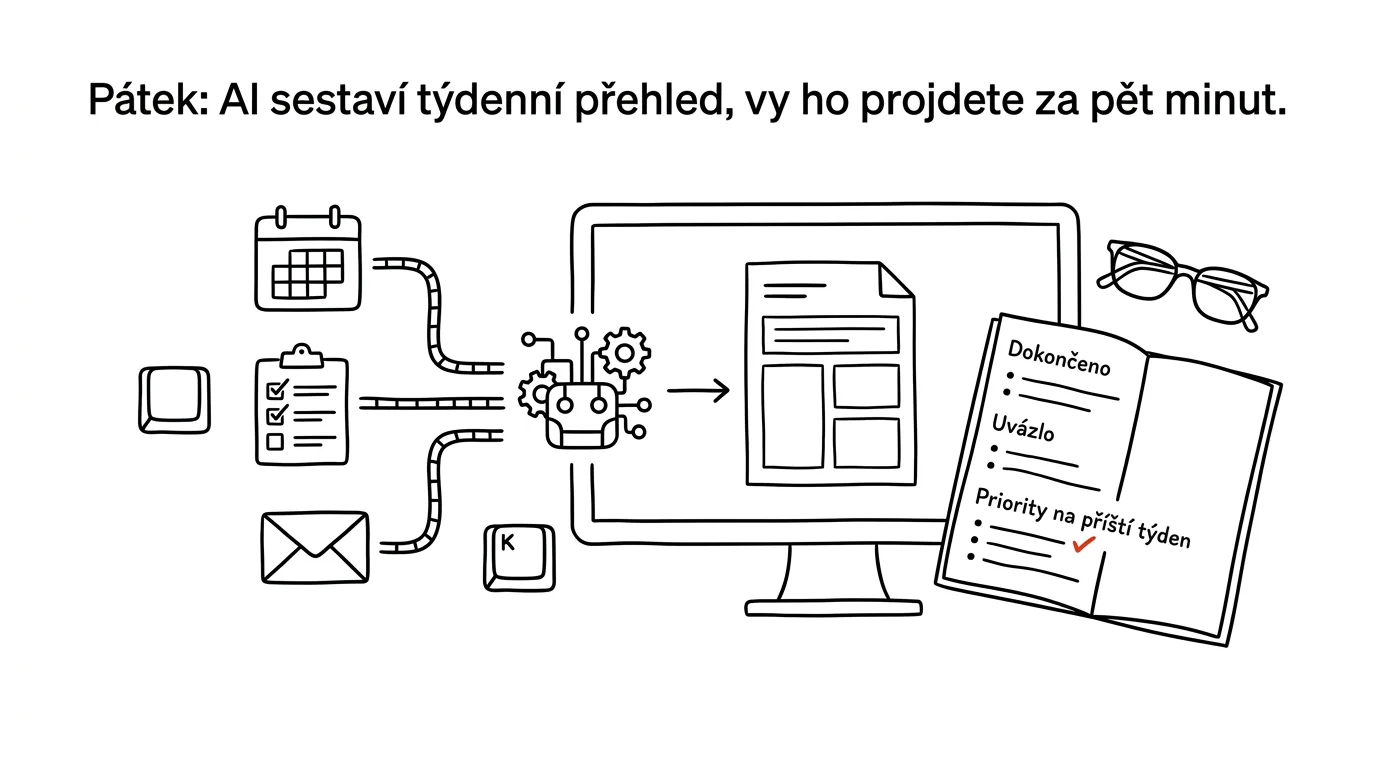
Friday: AI builds your weekly review, you skim it in five minutes
Last reviewed:
Facts verified against the tools:
Change history for this guide →
In this article
- A typical scenario
- Phase 1: where the line falls between gathering and deciding
- Phase 2: three sources and connecting via a connector
- Phase 3: the review's structure and the complete prompt
- Phase 4: the sections that carry value
- Phase 5: preparing for next week
- Phase 6: the five-minute ritual and the archive
- Common mistakes
- The best tools
- What you get out of it
- Pro tip
The weekly review is the best-rated and worst-kept habit in productivity. The reason is simple: most of those thirty minutes don't go into thinking, they go into gathering — clicking through the calendar, scanning the task list, digging up what's still hanging in your mail. And gathering is exactly the part that can be delegated.
The split this whole guide rests on: AI builds the review, a human makes the decisions. In a few seconds, a machine can compare what you planned for the week against what actually happened, and produce four lists: what got done, what's stuck, what fell through the cracks, and what's still waiting. What matters next week, it doesn't know — and can't know, because priority isn't a data point, it's a choice.
This guide takes you from zero to a working Friday routine in six phases: where the line falls between gathering and deciding, connecting three sources with a connector, the review's structure with the complete prompt, the four sections that actually carry value, preparing for next week, and the five-minute ritual with an archive. It's a machine version of the weekly review as the chapter on GTD describes it — just with the difference that the routine handles the gathering for you, while you keep the part the review exists for in the first place.
A typical scenario
Radek, a team lead, has set up a weekly review three separate times. Each time it lasted two weeks. At five on Friday afternoon, half an hour of scrolling through the calendar just doesn't appeal, so he tells himself he'll do it Sunday — and by Sunday he wants to do it even less. Monday then starts with whatever falls out of his inbox.
It's not laziness. Of the thirty minutes a review takes, twenty are mechanics: going through eighteen calendar events, forty tasks in the task list, and tracking down which threads are waiting on someone else. That leaves ten minutes for the actual thinking — what does this mean and what should get room next week — and by then Radek is already worn out.
With an automated review, one page lands in his inbox at 2 pm on Friday. How much time went where, and how that compares to last week. Nine tasks finished, four overdue. Three things that haven't moved an inch all week, each with a note on what's blocking it. Two that dropped out of the plan entirely and nobody noticed. Five threads waiting on the other side, with a day count on each. And a proposed set of three priorities for next week, with one sentence of reasoning apiece.
Radek reads the review, drops one suggested priority and swaps in another, confirms the remaining two and immediately blocks time for them in his calendar. He's done in five minutes. After a quarter, he also has thirteen archived reviews, and one uncomfortable thing jumps out at first glance: the task “rewrite onboarding” has shown up in the “hasn't moved” section eleven times. That's not a time-management problem, that's a badly scoped task — and without the archive, Radek would never have caught it.
Phase 1: where the line falls between gathering and deciding
Skip this phase and you'll end up with a routine that sends you a nicely formatted document every Friday that you never act on. The weekly review actually has two halves with completely different natures, and only one of them can be delegated.
Gathering is a job for the machine
Gathering means: what happened. How many meetings took place and how long they ran, which tasks got closed, which are overdue, where a reply is still pending, what was planned on Monday and hasn't got a single entry to show for it by Friday. All of this is traceable data sitting in your calendar, task list, and mail — dull, mechanical, precise work, and a machine is better at it than you are, because its attention doesn't start to blur after the twentieth item.
Deciding is a job for a human
Deciding means: what to do about it. Which three things get priority next week. What gets cancelled outright. What gets handed off. Where you say no. This part looks like a continuation of the first, but it isn't: it needs information that lives in no system anywhere — how you're feeling, what you know about the company's plans, what you promised someone over lunch, what you're in the mood for on Monday.
The model doesn't have that information, so if you let it decide, it'll manufacture plausible-sounding priorities derived from whatever the data shows: the most urgent deadline, the oldest task, the loudest thread. That's exactly the style of management a review is supposed to save you from. So the routine proposes priorities with reasoning attached, and you confirm, change, or cross them out.
Splitting up your own review
Before you automate anything, split what you actually do during a review into two columns.
I do a weekly review and want to split it into the part an
automation can prepare and the part I have to do myself.

My role: [role, industry, team size].
Tools I use: [calendar, task manager, mail, notes].
Here's what my review looks like today:
[list the steps you go through during a review, unordered is fine]

Split the steps into three groups:
A) GATHERING — traceable data from systems, where the answer is
   a fact (what happened, what's done, what's overdue)
B) ASSESSMENT — steps where facts turn into a conclusion, where
   AI can offer a suggestion, but I have the final say
C) DECISION — steps that are purely my own call, which an
   automation has nothing to base a suggestion on

For each step in group A, write which system it can be pulled
from and what question gets asked of it.
For group C, write what information the decision needs and why
a tool can't have it.
At the end, write what's completely missing from my review that
should be there.
This returns a breakdown that usually shows a surprising ratio: for most people, two-thirds of a review is group A. Read group C carefully — it's the list of what the routine will ask of you in those five Friday minutes, and also a check on whether you're delegating something you shouldn't. Watch one tendency: models like to sort things into group B that actually belong in C (“I'll suggest who to take off the project”). Anything touching people, money, or commitments made to outsiders belongs to you.
Phase 2: three sources and connecting via a connector
A review is only as good as the data underneath it. There are three sources and you don't need more — each additional one makes the review longer, not more accurate.
What each source contributes
Calendar tells you what actually happened. It's the one source that doesn't lie about time: your task list shows intentions, your calendar shows reality. It's the basis for the “where the time went” section, and also for the capacity check on next week.
Task list supplies finished and unfinished items, deadlines, and how old tasks are. The key data point is one hardly anyone tracks: when a task was last touched. A task nobody has touched for six weeks is a different case than one created on Tuesday.
Mail supplies what's in no system at all — what's still waiting, where you're the bottleneck, and what showed up outside the plan. If you're already running the evening promise routine, you've already got most of this covered, and the Friday run can simply pull from it.
Leave notes, documents, and team chat out of it. They add volume and reduce clarity — and anything important in them shows up in one of the three main sources anyway.
Connecting and permissions
Connectors (built on the MCP protocol) are standardized links between AI and common services; the tip connectors as USB-C for AI explains the principle. For the Friday review you need to read calendar, task list, and mail. You need almost no write access: the one exception is saving the review into your notes or creating calendar blocks, and even that only after you've approved it.
This belongs on a business account with contractual data protection, not in a personal chat. Explicitly exclude calendars and folders holding sensitive matters — HR, legal, health — from the scope in the prompt. And ask the review for summaries and links only, never full-text reproduction of messages: the review should be readable on one page, not an archive of the whole week.
Store the prompt, the rules, and the review's format in a Project (persistent context) named something like “Weekly review,” so you edit them in one place.
A dry run: does it see what you think it sees?
The most common disappointment with the first review has nothing to do with the prompt — it's the data. The routine only saw one of your three calendars and half your tasks. Check this before you start tuning the wording.
Connect to my calendar, task manager, and mail, and take an
inventory of the last 7 days. Don't evaluate anything, just list
what you see.

CALENDAR: which calendars you can see (names), how many events in
each, how many I accepted versus how many someone else merely
proposed, how many hours total they took up, and how many were
all-day entries.

TASK MANAGER: which projects and lists you can see, how many open
and how many closed tasks in each, how many have a deadline, and
how many show a last-modified date.

MAIL: which folders you can see, how many messages you went
through for the period, and how many are from actual people
(not mailing lists or notifications).

At the end, write:
1. what you think you're NOT seeing from these sources, even
   though it probably should exist
2. three things you'd need me to tell you before you could build
   a meaningful weekly review from this data

Don't make anything up. When you're not sure, write “don't know”
instead of guessing.
This returns an inventory you compare against reality — and nine times out of ten, something's missing: a shared team calendar, a task-manager project sitting under a different account, or a folder customer mail gets sorted into. Read point 1 carefully; the model sometimes recognizes it's missing context and says so. Point 2 saves you half your tuning effort, because it surfaces things like “I don't know which projects matter to you.”
Where the time went
The time section is the one part of the review where AI computes something you wouldn't work out by hand. But it needs your own categories, not generic buckets.
From my calendar over the past 7 days, do a time breakdown.

Use these categories: [internal meetings], [client meetings],
[one-on-ones], [focused work — blocks tagged [label]],
[admin], [other].

Return:
1. a table: category, number of events, total hours, share in
   percent
2. a comparison with the previous week: what grew, what shrank,
   by how much
3. the longest uninterrupted block without a meeting that I had
4. how many hours went to meetings I didn't organize myself
5. three events that repeat every week and together take up the
   most time

Don't count all-day entries as 24 hours — exclude them and note
how many there were. For events where the category isn't clear,
put them in “other” and list their titles separately so I can
fill in the category.
Point 3 is the reason for computing all of this: if your longest uninterrupted block without a meeting is fifty minutes, no focus technique is going to save you — the fix is in your calendar, not in your head. Watch out for all-day entries: without an explicit instruction, the model counts them as full hours and the whole time breakdown turns into nonsense. And check the categorization for the first two weeks: a meeting named “Smith” could be a client meeting or an internal one, and the model will just guess.
Phase 3: the review's structure and the complete prompt
A review needs a fixed structure. A loosely written weekly summary reads nicely and is unusable — your brain has nothing to grab onto, and after three weeks you'll stop opening it because you don't know where to find anything.
Five blocks that work
- Done — what closed out over the week. Keep it short, but don't skip it: without this section, a review starts to feel like a reproach and people stop doing it.
- Stuck — items that are open and haven't moved all week. The core of the whole review.
- Fell through the cracks — what was on the plan and nothing happened to it, not even a postponement. This section is missing from manual reviews because nobody remembers to check for it.
- Waiting on someone else — where you're done and the ball is in someone else's court, with a day count.
- Proposed priorities for next week — three items with reasoning, explicitly labeled as a proposal.
Add the time breakdown from Phase 2 to that, either up top as context or at the bottom as an appendix.
The complete Friday-run prompt
The core of this guide. Paste it into a scheduled task and have it run on Friday morning — not Friday evening.
Every Friday at [1:30 pm], put together my weekly review for the
past 7 days. Sources: calendar, task manager [name], mail.
Skip the calendar [personal] and the folders [HR, Legal].

Structure the review in exactly this order:

1. THE WEEK IN NUMBERS (3 lines)
Hours in meetings, number of tasks completed, number of tasks
overdue. For each number, the difference from last week.

2. DONE
Tasks closed during the period, grouped by project. One line per
task. At the end, one sentence: which of these was the biggest
step forward.

3. STUCK
Open tasks that haven't changed in the past 7 days. For each:
title, project, how many days it's been open, when it was last
changed, and whether you can see a reason it's stuck in the mail
or calendar (waiting on someone, missing an input, no time for
it). If you can't see a reason, write “reason unknown” — don't
guess at one.

4. FELL THROUGH THE CRACKS
Things that were on the plan at the start of the period (in the
task manager with a deadline this week, or in my review from
last Friday) and that nothing has happened to since — not
finished, not postponed, not even commented on. For each one,
note where you found it.

5. WAITING ON SOMEONE ELSE
Mail threads where I replied last and I've been waiting for a
response longer than [4 days]. For each: counterparty, subject,
number of days.

6. PROPOSED PRIORITIES FOR NEXT WEEK
Three items. For each: what exactly, why this one (one sentence
backed by data from the review), and an estimate of how many
hours it will take.
Always introduce this section with the sentence “proposal for
approval.”

RULES
- The whole review has to fit on one screen. If there are too
  many items, shorten the descriptions, not the number of items.
- Never reproduce whole messages anywhere. A link and one
  sentence are enough.
- Don't create, edit, or send anything — just build the review
  and send it to me [where].
- Where data is missing, say so. Don't calculate an estimate or
  fill in what isn't in the systems.
This returns a one-page review that reads top to bottom. Three things to watch in the first few weeks. The definition of “stuck”: some task managers don't record a last-modified date, so the section either stays empty or balloons — in that case, swap the criterion for task age instead. The “fell through the cracks” section depends on last week's review being available somewhere; it will be empty the first week, and that's fine. The reasoning behind priorities: read it, not just the titles. The reasoning is the only place you can tell whether the model actually understood what your work is about.
When to run it
Friday morning, ideally so the review lands an hour or two before your week actually ends. Two reasons: you still have time to knock out something small that slipped, and you're not yet in that Friday-evening mood where you don't feel like deciding anything. Block five minutes in your calendar for the review — without that block, the ritual will dissolve just like the manual review before it did.
Phase 4: the sections that carry value
Two sections carry almost the entire value of the review, and they're worth tuning separately: “stuck” and “fell through the cracks.” Everything else is context.
Stuck: telling calm apart from a jam
Not every motionless task is a problem. Something is waiting on purpose, something is waiting on another person, and something is stuck because it's badly scoped. The difference between the three decides what you do about it, and a machine only recognizes it if you actually ask.
Take the STUCK section from my weekly review and break it down
further. You have access to the task manager and to my mail.

For each item, determine which category it belongs to:
A) WAITING ON SOMEONE ELSE — mail or comments show the ball is in
   someone else's court. Name who, and since when.
B) MISSING AN INPUT — a document, a decision, or information is
   missing. Say which one and from whom I need it.
C) DELIBERATELY POSTPONED — has a future deadline or belongs to a
   stage that hasn't started yet. Say when it becomes current.
D) NO REASON — none of the above; it's just not getting done.

For category D, also estimate why: is the task too big to start,
is it unclear what “done” looks like, or is it assigned to me but
actually belongs to someone else? For each guess, say what you're
basing it on.

Finally, list items that have been in category D for a second
week running — for those, propose what to do (shrink it, hand it
off, cancel it) and what would happen if I cancelled it outright.
Category D is the whole point of this section. A task hanging in it for the third time is telling you something about how it was scoped, not about your discipline — and the question “what would happen if I cancelled it” is the fastest way to discover that half of those items have no consequences at all. Treat the breakdown of reasons as a hypothesis: the model is guessing from what it can see, and it can't see that a project is actually waiting on a decision that won't be made until leadership is back from vacation.
Fell through the cracks: comparing plan against reality
The most valuable section is also the hardest to build, because it needs the past. Without an archive of reviews, the routine has no idea what you intended on Monday.
Compare my review from last Friday [link or paste it in] against
what actually happened over the past week.

Return three lists:

1. DONE AS PLANNED: what was proposed or approved as a priority
   last Friday and is now finished.
2. CHANGED: what was on the plan and, instead of getting
   finished, had its deadline pushed, its scope changed, or got
   handed off — for each, say when and where you can see that
   change.
3. VANISHED: what was on the plan and nothing has happened to it
   since — no change in the task manager, no mention in mail, no
   calendar event. This is the main list; for each item, say how
   you determined nothing happened to it.

Below the lists, write one sentence: what percentage of last
week's plan actually happened. And one question you think I
should be asking myself — one whose answer you can't find in the
data.

Don't evaluate me and don't write encouragement. I want facts and
one question.
List 3 is the reason the Friday review pays for itself. Things don't disappear because you rejected them — they disappear because nobody talked about them, and the more quietly something vanishes, the more likely it was the important, non-urgent kind of work. Treat the percentage of the plan completed as directional, and don't turn it into a metric: the moment you start chasing it, you'll start planning only the things you're sure of.
Phase 5: preparing for next week
The last part of the review looks forward — and it's the place where the line from Phase 1 gets crossed most easily. The routine can propose, calculate, and flag. Deciding is still up to you.
Proposing three priorities, not a week's plan
Three is the right number, because it fits in your head and survives even a bad week; the tip three main tasks covers the principle. The proposal should be short and, above all, reasoned — without reasoning, you have nothing to judge it against.
Based on the whole weekly review, propose three priorities for
next week. Take into account: what's stuck, what fell through
the cracks, what has a deadline in the next 14 days, and what's
waiting on me.

For each priority, write:
- what exactly (an outcome, not an area: not “work on project X”
  but “send the contract draft to client X”)
- why this one, in one sentence backed by data from the review
- an estimate of how many hours of focused work it takes
- what happens if I don't do it next week

Then add two more things:
A) MOST SIGNIFICANT LEFT OUT: a fourth item you considered and
   ultimately didn't include among the three — and why.
B) WHAT I SUGGEST CANCELLING: one item from the task manager that,
   based on the data, I should cancel or hand off, with reasoning.

This is a proposal for approval. Don't create or flag anything.
This returns three cards, of which you'll typically confirm two and swap one out — and that's a good outcome, not a failure. Point B is the most useful part: a suggestion for what to cancel is something you'd rarely propose to yourself, because every task on the list has some history behind it. The model has no sentimentality about it. At the same time, cancelling is a decision, not a calculation: check that there isn't a promise behind the item that the routine doesn't know about.
Capacity check: does it even fit in the week?
The most common reason a plan falls apart isn't a bad choice of priorities — it's that there's no room for them in the week. The calendar knows this in advance.
Look at my calendar for next week and calculate how much time
realistically remains for focused work.

1. How many hours are already taken up by meetings, broken down
   by day.
2. How many free hours remain within my working hours
   [8 am–5 pm], after subtracting meetings and [1 hour a day] for
   mail and admin.
3. How much of that free time is in continuous blocks longer than
   [90 minutes] — list them specifically: day, from when to when.
4. Compare this against the hour estimate for my three priorities:
   do they fit in those blocks? If not, say how many hours are
   missing.
5. Suggest which existing meetings could be shortened, merged, or
   skipped so the priorities fit — for each, say why you think
   it's a candidate.

Don't change anything in the calendar and don't suggest anything
to any attendees. Just give me the list and leave the decision to
me.
Point 4 is a sober answer to optimistic planning: if three priorities take twelve hours and the calendar has six free, that's not a motivation problem. Read point 5 with some distance — the model can't see which meeting is politically necessary or which one is the only place the team actually sees each other. It treats them all as rows in a calendar, and its suggestions behave accordingly.
Phase 6: the five-minute ritual and the archive
The review is done. Now comes the part that actually turns it into a review — and it takes five minutes precisely because the gathering is already finished.
Five minutes, four questions
The procedure that works: read the review top to bottom without stopping, then ask yourself four questions and answer each in one sentence.
Does the picture match? If the review shows you a week you don't recognize, the problem is in the sources, not in you — and that's a five-second thing to catch.
What from “stuck” am I cancelling or handing off? At least one item a week. A list nothing ever gets crossed off of just grows forever.
Which three priorities am I taking? Confirm, swap, or fill in. Then block time for them right away — a priority with no block in the calendar is just a wish.
Who do I need to follow up with? From the “waiting on someone else” section, pick the ones where the wait is blocking your own work, and send a short message. Never leave this to the routine.
Your answers should stay attached to the review — next Friday they become the input for the “fell through the cracks” section.
Prepare the decision part of the review from today's summary.
List four blocks, each with only what I need to decide on:

1. TO CANCEL OR HAND OFF: candidates from the “stuck” section, each
   with one sentence on why and who it could go to.
2. PRIORITIES: your three proposals as a numbered list.
3. TO FOLLOW UP WITH: people from the “waiting on someone else”
   section where the wait is blocking my work, sorted by number
   of days.
4. EVERYTHING ELSE: one sentence on what I should have seen that
   doesn't fall under 1–3.

Then wait for my decision in this form: what I'm cancelling, which
priorities I'm taking, who I'm following up with. Based on my
reply, return a short five-line record of the review that I'll
save alongside it — my decisions, not your recommendations. Don't
carry out or send anything.
That closing sentence about the record matters more than it looks: those five lines with your decisions are what lets next week's routine figure out what you actually intended. Without them, the routine only has its own proposals to compare against, and you rejected a third of those.
The archive: the best part shows up after three months
Save reviews in one place — a folder, your notes, a page in Notion. After a quarter, they'll tell you more than any plan could, because a pattern only becomes visible once you have a run of them lined up.
Here are my last [13] weekly reviews:
[paste them or link to the folder]

Find patterns in them, not summaries. I want to know:
1. Which items showed up most often in the STUCK section — list
   the top 10, with how many times each appeared.
2. Which days or weeks repeatedly stand out from the rest
   (extremely little finished, extremely many meetings) and
   whether that connects to anything visible in the reviews.
3. How the split between meetings and focused work has changed
   over time.
4. What percentage of proposed priorities I accepted on average,
   and whether that's changing.
5. Three things that keep recurring in my reviews that I should
   address systemically, not task by task.

For each finding, cite which reviews it's based on. Don't dress
it up and don't give me generic productivity advice — I just
want what's visible in my own data.
Point 1 is uncomfortable and the most valuable: a task that showed up in “stuck” eleven times doesn't need a better planning technique, it needs a decision. Point 4 is feedback on the routine itself — if you're consistently accepting only one out of three proposals, the prompt doesn't match how you actually think, and it's worth rewriting.
When the review starts having empty sections
After a month or two, it settles down. The signal that it's done: you consistently read it in under five minutes, the “stuck” section only contains items that actually belong there, and you don't have to double-check whether the routine skipped something. After that, just revisit the prompt once a quarter and adjust the categories as your work changes.
Common mistakes
- Letting AI decide priorities. The model sees deadlines and volume, not importance. A priority without your confirmation is just the loudest item in the data.
- Running the review Friday evening or on Sunday. A review that arrives when you can't act on it anymore reads like a reproach. Friday morning is the only time that actually works.
- Adding a fourth and fifth source. Notes, chat, and documents make the review longer, not more accurate. Three sources, one screen.
- Leaving out the “done” section. A review that only shows what's left undone stops getting read. Closed tasks belong at the top, even if there are only a few.
- Not archiving. Without an archive you can't build the “fell through the cracks” section, and you can't find patterns either. One file a week, one place — that's the whole job.
- Not recording your own decisions. If five lines of what you decided don't survive the review, next week's routine has nothing to compare against, and the review shrinks into a status dump.
The best tools
- Claude with connectors and a scheduled task — reads calendar, task manager, and mail, builds the review on schedule and delivers it; the prompt and format live in a Project, so you edit them in one place.
- Projects (persistent context) — the home for the prompt, meeting categories, and your definition of what counts as “stuck”; the routine doesn't need them handed to it fresh every week.
- Todoist and Notion — task managers with open APIs and connectors; they double as both a data source and the archive where reviews live.
- Zapier, Make, and n8n — for assembling the calendar-and-task-manager, model, and delivery chain out of steps; n8n runs on your own server when the data shouldn't leave the company.
- Built-in AI in your existing environment (Gemini in Workspace, Copilot in Microsoft 365) — the easiest start; calendar and mail access are already sorted and it runs under your company account.
What you get out of it
- Time: 20–25 minutes a week, roughly fifteen hours a year. But the time saved isn't the main win.
- A habit that sticks: you'll do a five-minute review even in a hectic week. A thirty-minute one, you won't — and that's exactly why it kept falling off before.
- Better decisions: you pick priorities from the full picture, including what quietly fell through the cracks, not from whatever happens to be sitting on top of your mind.
- A better plan: a capacity check against the calendar catches an unrealistic week on Friday, not on Wednesday. A plan that fits the free blocks actually gets done.
- Calmer Mondays: the week starts with your own plan, not with other people's demands from your inbox.
Pro tip
Give the review one extra, uncomfortable section: tasks that have been pushed back for the third time. Just add a sentence to the prompt: “list tasks whose deadline has moved more than twice over the past three months, and for each one give the original and current date.” A repeatedly postponed task usually isn't about time — it's badly scoped, belongs to someone else, or you simply don't want to do it. That one list will save you more than any planning technique.
And the closing rule that sits above everything else: the review is an input, not a decision. The moment you let the routine create priorities directly, move deadlines, or cancel meetings, it stops being a review and turns into management by whatever the data happens to show. The manual version of the ritual this guide builds on is covered in the tip weekly review — and it's still true that those five minutes of thinking are the entire point of the half hour you saved.
Want to go deeper? The handbook has a whole chapter on it — AI and automation.
Similar tips
Where's the Setting? Ask AI Instead of Digging Through Menus
Tell AI the app, version, and what you're looking for — you get the exact path in the settings. No more clicking blind or following guides written for a five-year-old version.
In-depth guide · 20 min
A prompt library: don't rewrite what already works
A complete guide with prompts: where to keep a library, how to version and improve prompts, how to share them in a team — and ten every library needs.
In-depth guide · 17 min
Let AI find the holes in your proposal
A complete guide with prompts for hard critique: untraining AI from agreeing with you, decision premortems, red-teaming a proposal — and when to ignore it.
Common questions
Why not let AI set next week's priorities directly?
Because priority isn't a data point, it's a choice. The model manufactures plausible-sounding priorities derived from the most urgent deadline and the loudest thread — exactly the style of management a review is supposed to save you from. So the routine proposes priorities with reasoning attached, and you confirm, change, or cross them out.
Which sources should I connect?
Three and no more: the calendar (the only source that doesn't lie about time), the task list (completions, deadlines, task age), and mail (what's waiting and what arrived outside the plan). Leave notes, documents, and team chat out — they add volume, not accuracy. The routine only needs read access; it belongs on a business account with contractual data protection.
When should the review arrive?
Friday morning, an hour or two before your week ends — you can still knock out something small, and you're not yet in the Friday-evening mood where you don't feel like deciding. A review that lands in the evening or on Sunday reads like a reproach. And block five minutes in your calendar for it, or the ritual dissolves.
What is the “fell through the cracks” section and why does it need an archive?
Things that were in the plan and then nothing happened — no postponement, no mention. Manual reviews miss them because nobody remembers to look. The routine builds the section by comparing against last week's review, so without an archive and five lines of your own decisions it has nothing to compare against.
What about a task that's shown up in “stuck” a third time?
Don't replan it — a repeatedly motionless task is telling you something about how it was scoped, not about your discipline: it's too big, the finished outcome is unclear, or it belongs to someone else. The fastest test is the question “what would happen if I cancelled it entirely” — for half of those items, nothing.
How do I know the routine is dialed in?
You read the review in under five minutes consistently, the “stuck” section contains items that belong there, and you don't have to double-check that the routine missed something. Then a quarterly prompt review is enough. And watch the share of accepted priorities: if you consistently take only one of three proposals, the prompt doesn't match how you think.
Was this helpful?
Liked this tip?
I send one like it every week by email. Two minutes to read, hours saved.
The Top 30 tips e-book, free — it lands in your inbox right away.
Then 1 tip a week · no spam · unsubscribe in one click
Prefer a system to single tips? The free email course — seven days, seven emails, one skill a day.