Tips & tricks · Workflow · Everywhere · ~15 min a month · 2 min read
python -m http.server: share a folder over the network with one command
Last reviewed:
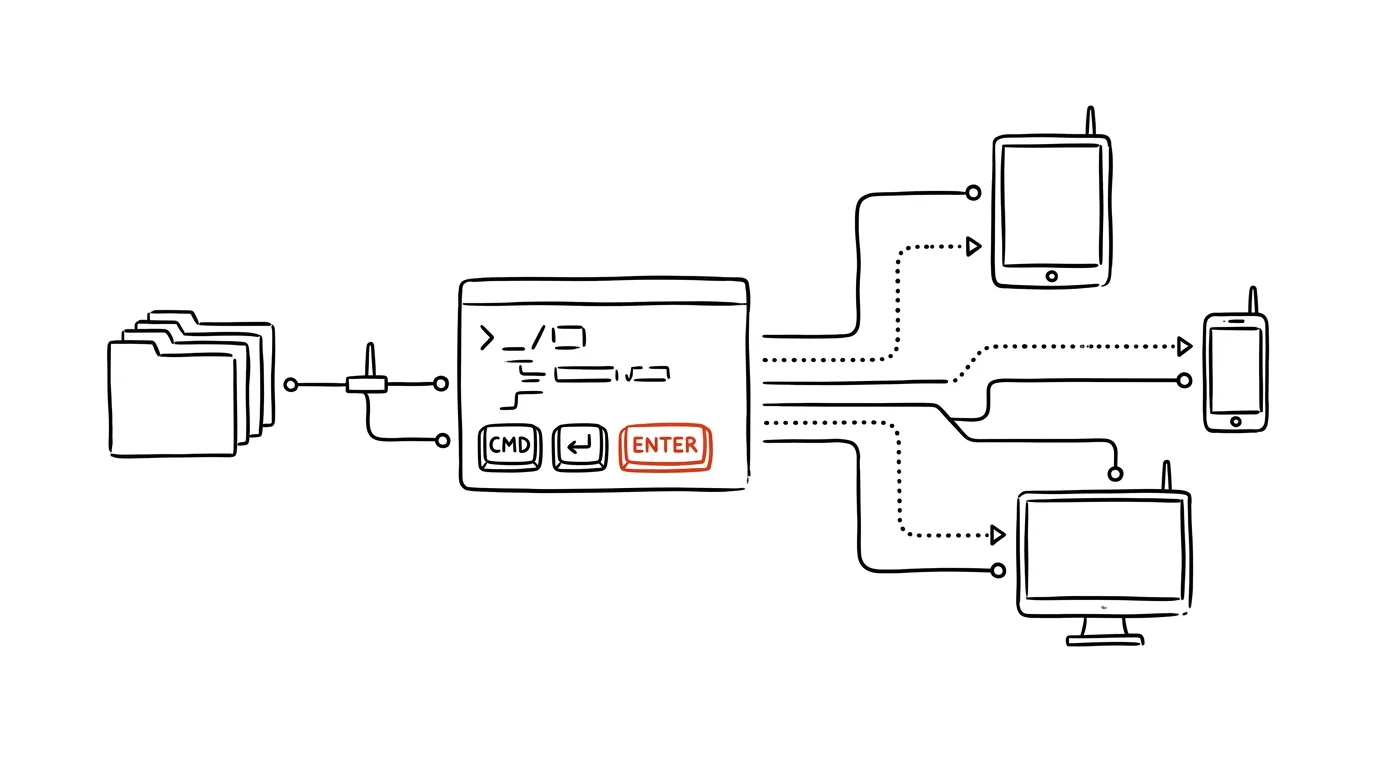
Moving a few files from your computer to another device on the same Wi-Fi can be surprisingly annoying — emailing them to yourself, hunting for a flash drive, signing into the cloud. Yet if you have Python installed, one command is enough: python3 -m http.server turns the current folder into a miniature web server. Anyone on the same network can then open the folder in a browser like an ordinary page with a file listing — and download whatever they need. No install, no account, no cable.
How to do it
- In a terminal, navigate to the folder you want to share and run
python3 -m http.server(on Windows,py -m http.server). It prints a message that the server is running on port 8000. - Find your computer's IP address on the local network — on Mac and Linux,
ip addror your network settings show it; on Windows,ipconfig(the IPv4 address line) — typically something like192.168.1.23. - On the other device — a phone, a tablet, someone else's laptop — open
http://192.168.1.23:8000in a browser. You'll see a folder listing; click a file to download it. - When you're done, stop the server in the terminal with Ctrl + C. Don't leave it running — anyone on that network can see the folder.
- Two rules: share only a dedicated folder with exactly what you want to share (the server exposes everything, subfolders included), and use it only on a trusted network — home or office, not public Wi-Fi. The transfer isn't encrypted or password-protected.
A typical scenario
A developer needs to get a batch of test APK files onto their phone and photos from a presentation onto a colleague's tablet — three devices, two operating systems, no shared cloud. Instead of juggling cables, they start a server in the share folder, read the address out to their colleague, and both grab what they need at local-network speed. Two minutes later, the server's off. The same trick helps with web development: open a work-in-progress static page this way on your phone and see how it actually looks on mobile — the server automatically serves an index.html file in the folder as a page. Pick a different port by adding a number to the end of the command: python3 -m http.server 9000.
For regular transfers between your own devices, system tools like Nearby Sharing are more convenient — http.server wins when there are more devices involved, platforms are mixed, or the other party has nothing installed.
What you get out of it
A universal emergency bridge between devices that works anywhere Python and a shared network exist — no accounts, apps, or cables. Anyone who regularly runs into “get this over there” between mismatched devices will appreciate it, and web developers get an instant test server for static pages as a bonus.
Want to go deeper? The handbook has a whole chapter on it — Core systems: inbox, priorities, reviews.
Similar tips
A Glossary for Your First Meeting: AI Explains the Acronyms in Your Materials
New project, and a document full of acronyms and jargon? AI pulls out every term and explains it in context — flagging what it's only guessing.
Word on the Tip of Your Tongue: AI as a Reverse Dictionary
You know the meaning but not the word? Describe it to AI and get ten candidates with the shades of difference between them. Works for technical terms and cliché-free synonyms too.
A Table Locked Inside a PDF: AI Puts It Back Into Excel
Copying a table out of a PDF turns the columns into one tangled noodle of text. Upload the PDF to AI, ask for CSV — and check the control total.
Was this helpful?
Liked this tip?
I send one like it every week by email. Two minutes to read, hours saved.
The Top 30 tips e-book, free — it lands in your inbox right away.
Then 1 tip a week · no spam · unsubscribe in one click
Prefer a system to single tips? The free email course — seven days, seven emails, one skill a day.