Tips & tricks · AI · Everywhere · better output, fewer round-trips · 17 min read · in-depth guide, doing it ~1 h
Let AI find the holes in your proposal
Last reviewed:
Facts verified against the tools:
Change history for this guide →
In this article
- A typical scenario
- Why you need a critic
- Phase 1: how to request a hard-nosed critique
- Phase 2: premortem — the decision that already failed
- Phase 3: red-teaming — attacking a proposal, a plan, and a piece of writing
- Phase 4: one model writes, another critiques
- Phase 5: what to do with the findings, and when to ignore the critique
- Common mistakes
- The best tools
- What you get out of it
- Pro tip
Colleagues are polite. Before they tell you your proposal has a hole in it, they'll think it over ten times — and may end up saying nothing at all, because they don't want to spoil the mood, don't have the time, or it's simply not their problem. You know the result: the weakness gets caught by the client, the lawyer, or leadership instead — at the point where fixing it costs a week and a chunk of your credibility.
AI doesn't have to be polite. It can be a harsher critic than you'd find anywhere in your company, and it'll catch weaknesses before the other side does. But there's one catch that governs everything else: by default, AI agrees with you. Chat models are tuned to be helpful and pleasant — which means “what do you think of my plan?” gets you praise with three gentle notes tacked on at the end. A useful critique has to be requested explicitly, and hard.
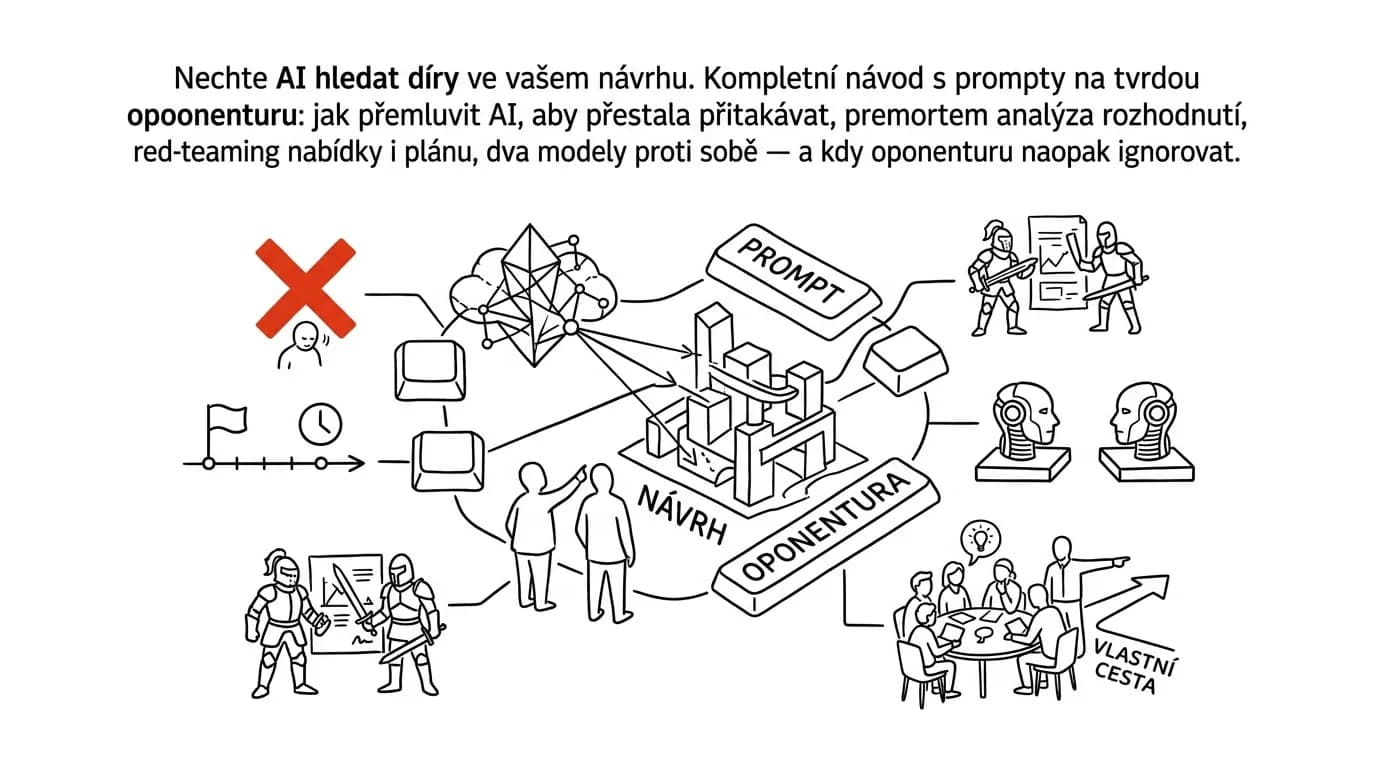
This guide is about how to do that. It walks through setting up the role, four types of critique (attacking the text, a premortem on the decision, red-teaming a plan, pitting two models against each other), and ends with the most important part — how to sort the findings and when to calmly throw them out. Every phase has copy-paste prompts; just fill in the brackets. And above all of it: AI proposes, the human decides — a critique is an input to your thinking, not a verdict.
A typical scenario
Martin, a salesperson, has a finished proposal for a client. He's happy with it, and colleagues in the hallway said it “looks good” — having skimmed it between other things. The proposal goes out, and a week later comes back with a question about the warranty terms that the document never answers. The client gets the impression it wasn't thought through, asks for a discount, and the signature slips by a month.
The version with a critique looks different. Before sending it, Martin runs the proposal through AI in three roles. As the client's CFO, he gets six questions about total cost of ownership and what happens in year two. As a lawyer, three spots where liability is written vaguely. As a competitor, a list of four arguments that would sink the proposal — and two of them land. Half an hour of work, ten edits to the document.
At the meeting, the thing that matters happens. The client asks exactly that question about year two, and Martin has the answer right there on a slide. Not because he guessed it, but because he'd already let himself get caught off guard by it in the safety of his own computer. The difference wasn't that he had AI. The difference was that he asked it to attack instead of to opine.
Why you need a critic
Before you start writing prompts, it's worth understanding two things that stand in the way of a good critique. One lives in your head, the other in the tool.
Confirmation bias: we look for what we already believe
Once you have a proposal, you stop evaluating it and start defending it. This is normal brain function, not a failure: information that supports your plan gets noticed and counted; information that challenges it gets skipped, or you find a reason it doesn't apply to your case. The more work you've put into the proposal, the stronger this effect gets.
There are three practical consequences. You don't see your own assumptions — things you take for granted are question marks for the reader. You test the wrong question: you ask “why will this work?” instead of “under what circumstances would this fail?”, and you get an answer to whatever you asked. And you overestimate how clear your writing is, because as you read it, you automatically fill in context that's in your head but not on the page.
That's exactly why an outside critic is so valuable — and why it doesn't work when you try to play critic to yourself.
AI agrees with you by default
The second obstacle is a property of the tool. Models are trained to accommodate the user, and that shows up as a tendency to agree. Write “I think we should go with option A” and you get support for option A. Write “don't you think A is risky?” and you get confirmation that A is risky. The model reads your question for the answer it expects and adapts to it.
You'll recognize it by the typical shape of the answer: praise (“this is a well thought-out plan”), then generic, unaddressed criticism (“consider the risks associated with implementation”), then an offer to help. Zero usable findings.
Three things reverse this, and they work together. Don't reveal what you think — never write “this seems good to me, right?”. Assign a role with its own stake in the outcome — not “be critical,” but “you're the CFO who has to defend this budget in front of the board.” And explicitly forbid praise, because otherwise it eats up a third of the answer. The basics of working with role and context are in the tip role and context in a prompt.
Phase 1: how to request a hard-nosed critique
This is the basic building block that you'll adjust in later phases depending on the type of material.
The basic critique prompt
You are [a demanding client / a CFO / a critic] who is NOT
supposed to approve my proposal until it holds up. Your job is
to find reasons to reject it — not to help me.

Context: [who the document is for, what it's supposed to
achieve, who decides on it].

Rules:
- no introduction, no praise, no summary of what I wrote
- for every objection, cite a SPECIFIC spot in the text
  (paragraph or sentence)
- no generic complaints like "consider the risks" — always name
  which risk and where
- for each objection, rate how serious it is: critical / serious
  / minor
- don't propose fixes, just findings; I'll make the fixes myself

Return:
1. The five strongest objections, ranked by severity
2. Three questions I'll get asked in the meeting that this
   document doesn't answer
3. One sentence: what's the single weakest link in the whole
   proposal

Document:
[paste the text]
It comes back with a list you can work through point by point. The ban on proposing fixes is there on purpose: the moment the model starts suggesting corrections, it switches from attack mode to help mode and the criticism softens. Request the fixes as a separate second step, or make them yourself.
“Don't go easy on me” and other phrasings that work
Small differences in phrasing change the outcome more than you'd expect. What's proven to work:
- “Don't go easy on me, I'm not the author.” Or more directly: “Someone else wrote this text, and I've been asked to review it.” Distancing yourself from authorship is one of the strongest switches — the model stops protecting your feelings.
- “Assume this proposal fails. Write why.” Flipping the question from “will this work?” to “why did this fail?” sidesteps both the model's agreeableness and your own confirmation bias at once.
- “What would you need to see to believe this?” Pulls missing evidence out of the model instead of impressions.
- “List the assumptions this rests on, and flag the ones that aren't documented anywhere.” The best one-line prompt for strategic documents.
- “Be specific: cite the exact spot the objection concerns.” The cure for generic criticism that sounds smart and is useless in practice.
What doesn't work, by contrast: “be critical” on its own, “what would you improve?” (it leads to small stylistic nitpicks), and any question where the expected answer is obvious.
Specific angles of attack
One critique from one position reveals one type of weakness. For important documents, it's worth running through several roles — each one sees something different, and it only takes a few minutes.
I'm going to defend my document in front of different people,
one at a time. Go through it IN SEQUENCE in five roles, and for
each role write the three strongest objections, each citing a
specific spot in the text:

1. CFO: total cost, what's not accounted for, when it pays off,
   what happens if the budget isn't met
2. LAWYER: where liability is written vaguely, what conditions
   are missing, where the wording could be read against my
   interest
3. TECHNICAL LEAD: what's technically off or oversimplified in
   the proposal, what dependencies aren't mentioned
4. A SKEPTICAL TEAM MEMBER who'll actually be doing the work:
   what's unrealistic in the plan, where capacity is missing,
   what breaks in practice
5. A COMPETITOR: what would sink this proposal, where it's
   vulnerable compared to an alternative

At the end, write which single objection, across all of them, is
the most dangerous, and why.
Context: [industry, company size, who the document goes to].

Document:
[paste the text]
It comes back with fifteen objections sorted by perspective. That's usually too many — that's fine, sorting comes in phase 5. Adjust the roles to whoever actually makes the decision on your side: if a procurement officer approves proposals at your company, put procurement officer in there and describe what they care about.
A saved role you don't have to rewrite
If you use critiques regularly, set one up permanently — as a project with custom instructions, or a saved system prompt in your chat. Put the rules from the first prompt in there (no praise, specific spots, severity ratings) plus your company's context. Then all you have to do is paste the document and type “critique this.”
Phase 2: premortem — the decision that already failed
The previous phase attacks the text. A premortem attacks the decision, and it's the cheapest tool against big mistakes that I know of. The principle: instead of asking whether the plan will work out, you jump forward a year in time and declare that it failed. Only then do you go looking for reasons. That small shift in framing sidesteps both confirmation bias and the model's tendency to agree, because the question no longer contains any hope.
The basic premortem
It's [date, one year from now]. The decision I'm about to
describe turned out badly: [the project collapsed / the client
left / we shut the system down after a year]. It's a done deal —
don't argue about whether it could have happened.

Decision: [describe the decision, the context, who's making it,
what the alternatives are]
What I know about the situation: [facts, numbers, deadlines,
constraints]

Write a post-mortem report from that future:
1. Ten different stories of EXACTLY how it failed — one sentence
   each, covering different areas (market, people, technology,
   money, timing, vendors, regulation, internal politics)
2. For each one, estimate how likely it was and how much it
   would have hurt
3. Pick the three most likely and spell them out: what were the
   first signals, when did they appear, and why did we miss them
4. For each of those three, write what we could have done TODAY
   to prevent it

Don't write that it didn't have to happen. It happened.
It comes back with ten scenarios, two or three of which are usually things you hadn't considered. Point 3 is the most valuable: the “first signals” translate directly into indicators you can actually track. One thing to watch out for — the probabilities in point 2 are the machine's guess, not data. Treat them as a ranking, not numbers to put in a presentation.
The assumptions the whole thing rests on
Most decisions fail on a silent assumption, not a flawed argument. This prompt drags those into the light.
Here's my decision and the reasoning behind it: [describe it].

List ALL the assumptions it rests on — including the ones I
didn't state out loud because they seemed obvious to me.

For each assumption, fill in a table:
- the assumption
- is it backed by data, or is it a guess or a habit?
- how much does the whole decision hinge on it (critical /
  important / minor)
- how cheaply could I verify it before deciding
- what happens if it's false

Finally, list three assumptions that are both critical and
unverified. Those are my blind spots.

Don't ask me to fill in gaps — work with what I've written, and
where information is missing, flag it as an uncertainty.
The “critical and unverified” trio is usually the single most useful thing to come out of the whole critique — and it can often be checked with one phone call. This is where the point of the whole exercise becomes clear: it's not about rejecting the plan, it's about figuring out what you need to verify before you launch it.
When you're choosing between options
I'm deciding between options:
A) [description]
B) [description]
C) [stick with the current state / do nothing]

Criteria I care about: [cost, time, risk, impact on the team…]

Do three things:
1. For EACH option, write the strongest argument FOR and the
   strongest argument AGAINST — be equally honest with all of
   them, don't go easy on any one and don't dismiss any one
   upfront.
2. Write under what circumstances A is the best choice, when B
   is, and when C is. I want conditions, not a recommendation.
3. List what piece of information I don't currently have that
   would change the decision the most — and how I'd get it.

Don't recommend an option to me. I'll decide myself.
The ban on recommending is there on purpose: the moment the model recommends something, it starts arguing for its own pick and stops being a critic. Option C (“do nothing”) always belongs on the list — it's the most commonly overlooked option, and surprisingly often the best one.
Phase 3: red-teaming — attacking a proposal, a plan, and a piece of writing
Red-teaming is a critique from the position of someone with a stake in seeing your thing fail. It looks different depending on the material you're testing.
A proposal: play the client who doesn't want to sign
You're [the decision-maker's role at the client, e.g., head of
procurement at a manufacturing company] who just received this
proposal. You have two others on your desk and don't want to
decide in a hurry.

Go through the proposal and write:
1. Six questions you'd send back before deciding — starting with
   the most uncomfortable one. For each, say why you're asking.
2. Three spots where the price or scope is worded in a way that
   makes you suspect hidden costs. Quote the exact wording.
3. What's completely missing from the proposal that you'd expect
   to see.
4. Which argument didn't convince you, even though it's there,
   and why.
5. One sentence summing up your hesitation to a colleague.

Don't rate the design or writing style. Act like it's your own
money on the line.

Proposal:
[paste the text]
Work the questions from point 1 directly into the document — the best proposal is the one that answers before anyone asks. For the follow-up meeting, the approach in preparing for a meeting with AI comes in handy.
A project plan: where it'll break in practice
You're an experienced project manager who inherited this plan to
execute, and you know you'll be on the hook for the outcome.

Plan: [paste it — goals, milestones, deadlines, who's doing
what, budget]
Context: [team size, what else people are working on, hard
deadlines]

Write:
1. Where the schedule is unrealistic and specifically why (which
   tasks, which dependency, how long you think it'll really
   take)
2. Which dependencies on outside people or vendors aren't
   visible in the plan but will determine the deadline
3. What happens if the first milestone slips by two weeks —
   does everything after it collapse, or is there slack built in?
4. Where the single point of failure is: the one task everything
   else depends on that has no fallback
5. Three things the plan doesn't account for at all that always
   eat up time in reality (approvals, testing, vacations,
   handoffs, onboarding)

Don't pretend the plan is fine. Look for where it falls apart.
Point 5 is usually a direct hit — plans made in a burst of enthusiasm never leave room in the schedule for approval loops or vacations. But don't take the model's duration estimates as actual numbers; it doesn't know your team. Treat them as flags for where you should go ask the people who'll actually be doing the work.
A message before you send it: how the recipient will read it
This message is supposed to make the recipient [what exactly:
approve something, change their behavior, feel reassured, agree
to push back a deadline].
The recipient is [who they are, their relationship to the
matter, what mood they're likely in, what's pressuring them].

Read the text through their eyes and write:
1. What they'll think after the first three sentences — verbatim,
   one sentence
2. Where they'll get stuck, stop reading, or get annoyed, and why
3. Which sentence they'll interpret differently than I intended —
   and how
4. What their first reaction in a reply will be
5. Whether the text achieves what it's supposed to or not — and
   exactly where it falls short

Don't rewrite the text. Just describe how it lands.

Text:
[paste it]
Especially useful for uncomfortable messages — a rejection, a price increase, a deadline change. For practicing the actual conversation that follows, see rehearsing a hard conversation with AI.
Argumentation: where the conclusion doesn't follow from the premises
For strategic documents and analyses, the most valuable attack targets the logic, not the form.
Go through this text like a logician, not a copy editor.

List:
1. Claims that don't follow from what precedes them — for each,
   name the missing step in the reasoning
2. Places where correlation is presented as causation
3. Numbers and facts without a cited source that the conclusion
   depends on
4. Arguments that could just as easily support the opposite
   conclusion
5. Where a strong word ("critical," "clearly," "the only
   possible solution") is used without support from what's
   actually documented in the text

For each finding, cite the passage in question. Don't rewrite,
just flag.

Text:
[paste it]
Handle point 3 using the approach in fact-checking with AI — numbers that survive the critique but have no source are a ticking time bomb. And watch out: the model itself sometimes invents the claim that something is “common knowledge”; the critique's findings are something to verify, not proof.
Phase 4: one model writes, another critiques
A model that helped write a document evaluates it leniently — it's inside the context of its own text, it sticks to decisions that were already made, and it doesn't notice what's missing from the document because it has that information in the conversation. So a simple rule applies: a fresh mind does the critiquing.
In practice, there are three levels depending on how important the document is.
A new conversation. The bare minimum, and it costs ten seconds. Copy the final text into an empty chat with no history and run the critique prompt. The difference compared to continuing in the original conversation is surprisingly large.
A different model. For anything important, use a different tool for the critique than the one you wrote with — Claude against ChatGPT, Gemini against Claude, the order doesn't matter. Models have different tendencies and blind spots; what one takes for granted, another flags as undocumented.
Two rounds, spaced apart. You work in the findings and then run the critique again on the corrected version. The second round tends to be shorter and more to the point — and occasionally reveals that the fix created a new problem.
Even more powerful is having the two models talk to each other through you:
Here's my original proposal and a critique of it written by a
different model.

Proposal: [paste it]
Critique: [paste it]

Your role: defend the proposal. Go through the critique point by
point and rule on each objection:
- VALID: it's right, this is a real hole
- PARTIALLY VALID: there's some truth in it, but it's
  overstated — explain how
- INVALID: the critic made it up, or it's actually in the
  proposal, just elsewhere; say where

For the valid objections, write how serious it is for the
decision as a whole. At the end, list which objections I MUST
address before I send the document, and which I can knowingly
ignore.

Be just as tough on the critique as the critique was on the
proposal.
This is the most useful prompt in the whole phase, because it solves a real problem: a critique generates twenty objections and you don't know which of them are real. At the same time, the final decision is still yours — both the defender and the critic are just two machines with an opinion that nobody's actually accountable for.
Phase 5: what to do with the findings, and when to ignore the critique
The most common reason people stop using critiques isn't that they don't work. It's the opposite problem: it generates twenty-five objections, the person panics, doesn't act on any of them, and never turns it on again.
Sorting: three buckets and you're done
After every critique, go through the findings and sort them into three piles. I'll fix it — objections that are correct and can be resolved in half an hour. I'm knowingly leaving it — objections you understand and have decided to let stand, because fixing them costs more than the risk is worth. I'll discard it — findings that miss the mark. For the middle category, always jot down one sentence explaining why; it doubles as your ready-made answer if someone raises it in a meeting.
A practical rule: work in three to five things per round of critique. Work in twenty and the document turns into a defensive wall of caveats and footnotes that nobody reads to the end.
When to ignore the critique
This matters just as much as everything above. The model has been told to be a critic, so it critiques — even when there's nothing left to find. If it finds five real problems and you asked for ten, it makes up five more, because fulfilling the role feels more natural to it than saying “the rest is fine.”
You'll recognize it by a few signs:
- An objection with no address. "There's not enough risk analysis" without saying which risk or where. A real finding can always point at a specific spot.
- A finding that's already in the document. The model missed the paragraph or didn't consider it sufficient. Always double-check against the text before you start writing anything.
- Criticism outside the scope. Objections about things the document was never meant to address, or demands for a level of detail nobody includes in this type of material.
- Escalation in the second round. If after fixing things you get the same number of equally serious objections back, the model is just playing its role at this point. That's your signal that you're done.
- Advice that would apply to anything. "Verify your assumptions with customers" is true of every document ever written and says nothing about yours in particular.
- A contradiction with what you know about your field. The model doesn't know your customers, your company, or industry conventions. When its objection contradicts your experience, experience wins — just make sure that's not confirmation bias sneaking back in through the side door.
A simple test to close out every round:
You wrote [number] objections about my document. Now look back
at them and be honest:

1. Which of them are real problems that could actually sink the
   decision?
2. Which ones did you write mainly because I asked for
   criticism, and wouldn't stop me on their own?
3. Which ones concern things this type of document was never
   meant to address?
4. Is there anything in the document that's actually fine and
   worth keeping as-is?

Answer briefly, one category per objection.
It comes back with a narrowed-down, usable list. And point 4 is there for a practical reason: after a hard-nosed critique, people tend to rewrite even the parts that were already working.
Limits: what a critique won't replace
One last thing that needs saying out loud. An AI critic is a fast first wave, not the final check. For decisions involving money, contracts, or people, a human has to follow — a colleague from another department, a lawyer, someone who knows the market. The model doesn't know your company's internal politics, the recent history of your relationship with the client, or what was said in a meeting. AI proposes, a human approves — and for contracts, pricing, and personnel matters that goes double; for documents before signing, see also a contract before signing.
One more practical note: if you're feeding sensitive business data into a critique — margins, client names, internal figures, employee personal data — it belongs only on a paid account with contractual data protection. And you usually don't need exact numbers to expose weaknesses in an argument anyway; replace them with order-of-magnitude figures and the critique works just as well.
Common mistakes
- Asking "what do you think of this?" An open-ended question for an opinion triggers agreeableness. Assign a role, ban praise, and ask for reasons to reject it.
- Critiquing in the same conversation the document was written in. The model is inside the context of its own text and rates it leniently. Use a new conversation, ideally a different model.
- Revealing your opinion in the prompt. "This seems ready to me, but…" or "don't you think this is weak?" determines the answer before the model even opens the text.
- Working in every objection. Twenty fixes turn a document into a defensive text full of exceptions. Take the three to five most serious ones, and knowingly leave the rest.
- Treating findings as facts. The model invents some of the problems to fulfill its role as critic, and sometimes criticizes something that's actually in the document. Check every finding against the text before you start rewriting.
- Letting the critique make the decision. A critique is an input to your thinking. The decision, the sending, and the signature stay with a human — the one who's accountable for the outcome.
The best tools
- ChatGPT / Claude / Gemini with a role in the prompt — a built-in capability, no special tool needed; the phrasing of the prompt makes the difference, not the tool.
- Two different models pitted against each other — one helps write, the other critiques: fresh eyes catch what a co-author overlooks, and different models' blind spots don't line up.
- A saved critic role in a project or custom instructions — set it up once, then just paste the document and type "critique this"; even the no-praise rule sticks.
- A separate, fresh conversation — the cheapest way to strip the model of the context the document was written in.
- A colleague from another department for a second round — an AI critic is a fast first wave; for big decisions, human review remains irreplaceable.
What you get out of it
- Quality: documents sail through approval and meetings more smoothly, because you heard the toughest questions first. Typically three to five real fixes per document.
- Time: half an hour of critique versus a week of back-and-forth when a proposal comes back with questions or a plan gets reworked after the first missed milestone.
- Peace of mind: you walk into the meeting having already tested the toughest version of the pushback against yourself — with answers ready instead of improvising.
- Better decisions: the premortem and the list of unverified assumptions surface things you can check with a single phone call while there's still time.
Pro tip
Turn it around, too: before you send critical feedback or an uncomfortable message yourself, have AI play the recipient and predict how it'll land and what they'll say back. Same tool, opposite direction — and it saves a surprising number of misunderstandings.
And the final rule that turns critiquing into a habit instead of a one-off attempt: a round of critique belongs to the document, not to the decision of whether to bother. Make it standard practice that nothing important goes out without one pass through a fresh model, the same way nothing goes out without a spellcheck. It takes five minutes, and every once in a while it saves you a week.
Want to go deeper? The handbook has a whole chapter on it — AI and automation.
Similar tips
The up arrow fixes your last message
↑
Typo in a message you just sent? Press the up arrow and you're editing right away — no hunting through menus.
Reply in threads, not in the channel
A threaded reply keeps a discussion together and doesn't flood the channel. A team that threads has half the noise.
Message yourself in Slack: a notepad that's always open
Slack has a conversation with just you — a private space for notes, links, and half-written messages, synced between your computer and phone.
Common questions
Why does AI just tell me my proposal is good?
Models are tuned to please, so “what do you think of my plan?” gets praise with three gentle notes tacked on. The fix: don't reveal what you think, assign a role with its own stake (“you're the CFO who has to defend this budget”), and ban praise explicitly.
What is a premortem and why does it work?
Instead of asking whether the plan will work out, you jump a year forward and declare that it failed — only then do you look for reasons. That shift in framing sidesteps both confirmation bias and the model's agreeableness, because the question no longer contains any hope. The most valuable output is the “first signals” of failure, which you can turn into indicators to watch.
Why shouldn't I run the critique in the conversation where the text was written?
A model that helped write a document evaluates it leniently — it's inside the context of its own text and doesn't notice what's missing. The rule is “a fresh mind does the critiquing”: at minimum a new conversation, and for important documents a different model than the one you wrote with.
The critique returned twenty-five objections — now what?
Sort them into three piles: fix, knowingly keep (with a one-sentence note why — that's your prepared answer for the meeting), and discard. Work in three to five things per round; work in twenty and the document turns into a defensive wall of caveats nobody reads to the end.
How do I spot a made-up objection?
The model's job is to object, so it objects even when there's nothing left. The signs: an objection with no address (“deeper risk analysis is missing” without saying where), a finding that's actually in the document, criticism outside the document's scope, and advice that would apply to anything. Verify every finding against the text before rewriting — and when an objection contradicts your field experience, experience wins.
Does an AI critic replace a colleague or a lawyer?
No — it's a fast first wave, not the final check. For decisions involving money, contracts, or people, a human has to follow — someone who knows the market and your company's internal context. And sensitive business data belongs only on a paid account with contractual data protection; order-of-magnitude figures usually expose weaknesses just as well as exact numbers.
Was this helpful?
Liked this tip?
I send one like it every week by email. Two minutes to read, hours saved.
The Top 30 tips e-book, free — it lands in your inbox right away.
Then 1 tip a week · no spam · unsubscribe in one click
Prefer a system to single tips? The free email course — seven days, seven emails, one skill a day.