Tips & tricks · AI · Everywhere · ~20 min per mailing · 2 min read
Mail Merge in Czech: Let AI Get the Vocative Case Right
Last reviewed:
In this article
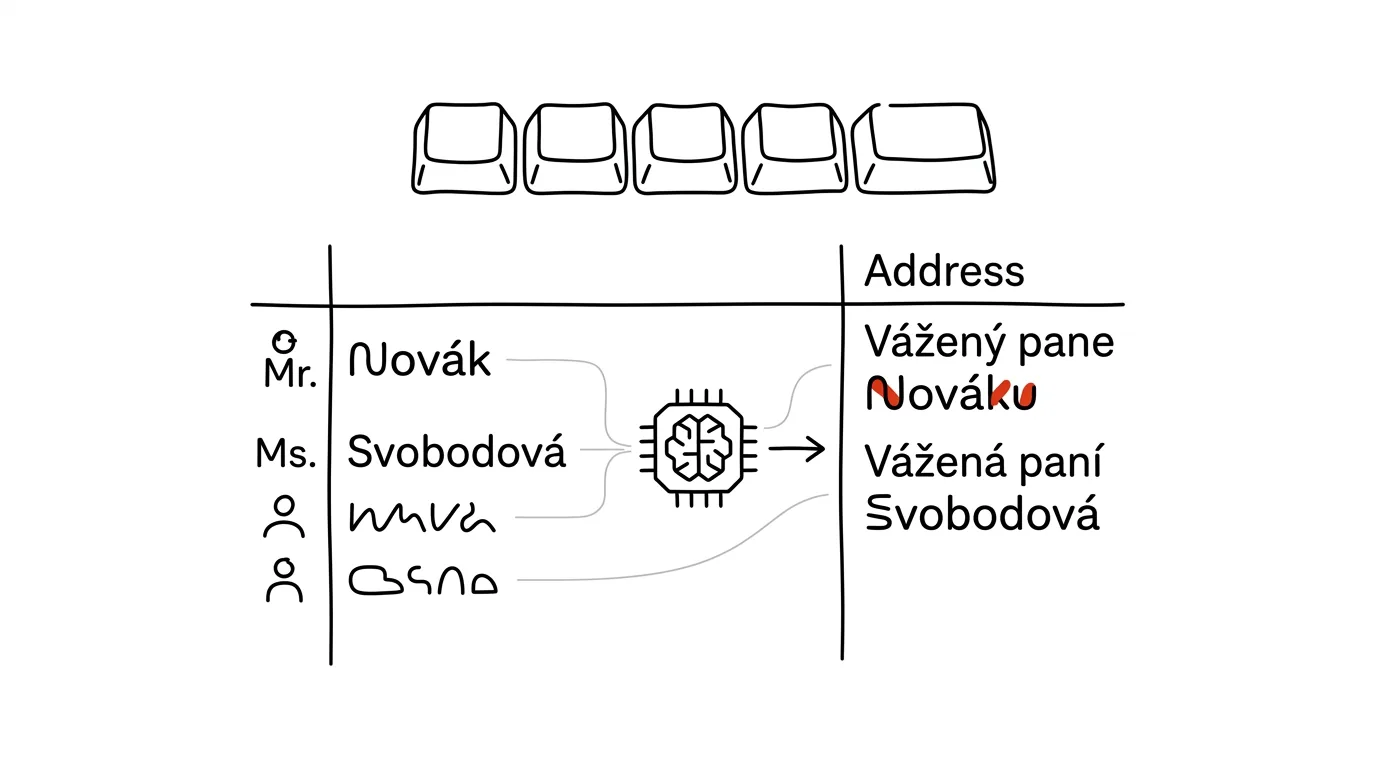
Mass correspondence in Czech has a trap English doesn't: you address people using the vocative case, a grammatical form of the name. "Vážený pane Novák" (using the plain nominative "Novák") is a mistake that subliminally tells the recipient a machine wrote the email — exactly what personalization is supposed to avoid; the correct form is "Vážený pane Nováku." Declining three hundred surnames by hand means an hour of work and a guarantee that names like Bergr, Hrdlička, or Moos will trip you up. Declension is exactly the kind of linguistic micro-task a language model handles brilliantly — you just need to phrase the request so the result drops straight into a spreadsheet.
How to do it
- From your contact list, copy the columns with first name, surname, and title or gender if you track them.
- Paste them into a chat with this prompt:
Here's a list of contacts. For each one, create a Czech
email salutation in the vocative case, format “Vážený
pane Nováku” / “Vážená paní Svobodová”. Rules:

- for people with a title, address by the title: “Vážený
  pane doktore”
- leave feminine surnames unchanged in the vocative
- for names you're not sure how to decline (foreign
  surnames, ambiguous names), put CHECK in a second
  column with a short reason

Return a table: name | salutation | note. Nothing else.

[paste list]
- Copy the table back into Excel or Sheets as a new column for the mail merge.
- Go through the rows flagged CHECK — that's your part of the job. Typically a handful of cases: foreign names, feminine surname forms, double surnames.
A typical scenario
Marketer Lucie is sending an invitation to a customer conference to four hundred contacts from the CRM. Last year the mailing went out with a generic "Hello," this year she wants to address people by name — and she knows that getting the vocative wrong on hundreds of names is exactly the kind of mistake recipients screenshot and forward to colleagues.
The CRM export runs through the chat, and in a minute she has a salutation column plus twelve rows flagged CHECK: three foreign surnames, two ambiguous names, and a couple of titles. She resolves those by hand in five minutes, loads the column into the mailing tool, and personalization is done — grammatically correct for all four hundred people.
What you get out of it
A mailing that doesn't look like a mailing — a correct salutation is the cheapest personalization there is, and a wrong declension is the fastest way into the trash. The key is having uncertain names flagged instead of silently guessed by the model: AI proposes, the human approves. Lists of customer names belong in a paid account where data isn't used for training. And if you're also polishing the full wording of the email, that continues with the tip templates from your sent mail.
Pro tip
The same prompt works for more casual mailings using first names — "Milý Petře," "Milá Kláro" — and for invitations, diplomas, or certificates, where the name is declined into a different case: "uděluje se Janu Novákovi" (dative). Just change the example sentence in the prompt.
Want to go deeper? The handbook has a whole chapter on it — AI and automation.
Similar tips
Close Twenty Tabs With Three Clicks
Right-click a tab for “Close other tabs” or “Close tabs to the right.” And Ctrl+click selects multiple tabs at once.
The Action Button: A Physical Shortcut on the Side of Your iPhone
Newer iPhones have a programmable button above the volume controls. Voice memo, flashlight, camera, or a custom shortcut with one press-and-hold.
iPhone search: swipe down to find anything
Swiping down on the home screen opens search — apps, contacts, messages, and calculations. Faster than hunting for icons.
Was this helpful?
Liked this tip?
I send one like it every week by email. Two minutes to read, hours saved.
The Top 30 tips e-book, free — it lands in your inbox right away.
Then 1 tip a week · no spam · unsubscribe in one click
Prefer a system to single tips? The free email course — seven days, seven emails, one skill a day.