Tips & tricks · Apps · Mac · ~10 min a day · 3 min read
Text replacement: type “addr” and the whole address pops out
Last reviewed:
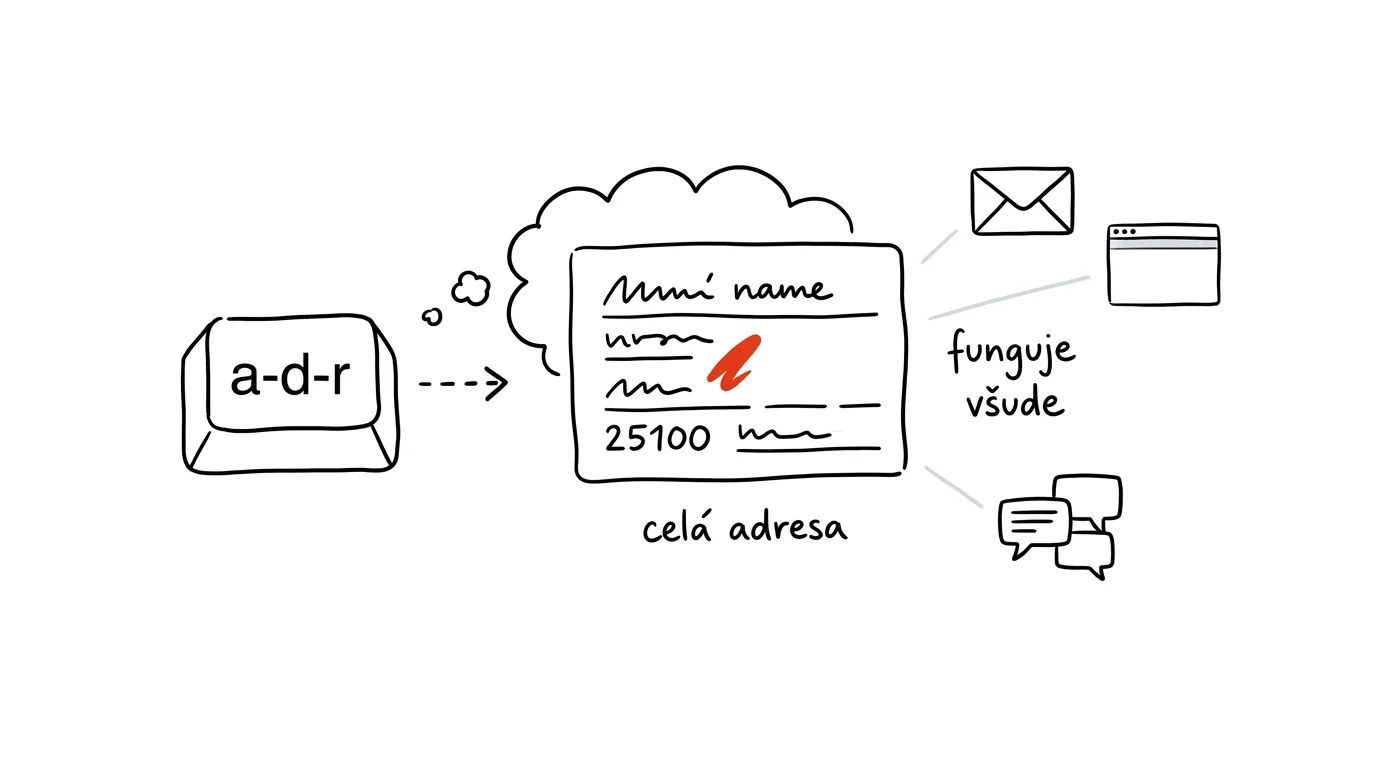
Things you type over and over — your address, tax ID, account number, a standard reply to a client question — type once. macOS has a system-wide Text Replacement feature that works across every app: set it up once and it works the same in email, browser, chat, and any text editor.
A typical scenario
A freelancer writes several emails a day where the same billing details come up over and over — company name, tax ID, VAT number, account number. Without text replacement, that means keeping these details open in notes on the side and copying them each time, or typing them from memory with the risk of a typo in the account number.
With text replacement set up, you just type a short shortcut and hit space, and the whole block of details appears on its own, exactly as it was entered once — no copying from elsewhere and no risk of a mistyped number.
How to do it
- Open System Settings → Keyboard → Text Replacements (on some macOS versions it's under Text).
- Click the + button to add a new entry: a short shortcut on the left (for example “xsig” or “xinvoice”), and the full text to insert on the right.
- The full text can span multiple lines — an entire email signature with your name, phone number, and website link, or complete billing details across several lines.
- Save the entry and try it in any app: type the shortcut you set up and press space or punctuation — the text replaces itself automatically.
- You can set up as many shortcuts as you like — for your address, standard replies, frequently sent links, or phrases you type the same way every time.
- An entry can be edited or deleted anytime in the same settings if the details change (say, a new account number).
- Because the replacement triggers right after you type the shortcut plus a space or punctuation, it's worth choosing shortcuts that wouldn't naturally show up in ordinary text — so nothing you didn't intend to write gets replaced.
The best tools
- Built-in Text Replacements — free, works system-wide across every app, more than enough for most needs.
- TextExpander (paid app) — for power users, offers shortcuts with variable fields (date, client name filled in differently each time) and syncing across multiple devices and platforms.
- Espanso (free, open source) — an alternative for people who want to manage shortcuts in a text config file and version them.
- Notes with templates — a simpler but less convenient option for longer text that doesn't fit a short shortcut but only gets copied occasionally.
What you get out of it
- Time: the tens of seconds saved on each instance of repeated text add up to noticeable minutes over a day, especially for people who email clients often.
- Fewer errors: an account number, tax ID, or VAT number never gets mistyped, because it's never typed by hand — it's inserted from text entered correctly once.
- Consistency: your email signature or standard reply looks the same every time, without the small variations that creep in when typing from memory.
- Works everywhere: unlike templates tied to one specific app, system-wide text replacement works the same in email, chat, browser, and any text editor.
Pro tip
Start shortcuts with an unusual character or a doubled letter (like “xaddr” or “xsig”) so they don't trigger accidentally in the middle of an ordinary word. Text replacements also sync to iPhone and iPad via iCloud, so the same shortcuts work on mobile too.
Want to go deeper? The handbook has a whole chapter on it — The app categories that matter.
Similar tips
Paste the Error Message Into AI, Not a Search Engine
Instead of trawling ten-year-old forum threads, paste the error message — or a screenshot of it — into AI and ask three things: what it means, what to do, and what not to do.
In-depth guide · 19 min
Dictate your thoughts, let AI turn them into text
A complete guide with prompts: how to dictate a usable transcript, tidy it into an email or notes with one prompt, and turn commutes into writing time.
Text With Missing Accents? AI Restores Them
An email typed on the wrong keyboard layout or an export from an old system: paste the text into AI and get it back with the accents in the right place. It works in reverse too.
Was this helpful?
Liked this tip?
I send one like it every week by email. Two minutes to read, hours saved.
The Top 30 tips e-book, free — it lands in your inbox right away.
Then 1 tip a week · no spam · unsubscribe in one click
Prefer a system to single tips? The free email course — seven days, seven emails, one skill a day.