Tips & tricks · Shortcuts · Mobile · ~2 min a day · 3 min read
Double space: a period, a space, and a capital letter at once
Last reviewed:
In this article
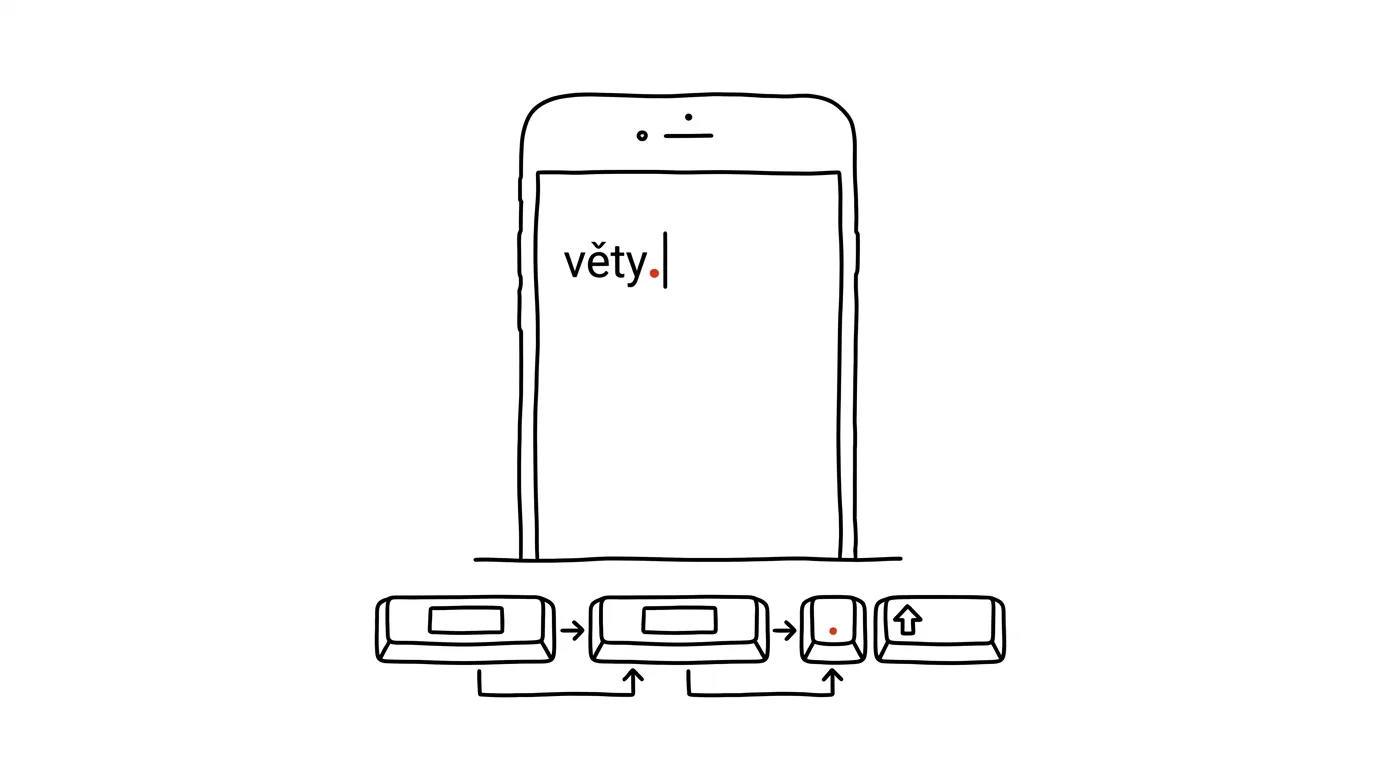
The most annoying key on a mobile keyboard is the period — on most layouts you have to switch to the number layer, tap it, and switch back. Yet you type a period at the end of every single sentence. Both systems have the same trick for this: double-tapping the space bar inserts a period, a space, and immediately capitalizes the next sentence. Three actions in one gesture, and on top of that you do it with your thumb on the biggest key on the screen, so it's practically impossible to miss.
How to do it
- Type a sentence and, at the end, tap the space bar twice quickly.
- Your phone replaces the two spaces with "period + space," and the keyboard automatically switches to a capital letter — just start typing the next sentence.
- iPhone: the feature is on by default. If it doesn't work, check Settings → General → Keyboard and turn on the option for a period shortcut with a double space tap.
- Android (Gboard): also usually on out of the box. Find it in Gboard settings (hold the comma key, or go through the gear icon) → Text Correction → the double-space-period option.
- A bonus on the same principle: double-tapping Shift turns on Caps Lock — handy for abbreviations like acronyms or license plates, so you don't have to hold Shift for every letter. On iPhone this requires the Caps Lock option turned on in keyboard settings; Gboard handles it automatically.
A typical scenario
You're replying to a client from the tram with a longer message — five sentences, nothing complicated. Without the trick, that means switching to the number layer five times for periods and manually fixing capitalization five times whenever autocorrect isn't cooperating. Every one of those switches is a tiny stumble that makes typing on a phone feel clunky.
With double-space, you type sentence after sentence in one flow: text, tap-tap, text, tap-tap. Punctuation and capitals happen on their own, and you focus purely on content. It's a small thing, but it's exactly the kind of habit that stops phone typing from feeling a third slower than thought.
What you get out of it
You type a period several times in every message — over dozens of messages in a normal day, that's hundreds of saved keyboard switches. Your text also looks more polished coming from a phone: sentences end in periods and start with capitals without you giving it a single thought. And because the gesture works the same on iPhone and Android, it carries over even if you switch phones.
If you write longer texts on your phone, pair this gesture with space-bar trackpad mode — together they cover the two most common frustrations of mobile typing.
Pro tip
There's one situation where the gesture gets in the way: typing addresses, codes, or anything with two legitimately consecutive spaces or abbreviations with periods. If a period keeps popping up where it shouldn't, you don't need to turn the feature off — just delay the second space-bar tap by a fraction of a second and your phone inserts a plain double space instead.
Want to go deeper? The handbook has a whole chapter on it — The app categories that matter.
Similar tips
Tap the clock to jump a long page back to the top
On iPhone, just tap the status bar with the clock and any long list, webpage, or chat snaps back to the top. No scrolling required.
Numbers without switching keyboards: slide your finger off the 123 key
On iPhone, slide your finger off the 123 key onto a digit and the keyboard snaps back to letters by itself. Gboard has a key hold or a permanent number row.
Hold the space bar: your keyboard turns into a trackpad
Landing a finger right in the middle of a word is a lottery. Holding the space bar turns your keyboard into a touchpad for precise cursor movement.
Was this helpful?
Liked this tip?
I send one like it every week by email. Two minutes to read, hours saved.
The Top 30 tips e-book, free — it lands in your inbox right away.
Then 1 tip a week · no spam · unsubscribe in one click
Prefer a system to single tips? The free email course — seven days, seven emails, one skill a day.