Tips & tricks · AI · Everywhere · ~a coloring page exactly to order in a minute, one occupied kid for an hour · 21 min read · in-depth guide, doing it ~2 h
Coloring pages on demand: your kid dreams up the picture, AI draws it, you print it
Last reviewed:
In this article
- A typical scenario
- Why coloring pages on demand work
- Phase 1: pick your tool — Gemini or ChatGPT
- Phase 2: the magic formula
- Phase 3: adjust for age
- Phase 4: series, stories, and personalization
- Phase 5: bonus activities — finish-the-other-half, mazes, connect-the-dots
- Phase 6: printing — from chat to paper
- Safety and common sense
- Common mistakes
- The best tools
- What you get out of it
- Pro tip
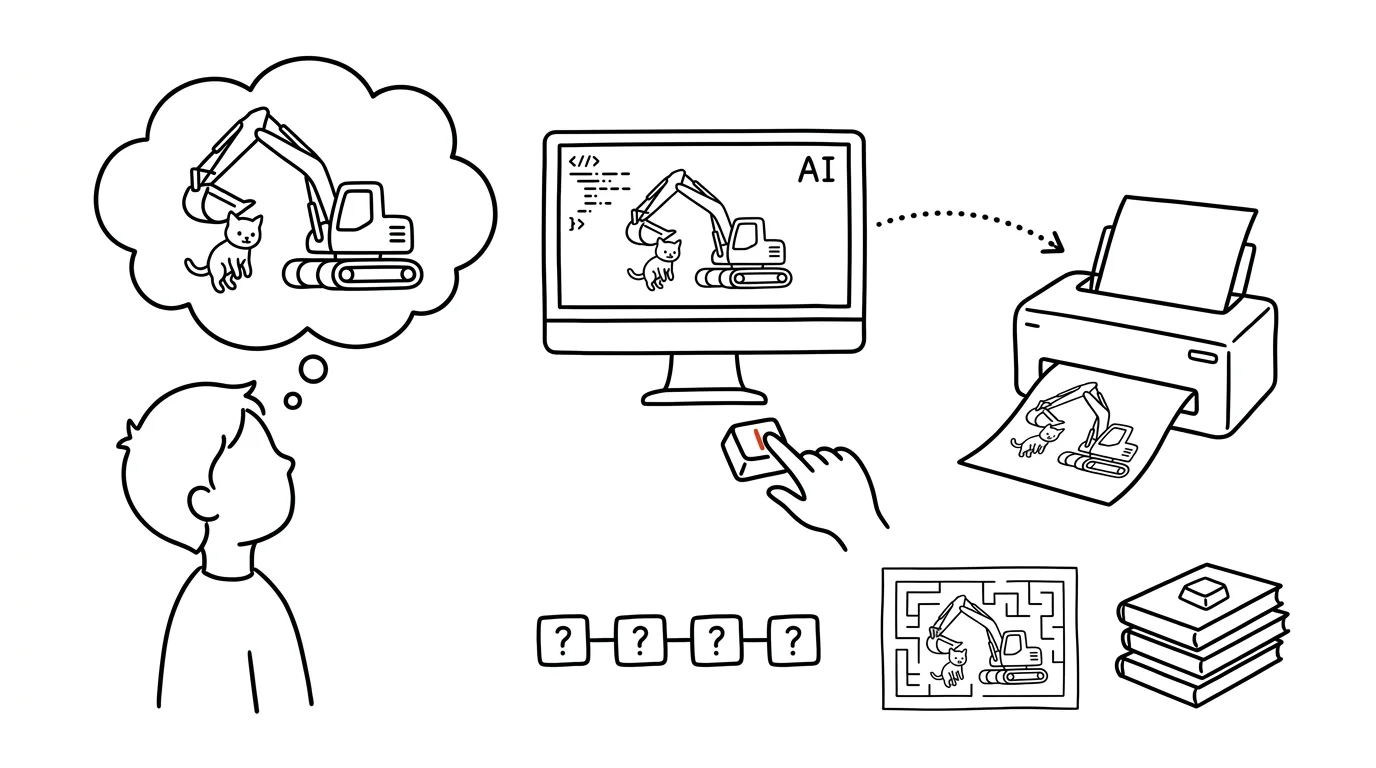
Every parent knows the moment. The kid wants to color, there are three coloring books at home — and none of them has what the kid wants today. They want an excavator. But not just any excavator: an excavator rescuing a kitten from a tree. Nobody has ever published that coloring page and nobody ever will, because a four-year-old just invented it standing at your kitchen counter.
A few years ago the answer would have been “we don't have a picture like that, color the tractor instead.” Today the answer is: “Tell me how the kitten is sitting in that tree” — and a minute later the exact excavator, the exact kitten, the exact tree comes out of the printer. The child stops being a consumer of someone else's pictures and becomes the co-author of their own — and that changes everything, including how long they'll actually sit and color.
This guide walks through the whole process: why a coloring page made to order works differently from a bought one, where to generate one for free, the magic prompt formula that reliably returns clean outlines instead of a gray smudge, variants by age, a week-long series, personalization with the child's name, mazes and connect-the-dots as a bonus — and finally printing, because a coloring page on a phone is useless; a coloring page lives on paper. It's a sibling to the guide on songs with your child's name in them, and the same rule applies here: the machine produces, the parent checks, the child enjoys the result — not the screen.
A typical scenario
Saturday, pouring rain outside, three-year-old Emma and six-year-old Wyatt at home. Mom opens Gemini on her phone and asks the kids what they'd like to color today. Emma: “A kitty!” Wyatt, after careful thought: “A submarine that has hands and collects treasure.”
Mom writes two prompts using the formula from this article — for Emma, a cat with extra-thick lines and almost no detail; for Wyatt, a submarine with tentacle-arms, a chest, a couple of little fish. Two minutes of generating, a quick check (the cat has the right number of legs, the submarine has no hatched-in shadows), send to the printer. Five minutes after the idea, both kids are sitting at the table with crayons, and Mom — for the first time all morning — has her hands free for coffee.
And because Wyatt is Wyatt, an hour later he shows up with a finished submarine and a request for a sequel: “Now show it bringing the treasure home!” Three prompts in the same style and a series is born. By Sunday, Wyatt has a four-part comic on the wall that he dreamed up and colored entirely himself. Total cost: four sheets of paper and a sliver of the daily free limit.
Why coloring pages on demand work
It's worth pausing on why this trick is more powerful than it looks. A bought coloring book is someone else's idea that the child is allowed to fill with color. A coloring page on demand is the child's own idea, which someone else has given outlines to. The difference shows immediately: a child will sit with their own excavator-and-kitten picture three times longer than with an anonymous car from a coloring book, because they're coloring their own story, not an assignment.
This matters especially for kids who “can't draw.” Plenty of children around age five or six stop drawing — not because they've lost interest, but because they start noticing the gap between what's in their head and what their hand can produce. A dinosaur in the imagination is magnificent; a dinosaur on paper is a potato with legs, and the child sees it. A coloring page on demand routes around that block: the idea is the child's, the outlines come from the machine, and coloring — which everyone can do — belongs to the child again. The result looks “real,” the child feels success, and they come back to pencils and crayons. It isn't a replacement for drawing on your own; it's a bridge to it.
There's a third benefit parents will appreciate: coming up with the idea is a game in its own right. “What's the dragon doing? And who's helping it? And where is it?” — that's a three-minute conversation in which the child builds a story, refines details, and learns that a more precise request gets a better result. Which, incidentally, is the same skill adults learn in prompting courses.
Phase 1: pick your tool — Gemini or ChatGPT
Generating coloring pages requires a tool that can draw pictures. In practice that means Gemini or ChatGPT — both have image generation built right into the chat, and both offer some of it for free.
An important note for households already using Claude: Claude doesn't generate images. It won't draw a coloring page, a poster, or an illustration — that's not hidden in settings and it doesn't change on a paid plan; it simply can't do it. What it's excellent at is exactly what image generators aren't: coming up with ideas. A theme, a week-long series, a bedtime story that later becomes coloring pages. So the practical division of labor at home is: Claude comes up with the ideas, Gemini or ChatGPT does the drawing — more on who does what in the beginner's guide.
Here's how the two drawing candidates stack up for this specific job — the state at the time of writing; limits keep shifting:
| Gemini | ChatGPT | |
|---|---|---|
| Outline quality | Excellent; follows the formula well, occasionally adds a faint shadow | Excellent; holds the style very well across a series in one chat |
| How much is free | More generous: free limit runs to dozens of images a day | Stingier: a handful of images a day, then a wait |
| Generation speed | Usually faster, good for an impatient audience | Slower, an image can take tens of seconds to render |
| When to reach for it | Everyday use, series, experiments | Series with a consistent style, households with a paid plan |
In practice: for everyday family use, start with Gemini — the free limit can carry even a week of dinosaurs and it generates quickly. Free ChatGPT is enough for “one coloring page for the afternoon”; anyone with a paid plan gets much looser limits plus the advantage that ChatGPT holds a consistent style across a series in one chat particularly well. We're deliberately not quoting exact limit numbers: both services adjust them constantly, so trust whatever the app tells you on the day you open it.
One more thing before the first prompt: generation is started and run by the parent, on their own account and their own device. Chat services have age limits, and a child has no business sitting there alone — more on that in the safety section.
Phase 2: the magic formula
If you just typed “draw a coloring page with an excavator” into the chat, you'd probably get something colorable — but you might just as easily get a gray, shaded image, a drawing with filled-in areas, or fine details that a crayon can't get across. The models are trained on “nice” pictures, and a nice picture has shadows and textures. A coloring page doesn't want any of that, which is why you need to ban it explicitly.
Here's the formula that reliably delivers what should come out of the printer:
Create a coloring page for kids on this theme: [an excavator rescuing
a kitten from a tree — the excavator has a kind expression, the kitten
is sitting on a branch, a little girl is waiting below].

Style requirements — follow them exactly:
- black-and-white drawing: only clean black outline lines on a pure
  white background
- bold, clear outlines
- no shading, no hatching, no gray or black fills, no textures or
  gradients
- large, closed areas that are easy to color with a crayon
- complexity appropriate for a child aged [5]
- portrait orientation, roughly A4 proportions, with a small margin
  around the drawing
- no text in the image
This should return a black-and-white outline drawing ready to print. Check three things: that the background really is white (not light gray), that there are no shaded-in areas anywhere, and that the motif matches what the child actually asked for — the model sometimes “improves” a kitten into two kittens or adds an extra character. Only show the result to the child after this check.
Why each ingredient of the formula is there:
- “Only clean black outline lines on a white background” is the core. Without it, the model gravitates toward a shaded pencil-style drawing.
- The triple ban on shading, hatching, and fills looks excessive, but it isn't: models are good at working around a ban on one technique by using another. You need to ban the whole family of tricks.
- “Large, closed areas” protects colorability. Open lines and tiny little patches are a trap for a crayon.
- Age controls complexity far better than words like “simple” or “complex,” which every model interprets its own way.
- Portrait format at A4 proportions saves headaches at print time — the image then fits the paper without cropping.
- “No text” is insurance: models like to add lettering, and in a language other than English they sometimes garble it. Personalization with a name is the exception, and we'll get to that.
When the model doesn't listen: fix it in the same chat
Even with a perfect formula, you'll sometimes get an image with a shadow under the excavator or a gray sky. Don't start over with a fresh prompt — reply in the same chat, so the model knows what it's fixing:
Almost — but the image has shaded areas and gray gradients. Redo it:
exact same subject and composition, but STRICTLY only black outline
lines on a white background. No gray, no shadows, no filled-in
areas — every area needs to stay white so it can be colored. Think
of a classic printed children's coloring book.
Comparing it to a printed coloring book at the end works wonders — it gives the model a concrete reference it recognizes. If the second attempt still isn't clean, it helps to generate the image again from scratch; and if only a light trace of gray creeps in, the printing trick from the printing phase will rescue it.
Phase 3: adjust for age
The most common reason a coloring page ends up in the bin after a minute isn't a bad subject — it's the wrong complexity. A three-year-old scribbles desperately over a detailed drawing; a seven-year-old gets bored with three thick outlines. The formula stays the same; only the complexity lines change. Here are three tuned variants.
Ages 2–3: one motif, thick lines, no background
Create a coloring page for a child aged 2 to 3. Theme: [a smiling
kitten].

Style — very important:
- one single large motif in the center, no background and no other
  objects
- extra-thick black outline lines (like a marker)
- no more than 5 to 8 large areas to color, no small details
- no shading, hatching, or gray areas, purely white background
- a simple friendly expression, rounded shapes
- portrait orientation, roughly A4 proportions
At this age, the child isn't coloring “inside the lines” and shouldn't be expected to — thick outlines forgive overshooting, and one big motif guarantees the crayon lands somewhere. Check that the model hasn't added grass, a sun, and butterflies; it likes to, and for a toddler that's just visual noise.
Ages 4–6: motif plus a simple scene
Create a coloring page for a child aged 4 to 6. Theme: [an excavator
rescuing a kitten from a tree].

Style:
- main motif large and prominent, plus a simple scene: a tree, a
  hint of ground, a sun — no more than 3 to 4 extra elements
- bold, clean black outline lines on a white background
- no shading, hatching, gray areas, or textures
- areas large enough to color with a crayon, no fine patterns
- friendly expressions on characters, nothing scary
- portrait orientation, roughly A4 proportions
The sweet spot, and the most common use case. At this age the child already wants a “story,” which is why a scene is allowed into the picture — but the cap on the number of elements still applies. Watch that the extras don't outgrow the main motif: if the tree ends up more detailed than the excavator, ask for the background to be simplified.
Ages 7+: detail that's worth it
Create a coloring page for a child aged [8]. Theme: [an underwater
city with a submarine, a diver, and treasure].

Style:
- more detailed drawing: a full scene with more elements, feel free
  to add finer details in the foreground
- still only clean black outline lines on a white background, no
  shading or gray areas
- even the smallest areas must be colorable with a crayon — no
  microscopic patterns
- the composition should lead the eye from the main motif to the
  details
- portrait orientation, roughly A4 proportions
Older kids can handle and appreciate a busier drawing — and also mandalas, zentangle-style patterns, or “find and color” pictures with hidden objects. One boundary stays fixed: every little patch must actually be colorable. If you're not sure, picture the thickest crayon in the house.
Phase 4: series, stories, and personalization
One coloring page is an afternoon. A series is a week — and that's where pairing it with Claude, which doesn't draw but comes up with great ideas, starts to pay off.
A week of dinosaurs
When a child is living and breathing one theme (dinosaurs, firefighters, horses — every parent can fill in their own), build them a series: one coloring page a day, same style, a new adventure each time. Start with the ideas — ask Claude for those, and it'll turn a single sentence from a kid into seven days' worth of material:
My child (age [5]) loves [dinosaurs]. Come up with 7 coloring page
ideas — one for each day of the week. Rules:
- each idea is one scene described in two sentences, concrete enough
  to actually draw
- the ideas loosely connect to each other, so a week-long story
  emerges
- nothing scary: the dinosaurs are friends, nobody eats anybody
- add one question to each idea that I can ask my child while they're
  coloring (“Where do you think they're flying to?”)
You'll get seven ready-made prompts plus conversation questions — the questions are a bonus that turns coloring into shared time. Then feed the ideas one at a time into the magic formula in Gemini or ChatGPT. To keep the series consistent in style, generate all the parts in the same chat and add this:
Create a coloring page in the same style as the previous ones: same
line thickness, same level of detail, same look for the main
dinosaur character. New theme: [the dinosaur builds a sandcastle
with friends]. All other requirements unchanged: black outlines,
white background, no shading, portrait A4.
Repeat the character description (“a green long-necked dinosaur with a little cap”) in every part — the chat only remembers the look approximately, and without a reminder the hero will quietly morph between Monday and Thursday.
A coloring page from your own bedtime story
If you run bedtime stories on demand at home — bedtime stories the child dreams up and Claude develops — you have a goldmine of ideas. The story the child made up last night becomes a coloring page this morning:
Create a coloring page for a child aged [6] based on a scene from a
story the child made up themselves: [Bramble the hedgehog flies in a
hot-air balloon over the forest and waves to the rabbits, who have
prepared a dandelion landing field below].

Style: only clean black outline lines on a white background, bold
outlines, no shading or gray areas, large colorable areas, friendly
animal expressions, portrait orientation, roughly A4 proportions.
This is the strongest combination in this whole article: the child made up the story, heard it, and now holds it in their hands to color. Ownership of the idea, squared. Tip: pick the scene for the prompt together with the child (“Which part of the story do you want to color?”) — they'll pick the moment that mattered most to them.
The child as a character — without a photo
The biggest bit of magic is a coloring page featuring the child themselves. And here one firm rule applies, the same one from our whole guide to AI ethics and safety: kids' photos do not get uploaded to AI chats. Once a child's face is uploaded, you no longer control it — and, more importantly, you don't even need it. A word description works surprisingly well:
Create a coloring page for a child aged [5]. The main character is a
little girl matching this description: [two pigtails, round glasses,
sweatpants and a hoodie with a dinosaur print, a big smile]. Don't
draw her after any real person — she's a fictional storybook
character.

Scene: [the girl rides on the back of a giant turtle across a
rainbow bridge].

Add the word “EMMA” in large outline letters at the top of the
image, so it can be colored in too.

Style: only black outline lines on a white background, bold
outlines, no shading or gray areas, large areas to color, portrait
orientation, roughly A4 proportions.
The child recognizes themselves in the character from the details they dictated — the pigtails, the glasses, that one right hoodie — and the name at the top does the rest. Check the spelling once the name is generated: image models sometimes double or drop a letter, and names with accented characters are harder for them than plain ASCII ones. If an accented letter won't come out right, it's easier to just ask for the plain version than to regenerate five times over. One more thing: only a first name belongs in the prompt — a last name, home address, or daycare name don't belong in the chat, exactly as with the songs.
Phase 5: bonus activities — finish-the-other-half, mazes, connect-the-dots
The generator can do more than classic coloring pages. Three tried-and-tested variations that widen the repertoire once plain coloring gets old.
Finish the other half
An activity that trains fine motor skills more than coloring does: the picture is only drawn halfway, and the child completes the other half along a center line — then colors the whole thing.
Create a “finish the other half” worksheet for a child aged [6].
Theme: [a butterfly].

Execution:
- the left half of the butterfly is drawn in clean black outline
  lines, the right half is missing
- a vertical dotted line of symmetry down the middle
- in the missing half, only very light gray dotted guide lines the
  child can follow to draw a mirror image
- otherwise no shading, white background, simple symmetrical motif
- portrait orientation, roughly A4 proportions
This is the only prompt in the article where light gray is allowed — the guide lines need to be visible, but they must not compete with the black. Pick a strictly symmetrical motif (butterfly, ladybug, rocket, castle); it doesn't make sense for asymmetrical ones, and the model will get tangled up.
Maze
Create a simple maze for a child aged [5]. Story: [a puppy looking
for the way to its bone].

Execution:
- an outline drawing of the puppy in the top-left corner, a bone in
  the bottom-right corner — both colorable
- a maze between them with bold black walls and wide paths, simple
  enough for a preschooler: one correct path and only a couple of
  dead ends
- no shading, white background, portrait orientation, roughly A4
  proportions
Important warning: image generators can't guarantee a maze actually has a solution — they draw, they don't compute. Trace the path with your finger before printing. For simple preschooler mazes it almost always checks out; for more complex ones, the path sometimes doesn't connect, and that's a frustration you can't explain to a five-year-old. If the path is missing, generate it again.
Connect-the-dots
Create a “connect the dots from 1 to [20]” puzzle for a child aged
[6]. Theme: [a fish].

Execution:
- the outline of the fish is only suggested by numbered dots,
  numbers legible and large enough
- a few details (an eye, bubbles) are pre-drawn in outline, so the
  child knows where to start
- once connected, the result should be a shape that can be colored
- no shading, white background, portrait orientation, roughly A4
  proportions
For connect-the-dots puzzles, check the number sequence — models occasionally drop or duplicate a number. Quick check: count the dots against the highest number. Scale the dot count to age: up to 10 for preschoolers, up to 20 for first grade, up to 50 for kids who love counting.
Phase 6: printing — from chat to paper
A coloring page lives on paper. The trip from chat to printer is short, but it has a few tricks worth knowing.
Downloading. In both Gemini and ChatGPT, a generated image has a download button — it saves as an image (usually PNG or JPG) to your phone or computer. From a phone you print by sharing to a print app; from a computer, open it and print normally. Don't print a screenshot — it has lower resolution and the app's interface around the edges.
Print settings. A4 paper, portrait, scale set to “fit to page.” And above all: black-and-white printing, not color — the coloring page is black and white, but a printer in color mode sometimes tries to mix black from color inks, which is slower, more expensive, and gives softer lines. Pure black toner or ink gives the crispest outlines.
When the image comes out too dark or gray. First try the prompt fix from phase 2 — a clean source is always better. If you're in a hurry, or the gray is only faint, the printer can save it: print settings often include an economy/lighter mode, or brightness and contrast controls. And most phones and computers can bump contrast and brightness with a single slider in photo editing — gray areas lighten toward white and the black lines stay put. Extra trick for the youngest kids: a lightly printed coloring page with paler lines really doesn't matter — it all disappears under a crayon anyway.
Multiple coloring pages per sheet. For smaller formats (for the waiting room, the train, on the go), set “2 pages per sheet” in the print dialog — two A5 coloring pages on one A4 sheet. For toddlers, don't shrink anything — a large format is half the battle for them.
No printer at home? Print saved images at a copy shop, a library, or a self-service print kiosk; it's worth generating a whole series at once and printing it in a single trip. A second option: coloring pages on a tablet with a stylus, where the child colors in a drawing app. It works, but paper and crayons still beat it for a child's fine motor development — and there's no notification popping up on paper.
Safety and common sense
A short chapter, but more important than every prompt in this article combined. Four rules.
Kids' photos don't belong in chats. We're deliberately repeating this a second time, because the temptation of “I'll just upload a photo so Emma looks like herself in the picture” is real. Don't. A word description works well, the child recognizes themselves from the details, and your child's face stays exactly where it belongs — with you. The same goes for a full name, address, or any detail someone could use to identify the child. A first name in the image is fine; nobody needs more than that. Full details in the guide to AI ethics and safety.
The parent sits at the screen, not the child. You run the generation, on your own account — chat services have age limits and aren't built for kids to use unsupervised. The child is present as the one placing the order: they name the idea, or pick from ready-made options. A healthy rhythm looks like this: three minutes of dreaming it up together at the table, a minute of generating (which the child doesn't need to watch), and then long stretches of coloring at the table with crayons — the ratio of screen time to paper time should tilt dramatically toward paper. When “tell me your idea” turns into “the child is glued to the chat wanting to keep generating,” it's time to close the screen; generating is a production step, not entertainment in its own right.
The parent checks the result before the child sees it. Same rule as with songs and stories: AI proposes, the parent approves. For coloring pages, the check takes three seconds — but do it anyway. Models occasionally draw something that doesn't belong on a child's page: an oddly deformed character, an unintentionally creepy expression, an element you never asked for. Discarding an image before printing costs nothing; explaining to a five-year-old why the kitten has three eyes is worse.
The generator is a helper, not a replacement. Coloring pages on demand don't replace drawing together, where a picture grows out of nothing — doodling, drawing from imagination, and painting together build things that coloring never will. Treat generated coloring pages as one part of the mix: for a rainy afternoon, for a child in a drawing slump, for a long train ride. Not as the default answer to every “I'm bored.”
Common mistakes
- Too complex a theme all at once. “An excavator and a kitten and firefighters and a rainbow and mom and our house” in one image ends up as a cluttered drawing nobody can color. One main motif, one action, a couple of extras — turn any leftover ideas into the next part of the series. It's an easy thing to explain to a child: “Let's save that for tomorrow's picture.”
- Not banning shading. The most common technical mistake: a prompt without an explicit ban on shadows and gray areas returns a “nice drawing” instead of a coloring page. The formula in phase 2 solves this; if the model still misbehaves, fix it in the same chat plus the magic line about a printed coloring book.
- Small details that can't be colored. A gorgeous drawing full of microscopic patches is a trap and a source of frustration for a child with a crayon. The test: imagine you have to color every area with the thickest crayon in the house. If it fails that test, ask for larger areas.
- Wrong complexity for the age. A detailed scene for a three-year-old, three thick lines for an eight-year-old — both get abandoned after a minute. Age always belongs in the prompt, and the variants from phase 3 are a well-tuned starting point.
- Expecting photorealism and precision. The generator draws “an excavator,” not an exact replica of the excavator from a favorite show — and there's no point burning through ten versions to get the bucket to match a child's mental image down to the millimeter. Luckily, kids are generous clients: two options to choose from (“this one or this one?”) work better than perfection. Characters from specific shows and movies also often get refused by these services over copyright — an original character works just as well anyway.
- The child at the generating step instead of the coloring step. When generating stops being a production step and becomes the entertainment itself, the screen-to-paper ratio has flipped. Reset it: ideas get dreamed up at the table, the parent generates, coloring happens on paper.
The best tools
- Gemini — the main workhorse for everyday use: free image generation with a limit that, at the time of writing, can carry even a daily series, fast rendering, follows the formula well. The first choice to start with.
- ChatGPT — the second illustrator: only a few free images a day, but excellent at holding a consistent style across a series in one chat. Makes the most sense in households that already have a paid plan.
- Claude — doesn't draw, but comes up with ideas: series themes from one sentence out of a kid's mouth, coloring-time conversation questions, bedtime stories that turn into coloring pages the next morning. The house screenwriter for the whole workshop.
- A printer (any black-and-white one) — the underrated member of the team. A coloring page only really exists once it's on paper; a laser black-and-white printer is ideal for a family coloring-page workshop, but anything that prints black will do.
What you get out of it
- Time. From “I want to color an excavator with a kitten” to paper on the table: under five minutes. And on the other side, an hour or two of a child absorbed in coloring their own idea — which might be the most valuable line item in this whole article for parents.
- Money. Free limits are enough for everyday use; the only real cost is paper and toner. You can still buy coloring books, but you no longer have to — and above all, you're no longer buying a book where the kid colors three pictures and never touches the rest.
- Peace. Rainy afternoons, waiting rooms, trains, and visits all get a solution that never gets old, because it's different every time — and it's a solution with crayons, not a screen.
- Quality. A child who “can't draw” experiences success coloring their own idea — and that's a bridge back to pencils, not away from them. As a bonus, there's the ritual of coming up with the idea: a three-minute conversation about what should be in the picture is a quiet exercise in imagination and precise expression.
Pro tip
Once the coloring-page workshop gets going, level it up into a book. Let the child spend a whole month coming up with ideas — photograph or save the original of every picture once it's colored — and at the end of the month, bind the finished coloring pages into a booklet: a hole punch and string will do, or a spiral binding from a copy shop. Generate a title coloring page for the cover with the author's name (“EMMA'S COLORING BOOK”) and let the child color that one first. What comes out of it is an artifact with the weight of a real book at home: the child is the idea-generator, the color illustrator, and the owner of the work, all in one. And instead of a photo posted online — where a child's name doesn't belong — it gets handed to grandma in person, which turns out to be better for grandma too.
The closing rule is the same as with the songs and the bedtime stories: the machine draws the outlines, the parent checks and prints, the child owns the idea and the colors. That's the whole order of operations — and it's a good order.
Want to go deeper? The handbook has a whole chapter on it — AI and automation.
Similar tips
In-depth guide · 18 min
Friday: AI builds your weekly review, you skim it in five minutes
A complete guide with prompts: connect calendar, tasks, and mail, let AI build a Friday review and three priorities for next week. Decisions stay yours.
In-depth guide · 17 min
Show AI a sample: the complete guide to working with examples
A complete guide with prompts: why one example beats a thousand words of instructions, when one or three, ready templates, and your own style bank.
Stop Correcting AI Forever: Edit Your Original Message Instead
Claude, ChatGPT, and Gemini can all edit a message you've already sent and answer again from a clean slate. A lesser-known button that rescues tangled conversations.
Common questions
Can I generate coloring pages for free?
Yes. Both Gemini and ChatGPT can generate images on the free tier. At the time of writing, Gemini is more generous — the free limit runs to dozens of images a day, while free ChatGPT gives you only a handful of images per day. Either is plenty for one coloring afternoon; for a week of dinosaurs, go with Gemini or a paid plan. Limits keep changing, so treat this as the state at the time of writing.
Why not use Claude, since we already have it?
Claude doesn't generate images — it can't draw so much as a coloring page, and that's not hidden in settings or unlocked by a paid plan; it simply can't do it. What it's excellent at is exactly what image generators aren't: coming up with an idea together with your kid, a series for the whole week, or a story that later becomes coloring pages. The practical division of labor: Claude comes up with the ideas, Gemini or ChatGPT does the drawing.
Why do generated coloring pages often have gray areas and shadows?
Because the models are trained on “nice” pictures, and a nice picture has shadows. A coloring page doesn't want that — which is why the prompt explicitly bans shadows, hatching, and gray areas, and asks for black-and-white outlines on a white background. If the model adds a shadow anyway, don't try to paint over it: reply in the same chat that you want only clean black lines, no fill.
Can I upload a photo of my own child so they appear as a character in the coloring page?
We don't recommend it. Kids' photos don't belong in AI chats — once a face is uploaded, you no longer control it. Luckily, personalization works without a photo too: describe the child in words (pigtails, round glasses, a favorite dinosaur hoodie) and have their name written into the picture. The child recognizes themselves in the character from the details they dictated — and loves recognizing themselves.
What age does this work for?
Roughly from age two, you just change the request. For ages 2–3, ask for one big motif, extra-thick lines, and no details; for ages 4–6, medium complexity and a simple scene; from age 7, kids can handle more detailed pictures, mandalas, and series. The formula in this article has a ready-made variant for each age — the wrong complexity is the most common reason a coloring page gets abandoned after a minute.
Won't generated coloring pages replace drawing together?
No, they won't. Coloring pages on demand are a supplement: they help kids who “can't draw” what's in their head, and they save rainy afternoons. Doodling together, where a picture grows out of nothing, builds other things, and nothing replaces that. And the parent sits at the screen during generation — the child dreams up the idea, then goes off to color at the table, not at the monitor.
Was this helpful?
Liked this tip?
I send one like it every week by email. Two minutes to read, hours saved.
The Top 30 tips e-book, free — it lands in your inbox right away.
Then 1 tip a week · no spam · unsubscribe in one click
Prefer a system to single tips? The free email course — seven days, seven emails, one skill a day.