Tips & tricks · AI · Everywhere · ~30 min per meeting · 19 min read · in-depth guide, doing it ~2 h
From a meeting recording to notes with tasks in a minute
Last reviewed:
In this article
- A typical scenario
- Phase 1: before the meeting starts — consent, tech, agenda
- Phase 2: transcription — turning an hour of talk into usable text
- Phase 3: notes from a transcript — decisions, tasks, open items
- Phase 4: decisions, discussion, and tasks — where the line is
- Phase 5: what stayed open — the most valuable part of the notes
- Phase 6: reviewing and sending out the notes
- Phase 7: follow-through and a series of meetings
- Common mistakes
- The best tools
- What you get out of it
- Pro tip
Meeting notes are exactly the kind of work a machine should do — a mechanical summary of what was already said, with no creativity required. And that's precisely why people keep putting it off: someone finally sits down to it in the evening, when half the details are already gone, or the notes never get written at all. What's missing isn't a document — it's work: a task nobody ever created doesn't get done.
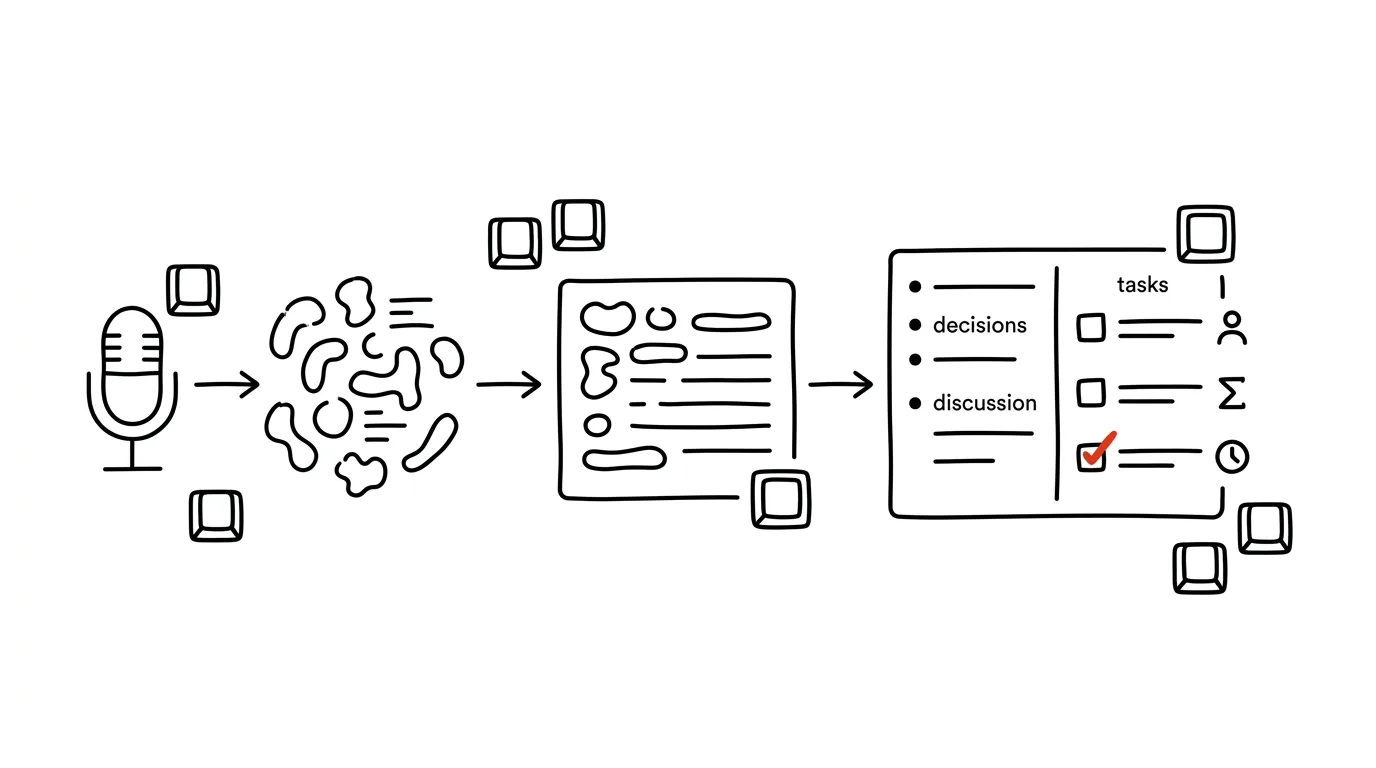
This guide covers the manually-driven version of the whole process — you start the transcript, you paste the text into AI, you read the notes and send them out. It's a version anyone can do starting today, with no connectors, no automations, and no decision from IT. The key idea is that AI shouldn't write the notes — it should sort the transcript: separate decisions from mere discussion, pull tasks out of the discussion, and honestly admit what was left unresolved. That distinction is the entire difference between notes people actually read and a summary that helps no one.
Work through the guide step by step from preparation to the archive, or just take the phase that's burning you right now. Every phase has prompts you can copy — just fill in the brackets. And one rule sits above all of it: you record only with participants' consent, and a sensitive meeting belongs only in a paid account with a contractual data-processing agreement. When either of those can't be met, don't record — take notes by hand instead; the rest of the guide works from notes too.
A typical scenario
Lenka, a manager, runs three meetings a week: a thirty-minute operations meeting on Monday, a ninety-minute project meeting on Wednesday, and a supplier call on Thursday. After each one she promises to send the notes “later today.” In practice she doesn't get to it until the next evening, by which point she no longer remembers exactly who committed to what and has to ask participants again — which is awkward and slows down the whole team, since until then nobody knows what they're supposed to be doing. Wednesday's meeting effectively turns into work that happens on Friday, a two-day loss.
Worse than the lost minutes, though, is that her notes don't distinguish between “we agreed to go with option B” and “Petr floated the idea that maybe option B could work.” Three weeks later the team is arguing over whether a decision was even made — and makes it again, because nobody has proof.
With a meeting transcript and AI, her Thursday looks different. The transcript runs from the start of the meeting; once it ends, she pastes it into a chat with a prompt she has saved, and two minutes later she has a draft with four blocks: decisions (three, each with who decided), tasks (six, each with an owner and a deadline), open items (two, each with who's supposed to close it out), and things that were discussed but nobody picked up. Lenka checks the names, fixes one deadline the transcript misheard, fills in a project number that couldn't be known from the audio — and the notes go out thirty minutes after the meeting. The whole thing takes seven minutes instead of forty-five, and most importantly: the notes show what's a commitment and what's just an idea.
Phase 1: before the meeting starts — consent, tech, agenda
Most problems with meeting notes don't start at the writing stage — they start before the meeting. Bad audio, a vague agenda, and unresolved recording consent ruin the output before AI is even switched on.
Participant consent: a rule, not a formality
A meeting recording is a record of specific people's speech — that makes it personal data. The principle is simple and has no exceptions: record only when every participant knows about it and has no objection. In practice that means three things.
First, say it out loud at the start, not halfway through: “I'm recording this meeting to write up notes; the transcript gets deleted once the notes are done, the recording is stored in [location]. Does anyone object?” Second, for external meetings (suppliers, clients, job candidates), put it in the invite in advance — consent given under pressure at the start of a call, once everyone's already dialed in, isn't consent. Third, if someone says no, turn off the recording, full stop. One set of notes isn't worth a privacy dispute, and it isn't worth people clamming up in meetings from then on.
Alongside consent there's a second layer: whatever gets said in a sensitive meeting must not end up in a freely available chat tool. Personnel matters, salaries, health information, legal proceedings, trade secrets, non-public financial data — for these, either use a tool your company has approved with a contractual data-processing agreement, or don't record at all and take notes by hand. Anonymizing helps (replacing names with roles), but it won't save you in a meeting about one specific person: the context gives it away regardless.
Audio quality decides transcript quality
A transcript is only as good as its input. Three things have the biggest impact and cost nothing. Everyone on their own device with their own microphone — one laptop in the middle of a conference room produces a transcript where you can't tell who's speaking. Headphones instead of speakers, so other people's audio doesn't feed back into the microphone. Names at the start: a quick round of “Lenka Nováková, operations” gives the transcript a reference the model can use to match speakers to names, even if the tool only labels them “Speaker 1.”
The agenda as the skeleton of the future notes
The cheapest trick in this whole guide: notes grow out of the agenda. When the agenda is broken into items, and each one states what needs to be decided, AI gets a grid to sort the transcript into — and it becomes immediately obvious which item never got discussed. How to build an agenda that makes this possible is covered in the tip an agenda that actually works; if you're heading into a negotiation with a counterparty, preparing for a negotiation with AI is useful too.
Build a meeting agenda so it can easily turn into notes afterward.

Meeting: [name], length [60] minutes, participants and roles:
[name — role, name — role, …]
Topics on my list: [bulleted list]
Carried over from last time: [unfinished items]

For each agenda item, give:
- item name and time limit in minutes
- item type: DECISION / INFORMATION / DISCUSSION (no decision)
- what specifically should be known or decided by the end of it
- who introduces the item

Order the items so the decision items come in the first half.
At the end, add a block called “What we won't get to today” and leave it empty.
The total time must not exceed the meeting length; leave a 5-minute buffer.
Returns an agenda you can send in the invite and use as the outline for the notes afterward. Check the item types: models tend to label almost everything DECISION, even when it's really information — and then are surprised when the notes show nothing got decided. Manually relabel items where you're really just informing people.
Phase 2: transcription — turning an hour of talk into usable text
Where the transcript comes from
The simplest option is the built-in feature: both Teams and Google Meet can run a transcript directly during the call, running under your company account with nothing to install. From a data-protection standpoint it's the cleanest option, since the recording never leaves the company environment.
When you're meeting in person, record the audio with your phone and transcribe it afterward. Most AI tools can accept a recording directly, or you can use a standalone transcription tool. Expect an in-room transcript to have more errors — especially with names, numbers, and people talking over each other.
What to do to the transcript before sending it on
A raw transcript of an hour-long meeting has a lot of clutter: greetings, “so,” “like,” technical hiccups, a tangent about someone's vacation. The longer and messier the input, the greater the chance the model overlooks something. Delete the first few minutes of waiting for latecomers and the closing goodbyes. If the transcript only has “Speaker 1, 2, 3,” replace them with names using find-and-replace (in any editor). And if part of it doesn't belong in the notes at all (personal matters, an HR tangent), delete it before pasting the text anywhere.
For long, messy transcripts it's worth adding one extra step:
Here's a raw meeting transcript. Don't summarize it and don't drop
any content — just clean it up into a readable form:

- remove filler words and false starts (“like,” “um,” “you know”)
- merge repeated sentences and stumbles into one smooth sentence
- keep the speaker breakdown and the exact wording anywhere
  a commitment, number, deadline, or name was said
- mark passages that clearly don't belong to the meeting
  (technical issues, private tangents) with a line reading
  [OFF TOPIC] and drop the text
- where the audio is clearly mis-heard or doesn't make sense,
  write [UNINTELLIGIBLE] instead of guessing

Don't add anything or guess what the speaker meant to say.

Transcript:
[paste transcript]
Returns clean text roughly a third shorter, which is much easier to work with from there. Watch the last line of the prompt closely: without it, the model “fixes” unintelligible passages into a sentence that sounds logical but was never actually said in the meeting. The [UNINTELLIGIBLE] markers, on the other hand, are useful — they show you exactly which passages to go back and listen to in the recording.
When you can't record
Not every meeting can or should be recorded. That doesn't end the guide — it just changes the input. Jot bullet points during the meeting without worrying about phrasing (who said what, which numbers came up, what got agreed), and hand those to AI. A dictated summary right after the meeting works just as well, while it's still fresh in your head: three minutes of talking into your phone contains more than three sentences typed six hours later. The process for cleaning up a dictation is covered in the tip readable text from a dictation.
Here are my raw meeting notes — written in a rush,
incomplete sentences, abbreviations. Meeting: [name], date [date],
participants: [names and roles].

Turn them into structured notes using the same format
I use for transcripts: decisions / tasks with who-what-deadline /
open items.

Key rule: work only with what's in the notes.
Where a note is ambiguous (unclear who got a task,
or whether it was actually a decision), don't guess — put
the item in a section called “TO FILL IN” with the question
I need to answer.

Notes:
[paste notes]
Returns notes plus a list of places where your notes fall short. That list is the main payoff: you fill it in from memory within five minutes of the meeting, not two days later while digging through your memory.
Phase 3: notes from a transcript — decisions, tasks, open items
This is the core of the whole guide. If you take away only one prompt, make it this one.
Why “summarize this meeting for me” isn't enough
A generic summary comes back as paragraphs like “we discussed the budget and the team agreed further steps are needed.” A text like that is useless — there's no way to tell what anyone is actually supposed to do. Notes need to be structured by content type, not by the order things were said.
Three categories are enough, but they have to be kept strictly separate:
- Decisions — something closed, that other work now builds on. Includes who decided and what options were weighed.
- Tasks — a specific action with one owner and a deadline. Not “the team will look at the costs,” but “Petr will calculate the cost of option B by May 15.”
- Discussion without a conclusion — it was talked about, nothing was decided. This is the category most notes leave out entirely, and it's the most valuable one (more in phase 5).
The main prompt for turning a transcript into notes
You are a meeting note-taker. Create notes from the attached transcript.
Work strictly from the transcript — don't add anything from general
knowledge and don't guess what speakers might have meant.

Meeting context:
Name: [name]. Date: [date]. Length: [60] minutes.
Participants and roles: [name — role, …]
Agenda: [agenda items]

Output in four separate sections, in this order:

1. DECISIONS
   Only things that were actually closed. For each:
   - the decision stated in one declarative sentence
   - who decided (name) and who explicitly agreed
   - what options were weighed and why this one won
   If a decision wasn't clearly made, DON'T put it here —
   it belongs in section 3.

2. TASKS
   A table: task | owner (one name) | deadline | where it came from
   - phrase the task as an action with a verb, not a topic
   - the owner is always one specific person, never “the team”
   - where no deadline was said, write “NO DEADLINE STATED,” don't invent one
   - where it's unclear who took the task, write “OWNER UNCLEAR”

3. OPEN ITEMS
   What was discussed without reaching a conclusion. For each:
   what was being worked through, what the options are, what's
   blocking a decision, who needs to close it out and by when
   it has to be decided.

4. FOR THE RECORD
   Information without action items (numbers, statuses, announcements),
   as brief bullet points.

Formatting requirements:
- no introduction, no summary at the end, go straight into the sections
- for each item, note in parentheses which speaker's words it's based on
- if something is missing or unintelligible in the transcript,
  say so instead of guessing

Transcript:
[paste transcript]
Returns notes that are about 80 percent ready to send. Always check two things. Section 1 against section 3: models like to promote discussion to a decision because it sounds more finished — when you don't see a specific name and explicit agreement attached to a decision, move it to open items. And how tasks are phrased: “discuss with the supplier” isn't a task; “call the supplier and agree on a delivery date” is.
Tasks in a who-what-by-when format
When there are a lot of tasks, or the notes come out scattered, it's worth a second pass focused only on the tasks:
From these notes (or this transcript), pull out ONLY the tasks
and rewrite them in a single format I can work with directly.

One line per task:
[owner] — [action starting with a verb] — by [date as MM/DD]

Rules:
- one task = one action = one owner; split up compound tasks
- convert relative deadlines to actual dates; today is [date],
  “by end of week” = [Friday's date], “next week” = [date]
- when no deadline was stated at all, write “by ??” and add
  a note on the line saying I should ask about it
- leave out anything that was just an idea, a suggestion, or a
  conditional statement (“if we had time, we could…”) — list
  those separately under a heading called UNCOMMITTED IDEAS
- sort by deadline, soonest first

At the end, write a total: how many tasks each person has.
Returns a list you can paste straight into a task tracker or an email. The total at the end is quietly useful: when seven tasks come out of an hour-long meeting for one person and zero for everyone else, that's not a meeting outcome — it's a symptom.
Notes organized by agenda, not by time
When you sent the agenda out beforehand, add one extra sentence to the main prompt: “Organize the notes by agenda item, not chronologically; list items that were never discussed at the end under a heading called Not discussed, and topics outside the agenda under Off agenda.” Readers then find their item exactly where they expect it, and — importantly — it also shows what didn't get covered. After a few meetings, the “Off agenda” section tends to be the best input for how to build the agenda differently next time.
Phase 4: decisions, discussion, and tasks — where the line is
Sections 1 and 3 from the main prompt are the most sensitive part of the whole document. A blurred line between “we decided” and “we talked about it” is the most common reason the same thing gets resolved three times.
How to recognize a decision in spoken language
A transcript almost never contains the words “we hereby decide.” A decision is recognizable by its trail: someone proposes something, nobody counter-proposes, a summarizing sentence lands (“so we're going with B”), and the conversation moves on. Discussion without a conclusion, by contrast, ends with something like “we'll think it over some more,” or it simply dissolves because time ran out.
The model can find that trail, but you have to explicitly ask it to — and, crucially, give it permission to say “I don't know”:
Go through this meeting transcript and audit the decisions.
I only care about what was actually closed.

List a table with columns:
topic | what was proposed | status | evidence from the transcript | what's missing to close it out

Fill in status with one of:
- DECIDED — a clear conclusion was reached and nobody objected
- APPARENTLY DECIDED — something sounding like a conclusion was said,
  but agreement from others is missing or it was immediately questioned
- NOT DECIDED — it was discussed, no conclusion was reached

In the “evidence from the transcript” column, quote the exact
sentence (and who said it) the status is based on. Don't state
a status without a quote. For APPARENTLY DECIDED items, write
exactly who needs to confirm what for it to become a real decision.

Transcript:
[paste transcript]
Returns an overview where the middle category is usually the most interesting one — typically two to three items per meeting. The verbatim-quote column is there on purpose: it lets you verify a conclusion in five seconds instead of replaying the recording. When the model doesn't have a quote but states a status anyway, ignore it.
When a decision gets reversed halfway through the meeting
Long meetings have a trap of their own: something gets agreed at minute nine, and quietly gets undone at minute fifty during a different agenda item. The notes then contain both, and the reader picks whichever one they prefer.
Look through this transcript for contradictions and changes of
mind over the course of the meeting.

List:
1. Things that were agreed early on and later questioned or
   changed — for each, both passages and who said them.
2. Statements by two people that directly contradict each other
   (for example, different numbers, different deadlines,
   different descriptions of a status).
3. Tasks that got reassigned to a different person during
   the meeting.

For each item, note which version is later according to the
transcript, and phrase a question I can send to participants
to confirm. Don't decide for me which version stands.
The last sentence matters — the model tends to pick the “correct” version and sound confident about it. Deciding what actually holds is a human's job: the rule AI proposes, a human approves applies even to your own meeting notes.
Phase 5: what stayed open — the most valuable part of the notes
Most meeting notes have one big blind spot: they record what happened and leave out what didn't. And it's exactly the unresolved loose ends that come back as a problem a month later — which is something AI can pull from a transcript better than a tired human can, because it doesn't care whether the meeting looks inefficient.
A prompt for disputed items and loose ends
Read this meeting transcript like someone looking for holes.
I don't care what went well. I care what stayed open.

Return five lists:

1. UNANSWERED QUESTIONS
   Questions someone asked that never got a reply.
   For each: who asked, about what, and why it fell through the
   cracks (ran out of time / got answered with something else /
   nobody knew).

2. TASKS WITHOUT AN OWNER
   Things someone said would happen, but nobody actually took on.
   Quote the sentence you're basing this on.

3. TASKS WITHOUT A DEADLINE
   Who took on what, but without a date. For each, suggest a
   deadline that would make sense and why — as a suggestion to
   confirm, not a fact.

4. UNSPOKEN DISAGREEMENTS
   Places where someone expressed doubt or a reservation and the
   discussion moved on anyway. Quote the exact sentence and who
   said it.

5. DEPENDENCIES AND RISKS
   Things we can't do until something else happens (or until
   someone outside this meeting delivers something).

For each item, note who I should ask to close it out.
When a category has nothing in it, write “none” — don't invent items.

Transcript:
[paste transcript]
Returns a list that's usually longer than anyone expects — for an hour-long meeting, typically ten to fifteen items. Don't put the whole thing into the notes you send out; it's your working material. Sections 1 through 3 belong in the notes (and even those selectively), section 4 is a matter for a one-on-one conversation, not a group email. The prompt's last line is a safeguard against the model manufacturing risks that were never actually raised.
A “nobody picked this up” section in the notes themselves
It's worth adding one short extra section to the notes you send out, with a calm title and no finger-pointing:
Add a separate section to the notes called “No owner.”

Include things that were discussed in the meeting, would make
sense to do, but nobody took on. Maximum 5 items, sorted by
how quickly they'll turn into a problem.

For each, one line: what it is — who would logically take it on
(a suggestion, not an assignment) — what happens if nobody does.

Write it plainly and without blame. The goal isn't to call anyone
out — it's to give people a chance to step up before it starts
to burn.
Returns a short block that functions as an invitation in the notes. Three months later, it's how you'll measure whether meetings are actually closing things out or just postponing them.
Phase 6: reviewing and sending out the notes
What a human has to check
AI-generated notes are a draft. The review takes a few minutes and always follows the same four steps.
Names and roles. Transcribed speech handles similar-sounding names badly, and the model will happily assign one to a task anyway. The task owner is the single most important word in the whole document — go through them one at a time.
Numbers and deadlines. Dates, amounts, quantities, version numbers. A misheard number is the quietest kind of error: nobody notices it until someone acts on it. When you're not sure about a number, listen to that spot in the recording.
Context that can't be picked up from audio. References to documents, project numbers, file and system names people referred to as “that file from last time.” Fill these in by hand — AI has no way to know them, and if it fills them in anyway, it's making them up.
Tone and sensitivity. A transcript also captures sentences that have no business being in the notes: irony, a sharper exchange, a comment about someone who wasn't there. Notes often reach people who weren't in the meeting. Cut those lines.
Check this draft of the notes against the meeting transcript
and list what you find. Don't fix anything, just show me
where to look.

Return four lists:
1. Statements in the notes that have no support in the transcript
   (added or guessed) — quote the notes for each one.
2. Names you're not confident you attributed correctly
   (similar-sounding names, speakers switching) — with the
   passage from the transcript.
3. Numbers, dates, and amounts in the notes next to their
   wording in the transcript, so I can compare them.
4. Phrasing that was hedged in the transcript (“maybe,” “probably,”
   “I think”) and shows up in the notes as a firm commitment.

Notes:
[paste notes]

Transcript:
[paste transcript]
Returns a checklist you can get through in two minutes. Section 4 is the most useful one: turning “I could maybe take a look at that” into “Petr will look into it” is a classic way a commitment leaves a meeting that nobody actually made.
When and who to send the notes to
Within thirty minutes of the meeting. While everyone still remembers the context, they'll fix a wrong deadline right in their reply; notes that arrive two days later don't get read critically by anyone anymore. Pick the format based on the audience: full notes for participants, three to five sentences for people outside the meeting. And make one thing a rule: notes go to a shared space, not just to an email inbox.
Turn these meeting notes into three versions for different audiences.

1. FOR PARTICIPANTS — full notes unchanged, just add
   3 bullet points at the top: “what changed since last time.”

2. FOR LEADERSHIP — maximum 6 sentences: what was decided, what
   impact it has on timeline and budget, what we need from them.
   No discussion details, no names except the ones that have to
   be mentioned.

3. FOR EACH TASK OWNER — a short personalized block:
   “Hi [name], from today's meeting you have:” followed by their
   tasks with deadlines and one sentence of context for why.
   Separately, list what they're waiting on and what others
   are waiting on from them.

Write in plain, matter-of-fact English, no extra pleasantries.
Don't add anything that isn't in the notes.
Returns three finished texts. Read the leadership version especially carefully — it's the shortest, so it's where an overstated decision (one that was really only a proposal) is easiest to spot.
An archive you can actually search
Store notes in one fixed place and name them consistently: date first, in a self-sorting format (2026-07-02), then the meeting name. After six months this builds into a searchable decision history — and once you upload it as sources into AI, you can ask it questions. What that looks like — asking questions of your own documents — is covered in the tip a second brain that answers back. Automatic task creation and a searchable archive are then handled by the follow-up guide on fully automatic meeting notes.
Phase 7: follow-through and a series of meetings
Notes aren't just a record — they're an input into the next meeting. Have AI check on commitments from the previous meeting before each new one; it's three minutes of work and it removes the opening quarter-hour of “so where did we leave off.”
Here are the notes from the last meeting and my notes on
what's happened since then.

Notes from [date]:
[paste notes]

What I know about the status:
[paste notes, email replies, task status]

Prepare an opening block for today's meeting:
1. Tasks from last time: done / in progress / not started —
   for the not-started ones, the owner's name and original deadline
2. Decisions from last time that have since turned out to be
   in dispute
3. Open items from last time that need to be closed out today,
   sorted by urgency
4. Three questions to open the meeting with, so everyone knows
   right away where things stand

Where I don't have status information, write “status unknown”
and add it to the list of things I should ask about.
Returns a briefing that lets the meeting start from substance, not from memory-jogging. Tracking promised deadlines across email and meetings is covered in more depth in the tip a follow-up watchdog.
A single set of notes shows you one meeting; ten sets of notes show you how you actually operate. Load a whole quarter's worth into a single chat and ask which topics came back three or more times without ever getting closed, whose deadlines keep slipping, and who's getting how many tasks, and you get an uncomfortably accurate mirror. Spot-check two or three numbers against the notes themselves — across ten documents, models get the totals wrong.
Common mistakes
- Recording without consent. It's both a legal and a human problem: even where it would technically be allowed, you lose the openness of the meeting. Say it out loud at the start, put it in writing in advance for external meetings, and if anyone objects, don't record.
- Pasting a sensitive transcript into a free chat tool. Personnel matters, salaries, health information, legal proceedings, and trade secrets belong only in a tool with a contractual data-processing agreement — and even there, with names stripped out where possible. If you're not sure, don't record that particular meeting.
- Letting AI promote discussion to a decision. The model writes confidently, so it turns “we could” into “it was decided.” That's why the prompt asks for a verbatim quote from the transcript — and why the decisions section is the first thing you check.
- Sending the notes without reading them. A misheard name on a task, or a wrong number in a deadline, does more damage than missing notes altogether. Checking names, numbers, and deadlines is five minutes that can't be skipped.
- Sending the notes out the next day. After twelve hours, nobody reads critically anymore, and errors settle in. Thirty minutes after the meeting is the upper limit.
- Writing down only the good parts. Notes without a “what's still open” section look nicer and are useless — loose ends come back regardless, just a month later and more expensive.
- Storing notes in email. What can't be found doesn't exist. One fixed place and consistent naming, with the file starting with the date.
The best tools
- Transcription in Teams or Google Meet — a built-in feature, nothing to install, and the recording stays under your company account; the cleanest option from a data-protection standpoint.
- A phone voice recorder — for in-person meetings in one room; put it in the middle of the table and transcribe it after the meeting ends.
- AI chat (Claude, ChatGPT, Gemini) — where the transcript turns into notes; for sensitive meetings, only a paid account with a contractual data-processing agreement.
- Projects (persistent context) — save your notes format, team names and roles, and a glossary of abbreviations into a project; then you only need to paste the transcript and the structure stays the same every time.
- A shared folder or project page — one fixed place for the notes archive, with filenames starting with the date.
- A task tracker (Todoist, Notion, Planner) — where the who-what-deadline list ends up; create tasks right when you review the notes, not “whenever there's time.”
What you get out of it
- Time: an estimated 20 to 30 minutes on every meeting where notes used to be written by hand from memory. At three meetings a week, that's an hour and a half, or roughly six hours a month.
- Money: indirectly, but noticeably — a task that got lost between the meeting and the evening writeup typically comes back as a missed deadline. One caught dependency can save days of waiting at the end of a project.
- Peace of mind: you don't have to write during the meeting, so you can actually think and talk. And you don't have to ask anyone the next day what they actually promised.
- Decision quality: separating decisions from discussion means the same thing doesn't get resolved three times. After six months, you also have a history you can look back at to see why a decision was made the way it was.
Pro tip
Save your entire notes setup into a project with persistent context: the four-section format, the list of participants with roles, a glossary of company abbreviations and system names (so the transcript doesn't mangle them), and one sample of a finished set of notes in the style you want to receive. Every meeting then becomes a single step: paste the transcript. Accuracy on names and abbreviations jumps immediately, because the model already knows who's who and what “RPZ” means at your company.
And one closing rule that applies over the whole guide: a human sends the notes, not the machine. AI sorts, phrases, and finds the gaps — but the name on a task, the number in a deadline, and the decision about what actually makes it into the notes are your responsibility. Notes you haven't read aren't notes — they're a risk sent by email.
Want to go deeper? The handbook has a whole chapter on it — AI and automation.
Similar tips
Win+Shift+S: a screen clip exactly the way you need it
Win+Shift+S
Windows' most useful shortcut for screenshots — pick a region, a window, or the whole screen, and the shot lands right in your clipboard.
Move a window to the other monitor without touching the mouse
Win+Shift+→
Win+Shift+arrow throws the active window onto the neighboring monitor — with its size and position preserved.
Two windows side by side in two seconds
Win+←
Dragging windows with the mouse is slow. Win + arrows snap windows into halves and quarters of the screen.
Common questions
Can I record a meeting without participants knowing?
No — a recording captures specific people's speech, i.e., personal data. Record only when everyone knows and has no objection: say it out loud at the start, put it in the invitation in advance for external meetings, and if someone says no, turn the recording off. The rest of the workflow works from handwritten notes too.
Why isn't “summarize this meeting” enough?
A generic summary returns paragraphs like “the team agreed on the need for further steps,” from which nobody can tell who should do what. The notes must be structured by content type: decisions, tasks with a single owner and deadline, open items, and information for the record — separated strictly.
How do I catch the model promoting discussion into a decision?
Models phrase things confidently, so “we could” becomes “it was decided.” The defense: require a verbatim quote from the transcript and the name of whoever decided for every decision — when the quote is missing, move the item to open points. The decisions section gets checked first.
What must I check in AI-generated notes before sending?
Four things: names and roles (transcription mangles similar names, and the task owner is the most important word in the notes), numbers and deadlines (a misheard digit is the quietest error), context the audio can't convey (project numbers, file names), and tone — the transcript also captures sentences that don't belong in the notes.
When should I send the notes out?
Within thirty minutes of the meeting. While everyone still remembers the context, they'll correct a wrong deadline right in a reply; notes arriving two days later are no longer read critically. And store them in a shared space, not just email — what can't be found doesn't exist.
What if I can't or don't want to record the meeting?
The guide doesn't end there, the input just changes: jot down rough bullet points during the meeting, or dictate a summary into your phone right afterwards — three minutes of speaking holds more than three sentences typed six hours later. AI turns it into notes and lists where your notes fall short and what to ask about.
Was this helpful?
Liked this tip?
I send one like it every week by email. Two minutes to read, hours saved.
The Top 30 tips e-book, free — it lands in your inbox right away.
Then 1 tip a week · no spam · unsubscribe in one click
Prefer a system to single tips? The free email course — seven days, seven emails, one skill a day.