Tips & tricks · Workflow · Everywhere · ~10 min a week · 2 min read
git stash: Set Work Aside for Later
Last reviewed:
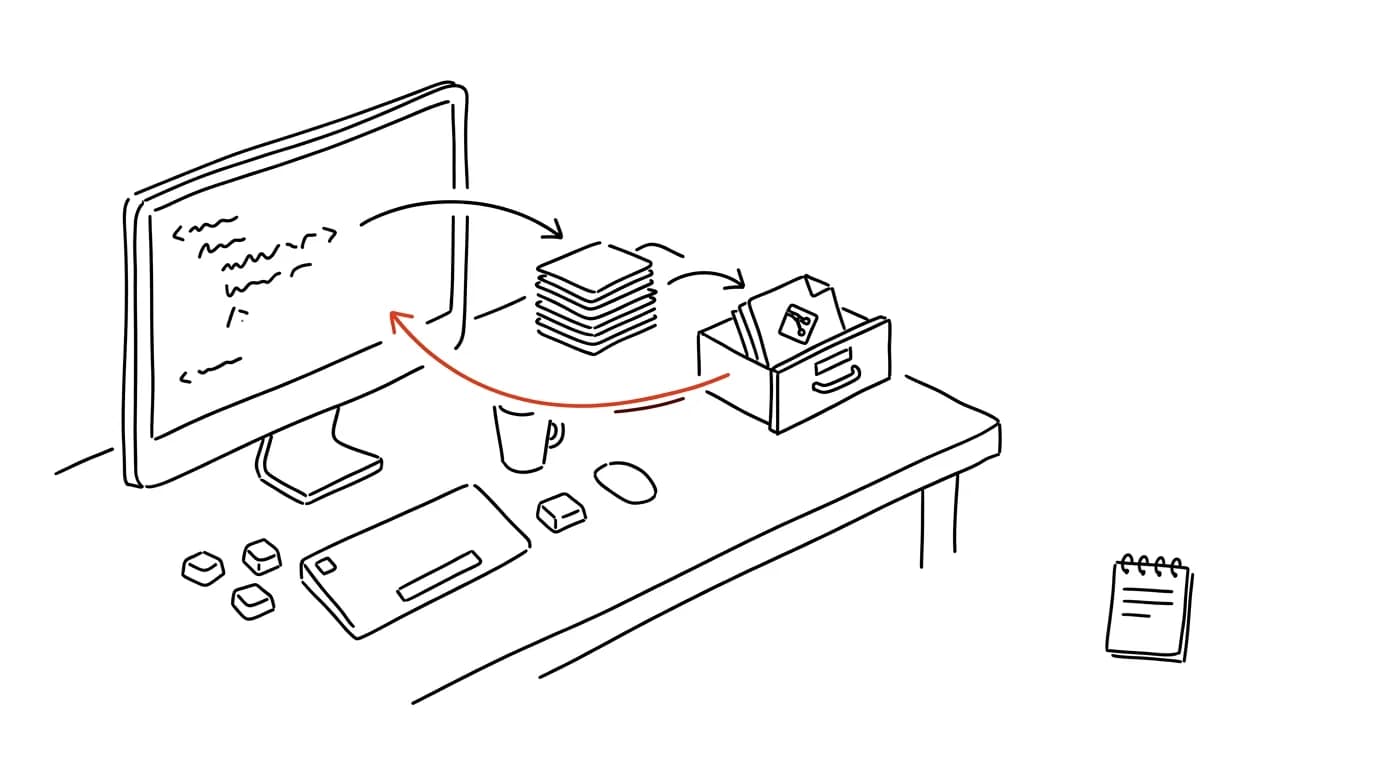
You're working on a new feature, the code is halfway there and doesn't even compile — and right then a message comes in: "production is broken, drop everything." You can't cleanly switch branches with in-progress changes, and you don't want to commit a half-finished mess. Git has a command for exactly this situation: stash. It tucks all your uncommitted changes into a side drawer, returns your working directory to a clean state — and once the fire's out, one command pulls everything back exactly as you left it.
How to do it
- The moment you need to set your work aside, run
git stash— every change in tracked files (both in-progress and staged) gets tucked away, and your directory is clean. Add new, untracked files too with the-uflag. - Now you can safely switch branches, fix the bug, commit, and switch back to your own branch.
- Bring the stashed work back with
git stash pop— the changes are restored and the drawer entry is deleted. If you'd rather keep the entry just in case, usegit stash applyinstead. - There isn't just one drawer:
git stash listshows every stashed bundle. To keep them straight, save with a label —git stash push -m "in-progress form". You can then restore a specific bundle withgit stash pop stash@{1}. git stash show -preveals what's sitting in a drawer — it prints the changes as a diff, so you can see what you're actually restoring before you do.
A typical scenario
A developer is building a new form, an hour of in-progress work sitting in the files. A colleague messages that registration on the site is broken. It used to mean a commit named "WIP not done doesn't work" that then haunts the history forever, or painfully copying the changes aside by hand. Now: git stash push -m "form", switch to main, fix it, deploy, switch back, git stash pop — and she's continuing exactly where she left off. The history stays clean and nothing got lost.
Stash is handy for small things too: quickly checking how the app behaves without your changes, or tucking away an experiment that might not go anywhere but feels wasteful to delete. Just be careful the drawer doesn't turn into storage — bundles that sit in the list for weeks never get restored by anyone. Anything with real value belongs in a commit on its own branch; stash is for hours and days, not months.
What you get out of it
Urgent interruptions stop derailing your work — switching context is a matter of two commands and no compromises. Half-baked "WIP" and "temp" commits, which used to exist only because the work needed to be tucked away somewhere, disappear from the history. It pairs with the tip commit messages for future you — both keep a project's history readable.
Want to go deeper? The handbook has a whole chapter on it — Core systems: inbox, priorities, reviews.
Similar tips
Stop retyping file paths: drag the file into the terminal
Dragging a file from File Explorer or Finder into a terminal window inserts its full path — correctly quoted, without a single typo.
Two exclamation marks repeat your last command — even with sudo in front
Forgot sudo? Don't retype the command: “sudo !!” reruns it with admin rights. And “!$” inserts the last argument from the previous line.
Aliases and scripts: automate what you type three times
Long commands, build sequences, switching environments — all of it belongs in aliases and scripts. Ten characters instead of eighty.
Was this helpful?
Liked this tip?
I send one like it every week by email. Two minutes to read, hours saved.
The Top 30 tips e-book, free — it lands in your inbox right away.
Then 1 tip a week · no spam · unsubscribe in one click
Prefer a system to single tips? The free email course — seven days, seven emails, one skill a day.