Tips & tricks · AI · Everywhere · ~weeks of coordination and all-nighters before the event · 58 min read · in-depth guide, doing it ~3 h
A conference as a system: one program that generates everything
Last reviewed:
In this article
- A typical scenario
- Why events die on coordination
- Phase 1: inventory and the program as the single source of truth
- Phase 2: talking to speakers — templates and status tracking
- Phase 3: a visual identity for the event, from one template family
- Phase 4: an event website generated from the program
- Phase 5: attendee registration — form, capacity, check-in
- Phase 6: name badges, signage, and print — in bulk, from data
- Crisis scenario: a speaker cancels the day before
- Phase 7: social media before and during the event
- MC notes: from speaker bios, not from memory
- Follow-up after the event: two batches and one evaluation
- GDPR: registrations are personal data, and so are photos
- Table: output → derived from → deadline
- The big day: the system just serves you now
- What's free, what you own, and what happens when the tools change
- The most common mistakes
- Best tools
- What you get out of it
- Pro tip
A community event almost never falls apart because of content. The speakers show up, the topics are good, the venue is booked. It falls apart on coordination: the program lives in an email thread with forty replies, the poster exists in three versions and nobody knows which one is hanging where, the website is a week behind reality, and the name badges get printed the night before the event from a spreadsheet the organizers are still arguing over whether it's the current one. Anyone who has ever run a meetup for more than twenty people knows the feeling: the event itself is a nice day — and the two weeks before it are hell made of small fixes done eight times over, because the same piece of information lives in eight places.
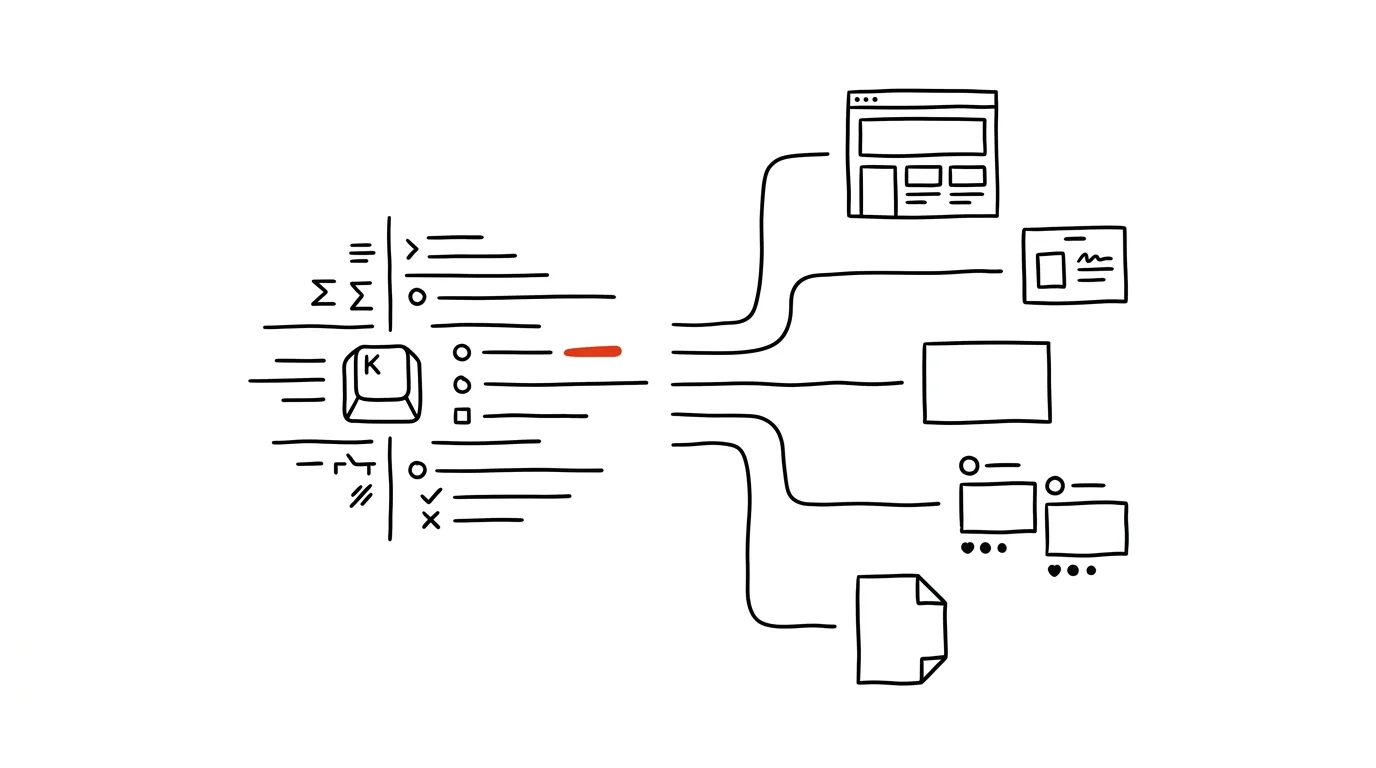
This guide shows a different path: the event program is structured data, and everything else is derived from it — one change to the program propagates everywhere. The website, the printed program, the name badges, the room-door signage, the break slides, the MC notes, the social posts, and the follow-up emails aren't eight separate documents kept in sync by hand; they're eight views of one file. When a speaker cancels the day before, you fix that one file and let the outputs regenerate — instead of opening the eighth document at 3 a.m. and hoping you didn't forget one.
The mental approach is the same one a model company built its brand with elsewhere on this site: first take inventory of everything that needs to exist, then set up one source of truth, derive outputs from it, insist on editability (no output that can't be fixed within an hour), keep security as a running thread, and end with a level-headed look at cost. There, the source of truth was a brand voice document; here, it's the event program. You can read this phase by phase — each one stands on its own and comes with prompts to copy, just fill in the brackets. And if your event is a month out and you're already on fire, start with Phase 1 and the crisis scenario; you can catch up on the rest later.
A typical scenario
Petra and Marek met at an industry conference abroad, and on the flight home they agreed on two things: there's no event like it for their field back home, and if nobody built one within a year, that would be a shame. So they're building it themselves. First edition: a one-day meetup for 120 people, two rooms — a big one for talks, a smaller one for workshops — twelve speakers, ten program sessions, two breaks for coffee and lunch. A friendly company lent them the venue in exchange for a mention in the program; food is covered by ticket sales. Budget for an agency, a designer, or an event app: zero. Time: evenings and weekends, since both of them have day jobs.
The classic arc of a first edition like this is predictable. The program gets assembled in emails with speakers and exists only in Petra's head and in a spreadsheet she's still filling in. Meanwhile Marek is building the poster in a design tool — and because the program isn't final yet, he builds it four times, with files named poster_final_v3_FORREAL.pdf. The website is a static page a friend “threw up” once, and nobody's been able to edit it since, so it keeps showing a speaker who cancelled a month ago. Name badges get printed the last night, because registration closed that evening. And when the headline speaker gets sick two days before the event, Petra spends until midnight calling around for a replacement, and Marek is up until 3 a.m. fixing the poster, the website, the program, the name badges, the signage, the MC notes, and the scheduled posts — and the wrong name still ends up on a slide during the event.
The version we'll walk through in this guide looks different. Petra and Marek spend the first evening taking inventory of the outputs and designing a data structure for the program: one file holding speakers (name, bio, photo, topic, abstract, consents) and sessions (time, room, duration, who's speaking). From it they generate the event website on Vercel, the printed program, name badges, signage, and MC notes — through Claude Code and Canva templates they set up once. Communication with speakers runs on templates and a status table, so nobody falls through the cracks. When that same speaker gets sick, the fix looks like this: a change in one file, one prompt that lists the affected outputs, twenty minutes of generating, and a check. Marek is in bed before midnight. That's not a marketing promise — it's the consequence of one decision made at the start. Let's make it.
Why events die on coordination
Before we start building, it's worth naming precisely what actually kills small events. It isn't the volume of work — for an event of 120 people, that turns out to be surprisingly finite. It's the combinatorics of manual copies.
Do the math with Petra and Marek. Twelve speakers, each with a name, company, topic, time, and room — that's five pieces of data that show up on at least the website, the printed program, the name badge, the MC notes, a social post, and a thank-you email. Six outputs times five data points times twelve people: more than three hundred places where a manually retyped copy of some piece of data lives. Now the other half of the equation: between the first publication and the big day, a first-time event's program changes many times on average — a speaker shifts their slot because of a train, two people swap time slots, a talk title changes, a workshop gets added, a break gets dropped. Every such change means going through every place the data lives and fixing it by hand. Not once — every time. Skip the systematic approach and your outputs drift out of sync; do it systematically and you spend your evenings syncing spreadsheets, telling yourself never again for next year.
On top of that come three familiar patterns every organizer recognizes:
- Email as a database. A speaker's confirmation is “somewhere in the thread.” Their bio is attached to the third email, their photo to the fourth, the corrected abstract to the seventh — and consent for photography is nowhere, because nobody remembered to ask. When Marek wants to assemble the program, he isn't assembling it from data; he's excavating his own inbox.
- The final_v3_FORREAL file. A poster revised four times exists as four files, and nobody's quite sure which one went up on social media, which one went to print, and which one is actually the latest. Versioning by filename is a system that reliably fails at exactly the moment stress is highest.
- Bus factor one. The full picture of the event — who's confirmed, what's still missing from whom, what's already printed — exists only in one person's head. When Petra is out for two days, Marek doesn't know where anything is. For volunteer-run events, this is the single most common reason a second edition never happens: that one person just doesn't want to do it again.
Notice that none of these problems is about the amount of work — they're all about information architecture. That's exactly why AI only helps once you've fixed that, as a second step. Point AI at chaos (“write me a post about the event” into a chat that knows nothing about the event) and you get faster-made copies that drift out of sync exactly the same way, just quicker. Build a source of truth first and point AI at deriving outputs from it, and you get a system. The difference between those two approaches is this entire article.
One more note before we dive into the phases: none of what follows requires you to be a developer. It requires a willingness to spend the first evening building structure instead of making a poster — which goes against instinct, because the poster is visible and the structure isn't. Push through that instinct; it pays you back with interest in every week of prep that follows.
Phase 1: inventory and the program as the single source of truth
The first evening doesn't produce anything you could hang on a wall. It produces two things that will carry everything else: the list of outputs the event needs, and the data structure for the program the outputs will be derived from.
Inventory: everything that needs to exist
Start by having the AI list the complete set of outputs — including the ones a first edition typically forgets (a sign with the Wi-Fi password, a “we're starting soon” slide, an email with directions). The point of the inventory isn't the list itself, but two things that come out of it: for each output, what it's derived from and by when it has to exist.
We're running the first edition of a one-day industry meetup: [120] attendees,
[2] rooms, [12] speakers, [10] program sessions, date [fill in],
venue [fill in]. Two of us are organizing it in our spare time, no agency.

List the complete set of outputs an event like this needs, from reaching
out to speakers through the follow-up email. For each one, give:
1. What data it's derived from (program, registration list, copy
   about the event, venue map…)
2. Deadline relative to the event date (e.g. "print: D-5, because the
   printer needs 3 business days")
3. Format (web, print PDF, social image, email, slides)
4. What happens if the program changes after this output has been produced

Sort by deadline. Flag any outputs that can't be changed once printed —
I'll plan a buffer for those.
You'll get back a list of twenty to thirty items — longer than you'd expect, and that's a good thing: now you see it all at once instead of having items ambush you evening by evening. Check the deadlines against reality (the printer, the registration cutoff) and save the list; at the end of the article we'll turn it into a table that hangs over the whole preparation process. And above all, notice column 1: almost everything says “the program.” That's the file we're about to build.
Data structure: speakers and sessions
The event program has two natural entities. A speaker — a person with a name, bio, photo, topic, and consents. A session — an item in time: start and end, which room, what type (talk, workshop, break, networking), and who's presenting in it. Keeping them separate is the key decision: a speaker can have two sessions, a session can have two speakers (a panel), and a break has none — if everything lived in one table, these cases would break it.
Design a program data structure for a one-day event with two rooms.
I need two entities:

Speaker: id, name, company/role, short bio (400–600 characters), photo
(filename), talk topic, abstract (500–800 characters), contact,
consent to being photographed and filmed (yes/no), consent to
publishing materials after the event (yes/no), communication status
(contacted / confirmed / materials received / complete).

Session: id, start, end, room, type (talk / workshop / panel /
break / logistics), title, list of speaker ids (can be empty or
have several), a note for the MC.

Design it as YAML files for a git repository (program.yaml plus a
speakers/ folder with one file per speaker), and show me a filled-in
example of one speaker and three sessions including a break. Explain
why it's better to keep speakers separate from sessions. Also propose
rules for which fields are required and which can be filled in later.
The result is a structure that might look something like this (an abbreviated example — your version may differ in the details, and that's fine; what matters is separating the entities and having required fields):
# speakers/jana-svobodova.yaml
id: jana-svobodova
name: Jana Svobodová
company: Atelier Podklad
bio: >-
  Ten years leading a studio focused on… (400–600 characters, written
  in the third person, the same format for every speaker)
photo: jana-svobodova.jpg
topic: How to make content that survives a year
abstract: >-
  What you'll take away from the talk… (500–800 characters)
consent_photo: yes
consent_publish_materials: yes
status: materials-received

# program.yaml (excerpt)
- id: session-04
  start: "10:30"
  end: "11:10"
  room: main
  type: talk
  title: How to make content that survives a year
  speakers: [jana-svobodova]
  mc_note: 10 minutes for Q&A after the talk, she likes tough questions
Don't be put off by how “technical” this looks. YAML is plain text with indentation — it reads like a structured list, and anyone who can write can edit it. And if even this is too much, the whole structure works just as well as two tabs in a shared spreadsheet (Speakers and Program): the principle “one source, everything else derived” doesn't depend on the format. More on that in a moment.
Two fields deserve special attention, because first editions typically forget them and then miss them at the worst possible moment. Consents — for photography and for publishing materials — belong in the data from the start, because you'll be relying on them when you publish photos and slides after the event; collecting them retroactively is awkward for everyone. And communication status — as you'll see in Phase 2, it's the engine of all speaker coordination: if a speaker sits in “contacted” status for three weeks, the system notices and reminds you.
Git, or a spreadsheet?
The honest answer: both work, and the difference is in what you get on top.
A shared spreadsheet (two tabs: Speakers, Program) has the lowest barrier to entry — both organizers can edit it from their phone, see it at a glance, and Claude can work with it through an export or a connector. For an event two people are running once, it's a legitimate choice, and you can follow the rest of this guide with it too: wherever we say “file in the repository,” read “tab in the spreadsheet.”
A git repository adds three things that turn out to matter more for an event than you'd expect. History: every program change has a date, an author, and a description — “moved session 6, Novak can only make the afternoon train” — so a week later you're not arguing about why the program is different from how you remember it. Unambiguity: there's one version, no program_v2_final. And integration: Claude Code works directly against the repository — it reads the program, generates the website and materials from it, and makes changes as proposed edits you approve. You don't need to know git yourself for this; the guide to building a website with Claude Code shows what that collaboration looks like in practice. Petra and Marek pick git precisely because of the website in Phase 4 — and they use a spreadsheet only for attendee registration, where a form-based collection method fits better (Phase 5).
One rule applies to both options: nothing that shouldn't be visible belongs in the source of truth. Speaker contacts and consents, yes (the repository is private) — but passwords, API keys, or registration exports containing attendees' personal data, no. Registrations live separately (Phase 5) and have their own deletion rules (the GDPR section).
And if you're torn, start with a spreadsheet — the decision isn't irreversible. The structure from this guide (separating speakers and sessions, required fields, statuses) is the same in both formats, so moving from a spreadsheet to git is a one-time conversion Claude can do for you in a few minutes, not a rebuild. The typical path for events that survive their first edition: spreadsheet for edition one, git for edition two — because by then there's a website and an appetite for history. The one decision that matters, and matters right away: that there's a single source of truth and everything else is derived from it. Format is a detail; discipline isn't.
Consistency checks: a program that doesn't contradict itself
Once the structure exists and fills up with real data, one more job appears — something someone has to do for spreadsheets and files alike: checking that the program makes sense as a whole. This is exactly the kind of mechanical work AI is good for — and the first demonstration of why structured data pays off: this check simply wouldn't be possible on an email thread.
Here is program.yaml and the speakers/ folder [paste the contents or
let it load from the repository]. Check consistency and list every
finding with its exact location:
1. Times: do any sessions in the same room overlap? Do they run back
   to back, or are there unplanned gaps? Does the sum of durations
   match each room's start-to-end time?
2. Speakers: is anyone in two sessions that overlap or run back to
   back in different rooms (no time to walk over)? Does the program
   reference a speaker id that doesn't exist?
3. Completeness: which speakers are missing a bio, photo, abstract,
   or consents? Which sessions have no speaker even though their
   type calls for one?
4. Breaks: is there anywhere more than 120 minutes of program with
   no break?
Don't fix anything — return the list of findings, I'll fix them
myself and then we'll run the check again.
Run this check after every major program change, and always before generating any outputs. Typical real-world findings: two forty-minute sessions crammed into seventy minutes, a workshop referencing the old id of a renamed speaker, three hours of afternoon program with no break. Each one takes a minute to fix now — and a lot of nerves to fix on the spot on the day of the event.
Phase 2: talking to speakers — templates and status tracking
Twelve speakers mean twelve parallel conversations, each going through the same steps: outreach, confirmation, gathering materials, logistics before the event. Without a system, these conversations scatter across your inbox and at least one falls through the cracks — you find out a week before the event that you never got a photo from one speaker and never actually got confirmation from another. The system has two parts: templates (so the same email isn't written twelve times) and status (so it's visible who's stuck where).
Outreach that doesn't read like spam
The outreach email to a speaker is the single most important piece of writing in the whole preparation — it decides whether the event has a program at all. A prompt-built template doesn't mean impersonal: it means the structure and facts get thought through once, and personalization happens deliberately, not exhausted at eleven at night.
Draft a speaker outreach template for our event. Context: [first
edition of an industry meetup for whom, date, venue, 120 attendees,
2 rooms]. We can't offer a speaker fee; we offer [travel costs,
lunch, an audience made up of…, a recording of the talk, …].

Structure:
1. One sentence on why we're reaching out to this specific person —
   leave a [SPECIFIC REASON] placeholder that I'll fill in by hand
   for each one, because this sentence must never be generated
2. What the event is and who it's for (brief, no superlatives)
3. What exactly we want from the speaker: format, length, deadline
4. What we're offering — straight talk, including that there's no fee
5. A clear question at the end with a reply-by date [date]
Tone: collegial, concise, no "we would like to cordially invite."
Also prepare a version for a speaker we already know personally.
Notice point 1: the sentence “why you specifically” is the one part you must never template — it's the reason the invitation isn't spam, and speakers spot a generic compliment on sight. Write it yourself, differently for each person, even one line is enough (“your talk in Brno made us rewrite half our onboarding”). The rest of the email can come from the template; nobody minds that the logistical facts are the same for everyone. And the rule that runs through this whole site applies here too: AI drafts, you send — after reading it, under your own name.
Status tracking: who's stuck where
The status field on each speaker now earns its keep. There are four statuses: contacted → confirmed → materials received → complete (also has pre-event logistics info). Once a week — Petra treats it as a Sunday-morning coffee ritual — run a summary over the data:
Go through the files in the speakers/ folder and return a status
report:
1. A table: speaker, status, date of last change, what's specifically
   missing (bio / photo / abstract / consents / confirmation)
2. Anyone stuck in "contacted" for more than 10 days → draft a
   reminder; polite, short, with a specific deadline after which
   we'll start looking for a replacement (phrased without any blame)
3. Anyone "confirmed" for more than 14 days with no materials →
   draft a reminder listing exactly the items still missing from them
4. Count: how many speakers are complete, how many sessions still
   have no confirmed speaker
List the draft emails for me to approve — I'll send them myself.
This review takes ten minutes a week and is the cheapest insurance the whole event has: no conversation falls through the cracks, because status lives in the data, not in your head. Reminders go out on time and politely — which, incidentally, is the exact opposite of what happens without a system, where a forgotten speaker gets remembered late and the reminder comes out panicked. Speakers are dealing with you for the first time; how you communicate before the event is their preview of the whole event.
Gathering materials: once, structured, with a deadline
A confirmed speaker needs to send materials — and this is where the second classic swamp forms: bios arrive in five formats (one in first person, one running two pages, one “just write it for me”), photos in resolutions fit for a name badge or a billboard, and half the replies never arrive at all. The fix: one structured email that says exactly what, in what format, and by when — plus normalization of what comes in on your end.
Write an email to a confirmed speaker requesting materials. We need:
1. A bio, 400–600 characters, third person ("Jana leads…"), focused
   on what's relevant to our audience
2. A landscape and a portrait photo, usable at [min. resolution],
   without a busy background
3. A talk title (max 60 characters, for print) and an abstract,
   500–800 characters — what the audience will take away, not an
   outline
4. Consent, worded exactly as follows: being photographed and
   filmed during the talk; publishing the slides after the event
5. Technical requirements (own laptop? audio? anything else)
Deadline: [date]. Add a line that we're happy to edit the bio and
abstract — a rough draft is fine, we want to lower the barrier to
replying.
That last line is a small trick with a big payoff: the most common reason a speaker doesn't send materials is that it “needs peace and quiet to sit down and write it.” Offering to send a raw paragraph and have you handle the editing turns the task into two minutes. Editing is then exactly the kind of work AI is good for, with your oversight: unify every bio into third person, the same length and structure — and send each speaker their edited bio for approval, because it's their name and their sentence. File incoming materials straight into the structure from Phase 1 (the speaker's file, the photo into the photos/ folder), not into your inbox. The inbox is a delivery channel, not storage.
Partners: the same logic, a different entity
Most community events also have partners — a company that lent the venue, a coffee vendor, a media partner. And partners are exactly the same coordination problem as speakers, on a smaller scale: each one has a logo, an agreed exchange (“logo on the website and poster, a mention at the opening, a table at check-in”), and a communication status. So they get their own entity in the repository, alongside speakers: one file per partner with a logo (both vector and PNG — ask for both up front; hunting down a print-ready logo later is a classic print-deadline blocker), a list of promised exchanges, and a contact.
The payoff for that bit of structure is the same as for the program: the outputs get derived. The row of logos on the website, the poster, and the break slides is generated from the partners folder — when a fourth partner joins halfway through prep, you add one file and the logo row regenerates everywhere, instead of Marek opening three different designs and hoping he remembers all of them. And the promised exchanges work as a checklist: before the event, the data produces a “what did we promise whom, and is it delivered” list — the thank-you at the opening then gets read straight from the MC notes, where it landed automatically. A partner who gets everything promised without having to chase you down is a partner for the second edition too; that's a product of the system as well, not luck.
Phase 3: a visual identity for the event, from one template family
An event needs to look consistent: the poster, the printed program, the name badges, the room-door signage, the directional signs, the break slides. For an agency-run event, a brand guide and someone watching over it takes care of that; for a volunteer-run event, it has to be one template family that everything is derived from. Not because a consistent look is an aesthetic indulgence — but because it's another source of truth: when colors, fonts, and the logo are defined once, the poster can't end up blue, the signage turquoise, and the name badges “approximately” both.
Petra and Marek go with Canva, for a sober reason: it's a tool volunteers will also be able to use on the day of the event, when they need to quickly make one more sign. At the time of writing, Canva has an official connector for AI assistants (MCP): from Claude you can create designs from a description, fill templates with content, resize designs, search your own library, and export to PDF, PNG, and other formats. More advanced work with brand templates and company color sets is tied to higher-tier plans, and the connector's capabilities keep changing — check Canva's current documentation before you build a plan around it. And if you don't have the connector, or it doesn't work as expected, the whole phase can still be done by hand in the Canva editor — AI then helps with copy, structure, and preparing data for bulk outputs (Phase 6). For what connectors are and how to hook them up, see the overview of MCP tools.
The basics: three decisions instead of thirty
A small event's visual identity comes down to three decisions: colors (two, three at most), fonts (one for headings, one for body text — a system font is fine, just check the print license), and one recurring visual motif (a shape, an illustration style, a way of cropping photos). Everything else follows from these. First have directions proposed — and only turn the chosen direction into templates:
Propose three visual directions for our event's identity: [name, field,
date, one-day meetup for 120 people]. Character of the event:
[community-driven, practical, no corporate polish — fill in your own
words]. For each direction, describe:
1. A pair of colors (specific hex codes) and why it still works in
   black-and-white print — the signage will be printed on an
   ordinary office printer
2. A pair of fonts with a free license for print
3. A visual motif that can repeat on the poster, the name badge, and
   a slide, and is simple enough for an amateur to maintain in Canva
4. One sentence on what impression the direction should create
No direction may depend on photos we don't have. Pick the one you'd
recommend for the first edition yourself, and justify it.
Point 1 looks like a detail, and it isn't: half the event's outputs go through a black-and-white office printer, and an identity built on subtle color gradients falls apart there. Write the chosen direction into the repository as visual.md — hex codes, font names, motif rules. It's the event's miniature brand manual, and just like the program, it's a source of truth: anyone (including AI, in every subsequent prompt) reads from it, and nobody has to remember the colors “by eye.”
The template family: build once, fill everywhere
Now six templates get built, all from the same base: the poster (portrait, print and a social version), the printed program (a folded leaflet or A5), the name badge (dimensions matching the badge holders you bought — measure them before you start), the room-door sign (portrait, a large room name plus its session schedule), the directional sign (an arrow, a pictogram, one purpose), and the break slide (for projectors in both rooms). At the time of writing, you can hand this directly to the connector; the designs land in your own Canva account as editable files — which is exactly the difference between an output and an asset, the difference the whole “brand as a system” approach rests on: you can't fix an image generated in a chat a week later, but you can fix a design in Canva.
Using the Canva connector, build a template family for our event
based on the attached visual.md (colors, fonts, motif):
1. Portrait poster — large event name, date, venue, room for 6–8
   speaker names, a QR code (placeholder) and the website
2. A5 printed program — cover + inside spread with two columns
   (main room / workshops), program row: time, title, speaker
3. Name badge [width x height per the holders] — large first name,
   smaller last name and company, a colored stripe by role
4. A4 portrait room-door sign — room name and its session list
5. A4 landscape directional sign — an arrow and one line of text
6. 16:9 break slide — large clock, "next session starts at…"
Use bracketed placeholder text everywhere, no made-up names. Send
me links to the designs — I'll fine-tune them myself in the editor.
Watch for two things when you review the designs. Placeholders: the template needs a placeholder everywhere program data will be filled in — if the connector or editor “helpfully” fills in a made-up name, sooner or later it leaks into print (it happens; a name badge for a speaker who doesn't exist is a beloved souvenir of first editions). And length: the program row has to fit the longest real talk title, not the test one — take the longest one from program.yaml and try it there right now, not on print day.
The colored stripe on the name badge by role (attendee, speaker, organizer, volunteer), incidentally, is the cheapest organizational trick in the whole event: from three meters away in a crowd, you can spot who to ask for directions to a room and who's presenting in ten minutes.
Break slides: a small output, a big impression
The slides that run on the projectors during breaks are exactly the output first editions tend to throw together in a panic on the spot — and yet they can be generated entirely from the program ahead of time:
From the attached program.yaml, generate break-slide content, for
each room separately. One slide per break, with the text:
1. "Break until [time]"
2. "Up next in this room: [session title] — [speaker] at [time]"
3. "In the other room: [session title] — [speaker]"
4. Wi-Fi network and password, event hashtag
Add one "We're starting soon" slide for the morning and one closing
slide with thanks and a QR code to the feedback form. Return it as a
table (room, order, lines of text) — it'll be poured into the Canva
slide template. Check the times against the program and flag it if
the breaks in the two rooms don't start at the same time.
The last line of the prompt is the kind of check you'll want on every generated output: the model shouldn't just produce something, it should flag whatever didn't sit right during production. Breaks that don't start at the same time in both rooms aren't necessarily a mistake — but you want to know about it before the crowd from two rooms hits a single coffee urn at different times.
Phase 4: an event website generated from the program
The website is attendees' main source of information — and for a traditionally run event, it's also the first place coordination failures show up: a three-week-old program hangs there because “the person who knows the website” didn't have time. The fix isn't better discipline; it's a website that has no content of its own — it reads the program, the speakers, and the times from the same data as everything else, so it can't fall behind.
The complete process of building a website with Claude Code — from the first prompt through git as a safety net to deployment and a domain — has its own detailed guide elsewhere on this site, and it applies here in full; we won't repeat it. We'll focus on what's different about an event website: a human doesn't generate the content, a build off the program data does.
Building it: a website with no content of its own
The website for an event of 120 people is deliberately simple: one page, four sections (what the event is, the program, speakers, practical information with a map and registration). No CMS — program.yaml is the CMS.
Build a simple website in the event repository (one page, static,
will run on Vercel). The key rule: all content about the program and
the speakers loads from program.yaml and the speakers/ folder at
build time — no name, time, or talk title may be hardcoded anywhere
in the website's code. Structure:
1. Intro: name, date, venue, a one-sentence "who this is for," a
   registration button [link]
2. Program: two columns by room, row = time, title, speaker; breaks
   visually distinct
3. Speakers: a card grid from speakers/ — photo, name, company,
   topic; bio and abstract on click-through
4. Practical info: address with a map, public transit, Wi-Fi, contact
Look and feel per visual.md. Speakers with no supplied photo should
show a uniform placeholder image, not a broken image icon.
That highlighted requirement — no name hardcoded in the code — is the whole point of this phase. When the program changes the day before the event (Phase 7), the website gets fixed by fixing the data and regenerating the website; nobody spends the night hunting for which file has a speaker's name written into it. Deploying on Vercel means every data change that lands in the repository shows up on the website automatically after a build — the free tier is, at the time of writing, comfortably enough for a website this size.
A pre-flight check for the website
Before publishing (and again before the event) run one check that ties both sides together — the data and the website:
Check the website against the source data before we publish it:
1. Compare the program as rendered on the website with program.yaml —
   every session, time, room, and name. List every difference.
2. Verify there's no speaker on the website whose data status is
   below "confirmed" — nobody may be published before they've
   confirmed their participation.
3. Go through every link (registration, map, contacts) and list
   where each one leads; flag broken or placeholder links.
4. Check the mobile view: people read the program on their phone
   while waiting in line for coffee — the two columns must stack.
Don't report "all good" until you've stated how many sessions and
speakers you actually compared.
One more consequence of a website generated from data is worth drawing out: the website is the one output that's always current — and that's exactly why everything else should point to it. The QR code on the poster, in the printed program, and on the room signage all lead to the website; the printed program can therefore stay brief (times, titles, rooms), because the detail — abstracts, bios, last-minute changes — lives at the address every attendee has in their pocket. For a first edition, this has a psychological effect too: a program change stops being an embarrassment (“the poster says something different!”) and becomes a normal operational fact (“the current program is on the website, like always”). Print that sentence in small type on everything that goes to print early.
Point 2 is a rule to set for yourself right now: only confirmed speakers go on the website (and into any public output). Announcing a speaker “in good faith” and then quietly removing them if they cancel is worse than having one fewer card on the website. The data structure enforces this for you — a speaker's status is just another field, and the build can respect it. And the last line of the prompt is the same safeguard you know from every review prompt with a model: a review prompt with no stated scope tends to check three items and wave the rest through. Ask for a number.
Phase 5: attendee registration — form, capacity, check-in
Registration is the first place strangers' personal data enters the system, so it has two dimensions: technical (how to collect it, watch capacity, and check people in) and legal (what to collect, what to disclose about it, and when to delete it — that gets its own GDPR section below). Here's the technical side, honestly, starting from the simplest option.
The form: collect less than you want to
There are essentially two options, and both are free at their core. A form connected to a spreadsheet (Google Forms or a similar service): built in an evening, responses land in a spreadsheet that both Claude and mail merge in Phase 6 can read. For a first edition with 120 people, this is a completely legitimate solution, and it's what Petra and Marek go with. A custom form on the website with Supabase: more work, but registrations live in a database next to the website, capacity is enforced automatically, and check-in at the door can read the same data; Supabase's free tier is, at the time of writing, comfortably enough for 120 registrations. When it pays off: if you're planning more editions, paid tickets, or more events — then look at the database security practices in the article on a company CRM; they carry over one to one here (EU region, locked-down rows, no keys in the website code).
The same rule about content applies to both options: collect the smallest set of data you can still run the event with. Every form field is a commitment — you'll have to protect it, maintain it, and delete it.
Design a registration form for a one-day industry meetup (120 seats,
ticket price [amount/free]). I want the smallest possible set of
fields — for each field, write down exactly what I'll use it for
when organizing, and drop it if you can't find a use. Consider:
name, email, company/role (for the name badge), dietary restrictions,
"how did you hear about us," photography consent, anything else
typical.
Also propose:
1. Copy above the form: who processes the data, for what, how long
   we keep it, and when we delete it — plain language, not legalese
2. Behavior once capacity is reached: copy for the waitlist and a
   process for reaching out to them when a spot opens up
3. Confirmation email copy (see below)
For each point, add a note on what I shouldn't underestimate.
The typical outcome of this exercise: name and email, yes (you can't run the event without them); company and role, yes, if you want them on name badges — but knowing it's an optional field; dietary restrictions only if you're actually handling catering (and delete it first after the event); a phone number, almost certainly not. “How did you hear about us” is the one marketing field a first edition can justify keeping — you'll be glad you have it when you evaluate the event afterward.
Watch capacity honestly: with the spreadsheet-based form, that means manually checking the row count and closing the form on time (set yourself a reminder, don't “just keep an eye on it”); with the Supabase version, the database enforces the limit. A waitlist is always worth having for community events — free tickets have a high no-show rate, and the week before the event you'll be offering freed-up spots to the waitlist.
One more honest note about no-shows, because first editions run into it reliably: for free events, it's normal for significantly fewer people to show up than registered — registering for free costs nothing, so nothing binds anyone to it. You have three mild levers, none of them foolproof: a symbolic ticket price (even a small amount dramatically raises the show-up rate — and, incidentally, pays for the coffee), an email a few days before the event asking “if you can't make it, please free up your spot for the waitlist” (surprisingly effective — people don't want to be the one holding a chair hostage), and light overbooking — letting registrations run a bit past room capacity, knowing full capacity never shows up. Choose your overbooking rate conservatively, and calculate it from real data after the first edition; until then, the safer combination is the first two levers. Whichever you choose, the decision is yours and belongs in your evaluation notes — it's exactly the kind of knowledge that otherwise gets lost and the second edition has to rediscover from scratch.
Confirmation and the pre-event email
An attendee gets two emails: a confirmation right after registering, and a logistics email two to three days before the event. Both are derived — the first from the registration, the second from the program and practical information — so it can't happen that the email states a different start time than the website (a classic hand-written-email mistake).
Prepare two emails for attendees, pulling data from program.yaml and
the event website — don't write any time or address from memory:
1. Registration confirmation: confirms the spot, date and address, a
   link to the website with the program, one sentence about data
   processing with a link, our contact. Short — five sentences.
2. Email 3 days before the event: when check-in opens and when the
   program starts (two different times, call this out), how to get
   there [public transit, parking], what to bring, Wi-Fi, hashtag, a
   link to the program, and a line about photography at the event
   with the option to opt out (see our GDPR notes).
Both: friendly tone, no exclamation points, subject line under 50
characters. Return them as templates with [NAME] fields for a mail
merge.
On sending: form services can handle the post-registration confirmation themselves; send the pre-event bulk email through your own mail tool's mail-merge feature, not one by one. And a rule that holds everywhere on this site: a human triggers the send. AI drafts the template, generates the personalized versions, checks the recipient list against registrations — but the send button is yours, after checking a random sample. A bulk email with the wrong date can't be recalled.
Check-in at the door: an honest take on QR codes
At the door you need to check in 120 people in roughly thirty minutes and know who actually showed up. Here's an honest ranking of solutions by complexity:
- An alphabetical paper list and checkmarks. Zero technology, always works, and for 120 people with two check-in stations it's plenty. The only AI work: generate a clean, large-print list from the registrations, sorted by last name, with a column for checkmarks.
- Searching a spreadsheet on a tablet. One step more convenient, especially when registrations keep changing right up to the last minute; check-ins get written straight into the data, so you know the exact attendance that evening without retyping checkmarks.
- A QR code in the confirmation email. Every attendee gets a unique QR code (generated from their registration id) in the pre-event email, shows it at the door, and a check-in device — just a phone with a scanner and a simple page hooked up to the data — marks them present. It's the fastest and most accurate option, and with Supabase behind it, Claude Code can build it as a small internal page; budget an extra evening of work for it, though, and keep in mind that a backup paper list still has to sit at the door — an attendee's dead phone or a Wi-Fi outage must never stop the line.
Build a simple check-in system for the door. Registrations live in
[a spreadsheet / Supabase]. I want:
1. A unique code and QR image generated for each registration, to be
   embedded in the pre-event email
2. An internal /checkin page (logged-in organizers only): scan the
   QR with a camera or search a name by hand, mark arrival with one
   tap, a running counter of check-ins at the top
3. Handle: a repeated scan of the same code (warn, don't double-log
   it), on-site registration (a "new registration" button with a
   minimal set of fields), works on a phone
4. Export: after the event I want a list of who showed up / didn't,
   for evaluation and follow-up
Also generate a backup alphabetical list as a PDF in case of an
outage. The page must not be publicly accessible — explain how it's
secured.
A tip from real-world first editions: whichever option you choose, check-in has to be doable by a volunteer you trained for five minutes. The two of you will be at 8 a.m. dealing with sound setup and a missing extension cord, not standing at the door. Write a card for the door volunteers, generated from the data too: what to do if someone isn't on the list, where the speaker name badges are, who to escalate to.
Phase 6: name badges, signage, and print — in bulk, from data
Print prep is where the source of truth meets the physical world — and where manual work hurts most, because 120 name badges don't fill themselves in by hand, that's just a saying. The logic is the same for every print piece, and it's called mail merge: the template from Phase 3 plus a table of data equals a finished batch. At the time of writing, Canva has a Bulk create feature for filling a template from a spreadsheet (availability varies by plan — check your own account); alternatively, a script that has Claude Code generate the PDFs directly, without a design editor, does the same job. Preparing the data matters more than the tool.
Name badge data: tedious work you don't want to do by hand
Name badges are filled from two sources: attendee registrations and speaker/organizer data. Before they get poured into the template, they need a cleanup pass — and that's exactly the kind of mechanical work AI is good for, with your review:
Prepare the data for printing name badges. Sources: the registration
export [paste], the speakers/ files, and the list of organizers and
volunteers [paste].
1. Standardize the format: First LAST, company/role. Fix obvious
   capitalization typos (jan novak → Jan Novak), but for ambiguous
   cases (McDonald, double surnames, names with a preposition) don't
   change anything — list them for me to decide by hand.
2. Don't fix or add diacritics or accents — a name is however the
   person wrote it themselves. Only flag suspicious cases for me
   (Novak next to Nováková).
3. Add a role column: attendee / speaker / organizer / volunteer —
   the template colors the stripe by this.
4. Drop duplicate registrations (same email) and list them.
5. Sort by last name and return a CSV for the bulk template fill,
   plus counts by role.
Don't silently fix anything in the data — list everything you change.
Two principles from that prompt are worth remembering in general. A name is however the person wrote it — a name badge with a “corrected” name is a small thing that can ruin someone's whole first impression; AI should flag typos, not silently normalize them. And everything the model changes in the data has to be listed — a silent fix is the same thing as a silent error, when it comes to data. After generating the name-badge PDFs, check three things: a random sample against the registrations, the longest name in the batch (does it fit?), and diacritics or accents in the chosen font (missing characters only show up once you export). And have twenty blank name badges printed in the same design — for on-site registrations, waitlist arrivals, reassigned roles; the fix at the door is part of the system.
Signage, directional signs, and the print checklist
The rest of the print materials are derived from the program and the venue layout: signage for both room doors (room name + its sessions with times — generated from program.yaml the same way as the website), directional signs from the entrance and from the elevator, signs for check-in, the coat check, the restrooms, and a “not this way” sign for the door people reliably walk through anyway. On top of that, an info sign with the Wi-Fi and hashtag — and all of it in the template family from Phase 3, so producing it is filling in, not inventing.
From program.yaml and a description of the venue [describe: entrance,
stairs, floor, two rooms, coat check, restrooms], generate:
1. Content for the room-door signs: room name, morning and afternoon
   sessions with times and speakers
2. A list of directional signs: from where to where, what text, and
   which way the arrow points — walk the attendee's path from the
   entrance to every destination and find the spots where they'd
   hesitate
3. A print checklist: every print piece, quantity, format, color or
   black-and-white, where it's printed [home printer / copy shop],
   deadline relative to the event, and who hangs it where
For each sign, also add "when to take it down" — after the event we
have to leave the venue clean.
The print checklist is the quiet hero of the big day: on the morning of the event, it turns into the one task list that matters (“big sign at the entrance — Marek — 7:40”). And the deadline logic from the Phase 1 inventory gets its edge here: everything going to a copy shop has to be done several days ahead; everything that might still change gets printed as late as possible, at home. The program will change — that's why Marek prints the program handed out at check-in at home the night before the event, off the latest data, while the posters have been hanging for weeks. Which outputs belong in which category is settled by the table at the end of the article.
Crisis scenario: a speaker cancels the day before
This is the chapter the whole system was built for. It's not a question of whether something will go wrong — with twelve speakers, the odds that all of them show up exactly as planned are simply low. The question is how much the fix costs you. Let's walk it through on a concrete situation: Thursday, 8:47 p.m., the event is Friday, and the speaker for the afternoon session in the main room calls — the flu, she's not coming. In a traditionally run event, the night starts right now: trying to remember every place her name appears, and manual fixes until morning. In the system from this guide, the evening looks like this.
Step 1: decide (10 minutes, no computer). Content first, outputs second. There are always four options: a backup speaker (do you have someone in reserve who offered a topic and didn't fit?), swapping sessions (a workshop from the small room gets promoted to the main one), extending the neighboring sessions with more discussion, or a longer break with networking (for a community event, the least-bad emergency option — people want to chat anyway). Petra chooses a swap: the workshop presenter from the small room is happy to give her talk in the main room, and a moderated discussion moves into the small room. This is the one decision AI won't make for you, and shouldn't — it's a judgment call about people and about what the event can carry.
Step 2: fix the source of truth (2 minutes). The change gets written into program.yaml and into the files of the two speakers involved — and nowhere else. That's the whole trick: at this point the change is done, and the rest is propagation.
Step 3: impact analysis (2 minutes). Now the Phase 1 inventory pays off — instead of trying to remember, you ask the data:
I made this change in program.yaml: [session 07 — Jana Svobodová
cancelled, her topic replaced by Tereza Malá's from session 09; a
moderated discussion, led by Marek, now runs in session 09 in the
small room instead].
Go through the outputs inventory and list EVERY output this change
affects, split into:
1. Digital — can be regenerated right away (website, break slides,
   scheduled posts, MC notes, …): for each one, exactly what changes
   in it
2. Printed or already sent — can't be taken back (posters, the
   program, name badges, confirmed emails): for each one, propose a
   mitigation (reprint, a correction sticker, an announcement on
   site in the morning)
3. People who need to be actively told about the change (both
   affected speakers, both rooms' MCs, the person at check-in) —
   for each one, draft a short message
Don't change or send anything, just return the list to work through.
The result is a checklist instead of a night of trying to remember. Typically: the website (regenerate — the build does it from the fixed data on its own), the break slides (regenerate the table, pour it into the template), Friday's scheduled “looking forward to…” post (rewrite it — otherwise the automation happily announces the cancelled speaker in the morning, a classic scheduled-content trap), the main room's MC notes (regenerate the bio and the discussion questions), the printed program (still printing tomorrow morning at home anyway — which is exactly why it was left until then), the poster at the entrance (already printed — a “program update” sticker for it, made from the directional-sign template), the cancelled speaker's name badge (pull it, Tereza's stays valid).
Step 4: regenerate and check (10–15 minutes). The digital outputs get generated again with the same prompts as the first time — that's the beauty of derived outputs: the production process is repeatable, not a one-off performance. After regenerating, run one check: have it list every place the cancelled speaker's name still appears anywhere in the outputs, and decide case by case (on the website, in the speakers section, it can stay with a note if she wants; in the program, no).
Step 5: communicate (10 minutes, sent by a human). Messages to the people affected from step 3 — in person, not automated. A bulk email to attendees only when the change alters something meaningful for their plans (a cancelled workshop with limited capacity, yes; swapped sessions can just be announced at the opening and on social media). And a human reply to the cancelled speaker wishing her a quick recovery and inviting her to the next edition — the system saves time precisely so there's room left for that.
Add it up: setting the decision aside, actually propagating the change takes roughly twenty minutes at the computer — and, more importantly, the confidence that no output was forgotten, because the checklist came from data, not memory. Marek goes to bed. It's worth dry-running this scenario a week before the event, by the way: a made-up change, a stopwatch, walk through the steps. A crisis rehearsal costs an hour, and nothing pays off better on the actual day.
A cancelled speaker is the most common crisis, but far from the only one — and it's worth seeing that the process is the same every time, just with different content in step 1. The small room becomes unusable (a plumbing issue, an inspection): the decision is a new single-track program, the change gets written into program.yaml, and the impact analysis lists the same things as always — plus one line, “take down room 2's signage.” The start time shifts because of traffic: the time fields change, the slides regenerate, and this time the attendee email does go out, because it changes how they plan their morning. One of the organizers gets sick: this is where it pays off that the system has no bus factor of one — the other one opens the repository, the checklist, and the status table, and knows everything the first one knew, except whatever stayed in their head (which is exactly why “everything goes into the data” is a safeguard against the flu, not just against chaos). Crises differ; the discipline — “fix the source of truth first, then have the impact listed, then work through the list” — stays the same, and by the second crisis you'll do it automatically.
Phase 7: social media before and during the event
Social media is the main marketing channel for a first edition — and, for stretched-thin organizers, also the easiest output to keep putting off, because “it can wait until tonight,” and by tonight there's no energy left. The fix is the same as everywhere else: posts aren't derived from inspiration, but from the program, and they're planned ahead in a batch.
At the time of writing, Buffer — a post-scheduling tool — has an official MCP server on top of its API: once the connector is connected, Claude can read channels and queues, create drafts, and schedule posts, and basic use is available on the free tier too (scope may change, check Buffer's documentation). In practice, this means a batch of posts generated from the program doesn't end up as text to copy-paste, but goes straight into the queue as scheduled drafts. If you're not using Buffer, the same logic works with manual entry into whatever scheduler you use — you just lose that last convenient step.
The pre-event campaign: from the program, in one batch
Twelve speakers are twelve ready-made post topics — every speaker announcement is content you've already produced once (bio, topic, abstract, photo). The whole campaign gets planned in one pass:
From program.yaml and the speakers/ folder, propose a posting plan
for the [6] weeks leading up to the event, for [LinkedIn and X /
fill in your channels]:
1. Speaker announcements: one at a time or in pairs, text drawn from
   the bio and abstract — not marketing copy, but one specific thing
   the audience will take away; make sure the phrasing doesn't
   repeat across posts
2. Milestones: program published, registration opens, "20 spots
   left," final week
3. Practical: a post with the program a week before the event, a
   "what we're looking forward to + practical info" post the day
   before
For each post: channel, suggested date and time, text, what image to
produce for it from the Canva template (what should be on it).
Only plan posts about speakers whose status is "confirmed" or
further along. Return it as a table for me to approve — don't
schedule anything yet.
After approval (and any fine-tuning of the phrasing — posts should sound like you, not like a press release), the second step is to create the approved posts through the connector as drafts or scheduled posts in the queue. “AI proposes, a human approves” applies here too — review the batch in Buffer before scheduling it live, especially the dates and the attached images. And write one rule in bold into the day-of checklist: scheduled posts are printed paper. When the program changes, the post queue belongs in the crisis scenario's impact analysis exactly like the poster — an automation that happily announces the cancelled speaker on Friday morning is an embarrassment that one line in a checklist can prevent.
During the event: prepared skeletons, live details
Posting in real time from an event you're also running is an illusion — at some point you'll be dealing with a microphone, not a clever caption. The trick is to prepare skeleton posts ahead of time and just fill them in on the day:
Prepare skeleton posts for the day of the event, from program.yaml:
1. Morning: "we're starting" — with the day's program and the
   hashtag
2. An optional skeleton for each session: speaker, topic, an empty
   slot for [QUOTE OR MOMENT] — to be filled in on the spot with one
   sentence
3. Breaks: thanking partners [list], a hashtag reminder
4. Closing: thanks, an announcement of when slides and photos will
   be up, a call to "tell us what you're taking away"
Short copy, no corporate tone. Save them as drafts in Buffer, ordered
by session time — I'll publish them manually based on how the day
actually goes.
Publishing manually, based on how the day actually goes, is intentional, not an unfinished corner: sessions run late, a talk's best quote turns out different than you expected, and a “the workshop is starting now” post twenty minutes after it started is worse than no post at all. The skeleton gives you speed (fill in a sentence, publish); reality gives you the content. And if you have a spare volunteer, give them the role “eyes on social” — with drafts already in the queue, it's a job they can do from their phone between sessions.
MC notes: from speaker bios, not from memory
The MC is the most underrated role at small events. A good MC keeps time, introduces people in a way that makes the audience look forward to them, and rescues an awkward silence in the discussion with the first question. A bad MC reads a bio off a sheet of paper handed to them a minute earlier. The difference isn't talent, though — it's the notes, and those can be entirely derived from data you already have: bios, abstracts, session notes.
From program.yaml and speakers/, generate MC notes, for each room
separately, one sheet per session:
1. Header: start–end time, title, speaker, hard stop (when the
   discussion has to end to keep the program on schedule)
2. A 20–30 second speaker introduction: pull one specific interesting
   fact from the bio, no reading out a résumé; write it as spoken
   language (it'll be said out loud, not read)
3. Pronunciation: for names and company names an MC might stumble
   on, write a guide [I'll confirm with the speakers]
4. Three discussion questions in case of silence: drawn from the
   abstract, specific, no "what advice would you give beginners"
5. Handoff: one sentence on what comes next (next session / break
   until when / move to the other room)
At the end of every sheet: mc_note from the program, if it exists.
Print format, large type — it gets read standing up in the dark.
Two things in that prompt decide the quality. Spoken language: an introduction written like prose reads well and sounds bad out loud; ask for phrasing that can be said in one breath. And questions from the abstract: a generic question kills a discussion more reliably than silence does — a question that leans on a specific claim from the abstract (“your abstract says most companies measure the wrong thing — what does yours measure?”) starts one. The MC can obviously ask their own questions too; the notes are a safety net, not a script. Print them the evening before the event, off the current data — after the crisis scenario, they regenerate with one prompt, which is exactly why you don't hand-write them in Word. And half an hour before things start, give the MCs time to go through their sheets and check pronunciation with the speakers directly; it's the one part of the system that plays out between people, and the notes should support that, not replace it. If you want to train the MC role itself, including handling audience questions, there's a separate walkthrough in the tip on audience questions.
Follow-up after the event: two batches and one evaluation
The event doesn't end when the room gets cleaned up. What happens in the 48 hours after it decides two things: whether attendees remember the event as professional, and whether there's a second edition — because the thank-you, the slides, and the feedback form are also the one moment you have everyone's attention at once. In a traditionally run event, follow-up never fully happens, because the organizers are exhausted and “we'll send that later” just hangs there. In the system, follow-up is just another derived output: the copy gets generated from the program and the check-in list, you read it, fill in the gaps, and send it.
Thank-yous by group, not one for everyone
After the event there are four groups of people, and each deserves a different email: attendees who showed up; registrants who didn't; speakers; partners and volunteers. One “universal thank-you email to everyone” is a wasted opportunity — you'd be thanking no-shows for participation they didn't give, and writing the same thing to speakers as to the audience.
Prepare four versions of the post-event follow-up email. Data:
check-in records (who showed up), program.yaml, links [slides,
photo gallery, feedback form]:
1. Attendees (showed up): thanks, a link to the slides (only talks
   where the speaker consented to publication — check the consent
   field and list for me whose slides we must not publish), the
   photo gallery, the feedback form (one sentence on why and how
   long it takes), a mention of the next edition with an option to
   sign up for updates
2. Registrants who didn't show: brief, no guilt-tripping — what they
   missed (two highlights), don't send slides or the feedback form,
   offer to sign up for updates
3. Speakers: a personal thank-you with a specific moment from their
   session [I'll fill in the sentence for each one myself], a
   request for feedback on how the event was organized, info on when
   and where the slides and photos will be
4. Partners and volunteers: thanks with numbers (attendance,
   capacity filled) and a photo; for partners, offer a short summary
   for their internal communications
Return all four versions to me for editing — I'll send them within
48 hours of the event.
Notice the consent check for the slides: the consent_publish_materials field from Phase 1 does its job here — and it's exactly the kind of detail that gets forgotten without structure and then handled with an awkward after-the-fact deletion. For speakers, the same rule from the outreach applies: one personal sentence (“the way you handled the projector dying was better than half of TED”) turns a template into a letter; write it yourself. And keep the feedback form short — five questions, two of them open-ended (“what was best,” “what would you change next time”), one rating scale, a pick of the most useful session, and “would you come again?” Longer surveys have a response rate close to zero at community events.
Evaluation: numbers plus voices plus a retro
A week after the event, once you've caught up on sleep, comes the last derived output: the evaluation. It isn't a formality for anyone — it's the source of truth for the second edition, and if it doesn't happen now, come January nobody remembers anything.
Evaluate the event from three sources: the feedback form export
[paste], check-in data (registered vs. showed up, "how did you hear
about us" source), and our notes from the day [paste as bullet
points, whatever we remember].
1. Numbers: attendance and capacity filled, feedback form response
   rate, rating distribution, most common registration source —
   each number with one sentence of interpretation, no charts for
   the sake of charts
2. Voices: summarize the open-ended answers into themes, with a
   mention count and one verbatim quote per theme; separate praise
   from criticism, and don't soften the criticism
3. Contradictions: where the feedback form and our own impressions
   disagree (we thought the session went well, the ratings are
   lukewarm) — just flag it, we'll draw the conclusion
4. A draft "what next time" document: keep / change / drop / try,
   each point backed by the sources above
We'll save the document in the event repository next to the program
— it's the first file we'll open when we start preparing the second
edition.
Point 3 guards against two biases at once: the organizers' own impressions (who spent the whole day firefighting and never actually saw the talks) and the loudest individual voices in the feedback form. And the “what next time” document belongs in the event repository for the same reason as everything else: the second edition won't start from zero, but from data — the program structure, the templates, the email templates, and the lessons learned are all in place and ready to use. Have the actual conversation over the evaluation with Marek as a proper retrospective, not a sigh over a beer; how to run a meeting that actually produces decisions is described in the meeting system with AI.
GDPR: registrations are personal data, and so are photos
This section is sober, not scary — and it starts with a sentence community organizers don't love hearing: even an event for 120 people, run for free in your spare time, is a data controller. Names, emails, companies, dietary restrictions, photos of faces — all of that is personal data, and the rules for it don't apply any less just because nobody's job is compliance. The good news: for an event this size, handling data decently comes down to a handful of habits, and the system in this guide does most of them almost as a side effect. (A plain note: this is an organizational guide, not legal advice — when something's unclear, say for events involving children or health data, ask a lawyer.)
Collect the minimum, and say why. Phase 5 already did this: every form field has a reason, and the form states in plain language who processes the data, for what, and for how long. That covers most of the disclosure obligation — and covers it for real, not with a link to ten pages of legal text nobody reads.
Keep purposes separate. Registering for the event is one purpose; a newsletter about the next edition is another. If you want to email attendees after the event, you need an extra checkbox (unchecked by default) — and the follow-up email from the previous section then sends updates only to people who wanted them. It's tempting to skip this step (“they're interested anyway”); don't — that's exactly the small shortcut that turns a community event into a spammer.
Photos: inform in advance, allow opting out, delete on request. Editorial-style photography at a public event usually rests on the organizer's legitimate interest — but that rests on attendees knowing about it and having a real way to avoid it. In practice: a line in the pre-event email, a visible sign at check-in (“photos are being taken at this event; if you don't want to be in them, let us know at check-in”), an agreed visual signal for the photographer (a different-colored lanyard on the name badge is a proven trick), and a willingness to delete a photo on request, gallery included. Speakers are a different case — you specifically want to publish their talk, so consent for photography and filming is arranged explicitly in the materials request (Phase 2) and stored in the data, where it can be produced on demand at any time.
Data in your tools. Attendees' and speakers' personal data passes through AI tools throughout this guide — normalizing name-badge data, follow-ups, evaluation. That's why the rule that runs through this whole site applies here: personal data only goes into a paid account with a contractual data-protection agreement, never into an anonymous free chat. The registration database (in the Supabase version) belongs in the EU region. And registration exports don't belong in the event's git repository at all — the repository is for the program and templates, not attendees' personal data; git remembers history, so an export committed once stays there even after you delete it.
Delete after the event what you no longer need. This is the most commonly neglected step — nobody actively misuses the data after the event, it just sits forever in spreadsheets and drives, waiting to leak. Turn deletion into a scheduled task, with the same seriousness as printing name badges:
One month after the event: go through every place event-related
personal data lives, and propose a cleanup. Sources: the
registration spreadsheet/database, email templates and sent
campaigns, name-badge exports, check-in records, the feedback form,
the photo gallery, the event repository.
1. List every location, what data it holds, and what it's still for
2. Propose: delete now (dietary restrictions, name-badge exports, QR
   codes) / anonymize and keep for statistics (counts, registration
   sources, ratings with no identifying info) / keep with a reason
   (contacts who opted into updates — only those who consented;
   speaker materials for the next edition — ask them first)
3. Check that no exports containing personal data are committed in
   the repository — check the history too
4. Return a deletion checklist; I'll do the deleting by hand, not you
Outcome: after the cleanup, we can say in one sentence whose data we
hold and why.
That last sentence is a good internal test for the whole section: whenever someone asks “what do you have on me, and why,” an answer should exist — and after this cleanup, it does. A human does the deleting; AI inventories and proposes, because irreversible operations on data are exactly the category where an automated system shouldn't have the last word.
Table: output → derived from → deadline
The overview promised back at the inventory, filled in with the experience of every phase since. The column “changeable after it's made?” is the one that drives the crisis scenario: whatever says “yes” regenerates without a fuss; whatever says “no” needs a deadline with a buffer and a mitigation plan.
| Output | Derived from | Deadline | Changeable after it's made? |
|---|---|---|---|
| Event website | program + speakers + visual identity | ongoing, build from data | yes, regenerate |
| Poster (print and social) | program + visual identity | D-21 (hangs in advance) | no — correction sticker |
| Speaker announcements on social | speakers (bio, photo, status) | ongoing, after confirmation | partly — delete/correct |
| Scheduled posts | program + speakers | D-7 batch | yes — but watch during a crisis! |
| Confirmation email | copy + registration | when registration opens | sent, no |
| Pre-event email | program + practical info | D-3 | sent, no |
| Name badges | registration + speakers + visual identity | D-2 (after cutoff) | no — blanks + marker |
| Printed program | program + visual identity | D-1 evening, printed at home | reprint in the morning |
| Signage and directional signs | program + floor plan + visual identity | D-2, printed at home | reprint |
| Break slides | program + visual identity | D-1 | yes, by morning |
| MC notes | program + speakers | D-1 evening | yes, by morning |
| Check-in (list/QR) | registration | D-1 after cutoff | filled in on site |
| Day-of posts | program (skeletons) | D-1 drafts | yes — published by a human |
| Follow-up emails | program + check-in + consents | D+2 | sent, no |
| Feedback form | program (session titles) | D+1, in the follow-up | no |
| Evaluation + “what next time” | feedback form + check-in + notes | D+7 | lives on in the repository |
| Personal-data cleanup | all storage locations | D+30 | — |
Read this table two ways. Before the event, it's a plan: put the deadlines into a calendar with reminders — with D-2 and D-1 items deliberately left late so they can absorb the program's last-minute changes. And during a crisis, it's a map: the crisis scenario's impact analysis goes row by row asking “does this change affect you?” — which is exactly the difference between a system and memory at 3 a.m.
The big day: the system just serves you now
A short chapter about the day of the event — short because in a well-built system, nothing gets produced on the big day. Everything that could be prepared is prepared and generated from current data; what's left is operations. The morning starts with the print checklist from Phase 6, turned into a task list: who hangs which sign, who turns on the projectors and puts up the “we're starting soon” slide, who takes charge of the box of name badges. At the door: the check-in system, twenty blank name badges and a marker, a card with instructions for the volunteers. The MCs have their sheets from the night before, the photographer knows about the lanyards worn by people who don't want to be photographed, and drafts posts are waiting in the queue.
And then comes the main point: things will go wrong, and the system must not depend on nothing going wrong. A speaker running late in the morning, coffee running out early, a squealing microphone. None of that is a failure of preparation — it's a normal day-of-event. The difference the system made is somewhere else: all of these problems are today's problems, solved with hands and a smile, whereas at a traditionally run event they'd pile on top of yesterday's problems (a program that doesn't match reality, missing name badges, nobody knowing where anything is) — and those can't be solved with hands. Petra and Marek have the headspace to deal with what's happening in the room — and that's the entire point of those evenings spent on structure.
One thing does still happen at a computer on the big day, and it earns its own paragraph: notes. Create a file called day-of-notes.md in the repository, and during the day, anyone on the team drops one-line observations into it from their phone — “check-in: peak 8:40–9:00, one line wasn't enough,” “lunch: vegetarian ran out first,” “session 5: ran 8 minutes over, the MC handled it fine.” By evening it's the most valuable file of the day: raw memory that the follow-up phase's evaluation can pull from, things nobody would piece together a week later. Remember: the feedback form tells you how attendees saw the event; the notes tell you how it actually ran. And because the file lives in the repository next to the program, the second edition will find it exactly where it looks for it — next to the data it belongs with. A small detail that illustrates the whole approach: even the event's memory is a structured, versioned file, not recollections and screenshots scattered across two exhausted people's phones.
What's free, what you own, and what happens when the tools change
A section on cost — deliberately without any numbers, because service pricing changes faster than this text does, and specific figures would already be wrong in six months. The qualitative picture, though, is stable and favorable: an event of this size can be built almost entirely on the free tiers of these tools.
- Usually free: website hosting (Vercel's free tier is enough for a static event website), a git repository (a private repository on GitHub), a form connected to a spreadsheet for registration, a small database (Supabase's free tier), basic Canva, and basic Buffer. Check the free-tier limits before the event — they change, and the two you're most likely to run into are the number of scheduled posts and the bulk-fill template feature.
- Worth paying for: an AI account with a contractual data-protection agreement — throughout this guide, speakers' and attendees' personal data passes through these tools, and this is a requirement, not a comfort. Possibly a higher Canva plan too, if you want bulk-fill and brand management built in; and a domain, if you don't want the website living at a generated address.
- What costs time, not money: building the system takes roughly five evenings — inventory and structure, templates, the website, registration, generating the outputs. That's not zero, and there's no point pretending otherwise. But compare it to the right alternative — not to “doing nothing,” but to the dozens of hours of manual syncing the classic approach dissolves into the whole preparation so quietly that nobody ever adds them up — plus an all-nighter whenever something goes wrong.
And now the more important half of this reckoning, the half that never fits on a pricing page: what you actually own out of all that work. The YAML program, the email copy, the visual rules, the website code, the “what next time” document — all of it is just plain files in your repository. When the tools change a year from now — a connector shows up or disappears, a scheduler raises its prices, a template editor gets renamed — the data and the processes stay yours and portable. It's the same principle brand as a system rests on: tools are replaceable, sources of truth aren't. The event's second edition won't start from a blank slate — it'll start by opening the repository. That's an asset that never shows up on any pricing page.
The most common mistakes
- Starting with the poster, not the structure. The poster is visible, the structure isn't — which is why the first evening almost always gets swallowed by a design editor. But a poster made before the program stabilizes gets redone every time the program changes. Structure first, outputs from it; the poster will still take one evening to look good, you'll just make it once.
- Running the program out of emails and your head. Email is a delivery channel, not a database. Every confirmation, bio, and time preference gets copied into the source of truth immediately — otherwise you're assembling the program through inbox archaeology, and the event's bus factor is one.
- Publishing a speaker before they're confirmed. “We're in talks, it'll probably work out” on the website is a ticking bomb: removing an announced speaker is worse than announcing them a bit later. The status field in the data enforces this on its own — as long as the build respects it.
- Printing early what might still change. Printing name badges a week before the event “to get it off the list” means printing them twice. The deadline logic runs the other way: whatever's cheap to reprint at home gets printed as late as possible; only what won't change goes to the copy shop (which is why detailed program timing shouldn't be on anything sent there).
- Forgetting about scheduled posts when the program changes. A scheduler queue is “printed paper” that can publish itself — a post about a cancelled speaker going out on the morning of the event is the most avoidable embarrassment in the whole genre. The post queue belongs in every impact analysis.
- Letting AI silently “fix” data. Normalizing name-badge data, editing bios, cleaning up registrations — the same rule applies everywhere: the model lists what it changed, leaves ambiguous cases to a human, and leaves names exactly as people wrote them. A silent fix is a silent mistake.
- Putting GDPR off until “after the event.” Consents get collected in the materials request and the form — that is, at the start; going back to ask for publication consent afterward is awkward and unnecessary. And deleting data after the event is a task with a deadline, not a good intention.
Best tools
- Claude Code — the engine of derivation: reads the program and speaker data from the repository, generates the website, materials, and print tables, and checks consistency; it proposes changes, you approve them. For this kind of work (“many outputs from one set of data”), it's the strongest tool in the whole stack.
- Git + GitHub — a source of truth with history: the program, copy, templates, and evaluation all in one place, every change with a date and a reason. A private repository, free; no attendees' personal data in it.
- Canva (with an MCP connector, at the time of writing) — a template family for every print piece and graphic; the designs stay editable in your own account, and even a volunteer can adjust them on the day of the event. Check whether bulk-fill from a spreadsheet is included in your plan.
- Vercel — hosting for the event website: a build from the repository after every data change, and the free tier is enough for an event website. The process is in a dedicated guide.
- A form + spreadsheet, or Supabase — for registration: a form connected to a spreadsheet is an honest minimum, Supabase (EU region) is a step up for capacity limits, QR check-in, and future editions.
- Buffer (with an MCP connector, at the time of writing) — a post queue: a campaign planned from the program gets created as drafts, and a human approves publication. Basic use is free too.
- Claude with a paid account — all work involving personal data (name badges, follow-ups, evaluation) belongs in an account with a contractual data-protection agreement; an overview of connectors and their capabilities is in the guide to MCP tools.
What you get out of it
- Time: program changes propagate in minutes, not evenings — and for a first edition, where the program changes many times, that's the single biggest saving. Outputs (the website, name badges, materials, follow-ups) get generated from data instead of retyped by hand; a conservative estimate puts it at dozens of hours across the whole preparation.
- Money: an event with no agency and no designer on the payroll, running on the free tiers of these tools — you pay selectively (an AI account with data protection, possibly a Canva plan, a domain). And the second edition is cheaper than the first, because the system is already built.
- Peace of mind: a “speaker cancelled” crisis is a twenty-minute process with a checklist, not a sleepless night. Nobody is an irreplaceable carrier of information — everything that matters is in the data, so losing one organizer for a while doesn't sink the event. And GDPR isn't a scary thing lurking in the background, but a set of habits you've already covered.
- Quality: a consistency that even careful, hand-managed events can't match — the website, print materials, name badges, and emails never contradict each other, because they're all saying the same thing from the same place. Speakers get timely, structured communication; MCs get notes that are a pleasure to present from. Attendees see none of this — they just see an event that feels like it was run by a team with an agency behind it.
Pro tip
Once the system is running, give it its own memory for next year: after the event, have AI go through the whole repository — the program, the email templates, the day-of notes, the evaluation — and generate a “second-edition runbook”: a prep timeline with real deadlines (corrected for whatever didn't work out this year), templates ready to be filled with new data, and a list of decisions that don't need to be made again, with links to why they were made. The first edition you suffered through turns into a product: a process you can pull off in half the time next year — or hand to two more enthusiasts, once you'd rather just show up as attendees.
And the closing rule of this entire guide: a piece of data that exists twice is a mistake that hasn't happened yet. Whenever you're tempted to “just quickly retype” a name, a time, or a room straight into the poster, the website, or an email, stop: the fix belongs in the program, and the output gets derived. One change, one place, propagated everywhere — that's the whole system, and the reason you'll be asleep the night before the event.
Want to go deeper? The handbook has a whole chapter on it — AI and automation.
Similar tips
In-depth guide · 19 min
Report Card Comments and Parent Communication with AI
A complete guide with prompts: running notes into concrete report comments, tough emails to parents, and conference prep. The teacher signs every comment.
In-depth guide · 18 min
Teaching with AI: lesson prep in an hour instead of an evening
A guide with prompts: a curriculum map and a textbook photo into a finished lesson, worksheets at three levels, instant sub plans. You keep the pedagogy.
In-depth guide · 18 min
Tests and quizzes with AI: creation, versions, grading
A complete guide with prompts: a test built only from covered material, equivalent A/B/C versions, grading scanned papers. The teacher assigns the grade.
Common questions
Why isn't a spreadsheet with the program and a poster made by hand in Canva enough?
For an event whose program never changes again once it's published, that would be enough. But between publication and the event, the program changes many times — and every manual copy of the data (poster, website, name badges, signage, MC notes) is a place where a change can fail to land. A system where the outputs are derived from a single source changes one thing once, and everything else regenerates.
Do I need to know git and how to code?
No. A shared spreadsheet can be the source of truth just as well — the principle “one change, one place” holds either way. Git additionally gives you a change history (who, when, why) and a direct connection to Claude Code, which generates the website and materials from the data; you drive it with plain-language instructions and approve what it proposes. Skip git and you lose convenience, not the principle.
What if a speaker cancels the day before the event?
This exact moment is what the whole system is built for. You fix the program — one file — have the AI list every output the change affects, and regenerate them: the website and posts right away, print materials depending on what's already printed and what can still be reprinted. The guide walks through it step by step as a crisis scenario.
Is a homemade registration form fine under GDPR?
Yes, as long as you collect only the data you actually need to run the event, tell people on the form what it's for and how long you keep it, and delete afterward whatever you no longer need. Registration is processing personal data even for a small community event — size doesn't matter, honest handling does.
Do I need attendees' consent to take photos?
Editorial-style photos from a public event usually rest on the organizer's legitimate interest, not on consent — but the condition is that you inform attendees in advance and visibly, give them a real way to opt out of being photographed, and delete photos on request. For speakers, arrange explicit consent for using their photo and bio in the materials. When it's unclear, ask a lawyer; this guide is a process, not legal advice.
How much of this is free?
Specific pricing deliberately doesn't belong here, but qualitatively the picture is favorable: website hosting and a small database both have free tiers that are usually enough for an event of 120 people, and Canva and Buffer both have free plans with limits. Limits change, so check them before the event. What's worth paying for: an AI account with a contractual data-protection agreement, because you'll be working with speakers' and attendees' personal data.
Was this helpful?
Liked this tip?
I send one like it every week by email. Two minutes to read, hours saved.
The Top 30 tips e-book, free — it lands in your inbox right away.
Then 1 tip a week · no spam · unsubscribe in one click
Prefer a system to single tips? The free email course — seven days, seven emails, one skill a day.