Tips & tricks · AI · Everywhere · ~40 min a day · 19 min read · in-depth guide, doing it ~2 h
Morning routine: reply drafts are waiting before you arrive
Last reviewed:
In this article
- A typical scenario
- Phase 1: rules before you automate anything
- Phase 2: connecting your mail with a connector
- Phase 3: the routine's instructions and the scheduled task
- Phase 4: the fifteen-minute morning review
- Phase 5: two weeks of tuning
- Phase 6: boundaries that never move
- Common mistakes
- The best tools
- What you get out of it
- Pro tip
Most people use AI on their mail by hand: they open a message, copy it into a chat, ask for a reply, then paste the result back. It works, but the savings are measured in minutes. The real leverage lies elsewhere: in a routine that runs on its own, before you ever sit down at your computer.
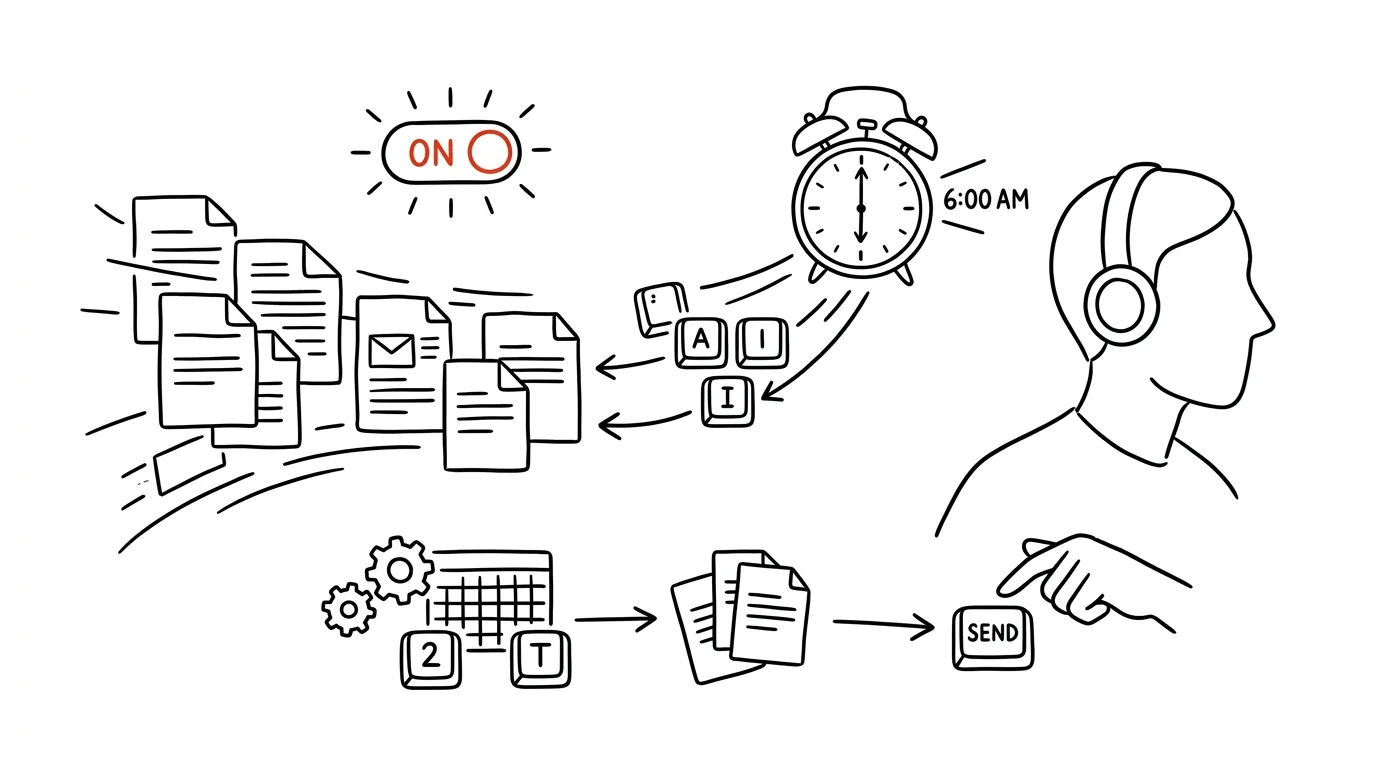
The target setup is simple: you open your mail in the morning and every message waiting for a reply already has a draft sitting in the Drafts folder — in your tone, with dates pulled from your calendar, referencing what you last wrote to that same person. Your job shifts from writing to approving: an hour of pounding the keyboard shrinks to fifteen minutes of reading, trimming, and sending.
This guide walks you from zero to a working routine in six phases: rules, connecting your mail with a connector, the routine's instructions including a complete prompt you can copy, the morning review, two weeks of tuning, and boundaries that never move. One rule governs all of it, and it's the one that decides whether you're building an assistant or a liability: the routine may prepare anything; only a human may send it.
A typical scenario
Petra, an operations manager, opens her inbox at 8:00 a.m. to 34 new messages. Nine of them need a reply, four of those are variations on the same question ("when can you deliver?"). She's still writing emails at 9:30, then heads into her first meeting feeling like she hasn't accomplished anything yet. The expensive part isn't the writing itself but the startup cost: for every message she has to reconstruct what it's about, what was agreed last time, and what deadline she can promise.
With the routine set up, her morning looks different. At 6:30, while she's still asleep, the scheduled task runs: it goes through the mail from the last eighteen hours, drafts a reply for every message that, per the rules, needs one, and saves it to the Drafts folder. Messages it isn't sure about, it leaves untouched and simply lists in a short summary.
At 8:00 Petra opens Drafts and finds nine replies already written. She sends six almost unchanged — deadline confirmations, answers to recurring questions, a rescheduled meeting. Two she edits by a sentence. One she deletes and writes herself, because it's a complaint negotiation where she wants to weigh every word. By 8:20 she's done.
The numbers after a month: morning mail down from 55 minutes to 15, the number of messages left hanging overnight down from five to zero, and no more circling back to the inbox three times a day — the routine lists what it left untouched alongside the drafts, so Petra knows nothing fell through. AI never sent a single one. She sent everything herself; she just never had to start from a blank page.
Phase 1: rules before you automate anything
This is the phase most people skip, which is exactly why their routine hands back generic emails they end up rewriting anyway. A routine isn't magic — it's your decision rules, written down so a machine can read them. It isn't a technical document, either: it's one page of plain English that you write in an hour and then keep refining for two weeks. But you do have to take that hour.
What belongs on that page
Seven areas that cover ninety percent of situations:
- Who you are and what you do. Two sentences: your role, your company, what you're responsible for. Without this, the model doesn't know whether it's writing on behalf of a vendor or a customer.
- Signature and greeting. How you sign off, who you're on a first-name basis with and who you're formal with, how you open a message.
- Tone by recipient. Clients, colleagues, managers, vendors, government offices — each group has a different register. The single most valuable part of the whole page.
- What you're allowed to promise. Deadlines, prices, discounts, capacity. This is where it's decided whether a draft can actually hurt you.
- Recurring situations and how you handle them. The five to ten most common message types and your standard reply to each.
- What never gets drafted. Exceptions, covered in their own subsection below.
- Length. Most people write longer emails than they mean to. Say it bluntly: "replies no longer than five sentences unless I explicitly say otherwise."
You don't have to start from a blank page. The best source of rules is your own sent mail — it already contains everything you'd otherwise have to work out from scratch.
I'm attaching 20 emails I sent over the past month.
These are real replies, just with names and companies anonymized.

Analyze them and build me a "tone card" that I'll use as
the input for an AI routine that will write my reply drafts:

1. How I open and how I sign off — list the actual variants
   and note who I use each one for.
2. Average reply length in sentences, separately for clients
   and for colleagues.
3. Phrases and words I use repeatedly — my typical
   turns of phrase that someone would recognize as me.
4. What I avoid instead (phrases that never
   show up in my emails at all).
5. How I handle refusals, pushed-back deadlines, and bad news —
   describe the pattern, not individual emails.
6. The five message types that recur most often in the sample,
   and my standard reply to each.

Write the output as finished rule text in the second person
("You write concisely, at most…") so I can use it directly
as an instruction. Don't flatter me — describe how I actually write.
You'll get back a card in which you'll recognize yourself — and sometimes something you didn't know about your own writing ("you open 80 percent of your emails with an apology for the late reply"). Check point 3 carefully: the model can turn a single occurrence into a rule, so a phrase you used once can end up labeled your "signature turn of phrase." Cut anything that doesn't fit right away — otherwise it gets echoed a hundred times over by the routine.
Tone by recipient
The most common reason a draft is unusable isn't a factual error but the wrong register: an email to a longtime client reads like a first contact from a call center. A tried-and-tested breakdown: clients (polite, formal, specific deadlines, no internal shorthand), colleagues (casual, brief, no padding), managers (bottom line up front, clear about what decision you need), vendors (businesslike, referencing the order), government offices (formal, with case numbers, no humor). For each group, write one sample sentence — an example works better than a description.
Here's my tone card and the list of recipient groups:
[insert card]

Groups: clients, colleagues, manager, vendors, government offices.

For each group, write:
- the exact greeting and sign-off I should use
- three style rules (length, level of formality, what must not be missing)
- one sample reply to the model situation
  "pushing a deadline back a week" — same content, five different deliveries
- one sentence the routine should never write for this group,
  and why

Write the samples in my voice per the card, not in generic
corporate English. Don't use phrases like "in today's world"
or "please don't hesitate to reach out."
Five versions of the same message side by side is the fastest way to figure out what you actually want — and it's a finished piece of the rules at the same time. Read the samples out loud, and rewrite anything you'd never actually say: those exact sentences are what the routine will keep writing from. For style outside this routine, see custom instructions.
What never gets drafted: exception rules
The most important part of the rules isn't what the routine should write, but what it shouldn't even attempt. A draft on a sensitive matter is worse than no draft at all: either you send it in a hurry, or you delete it anyway and just wasted time reading it.
Add an "exceptions" section to my morning email routine's rules.
Context: [role, industry, company type]. The routine will read
mail and prepare reply drafts, which I then approve by hand.

Suggest a list of situations where the routine must NOT write
a draft and should instead just list the message in the summary
with a note explaining why.
Start from these categories and add any others you think of:
- legal matters, complaints, grievances, notices of termination
- HR matters: pay, performance reviews, ending a working relationship
- health information and colleagues' personal matters
- anything involving a price, discount, or contract term
- conflicts and emotionally charged messages
- messages from senders on my "always handle manually" list
- threads longer than [10] messages, where AI risks missing context

For each item, write:
1. how to recognize such a message (by what signal, not in general)
2. what the routine should do instead of drafting
3. one false-positive situation — when it looks like an exception
   but is actually a routine message

Output as a list of rules in the imperative mood.
You'll get a list — trim it down to what's actually true of your work; twenty exceptions are as useless as none. Read point 3 carefully: the most common mistake is an exception that's too broad ("anything with the word contract in it"), after which the routine barely writes anything and you're left feeling like it doesn't work.
Phase 2: connecting your mail with a connector
Now the technical part — and it's shorter than you'd expect. The goal is for AI to see your mailbox directly, instead of you copying message text into it one email at a time.
What a connector is and what it can see
Connectors (built on the MCP protocol) are standardized links between AI and everyday services: mail, calendar, drive, notes. You attach them in settings, and from that point on the model can search your mailbox, read messages, and save drafts — within whatever scope you allow. The whole idea is covered in connectors as USB-C for AI.
For this routine you need two: mail and calendar. The calendar isn't an extra nicety — without it, the routine will write "confirming that time" for a slot when you have three other meetings. With it, it can suggest "Wednesday morning doesn't work for me, Thursday after ten would."
Before you turn anything on, go through three things. What account this runs on: work mail belongs on a work account with contractual data protection, not a personal chat. What the connector can see: usually your whole mailbox, not a single folder — you handle scoping through the routine's instructions, not permissions. What it's allowed to write: the right to save drafts and, optionally, add labels is enough. You don't need — and don't want — sending permission.
Setup step by step
- In your AI tool's settings, open the connector directory and connect your mail; you'll sign in with your account and approve the scope of permissions. Do the same for your calendar.
- Check exactly what you approved — for mail that's typically reading messages and creating drafts. If the option gives you a choice of a narrower scope, take the narrower one.
- Set up a Project (persistent context) named something like "Morning Mail" and put the rules card from Phase 1 into its instructions. The routine then doesn't need to receive the rules fresh every time, and you have them in one place that's easy to edit.
- Send yourself a test message so you have something to try it on.
A dry run first
Before you run the routine for real, let it run once read-only. You'll learn two things: whether the connector sees what it should, and whether your rules actually make sense in practice.
Connect to my mail and go through the messages from the last 24 hours.
Don't save anything, don't label anything, don't create any
drafts — this run is read-only.

Return a table with columns:
sender (name, not address) | subject | which recipient group
it belongs to per my rules | needs a reply
yes/no/uncertain | if yes, what the reply would be about (one sentence)
| if I marked uncertain, what's missing to decide

Below the table, write three things:
1. how many messages you saw in total and for what period
2. which messages my rules couldn't be applied to,
   and why — either a rule is missing or rules contradict each other
3. what you'd add to the rules so you don't have to guess next time

Don't make anything up. When you don't have enough information
to decide, write "uncertain" and the reason.
Run this two days in a row before you let it start drafting. The "uncertain" column is a goldmine: every row in it is a missing sentence in your rules. And check the first number below the table — if the routine saw twelve messages and you actually had forty, the scope is set up wrong, and you fix that now, not once it's running for real.
Phase 3: the routine's instructions and the scheduled task
You have rules, you have mail connected. Now you turn that into a task that runs on its own every morning.
Anatomy of a good instruction set
The routine's instructions are longer than a typical prompt and have a fixed five-part structure: when and what to go through (time window, folders, exceptions — without a window, the routine will occasionally rework a week's worth of mail by mistake), how to sort (what to draft, what to skip, where uncertainty goes), how to write (reference to the rules, length, tone, signature), where to save (drafts, never sending — explicitly, every time), and what to report back to me (a summary including what the routine didn't do).
The last point gets overlooked and it's the most important one. A routine without a summary is a black box: you don't know whether three emails went without a draft because they didn't need one, or because the routine never saw them.
The complete morning routine instructions
This is the core of the whole guide. Paste it into your scheduled task, fill in the brackets.
Every workday morning, go through my work mail and prepare
reply drafts. Follow this exactly:

1. SCOPE
Go through messages received from [6:00 p.m. the previous
workday] until now. Only use the Inbox folder; ignore Spam,
Sent, and the [HR, Legal, Archive] folders.
Skip threads where I was already the last one to reply.

2. SORTING
Sort every message into one of three groups:
a) DRAFT — someone is asking me something, wants something
   from me, is waiting on my response
b) SKIP — newsletters, system notifications,
   automated confirmations, CCs with no question addressed to me
c) FLAG ONLY — falls under my exceptions (see the rules),
   or you're not sure how to classify it

3. WRITING DRAFTS
For the DRAFT group, write a reply per my rules card:
- match the tone to the recipient group (client / colleague /
  manager / vendor / government office)
- at most [5] sentences unless the matter genuinely needs more;
  a longer draft only where you're answering several questions at once
- answer EVERY question in the message, don't skip any
- check prior correspondence with this person and pick up
  where we last left off
- when a deadline is being discussed, check my calendar
  and propose a time I'm actually free
- never promise a price, discount, or contract term;
  write "[FILL IN: price quote]" instead
- where you're missing information only I would know, don't
  make it up — leave a bracket in its place: [FILL IN: what]
- sign off as [signature]

4. SAVING
Save every draft into the Drafts folder as a reply
in the correct thread. NEVER send anything. Don't
delete, archive, or edit any message.

5. SUMMARY
At the end, write me a short overview:
- how many messages you went through and for what period
- a list of the drafts you prepared: sender, topic,
  what the draft says in one sentence, and whether it contains [FILL IN]
- the FLAG ONLY list with the reason you didn't draft a reply
- what you were missing in the rules to decide
Sort the summary by urgency, most pressing first.
You'll get back a set of drafts and a summary you can read in a minute. Three places where the instructions most often break down: the time window (on a Monday, "since 6:00 p.m. the previous day" means Friday — spell that out explicitly), the [FILL IN] marker — check that the routine actually uses it instead of inventing plausible-looking numbers — and the ban on sending, which belongs in the instructions even when the connector can't send at all.
Templates for recurring questions
When four out of nine morning emails ask the same thing, there's no point letting the routine invent four different answers. Give it templates instead.
Here are 30 of my sent replies from the last quarter:
[insert, names and companies anonymized]

Find the recurring question types, and for the five most
common ones prepare a reply template that my morning routine
will use. For each template:
- the name of the situation (how the routine recognizes it in a message)
- the reply text with brackets where a specific detail
  gets filled in
- what the routine must verify before using the template
- when NOT to use the template and write a custom reply instead

Write the templates in my voice based on the attached emails.
Don't turn them into forms — they should read like an email
from a person, not an automated reply.
Put the templates into the Project next to the rules. Watch for one thing: templates are easy to overuse, and after the third identical reply a client can tell they're talking to a form. That's why the last point in the prompt matters — knowing, for every template, when not to use it.
Scheduled task: when to run it
Save the instructions as a scheduled task (a routine) that runs on a schedule. One to two hours before your own start time (6:30 if you're in by 8:00), so it has time to finish. Workdays only — a weekend run produces drafts that don't hold on Monday. One run a day is enough; for very high volume, add a second one after lunch, but with a shorter window so it doesn't redo the same work twice.
If you want to go further and add calendar prep and day planning on top of mail, there's a broader setup in routines across mail and calendar.
Phase 4: the fifteen-minute morning review
The routine has done its part. Now comes the part you don't delegate — and it has its own procedure so it doesn't end up taking an hour.
An order that works
Summary first, then Drafts. The summary tells you in thirty seconds how much there is, what's urgent, and what the routine declined to touch — and some days you'll find five minutes is enough, because nothing happened.
Then the Drafts folder, top to bottom, no skipping. Skipping is a trap: you end up saving the "hard" emails for last, by which point you're tired and rush through them. For every draft you have three legitimate options: send (read it, check the numbers and dates, send), edit (two sentences, not a rewrite), and delete and write it yourself (for sensitive matters, and anywhere the draft's foundation is wrong — rewriting a bad draft takes longer than writing from scratch).
The one hard check to always do: scan for brackets. A sent email with "[FILL IN: price quote]" still in it is an embarrassment people remember. Before sending, look for the "[" character in the draft — it takes half a second and catches brackets you'd otherwise miss.
What to do with what the routine couldn't handle
Go through the "flag only" list right after the drafts, while you're still in the flow. It usually contains three types of things: genuine exceptions (sensitive matters — you write these yourself, correctly), messages the routine lacked information for (you reply and note that a rule is missing), and false alarms (a draft should have been written — the exception is too broad). A one-line note is enough; two weeks of those notes turns into version two of your rules.
A custom summary: what's on my plate today
One extra routine that pays off: a morning overview of what's sitting in your mail — not for the sake of drafts, but to decide what to focus on today.
Go through my mail from the last [24 hours] and write me a
morning briefing, not a list of emails. I want to know
what needs my attention.

Structure:
1. URGENT — things where I risk missing something (a deadline
   today or tomorrow, someone's been waiting since yesterday,
   an escalation). For each, say what happens if I don't act today.
2. WAITING ON ME — where I'm the blocker holding something up.
3. I'M WAITING — people I wrote to who haven't replied;
   for each, how many days it's been.
4. CAN WAIT — one sentence each, just so I know it exists.

Don't summarize every email, tell me what it means for me.
When you're not sure how urgent something is, err toward
overestimating it and say why. One screen of text, maximum.
Point 3 is unexpectedly valuable — an unfinished thread is easier to lose track of than an unanswered email; for keeping tabs on replies, see follow-up watchdog. The urgency breakdown is a model's estimate, though, not a fact: for the first week, spot-check items in "can wait" to confirm they actually belong there.
Phase 5: two weeks of tuning
A routine set up on day one is roughly three-quarters right. The gap between "pretty good" and "I almost never have to step in" comes down to two weeks of systematic tuning.
A log of corrections
The principle is trivial: every correction you make to a draft, you write down as a sentence in the rules. Not "this draft was too formal," but "we're on a first-name basis with John Smith at Company X, we've known each other five years." A concrete rule, not a feeling. During your morning review, drop lines into a single running note — five seconds per correction — and at the end of the week turn them into a rules update.
Here's my log of corrections for this week — notes on
everything I fixed in the routine's morning drafts:

[insert list of notes]

And here are my current rules:
[insert rules card]

Do three things:
1. Group the corrections by cause: a missing rule,
   a poorly worded rule, a correct rule that was
   misunderstood, or a one-off thing that shouldn't
   become a rule at all.
2. Propose specific rule changes — for each, show the
   old and new wording side by side and say why in one
   sentence. Write the changes so they don't contradict
   the rest of the rules.
3. Flag rules that, per the log, are unnecessary or never
   came into play — suggest cutting them.

Don't add rules for the sake of adding rules. When the same
thing can be solved by editing an existing rule, do that.
Keep the card to at most [one page].
Point 3 is there deliberately. Rules tend to just keep piling up, until a one-page card turns into a five-page manual the model starts cherry-picking from. A shorter, sharper card beats a long, comprehensive one.
Weekly routine retrospective
Once a week, ideally on a Friday, ask the routine about its own work. It sounds strange, but it works: the model has access to both what it wrote and what you actually sent, and the gap between the two is exactly the feedback you need.
Run a retrospective on our morning email routine for this
week. You have access to both my drafts and my sent mail,
so compare what you prepared with what I actually sent.

Return:
1. NUMBERS: how many drafts you prepared this week, how many
   I sent unchanged, how many with an edit, how many I
   deleted and wrote myself.
2. PATTERNS IN MY EDITS: what do I change most often? Break
   it down into tone, length, content, or structure. For each
   pattern, give two concrete "your version / my version"
   examples.
3. DELETED DRAFTS: for each one, guess why I didn't use it,
   and say whether you should have drafted it at all.
4. MISSED: messages I answered by hand that you didn't
   prepare a draft for — why not?
5. SUGGESTION: three concrete changes to the rules or the
   routine's instructions that would save me the most work
   next week. Rank them by impact.

Be critical of your own work. I don't want to hear it went
well, I want to know where it's breaking down.
You'll get back a picture that often differs quite a bit from your gut sense — typically you'll find most of your edits come down to one thing (say, opening sentences that run too long), and one rule fixes it. Treat the numbers in point 1 as rough — telling "unchanged" apart from "lightly edited" is a guess on the model's part. The real value is in points 2 and 4.
When the routine is done
You'll know by three signals: the morning review consistently takes under twenty minutes, you send most drafts unchanged or with one sentence changed, and the "flag only" list only contains things that actually belong there. Then stop tuning. Come back to the rules once a quarter, and any time your role, clients, or team change — in other words, the reality the rules describe.
Phase 6: boundaries that never move
This last phase isn't about what the routine can do, but about what you never let it do. It's short, and it's the most important part of the whole guide.
Never sending
AI proposes, the human approves. For mail that means exactly one thing: the automation never gets permission to send a message. Not because the drafts are bad — they're often better than what you'd write at six in the morning. But a sent email can't be taken back, and the difference between a draft and a sent message is the difference between an assistant and a liability.
When someone at the company suggests "those routine replies could just go out on their own," the answer is: they could, and once every hundred emails it will cause damage that outweighs the savings on the other ninety-nine. The same goes for deleting and archiving — the routine may read, write drafts, and optionally apply labels. Nothing more.
Sensitive matters stay out
Exclude folders with HR, legal, and health matters from the routine entirely — not with a "be careful" rule, but by explicitly excluding the folder in the instructions. If such messages land in your main inbox and can't be separated out, narrow the routine down to a single safe category, like just messages from customers at one address.
The whole operation belongs on a work account with contractual data protection, not a personal chat. Anonymize personal data in any material you feed the routine by hand (like those twenty emails for the tone analysis) — replace names, companies, and contract numbers with placeholders.
Quarterly audit
Permissions quietly pile up: you connect one connector for one thing, then a second, then try a third and forget to disconnect it. Review this once a quarter.
Prepare the material for my quarterly email routine review.
List:

1. Which services and data you currently have access to,
   and what you actually do with them within this routine.
2. Which of those access rights the routine hasn't used
   even once in the past quarter.
3. Everything the routine writes into my mail (drafts,
   labels, anything else), and exactly where.
4. Which folders are excluded, and whether that list
   matches my rules — list the differences.
5. Three questions I should ask myself during this review
   that you're not able to answer for me.

Don't change anything, just report the current state. Where
you're not sure, write "I don't know" instead of guessing.
Point 5 is deliberate: the model can't see your company policy or your contracts, and it's better for it to say so than to guess. Use the output to disconnect whatever you're not using.
Common mistakes
- Automating before writing the rules. A routine without rules produces generic drafts you rewrite anyway — and you conclude it doesn't work. It's the instructions that don't work, not the tool.
- Turning the routine loose on your whole inbox right away. Start with one category or label. Ninety drafts on day one is worse than none: you won't get through them, and you'll lose trust in the Drafts folder.
- Giving the routine permission to send. The time saved is minimal, the risk is enormous. A draft you read is the entire point of this setup.
- Not tuning it after the first week. A routine you never revisit freezes at about seventy percent accuracy. Ten minutes a week with the corrections log gets it to where you almost never have to step in.
- Not checking the numbers and dates in a draft. A model can fill in a deadline, a price, or an order number in a perfectly plausible way even when it has nowhere to pull it from. That's why the
[FILL IN]marker belongs in the instructions, and why checking for brackets before sending matters. - Letting the rules bloat and forgetting sensitive folders. A five-page manual is worse than one good page — the model starts cherry-picking from it. And folders with sensitive matters have to be excluded explicitly; relying on the routine to figure out on its own what counts as sensitive isn't a setup, it's a hope.
The best tools
- Claude with a mail and calendar connector — you describe the routine in plain sentences, it runs on a schedule as a scheduled task, and it saves drafts straight into your mailbox; the rules live in a Project, so you edit them in one place.
- Projects (persistent context) — a home for the rules card, reply templates, and the exceptions list; you don't have to resend them with every run.
- Built-in AI in mail (Gemini in Gmail, Copilot in Outlook) — the fastest start with zero setup; but a draft only appears once you open the message, so it doesn't deliver the morning-time savings.
- Zapier, Make, and n8n — for when you want to assemble the mail → model → draft chain step by step and connect it to other systems; n8n also runs on your own server, for when mail content can't leave the company. More in automation with n8n and Zapier.
- Filters and labels in your mail — irreplaceable as a first sieve: before the routine starts drafting, it should get a clean input, not notifications and mailing lists.
What you get out of it
- Time: conservatively 30–45 minutes a day for typical management-level mail volume. Reading and editing a draft takes a fraction of what writing from scratch does — and you skip the startup cost that eats the most willpower.
- Money: at 40 minutes a day, that's roughly three hours a week that, for billable time, go into work someone actually pays you for.
- Peace of mind: you don't start the morning with a blank page, and you know nothing fell through — the summary lists what the routine left alone too. No more circling back to the inbox three times "just in case."
- Quality and consistency: replies keep the same tone and the same terms, because they all come from the same rules. The routine also never forgets to answer the third question out of four, which people in a hurry routinely do.
Pro tip
An advanced trick: have the routine write two versions of a draft for messages it flags as ambiguous — one short and businesslike, one longer and warmer. Just add the sentence "for messages where you're unsure of the tone I'd want, save two drafts and label them A and B in the subject line" to the instructions. Choosing between two finished versions takes ten seconds and is more accurate than rewriting one; after a week, you'll also see which variant you keep picking, and that's a rule ready to go straight into the card.
And the final rule that overrides everything else: the routine is an assistant, not a stand-in. It may start a sentence for you, dig up context, and remind you of what you forgot. It may not send anything out on your behalf. The moment you move that boundary, you stop saving time and start buying risk.
Want to go deeper? The handbook has a whole chapter on it — AI and automation.
Similar tips
Hot corners: reveal the desktop or lock your screen with one flick
Assign actions to the corners of your screen — flicking into a corner shows the desktop, starts the screensaver, or locks the screen.
Take calls on your Mac — even when the iPhone's in another room
Your Mac can receive and dial calls from your iPhone. The phone can stay on the charger in the hallway while you talk through your computer's headset.
Bulk rename files right inside Finder
Select files, right-click, Rename — Finder can replace text, add sequence numbers, and format names with numbering.
Common questions
Why does the routine return generic drafts I end up rewriting anyway?
Because the rules are missing — it's the instructions that don't work, not the tool. Before automating anything, write one page: who you are, tone by recipient group, what you may promise, recurring situations, and exceptions. The best source is your own sent mail — have a “tone card” built from twenty anonymized emails.
Can the routine send emails on its own?
No, never — that's the boundary that doesn't move. A sent email can't be taken back, and the difference between a draft and a sent message is the difference between an assistant and a risk. Once in a hundred emails you'd get damage the savings on the other ninety-nine can't cover. The routine may read, write drafts, and label — nothing more.
What if the model doesn't know the date or price it should put in a reply?
It must not invent it — the instructions tell it to leave a marker like [FILL IN: what] instead. A model can fill in a deadline, a price, or an order number in a perfectly plausible way even when it has nowhere to pull it from. Before sending, always scan the draft for the “[” character — it takes half a second and catches markers you'd miss.
Which messages should never get a draft at all?
Legal matters, complaints, HR topics, health information, anything involving a price or contractual term, and emotionally charged messages — the routine only lists those in the summary with a note on why. Exclude sensitive folders explicitly in the instructions, not with a “be careful” rule. A draft on a sensitive matter is worse than no draft.
How do I tune the routine so drafts barely need edits?
Keep a corrections log for two weeks: write every draft edit down as a concrete rule, not a feeling. Once a week, have the model compare its drafts with what you actually sent — you'll typically find most edits come from a single cause, and one rule fixes it. A shorter, sharper rules card beats a long, complete one.
Do I need a paid account for this?
For work email, yes — the whole operation belongs on a work account with contractual data protection, not a personal chat. Anonymize personal data in anything you feed the routine by hand: replace names, companies, and contract numbers with placeholders.
Was this helpful?
Liked this tip?
I send one like it every week by email. Two minutes to read, hours saved.
The Top 30 tips e-book, free — it lands in your inbox right away.
Then 1 tip a week · no spam · unsubscribe in one click
Prefer a system to single tips? The free email course — seven days, seven emails, one skill a day.