Handbook · Situations · 11 min read
The complete guide to an effective home office
Last reviewed:
Space, equipment, routines, and boundaries — the four building blocks of working from home in a way that works instead of draining you.
In this article
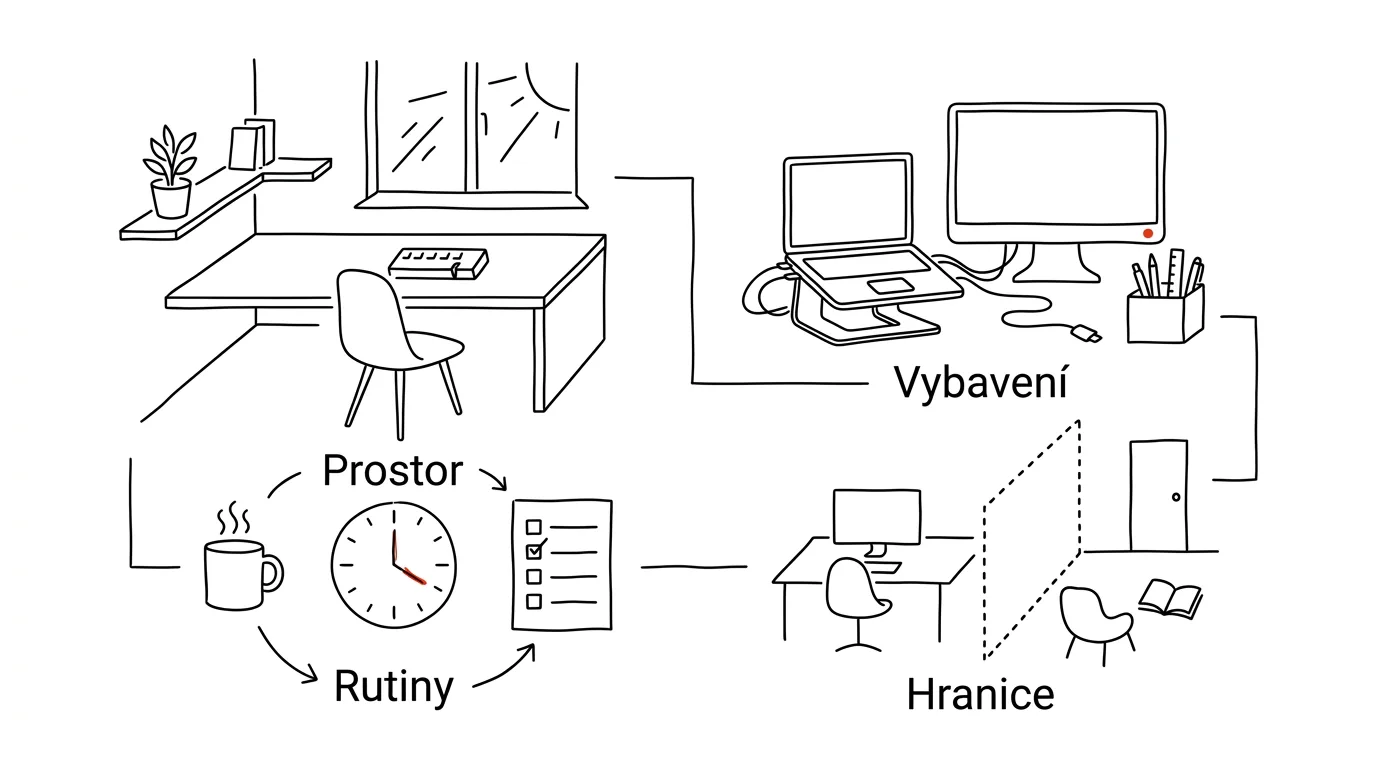
Working from home doesn't take more discipline than working in an office. It takes something else: a deliberate approach to organizing space, time, and energy. The office used to hand you a lot of things for free — ergonomic equipment, a clear start and end to the day, social contact, a separation between work and home. At home you have to build all of that yourself. Here's a system for doing it.
Your workspace
The ideal location meets four criteria:
- Light — natural daylight, ideally with the window to one side (to your left if you're right-handed), and minimal glare on the monitor.
- Noise — distance from a busy street, insulation from household noise, and above all the ability to close a door.
- Temperature and ventilation — ideally 68–72 °F (20–22 °C), a regular supply of fresh air, and control over when it gets aired out.
- Space — at least 20 sq ft (2 m²) of dedicated space, room to move your chair, and as much distance from the bed as possible. A room other than the bedroom, if you can manage it.
The three zones of a workstation
A home office that works well isn't one desk — it's three zones:
- The main work zone — monitor at eye level, keyboard and mouse in an ergonomic position, free space for notes.
- The reference zone — a shelf or organizer for documents, quick access to frequently used materials, a simple system for sorting paper.
- The secondary work zone — a place to read, brainstorm, or simply work in a different position. Even a short change of posture and surroundings can reset your focus.
Ergonomics: where to invest
- Chair — adjustable height, lumbar support, breathable material, adjustable armrests. From the IKEA Markus (budget option) through the HÅG Capisco (mid-range) to the Herman Miller Aeron (premium). You sit in it eight hours a day — it's the single most important purchase in the whole setup.
- Desk — at least 28 in (70 cm) deep, 28–30 in (72–75 cm) high, or height-adjustable. Electric sit-stand is more comfortable, a manual crank is cheaper, and a fixed desk with a tall chair is an emergency solution. The main thing is a stable frame.
- Monitor — at least 24 inches, an IPS panel, an adjustable stand, blue light reduction. The top edge of the screen belongs at eye level.
The basic setup benefits from accessories people often overlook. For sitting: a footrest, back support, a wrist rest. For standing: an anti-fatigue mat, a balance board, a tall stand for your laptop. For your eyes: good task lighting, a monitor light bar, and possibly blue light filtering glasses.
Digital infrastructure
At home, tech is critical infrastructure — when it fails, there's nowhere else to move.
- Internet — a primary connection of at least 100/100 Mb/s, a backup mobile hotspot, and an ethernet cable for video calls. Wi-Fi is convenient; cable is reliable.
- Hardware — a laptop with enough memory (realistically 16 GB of RAM minimum these days), an external monitor, a decent webcam, and above all a headset with a microphone. Audio shapes people's impression of a call more than video does.
- Software — VPN access, cloud storage, a backup system that works. A backup you've never tried to restore isn't a backup.
On the organizational side, a well-thought-out digital workspace pays off: a comprehensible folder structure, a consistent file naming system, and automatic backups. Split your communication by channel — Slack or Teams for ongoing chat, Zoom or Meet for video calls, email for anything that needs to stay findable. And add the three tools that hold the work together: a task manager, a notes app, and simple time tracking.
The structure of your day
At home nobody decides when you start. Your routine has to.
- 6:30 a.m.Personal prepwashing up, stretching or a workout, breakfast — no screens
- 7:45 a.m.Soft startemail triage, calendar, the day's priorities, gathering material
- 8:00 a.m.Deep work2 × 90-minute blocks with a 15-minute break, do not disturb
- 11:00 a.m.Communicationmeetings, email, chat — all in one block
- 12:00 p.m.Lunch, offlinea real break: food, light movement, no scrolling
- 1:00 p.m.Afternoon worklighter tasks, collaboration, admin
- 4:00 p.m.Closing the dayreview, plan for tomorrow, clear the desk — and stop
Notice that the morning has three phases: personal preparation (roughly 45 minutes), work preparation (15 minutes — reviewing the plan, setting up the space, checking the calendar), and only then the soft start with email. Jumping straight from bed into your inbox is the fastest way to spend the whole day in reactive mode.
Part of the rhythm is 30 minutes of weekly planning, typically on Sunday evening:
- Review of the past week — what's done, where the obstacles were, what you learned.
- Plan for the coming week — main priorities, how tasks are spread out, time blocked in the calendar.
- Preparation — a tidy workspace, materials ready, your head set for Monday.
Energy and focus
At home nobody checks up on you, but nobody stops you either — which is why managing energy matters more than managing time.
- Physical energy: 5 minutes of stretching every hour, a 20-minute walk during your break, attention to your breathing. It isn't about exercise, it's about not sitting in one position for eight hours.
- Mental energy: the Pomodoro technique, short meditation breaks, a brain dump the moment your head gets overloaded.
- Emotional energy: regular check-ins with colleagues, deliberately scheduled social contact, a moment of gratitude at the end of the day. Working from home isolates you quietly but reliably.
For focus, three layers of technique work. Environment: a clear desk, white noise or instrumental music, do not disturb. Digital focus: a site blocker, notifications off, single-tasking. Mental focus: implementation intentions (when, where, and exactly what you'll do), pairing an unpleasant task with something pleasant, and a simple system of rewards.
Boundaries: the hardest discipline of working from home
Spatial boundaries mean a dedicated workspace and a clear agreement with your household: a closed door means work. Relaxing should happen in a different room — or at least a different chair.
Temporal boundaries rest on fixed working hours, offline evenings, and weekends that are genuinely free. Without a firm stop, work spreads across the whole day and rest never properly starts.
Digital boundaries can be automated: separate work and personal profiles or accounts, work notifications switching off automatically at the end of the day, and logging into work systems made inconvenient enough to put you off that evening email check.
The mental reset
Your brain needs the signals the office used to give you for free. You replace them with rituals.
- 1Morning start-upwork clothes, setting up the space, getting your head right — or a short walk as the commute in.
- 2Lunch breaka real break away from the desk: food, air, movement. Not lunch at the monitor.
- 3Evening shutdowntidy the workspace, review the day, do something relaxing — or a walk as the commute home.
Those rituals sound trivial until you try them. Then you discover that the difference between “I worked from home” and “I lived at work” is exactly there.
Experiment, adjust, and build a system that works for you specifically. There's no one right shape for a home office — only yours, the one you built on purpose.
Related tips
A docking station: one cable and you're working
Monitor, keyboard, network, charging — all through a single USB-C cable. Connecting your laptop stops being a five-minute ritual.
Rotate your second monitor to portrait: a whole page at once
A monitor rotated 90° shows a full document page, a long email, or code without endless scrolling. Windows and Mac both handle it right in settings.
Top edge of your monitor at eye level
A neck that hurts from a monitor set too low. A stand or arm for a few dollars fixes years of discomfort.
Your monitor can do 120 Hz but runs at 60: turn on the full refresh rate
Plenty of monitors and laptops run at 60 Hz even though the hardware can do more. One setting, and scrolling suddenly feels buttery smooth.
Want to keep the momentum?
One tip from the handbook by email each week — in an order that makes sense.
The Top 30 tips e-book, free — it lands in your inbox right away.
Then 1 tip a week · no spam · unsubscribe in one click
Prefer a system to single tips? The free email course — seven days, seven emails, one skill a day.