Tips & tricks · Communication · Everywhere · ~1 hour a week · 64 min read · in-depth guide, doing it ~3 h
How to write an email people answer
Last reviewed:
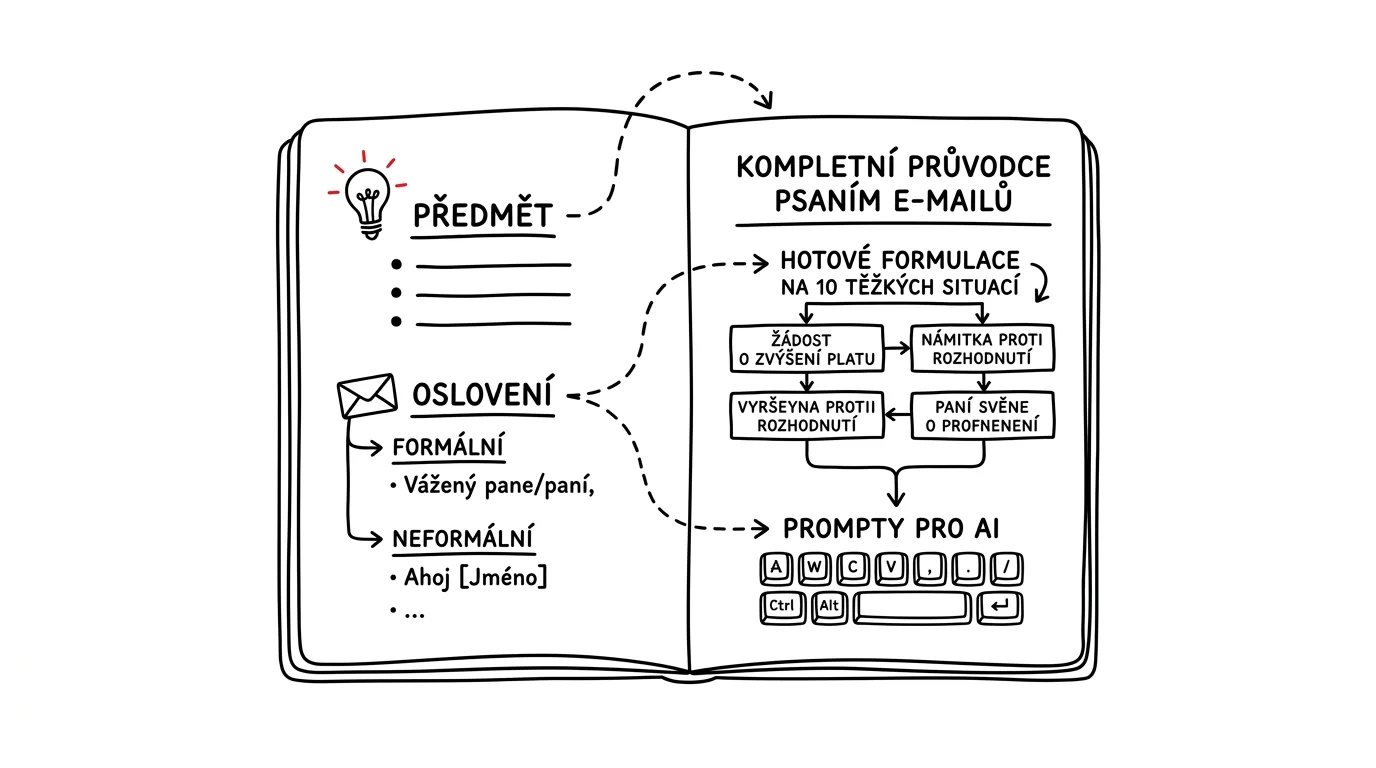
In this article
- A typical scenario
- Anatomy of an email people answer
- Subject lines: fifteen types that work
- Formal and casual English: the full range
- Ten hard situations with ready-made wording
- Replying to a job posting and cover letters
- AI as a helper, not the sender
- The most common mistakes
- When not to write an email at all
- The best tools
- What you get out of it
- Pro tip
You write a message, read it back, and it seems clear enough. You hit send. Then silence — a day, two days, a week. You follow up, and the reply answers a different question than the one you asked. Sound familiar? It’s not that people are unwilling — most of the time, the message just didn’t make fast enough what exactly the recipient was supposed to do with it, so it landed in the pile marked “I’ll deal with this later,” a folder things never come back out of.
An email doesn’t earn a reply through length or politeness. It earns one by making the decision easy for the recipient. A specific subject line, an opening sentence that says why you’re writing, one yes/no request or concrete step, and a deadline. Everything else is detail — important, but detail.
A guide to writing and phrasing, not inbox management — for filters or Inbox Zero, see the chapter on Inbox Zero and sorting your inbox. What you will find: what to put in a subject line, how to address someone you’ve never met, where the line sits between “Dear Sir” and “Hi there,” and ready-made wording for the ten situations where most people freeze in front of a blank window. The chapter on email communication covers the basic anatomy — this guide builds on it and goes much further.
Use it as a reference, not cover to cover: next time you’re writing a rejection, a reminder, or a reply to an angry message, open the relevant section and take the skeleton.
A typical scenario
Marek runs a three-person studio. He writes about twenty emails a day — to clients, suppliers, once a week to some government office. He writes them carefully, at length, and politely — and still misses a reply on a third of them, chases up another third twice, and loses an hour every Monday re-reading what he actually told whom.
Look at his messages and the pattern jumps out. Subject lines like “Question,” “Website,” “Re: Re: Fwd: Proposal.” The opening paragraph starts with an apology or a recap (“hope you’re doing well, last time we talked about…”). The actual request is buried in the fourth paragraph, phrased as a wish. And one message often bundles three things: sign-off on the design, a question about an invoice, a proposed meeting time. The client answers the easiest one and forgets the rest — Marek reads that as being ignored.
The change didn’t take weeks. Marek picked up four habits. His subject lines now say what it’s about and what’s expected: “Homepage design sign-off — needed by Thu 8/28.” He writes the opening sentence last, after the rest of the message, and it always answers “why did this person get this email right now.” One message, one request; three things mean three messages, which sounds like more work but actually saves three rounds of back-and-forth. And he closes with a line stating the deadline and what happens if it passes.
A month later, the numbers looked like this: 80 percent of his messages got a reply within 24 hours, up from 45. The average number of messages it took to lock in a meeting time dropped from five to two. And his own time spent writing dropped by roughly a third, because a short message is faster to write than a long one — you just have to think for a moment before you start.
That’s the whole point of this guide: it isn’t about writing beautifully. It’s about writing so the other side can reply in thirty seconds.
Anatomy of an email people answer
Every work message has six parts, each with one job. A part that fails doesn’t sink the message — it lowers the odds of a reply. Fail the subject line and opening sentence, though, and it fails completely: no one keeps reading.
Six parts, and what each one has to do
- Subject line — decide whether it gets opened, and where it gets filed. The recipient needs to know the topic and whether anything is expected of them.
- Salutation — set the relationship. A wrong salutation is the only part of a message that can cause offense before the content even starts.
- Opening sentence — answer “why this email, why now.” Not a greeting, not an apology, not a recap.
- Context — supply only what the recipient needs to decide. Not one sentence more.
- Request — say what the recipient should do, and by when. One request per message.
- Sign-off — give the other side what they need for the next step: your name, your role, your phone number.
Take your last message and mark off the six parts. For most people, either the request or the deadline is missing — or both. That’s where replies get lost.
Why most emails fail on the subject line
A recipient sees three things in their inbox: the sender, the subject, and roughly the first fifty characters of the body — and on that basis decides whether to open the message now, later, or never. That decision takes a fraction of a second, often on a phone, between doors, mind elsewhere.
A subject line like “Question” loses every time. It doesn’t say the topic, the urgency, or whether you want anything from the recipient. Worse, you can’t find it again later — and an unfindable message is, for practical purposes, one that doesn’t exist. When you’re searching a thread later for where you agreed on a price, you search by subject line; “Question” won’t help you, and it won’t help the other side either. Gmail search operators show how to search efficiently — but even they need the subject line to carry some real word.
A good subject line answers three questions: what it’s about, what’s expected, and by when. All three won’t always fit, but the first two should.
Why most of the rest fails on the first sentence
You open a message and read: “Hi there, hope you’re doing well. As I mentioned at our last meeting, which we had last Thursday, we were discussing…” The recipient still doesn’t know why you’re writing, and with forty other messages waiting, moves on.
The opening sentence has one job: give the recipient a reason to keep reading. One of four patterns works:
- Lead with the request. “I need your sign-off on the homepage design by Thursday.”
- Reference something. “Following up on our Thursday call about the budget — sending the two options we agreed on.”
- The reason it’s this person. “I’m writing because the website lists you as the contact for supplier invoices.”
- A fact that changes the situation. “The supplier confirmed yesterday that they’ll miss the September 3rd deadline.”
“Hope you’re doing well” isn’t a mistake — just put it after the first substantive sentence, or skip it entirely. Opening with small talk before you’ve said anything reads as padding no matter what language you’re writing in.
The request: one, specific, addressed
The most common reason a message goes unanswered: it doesn’t actually contain a request. It has information, worries, a situation described, and the hope the recipient will figure out what to do on their own. They won’t — or they’ll figure out something else.
A request has to meet three conditions:
There’s only one. Ask about three things and you’ll get an answer to one, usually the easiest. If you really need three answers, list them as a numbered list and say up front there are three — or send three separate messages, each with its own subject line. Three messages look like more work for the recipient, but each one actually gets handled on its own, without waiting on the others.
It’s specific. “Let me know” isn’t a request. “Please reply in one line whether you approve option B or want changes” is a request. The ideal is a question answerable in a word: yes, no, option B, Thursday.
It has a named recipient. With five people cc’d and the text saying “could someone take a look at this,” no one will. Name the person: “Jane, I need you to…” Everyone else is cc’d for visibility and knows the request isn’t theirs.
Deadline: without one, it’s a wish, not a request
“Whenever you get a chance” means never. Not because the recipient is unwilling, but because their list has twenty things with a deadline and yours is the only one without — and it loses every time.
A deadline comes in three workable forms, and all three beat having none:
- A specific date. “I need this by Thursday the 28th.” Best when the deadline actually exists.
- A deadline with a reason. “I need this by Thursday so we can make Friday’s print run.” A reason turns a demand into cooperation.
- A soft deadline with a consequence. “If I don’t hear back by Friday, I’ll assume you’re fine with option B and send it to production.” This is the strongest tool in the whole guide — use it carefully, and only where the consequence really is acceptable.
Watch out for false urgency. Mark every message “urgent” and the word stops working on the one that actually is. Urgency is a currency you can only spend so many times.
Context: only what’s needed to decide
Context is where emails balloon most often. The writer has the whole story in their head and worries the recipient won’t understand without it. In fact the opposite is true: the more context, the harder the request is to find.
A useful test: go through the context sentence by sentence and ask, for each one, whether the recipient would answer differently without it. If not, the sentence goes — or moves to an attachment. When you genuinely need to pass along a lot of information, separate it out: a short message with the request, details in an attached document, or below a line marked “Details, if you need them.”
A special case is a forwarded thread with “see below.” Thirty messages of history means the recipient has to do the work you didn’t do yourself. If you do forward, add three lines at the top: what happened, what’s expected of the recipient, and where in the thread the important part is. If you’re the one stuck at the end of a thread like that, summarizing a thread with AI helps.
Signature and footer
A signature isn’t a business card to show off — it’s a tool. It should contain your name, your role, and one extra contact method, typically a phone number, so the other side can call you when writing gets tedious. For external correspondence, add your company; for billing matters, add your tax ID too, so the other party doesn’t have to look it up.
What doesn’t belong in a signature: quotes, logo images that show up as an attachment on mobile, “please don’t print this email” eco-notices, four social media links, and “Sent from my phone, please excuse typos” — that last one is essentially a pre-emptive apology for carelessness.
The five-second test
Before you hit send, skim the message as if you’d just received it and had five seconds to size it up. Answer:
- Do I know what it’s about from the subject line?
- Do I know why I’m getting this after the first sentence?
- Can I find the request without reading the whole thing?
- Can I see a deadline?
- Could I reply in thirty seconds?
If any answer is no, you know exactly which part to fix. And if you’re unsure about tone or clarity, there’s an AI prompt for that too — more on that in its own section below.
Subject lines: fifteen types that work
The subject line is where you compete for attention against forty other messages, and the one thing that decides whether you’ll find the message again in three months. Write it last, once you know what’s in the body.
Some ground rules before the types. A subject line should run 30 to 60 characters; longer gets cut off mid-word on a phone. It should lead with what matters, because the end is what gets trimmed. It should contain a searchable word — a project name, an invoice number, a job title. And it should never contain words that say nothing: “Question,” “Info,” “Re,” “Quick one,” “Favor.”
1. Asking for a decision
When you need a yes/no or a choice between options, say so right in the subject line. The recipient then knows the message needs their judgment, not just their eyes.
- Weak: “Design”
- Strong: “Homepage design sign-off — option A or B (by Thu 8/28)”
2. Asking for information
The point here is for the recipient to see immediately that the answer is short and that they already know it.
- Weak: “Need something from you”
- Strong: “PO number for invoice 2026-0341 — do you have it?”
3. Scheduling and deadlines
A subject line with a proposed time saves a round of back-and-forth. Whoever sees the time can answer in one word.
- Weak: “Meeting”
- Strong: “Campaign meeting — proposing Tue 9/2 at 10am”
When you’re proposing several times, put the first one in the subject line and the rest in the body as a list. Even better, send a link to a booking page; the tip on calendar booking pages covers how to set one up.
4. A reply that closes the loop
When you’re replying and the matter is settled, say so in the subject line. The recipient then doesn’t need to open the message at all.
- Weak: “Re: Invoice”
- Strong: “Invoice 2026-0341 paid 8/20 — done”
5. FYI, no action needed
The most underrated type. When you don’t want anything from the recipient, say so — it saves them the trouble of deciding.
- Weak: “Update”
- Strong: “FYI: delivery date moving to 9/12 (no action needed)”
An “FYI” tag at the start of a subject line works surprisingly well, as long as you don’t abuse it. The moment you hide an actual request behind “FYI,” people stop trusting the label.
6. Chasing up and reminders
A reminder’s subject line should carry the original topic, not the word “urgent.” The goal is to jog the recipient’s memory, not startle them.
- Weak: “URGENT!!! Again”
- Strong: “Reminder: renovation quote (sent 8/12, need it by Fri)”
7. Invoices and money
For anything money-related, always include the document number and the amount. Not for formality’s sake, but because it’s headed to a bookkeeper who has no other context.
- Weak: “Invoice”
- Strong: “Invoice 2026-0341, 24,200 CZK, due 9/5”
8. Mistakes and apologies
When something’s gone wrong, it belongs in the subject line. Burying the problem in the third paragraph is the worst possible choice, because the recipient finds out late — and notices you were hiding it.
- Weak: “Small project update”
- Strong: “Data export error on 8/21 — what happened and the fix”
9. Replying to a job posting
A recruiter sorts through dozens of messages a day. A subject line with the job title and posting number is a small kindness they’ll remember.
- Weak: “Résumé”
- Strong: “Application: Junior Accountant, ref. 84102 — Jana Dvořáková”
10. Filing with a government office
An official message has to be filable. The subject line needs the type of filing, the case or reference number, and your name.
- Weak: “Question for the department”
- Strong: “Appeal against decision ref. MMB/0154821/2026 — Marek Novotný”
11. Introductions and first contact
A first message to someone you’ve never met should answer “why me” right in the subject line.
- Weak: “Collaboration”
- Strong: “Hana Kučerová referred me — question about an accessibility audit”
12. Feedback and review requests
When you want comments, say how many pages and by when. Without that, people put it off because they don’t know how much work it is.
- Weak: “Would love your thoughts”
- Strong: “Contract feedback (4 pages, by Monday is fine)”
13. Forwarding with a task attached
Forwarding someone else’s thread with no new subject line is a reliable way to make sure it never gets handled.
- Weak: “Fwd: Fwd: RE: question”
- Strong: “For Jane: client question about the license — can you reply by Wed?”
14. Meeting recap
Notes get searched for later, so the subject line needs the date and topic.
- Weak: “Notes”
- Strong: “Meeting notes 8/21 — 2027 budget, 3 action items”
15. Ending and goodbyes
Messages about ending a working relationship, a resignation, or someone leaving need to be findable a year later too.
- Weak: “Info”
- Strong: “Ending contract as of 9/30/2026 — Studio Marek”
“Re:” and “Fwd:” etiquette
The “Re:” and “Fwd:” prefixes aren’t decoration — they carry information, which is exactly why they can be handled badly.
Keep “Re:” as long as the topic doesn’t change. A reply in the same thread keeps context together, and the recipient can see the history. But the moment the thread starts covering something else, the subject line stops matching the content and the whole conversation becomes unfindable. That’s when you start a new thread and say so: “Starting a new thread so this doesn’t get mixed up with the invoices.”
Clean up chains like “Re: Re: RE: Fwd: Re:”. Most email clients do this automatically, but once a thread has passed through five different programs, it piles up. Keep a single “Re:” and delete the rest.
Rewrite the subject line when you forward. “Fwd:” tells the recipient nothing about what’s expected of them. Replace it with a specific task — see type 13 above. When you’re forwarding purely for the record or as evidence, it may be better to send the original message as an attachment; the tip on forwarding as an attachment shows how.
Don’t rewrite the subject line mid-thread just because. Some people “clarify” the subject line partway through a conversation, and in some clients that splits the thread in two. If you do change it, make it a clear, deliberate change with an explanation.
Don’t put “Re:” on a message no one replied to. It’s an old marketing trick meant to create the impression you’re already corresponding. It reads as a scam because it is one.
What never belongs in a subject line
- The entire message. A 150-character subject line that ends mid-word, and an empty body. It looks like a text message and forces the recipient to open it for nothing.
- An empty subject line. Plenty of corporate filters demote a message like that, and even if it gets through, you’ll never find it again.
- All caps. “I NEED A REPLY” doesn’t raise your odds of a reply, only your odds of being filed under “people I’d rather not deal with.”
- Three exclamation points. Same effect.
- Emoji on a first contact. Fine in an established relationship, but they undercut credibility on a first message to an office or a stranger’s company.
- The word “important.” Importance is for the recipient to judge, not the sender. Say instead what happens if it doesn’t get done in time.
- The recipient’s name instead of the topic. “For Peter” says nothing; Peter already knows the message is for him — he’s in the “to” field.
Quick reference: four formats that always work
You don’t have to reinvent this every time. Most work messages fit one of four patterns:
[Topic] — [what's expected] (by [deadline])
Homepage design sign-off — option A or B (by Thu 8/28)

[Document/number] — [status]
Invoice 2026-0341 — paid 8/20

FYI: [fact] (no action needed)
FYI: delivery date moving to 9/12 (no action needed)

[Filing type] [reference] — [name]
Appeal against decision ref. MMB/0154821/2026 — Marek Novotný
Save these four patterns as templates in Gmail and subject lines stop being a decision.
Formal and casual English: the full range
English keeps this simpler than some languages — Czech, for instance, marks it grammatically, with a formal and an informal form of “you” (see the Czech version of this guide for that). English has no such switch, but it still runs a real range from “Dear Mr. Smith” to “Hey,” and getting it wrong is just as audible: casual where distance is expected reads as presumptuous, stiff where ease is expected reads as cold.
The good news: it has clear steps, each mapped to a situation.
Five degrees of formality
Degree 1 — formal. “Dear Mr. Novák,” or “Dear Sir or Madam,” full sentences, no contractions, no emoji, closing with “Yours sincerely” (or “Yours faithfully” for an unnamed recipient, in British usage) and a full signature block including your address. Used for government offices, courts, official filings, complaints, appeals, resignations, and first contact with an institution.
Degree 2 — formal business. “Dear Mr. Novák,” businesslike tone, closing with “Kind regards” or “Best regards.” Clients you don’t know personally, vendors, a senior manager at a larger company, a new business contact.
Degree 3 — neutral professional. “Hi Jan,” or “Hello,” shorter sentences, contractions are fine, occasional bullet points, closing with “Thanks” or “Best.” The bulk of everyday business-to-business email.
Degree 4 — collegial. “Hi Jan,” first name, relaxed but still clear language, closing with “Thanks” or “Take care.” Colleagues and long-term clients you’re on first-name terms with.
Degree 5 — terse. No greeting, or just “Jan,” a bare sentence, often a single line. Works only where you write to each other daily and the relationship is settled. Everywhere else it reads as curt.
The rule for uncertainty: when in doubt, go one degree more formal. An overly polite message offends no one; an overly familiar one does — and it’s easy to step down later, once the other side replies more casually.
First names: who moves first
The move to first names usually comes from the more senior side — a manager to a report, a long-time client to a new vendor — though informal companies loosen this. Reaching for it first from a junior position carries some risk.
In email, that plays out like this:
- Mirror the greeting you were given. If someone signs “Best, John” after you opened with “Dear Mr. Smith,” you can move to “Hi John” in your next reply. If they keep signing with their full name, keep the more formal register.
- When several people are on the thread, match the most formal one. If someone you’d address formally is cc’d, write the whole message at that level, even to people you know well.
- Official documents pull back toward formality even between people who are on first-name terms. A termination notice, a complaint, or a contract matter gets written formally regardless of the personal relationship, because a third party may end up reading it too.
- American and British norms default differently. American business email moves to first names fast, sometimes from the first message; British correspondence usually holds “Dear Mr./Ms. [Surname]” a message or two longer. Unsure which applies? Start more formal and let them set the pace.
Addressing someone whose name — or gender — you don’t know
The most common mistake in English professional email isn’t a stray comma — it’s guessing. “Dear Mrs. Novák” for someone who goes by “Ms.,” or a title for a name whose gender you can’t tell from the spelling, does more damage than an awkward but neutral greeting.
Rules that cover most cases:
- Default to “Ms.” unless told otherwise. It doesn’t state marital status, and it’s the safe modern default for any woman whose preference you don’t know.
- When gender isn’t clear from the name, use the full name instead of a title. “Dear Jordan Smith,” sidesteps the guess entirely and reads as neither cold nor careless.
- Check the signature on emails you’ve already received from them, or their company bio. People increasingly state a title or pronouns there — it’s the most reliable guide to how they want to be addressed.
- Once someone tells you their preference, use it exactly, including “Mx.” where that’s what they’ve given you.
When you don’t know the name at all, you have a few options depending on the situation:
- “Hello,” — safe, universal, offends no one. The best choice for a general address like support or info.
- “Dear Sir or Madam,” — the traditional formal option for an official filing where you don’t know who’ll read it; British usage leans on this more than American, and it can read as dated either way.
- “To Whom It May Concern,” — the American equivalent, mainly for references and formal letters with no specific reader; same dated undertone.
- “Dear Hiring Manager,” / “Dear [Team] Team,” — a more current, specific-feeling alternative when you know the function but not the person, and it’s genuinely the better default for most modern correspondence.
What to avoid: “Dear Sir/Madam” used for someone whose gender you could simply ask or infer from their signature; “Dear Valued Customer” in one-to-one correspondence (it reads as a mail-merge); and a first name for a total stranger before they’ve used theirs with you.
Titles: when to use them, when not to
Titles in a salutation are a regional question, but the practical rule holds on both sides of the Atlantic: use a title only where the environment expects one.
- Academic and medical settings. “Dear Dr. Smith,” “Dear Professor Jones.” A title is expected here, and dropping it can read as not knowing better. Use the highest title held, not a stack of them.
- Government and elected office. “Dear Minister,” “Dear Mayor Jones,” “Dear Councillor Patel.” The role outranks any personal title in the greeting.
- The legal profession. In the US, attorneys are addressed as “Mr./Ms. [Surname]” in a salutation, not “Esq.” (that goes in the address block). In the UK it’s the same plain form; only judges carry a specific form of address.
- Ordinary business correspondence. Postnominal letters like an MBA or a PhD don’t belong in a salutation. “Dear Dr. Novák” for someone with a doctorate but no clinical or academic role reads as odd rather than respectful in a regular business context; “Dear Mr. Novák” is correct.
The practical move when you’re unsure: look at how the person signs their own email. If the signature reads “Jan Novák, MD, PhD,” address them as “Dear Dr. Novák.” If it just reads “Jan Novák,” go with “Dear Mr. Novák.” Their own signature is the most reliable guide to how they want to be addressed.
One more regional detail: British usage drops the period after abbreviated titles (“Mr,” “Dr”) while American usage keeps it (“Mr.,” “Dr.”). Pick one convention, and one date format (day/month vs. month/day), and hold it through the whole message.
Writing to a government office or official body
An official message runs on different logic than a business one — it isn’t about the relationship, it’s about being filable, unambiguous, and easy to trace. Whoever receives it needs to tell immediately who and what it concerns, and what you want.
Structure of an official email:
Subject: Planning consent application — parcel 1524/3, Ward of Riverside

Dear Case Officer,

I am writing regarding parcel 1524/3, Ward of Riverside, for which
I submitted a planning consent application on 4 August 2026
(ref. MMB/0154821/2026).

I would be grateful if you could confirm the current stage of the
application, and whether any further documents are required to
complete the file.

Contact details for any follow-up:
Marek Novotný, DOB 12 March 1984
12 Crossway, Riverside, RS1 6AB
Phone: 555-0142

Thank you for your attention to this matter.

Yours sincerely,
Marek Novotný
Rules worth following with official bodies:
- Always cite the case or reference number, if one exists. Without it, the person handling your message starts by searching for the file.
- State exactly what the matter concerns, using the full designation — parcel number, case number, contract number, any ID the office requires. Skip internal shorthand and abbreviations only you would recognize.
- Phrase it as a request for a specific action. “I am writing to request…”, “I would like to apply for…”, “I am appealing against…”. Phrases like “I was wondering if” tend to get lost in an official context.
- State the statutory deadline, if there is one — not as a threat, but as a fact: “Given the standard 30-day response period, I would appreciate your position by…”
- Leave emotion out of it. Even justified frustration won’t change what’s on file. A businesslike message gets handled faster than a complaint does.
- Expect that a plain email may not be sufficient for filings with legal effect. For anything that needs to be formally filed, check whether the office requires its official portal or a signed paper submission; use email for questions and follow-ups instead.
If a letter comes back from an office and you can’t make sense of it, it helps to have it translated into plain language — see the tip on decoding an official letter.
Writing to a client
A client email has two jobs at once: get the matter handled, and keep the relationship intact. Most people manage one or the other; doing both is a skill.
What works:
- Clients want to know where things stand. Even a message that says “nothing new, still working on it, I’ll check back Thursday” has value, because it closes an open loop in their head.
- Speak their language, not yours. Not “we pushed it to staging,” but “the new version is ready to review — the live site hasn’t changed yet.”
- State prices and dates as numbers, not paraphrase. “It’ll come to around 24,200 CZK before tax, and should be ready by 9/12.” A client who has to guess will ask again — or make a worse guess than the one you’d have given them.
- Send bad news before they discover it themselves. Clients forgive delays; they don’t forgive surprises.
- Close with a concrete next step. “I’ll follow up Friday with the final version” beats “let me know” as an ending.
What doesn’t work: passive phrasing that hides responsibility (“there was a delay” instead of “we missed the deadline”), an over-apologetic spiral where you say sorry three times in three lines, and internal details the client doesn’t need and that only make them less sure of you.
Writing to your manager
A manager typically has less time and more context than a client. That calls for a different structure: conclusion first, reasoning after.
- Lead with the bottom line. “I recommend we go with option B.” Then explain why.
- Bring a decision, not a problem. When something isn’t working, bring two or three options along with it and say which one you’d pick. A manager who has to invent the solution for you will remember that, and not kindly.
- Say what you need from them. Approval? A decision? Cover with someone else? Or just FYI? This is the single most commonly missing piece of information.
- Don’t bury bad news inside good news. A delay hidden between three wins reads as manipulation the moment anyone notices the pattern.
- Don’t write while upset. A message to your manager can be forwarded upward. Always.
A short sample message to a manager:
Subject: Campaign timeline — recommending a move to 9/15 (need a decision by Wed)

Hi,

I'd recommend pushing the campaign launch from the 8th to the 15th.

Reason: the supplier confirmed the visuals won't arrive until 9/5,
which leaves us two days for review and deployment. The risk of
a launch-day mistake outweighs the benefit of keeping the original date.

Options:
1. Push to 9/15 — recommended, no impact on budget.
2. Hold the 8th with a reduced set of visuals — launches on time,
   but without video.
3. Hold the 8th in full — requires a weekend of work from two people.

I need your decision by Wednesday so I can confirm the media
booking in time.

Thanks,
Marek
Writing to a total stranger
A cold email gets one shot — it lives or dies on answering “why is this person writing to me, and why should I care.” Three rules:
Say up front how you found them. A referral, a conference, an article, their website. Without it, the message reads as a mass mailing even when it isn’t.
Show that you’ve done a little homework. One specific line about their situation is worth a paragraph of generic flattery. “I saw you’re opening a new office in Ostrava” is a better opener than “your company is a leader in the field.”
Ask for little. A first message should request one small step: a fifteen-minute call, a yes/no answer, one document. A request for an hour of a stranger’s time gets shelved automatically.
When to dial the formality back
Excessive formality isn’t always the safe choice. Three situations where it hurts:
- When the other side has already set a casual tone. Replying to “hey, I’ll take a look tomorrow” with “Dear Sir, thank you for your correspondence” creates a distance that wasn’t there before.
- In fast-moving operational back-and-forth. When you’re settling details five times a day, a full greeting and signature block on every message slows both sides down. After the second message in a thread, plain text is fine.
- When formality is hiding the content. “I would be most grateful if you could kindly give consideration to the possibility of extending your assistance” means “I need your help.” The longer version isn’t more polite, just vaguer.
A practical compromise for long threads: first message in full, the rest trimmed. Full greeting, context, and sign-off in the first message; a plain, businesslike reply with just your name after that.
Phrases that hurt, even though they sound polite
- “Best regards,” with no substance above it. Politeness doesn’t substitute for information.
- “Thanking you in advance.” It presumes the answer and reads as pressure. “Thanks for looking into this” is enough.
- “I trust you understand that…” Almost always precedes something unpleasant, and the reader translates it as “here comes the bad news.”
- “As I already mentioned in my previous email…” Technically true, reads as a reproach. State the information again, in different words if you like.
- “Unfortunately, this isn’t something we’re able to do.” Carries no information, just a refusal wrapped in padding. Say what’s not possible, why, and what is possible instead.
- “Just a quick note.” When ten lines follow, the reader clocks it as untrue. Either it’s short, or don’t call it that.
- “I’m sure this won’t be a problem.” Puts agreement in the other person’s mouth before they’ve given it.
Ten hard situations with ready-made wording
This is the core of the guide: ten messages that leave most people staring at a blank window longer than the rest of their inbox combined. For each, you’ll find three things: what to include, what never to say, and a sample to build your own skeleton from.
The samples aren’t meant to be copied word for word — fill in the name, numbers, and circumstances yourself, and adjust the tone. Use them as scaffolding, not a finished house.
1. Turning something down
A rejection is the message people put off longest, which only makes it worse — the later the other side finds out, the more damage it does them. A fast no is kinder than a slow maybe.
The trick is separating three things a rejection tangles up: the information (no), the reason (why), and the relationship (nothing personal). Most bad rejections wrap the information in the relationship so thoroughly it’s not even clear it’s a no.
What to include:
- The no, in the first or second sentence. Not at the end of the third paragraph.
- One reason, specific and true. Capacity, priorities, budget, scope.
- What you’re offering instead, if anything: a different date, a different scope, a referral to someone else.
- A clear close, so the other side isn’t left waiting. “I’m sorry, it’s not going to work this time” is an ending; “let’s see how things look in the fall” is an open loop.
What never to say:
- Don’t invent a reason. A lie in a rejection holds up right until you run into them at a conference.
- Don’t write “unfortunately it’s not going to work” with no elaboration. The other side keeps trying, because they don’t know what changed.
- Don’t apologize five times. One apology is politeness; five is asking the person you’re turning down to reassure you.
- Don’t promise “next time” if you don’t mean it.
- Don’t reject someone with silence. Not responding is the worst option of all, and the one people remember longest.
Sample — turning down a project:
Subject: Website rebuild — I don't have the capacity, sorry (re your inquiry from 8/20)

Hi Ms. Kučerová,

Thanks for reaching out. I'm not able to take this on — I'm fully
booked through the end of October, and I wouldn't be able to hit
your September launch date.

I don't want to leave you hanging, so I'm writing right away. If a
November start would work for you, get in touch mid-October and
we'll take it from there.

If you need something sooner, I'd recommend Tereza Malá (contact
below) — she does similar work and had availability in August.

Hope it goes well either way.

Best,
Marek Novotný
Studio Marek, 555-0142
Sample — turning down an internal request:
Subject: Sales analysis — can't make Friday, proposing Tue 9/2 instead

Hi Peter,

I won't make Friday. I'm closing the books for the accountant this
week, and that deadline can't move.

I can get it to you Tuesday morning, 9/2. If you need it sooner,
let me know and we can check with Hana about whether she could take
the closing instead — but that call needs to come from the two of
you, not me.

Thanks for understanding,
Marek
2. Chasing up and reminders
A follow-up has an awkward tendency: the writer hears a grievance in it the recipient doesn’t — or does, and takes offense. The goal is to get a reply while keeping the relationship intact, not voice frustration.
The best follow-up gives the other side a dignified way out. Assume the message got buried, even if you’re sure you’re being ignored — nine times out of ten that’s the truth, and the tenth forgives you the generosity.
What to include:
- A reference to the original message with its date, so the recipient doesn’t have to go dig for it.
- The request, restated in one sentence. Don’t make them scroll.
- A new deadline, not a vague “whenever you get a chance.”
- An offer to make it easier: “a one-line yes/no is fine,” “happy to call if writing is a hassle.”
- The consequence, if there is one: what happens once the deadline passes.
What never to say:
- “I’ve asked about this several times now.”
- “You clearly don’t have time to reply to me.”
- “Not sure if you saw my email.” (Formally polite, functionally a jab.)
- Three exclamation points and all caps.
- Forwarding the original message with no text at all. It reads like a slap.
- Following up after one day. A reasonable wait for a first reminder is three business days; for bigger decisions, a week.
Sample — first reminder:
Subject: Reminder: homepage design sign-off (sent 8/18, need it by Fri)

Hi Mr. Novák,

Following up on my email from August 18th — I need your sign-off
on the homepage design, or any changes you'd like.

A one-line answer is fine: approved, or what to change.

On timing: I'd need this by Friday the 29th so we can launch the
site before your event on 9/5. If you can't get to it in time, we'll
push the launch back a week — that's fine, I just want us both
planning around it.

Happy to talk it through by phone any time — 555-0142.

Best,
Marek Novotný
Sample — second, firmer reminder:
Subject: Homepage design — pushing launch to 9/12 without a reply

Hi Mr. Novák,

Circling back on the design sign-off (8/18 and 8/26). I still don't
have a response, and we're approaching the point where the 9/5 date
is no longer realistic.

So this doesn't stay open indefinitely: if I don't hear from you by
Tuesday, 9/2, noon, I'll push the launch to 9/12 and let Ms. Kučerová
know so marketing can plan around it too.

Reach me any time at 555-0142.

Best,
Marek Novotný
If you keep losing track of situations like this, it’s worth having a system watch for them instead of your memory — the follow-up watchdog flags who hasn’t replied and drafts the reminder for you.
3. A mistake on our end
Owning a mistake is where the most words get wasted and the least gets said. The wronged party doesn’t want an apology — they want what happened, how big the impact is, what you’re doing, and when it’ll be fixed. The apology is fifth, and needs to appear once.
One hard rule applies: speak up before the other side notices on their own. A self-disclosed mistake costs little trust; one the client discovers costs a lot; one you try to hide and they find anyway costs the relationship.
What to include:
- What happened, stated plainly, no euphemisms. “We sent an invoice with the wrong amount,” not “a discrepancy occurred.”
- The actual impact on the other side. Specifically: what it costs them, what they don’t need to worry about.
- What you’ve already done. Past tense matters here — it shows you’re not only just now dealing with it.
- What you’ll do and by when. With a date.
- One apology. No self-flagellation.
- A fix to prevent it happening again, if relevant — one sentence, not a process document.
What never to say:
- Passive phrasing that hides who’s responsible: “an error occurred,” “a mistake crept in,” “the system generated.”
- Blaming a third party, even when they’re at fault. “The supplier informed us late” only matters to the client if it changes what happens next.
- Downplaying it: “a minor inaccuracy,” “a small hiccup.” The size of the mistake is for the injured party to judge.
- A promise it’ll never happen again, if you can’t actually guarantee that.
- Burying the admission inside a paragraph of good news.
Sample:
Subject: Data export error on 8/21 — what happened and how we're fixing it

Hi Ms. Kučerová,

Writing about the export we sent Thursday, 8/21. It only had data
through 8/15, not through 8/20 as it should have. The mistake was
ours — a filter was set up wrong on our end.

Impact on you: if you built your August report off that export,
it's missing five days. Nothing else is affected — billing data and
in-app reports are correct.

What we've done: we regenerated the export Friday morning, and the
corrected version is attached. I also manually checked the three
previous exports, and those were correct.

What we'll do by the end of the week: add a check row to every
export showing the date range covered, so a mistake like this is
visible at a glance.

Sorry for the trouble. If there's anything you need recalculated
because of this, let me know and we'll take care of it.

Best,
Marek Novotný
4. Asking for a deadline extension
Asking for more time has one governing rule: it lands in time, or it’s worthless. An extension request the day before the deadline is an announcement, not a request — write the moment you know you won’t make it, even with three weeks still on the clock.
Second rule: don’t plead, propose. A message offering a new date and what’s ready meanwhile gets approved easily; one describing how overloaded you are puts the recipient in the role of a parent.
What to include:
- The fact that you won’t make it, stated right up front.
- A specific new date, not “sometime later.”
- What will be ready by the original deadline — a partial delivery often solves more than a full extension.
- The reason, in one sentence. No litany.
- An offer of something that softens the impact on the other side.
What never to say:
- “I’m not going to make it,” with no proposed fix.
- A long explanation of your personal circumstances. One sentence is enough; three reads as an excuse note.
- A promise to catch up when you don’t know how.
- An extension request buried at the end of a long message about something else.
- Silence, hoping no one notices.
Sample:
Subject: Market analysis — need to push from 9/1 to 9/8, delivering part on time

Hi,

I won't have the full market analysis ready by 9/1. Writing now so
you can plan around it, not at the last minute.

Proposal: I'll deliver the complete analysis by 9/8.

What you'll have by 9/1 regardless: the data section and the
competitor overview — that's finished, and I think it's enough for
the investor meeting. What's missing is the pricing-strategy chapter,
where I've run into the fact that three of the five competitors
don't publish price lists, so that data has to come from elsewhere.

If 9/8 is too late, let me know and we can decide what to cut from
the analysis so the rest makes the earlier date.

Best,
Marek Novotný
5. A complaint
A complaint is where emotion works most directly against your own interest. Whoever handles it usually isn’t who caused the problem, and part of their decision comes down to how easy you are to satisfy. A businesslike, documented complaint gets resolved faster than an angry one.
The structure that works: identification → what happened → what you’re requesting → by when → documentation attached.
What to include:
- The order, invoice, or contract number, right in the subject line and the first sentence.
- The date and a factual description of the defect. What you expected, what you got.
- A clearly stated request: repair, replacement, discount, refund. Pick one and say it.
- A deadline for a response.
- Documentation attached: invoice, photos, screenshot, report.
What never to say:
- A description of how upset it made you. It takes up space that should carry facts.
- Threatening legal action in the first message. Escalation has stages, and opening at the top uses up your own leverage.
- “This is completely unacceptable,” with no statement of what you actually want.
- Leaving it up to the other side to pick a resolution when you already know which one you want.
- Complaining by replying to a newsletter or a general address when a proper complaints form exists.
Sample:
Subject: Complaint — order 2026-114872, damaged goods, requesting replacement

Hello,

I'm filing a complaint about goods from order 2026-114872, dated
14 August 2026.

Description: the monitor arms I received (2 units, code MR-450) both
have a cracked joint at the mounting point. I received the goods on
8/18 and found the damage that same day while unpacking. The
packaging showed no visible damage.

I'm requesting a replacement with undamaged units.

I've attached the invoice and four photos of the damage.

Please respond by 30 August 2026. The items are ready to hand to a
courier — let me know how you'd like them returned.

Best,
Marek Novotný
555-0142
6. An unpaid invoice
A payment reminder is its own genre: too soft and it doesn’t work, too hard and it wrecks a relationship over what was probably a distracted bookkeeper. Fix: depersonalize it, and escalate in stages.
Depersonalizing means writing about the invoice, not the person: “invoice 2026-0341 is past due” instead of “you still haven’t paid me.” Escalating means having three levels, and not opening at the third.
- First reminder (3–5 days past due). Assumes an oversight. Short, businesslike, invoice attached.
- Second reminder (10–14 days). References the first, gives a firm date, and mentions late-payment interest if your contract has it.
- Third, pre-legal. Formal, with a deadline and a stated next step. At this stage it’s often a lawyer writing it.
What to include:
- The invoice number, amount, due date, and days past due.
- A copy of the invoice attached — it removes the “it never arrived” excuse.
- A specific payment deadline.
- A way to reach you if something’s wrong with the invoice.
- For repeat clients, a line that keeps the door open: “if this is an issue on our end, let us know and we’ll fix it.”
What never to say:
- Irony or digs. “I assume you have the money” won’t get you paid.
- Threats in the first reminder.
- A reminder with no invoice number. The bookkeeper has no way to match it.
- Sending the reminder only to your usual contact and never to accounts payable. At larger companies, that’s the most common reason invoices sit unpaid.
- Silence. An unpaid invoice you don’t talk about doesn’t pay itself, and gets harder to collect the older it gets.
Sample — first reminder:
Subject: Invoice 2026-0341 (24,200 CZK) is 6 days past due

Hi Ms. Kučerová,

Invoice 2026-0341 for 24,200 CZK, due 18 August 2026, hasn't been
paid yet. I'm assuming this was an oversight, so I've attached it
again.

Please arrange payment by 31 August 2026.

If anything's wrong with the invoice, or you need something else
from me, just let me know and we'll sort it out right away.

Best,
Marek Novotný
Studio Marek, tax ID 12345678, 555-0142
Sample — second reminder:
Subject: Second reminder — invoice 2026-0341, 24,200 CZK, was due 8/18

Hi Ms. Kučerová,

Following up on invoice 2026-0341 for 24,200 CZK. It was due
18 August 2026; I sent a first reminder on 8/24. I still don't
show a payment.

Please arrange payment by 8 September 2026. Under clause 5 of our
contract, late-payment interest applies from 8/19; if payment
arrives by 9/8, I won't charge it.

If anything on your end is holding up the payment, please call me
at 555-0142 and we can work out a payment plan or a different
timeline. Almost anything is workable — I just need to know about it.

Invoice and statement attached.

Best,
Marek Novotný
Reminders are worth scheduling for a specific time — a weekday morning works better than Friday at five. That’s what scheduled send is for.
7. Bad news
Canceling a project, raising prices, ending things with a vendor the client likes. Bad news differs from a mistake in that you may not be at fault — but you carry the blame anyway, since the recipient links the two.
The proven approach has three steps: fact, impact, options. In that order, without stalling.
What to include:
- The news, in the first two sentences. A long windup before bad news reads as trying to soften you up before the blow.
- The concrete impact on the recipient. Money, timing, extra work.
- What they can do about it. At least two options, ideally with a recommendation.
- When they’ll know more, if things aren’t fully settled yet.
- An offer of a call. Bad news tends to raise follow-up questions, and writing is slow for that.
What never to say:
- The compliment sandwich: praise, bad news, praise. People only hear the middle part, and lose trust in both compliments besides.
- “We regret to inform you that, due to circumstances beyond our control…” Two lines in, the reader still doesn’t know what happened.
- Shifting responsibility onto a vague “management decided,” when the decision is yours.
- Sending bad news on a Friday afternoon or right before the recipient’s vacation. They have no one to ask, and spend the weekend stewing over it for nothing.
- Sending it as a mass email to people it affects personally.
Sample:
Subject: Maintenance rates from 1/1/2027 — up 12%, options inside

Hi Mr. Novák,

Starting January 1, 2027, we're raising the hourly maintenance rate
from 900 to 1,010 CZK — a 12% increase. Writing well ahead of time
so you can plan it into next year's budget.

What that means for you: at your average of 8 hours a month, that's
roughly an extra 880 CZK a month, about 10,600 CZK a year.

The reason is simple: we haven't raised this rate since 2023, and
labor costs have gone up considerably more than that since then.

You have three options:
1. Continue as-is at the new rate.
2. Switch to a flat 7,500 CZK/month for 8 hours — cheaper if you're
   actually using the full allowance.
3. Narrow the scope to security updates only, which would run
   roughly half the cost.

Happy to walk through this by phone any time this week —
call me at 555-0142, or suggest a time.

Best,
Marek Novotný
8. Replying to an angry email
A message arrives full of capital letters, accusations, maybe things that aren’t even true. The instinct is to reply right away — the worst possible move. A reply to emotion, written while emotional, only prolongs the fight.
What works: write your reply right away as a draft (it helps). Let it sit at least an hour, ideally overnight, then cut everything that defends you and keep only what addresses the issue. Usually a third survives — that third is the right message. Set Undo Send to its longest interval too, in case you’re still too fast.
In the final version, separate three layers: the fact, the tone, and the next step. Respond to the fact and the next step; don’t comment on the tone at all, either way.
What to include:
- Acknowledgment of what’s true. Even if only part of it is, start with that part.
- The facts where it’s actually different — matter-of-factly, without “that’s not true because.”
- A concrete next step with a deadline.
- An offer of a call. An angry person usually calms down more after five minutes on the phone than after five emails.
What never to say:
- Replying within the hour. The one exception: a short “I’ve read this, I’ll get back to you by tomorrow noon with a full answer” that stops escalation.
- Responding point by point to every accusation. It reads like a courtroom defense, and the recipient sees it as a fight.
- Cc’ing the other side’s manager. Escalating over someone’s head is the nuclear option in a conflict.
- Writing “please calm down,” “your reaction is out of proportion,” “I don’t understand why you’re this upset.”
- Using irony. It doesn’t come across in writing and reads as an attack.
- Dredging up old grievances. Deal with one thing.
Sample:
Subject: The site after the update — what happened and what I'm doing about it

Hi Mr. Novák,

You're right that the order form was down Monday afternoon, and
I understand why that's frustrating — it cost you orders.

What happened: a payment gateway update on Monday at 2:10pm broke
form submissions. We caught it at 3:40pm and had it fixed by 4:05pm.
Total downtime: one hour and fifty-five minutes.

What I'm doing now: I went through the logs and have a list of five
order attempts that failed during that window. Their contact info
is attached so you can reach out to them directly.

What I'm changing: going forward, I'll deploy updates like this on
Tuesday mornings and manually test the order flow right after each
one. I'm also setting up monitoring that'll alert me within ten
minutes if the form stops submitting.

Sorry for the outage. I'll take an hour of maintenance off your
August invoice.

Happy to talk it through today until 6pm — 555-0142.

Best,
Marek Novotný
9. Asking for feedback
Most feedback requests go unanswered because they’re too big and too vague. “Can you take a look?” reads as an unbounded commitment, and open-ended commitments get postponed.
The trick is to shrink it and focus it. Say how long it’ll take, what to look at, and what not to bother with.
What to include:
- Scope in numbers: how many pages, how many minutes.
- Specific questions you want answered. Two or three, not ten.
- What not to worry about — typically wording, typos, or design, if the material is still a draft.
- A deadline and what happens after.
- The format: is a reply in the email enough, comments in the document, or a call?
What never to say:
- “Let me know what you think.” The smallest possible ask that could still mean the largest possible amount of work.
- Sending a seventy-page document with no way to navigate it.
- Asking for feedback on something that’s already finished and won’t change. People notice, and stop responding next time.
- Promising to incorporate feedback and then incorporating none of it, unexplained.
- Asking five people the same thing at once and letting them write contradictory notes — agree on an order or assign roles first.
Sample:
Subject: Comments on the Alfa proposal (4 pages, ~15 min, by Wed 8/27)

Hi Hana,

Sending over the proposal for Alfa — 4 pages, about 15 minutes to read.

Three things I'd love your take on:
1. Is it clear from the "Scope" section (p. 2) what's not included
   in the price?
2. Is the pricing table on p. 3 too complicated for someone who
   doesn't know us?
3. I left out references — do you think that's a gap?

No need to worry about wording or typos, I'll do another pass on
that. Layout is a placeholder too.

A reply by email in bullet points is fine — no need to comment
in the document itself. I'd need it by Wednesday the 27th, since
I'm sending it to the client Thursday.

Thanks so much,
Marek
10. Ending a working relationship
This is the message people remember longest, and it shapes what they say about you afterward more than almost anything else. Write it so you could read it back in five years without wincing.
An ending should be short, unambiguous, and free of open doors you don’t want left open — and it’s not the place to settle scores. Raise grievances beforehand in person or by phone; this isn’t a feedback tool.
What to include:
- The decision, in the first sentence, unambiguous.
- The end date, and what still applies until then.
- Practical details: what you’ll deliver, what gets returned, how access and data get handed over, how final billing works.
- Thanks for what went well. Short and specific, so it doesn’t read as filler.
- A contact for the handover.
What never to say:
- A list of everything the other side did wrong.
- Leaving the details to the imagination: “we’ll figure out the rest somehow” creates a dispute three months later.
- Announcing the end of a long-term relationship by email alone. Call or meet first, then send the email as written confirmation.
- Forgetting formal requirements. Notice periods, the form the contract requires, proof of delivery — for contractual relationships, check whether email is even sufficient.
- Walking away without a proper handover. Data, access, and work in progress are what separate a professional from everyone else.
Sample — ending it as the vendor:
Subject: Ending our engagement as of 9/30/2026 — Studio Marek

Hi Mr. Novák,

As we discussed on the phone yesterday, confirming in writing:
I'm ending our website maintenance engagement as of 30 September
2026, in line with the one-month notice period under clause 8
of our contract.

Everything continues as normal until 9/30 — maintenance, updates,
and on-call support per the contract.

Handover plan:
- By 9/15, I'll write up documentation for the site and hosting
  (what runs where, who the provider is, how updates work).
- By 9/25, I'll hand over access to whoever you designate —
  just send me a name and email.
- Final invoice will go out 9/30, for hours actually worked.

Thanks for three years working together. The 2024 redesign is a
project I'm genuinely glad to have worked on.

If anything comes up during the handover, I'm reachable at
555-0142 even after 9/30.

Best,
Marek Novotný
Sample — ending it as the client:
Subject: Ending the website maintenance contract as of 9/30/2026

Hi Mr. Novotný,

We've decided to end our website maintenance contract as of
30 September 2026. This is because we're bringing maintenance
in-house with a new team member, not a reflection on the quality
of your work.

Please confirm you accept the notice, and let us know what you
need for the handover. Jane Malá will be taking over on our side —
jane.mala@company.com.

Invoices through the end of September will be paid on the usual terms.

Thank you for everything up to this point.

Best,
Peter Novák
Managing Director
Replying to a job posting and cover letters
Replying to a job posting is the most competitive email you’ll ever write. A recruiter opens thirty to two hundred replies per role and gives each one seconds on the first pass — not carelessness, just that the first pass is a filter, run on whether the match is visible at a glance.
So your job isn’t to persuade, it’s to clear that filter and give the recruiter a reason to open the attachment. This section covers the essentials; for the full process, see replying to a job posting, step by step.
Subject line and address
The subject line needs three things: a word making clear you’re responding to a listing, the job title, and the posting number if there is one. Your name at the end helps when it’s searched for later.
- Weak: “Résumé,” “Job offer,” “Interested in this role”
- Strong: “Application: Junior Accountant, ref. 84102 — Jana Dvořáková”
If the listing specifies a subject-line format, follow it exactly — it’s the first test of reading instructions, and recruiters use it deliberately for that.
Send from an address with your name — “sunshine.girl99” sends the wrong signal, and it’s a five-minute fix.
Structure of the message body
The body isn’t a cover letter — it’s a short message whose only job is to get the recruiter to open the attachment. Four paragraphs, fifteen lines at most.
First sentence: what and where from. “I’m writing to apply for the Junior Accountant position, ref. 84102, which I saw posted on [job board].” It sounds dull, and that’s correct — the recruiter just needs to file it.
Second paragraph: two or three concrete matches to the listing. Not your life story — the points from the listing you actually meet, backed by evidence. “In my previous role I handled VAT filings for two years at a company with roughly 40 million CZK in revenue; the listing names VAT work as the core of this role.”
Third paragraph: motivation, specifically. One sentence on why this company in particular. It has to be specific enough that it wouldn’t work for a competitor. A generic “your company is a leader in the field” is worse than no motivation at all — it shows you didn’t look anything up.
Fourth paragraph: availability and attachment. When you can start, when you’re reachable by phone, what’s attached.
Sample:
Subject: Application: Junior Accountant, ref. 84102 — Jana Dvořáková

Hello,

I'm writing to apply for the Junior Accountant position (ref. 84102),
posted on 8/18.

Over the past two years I've handled full VAT filings and control
statements for a company with around 40 million CZK in revenue,
which the listing names as the core of this role. I work daily in
Pohoda accounting software and have been through two tax audits
with no additional assessment. I'm also studying tax advisory
part-time, second year.

What caught my attention is that your accounting team is in-house
rather than outsourced — I'd rather work somewhere accounting
actually informs decisions than somewhere it's just a compliance box.

I'm available to start 10/1/2026, or sooner by arrangement.
Reach me any time at 555-0142.

I've attached my résumé (PDF).

Best,
Jana Dvořáková
What to attach, and how to name it
- Résumé always as a PDF. A Word document falls apart on someone else’s machine, and plenty of companies block it for security reasons.
- Filename with your name and the role. “CV_Jana_Dvorakova_accountant.pdf,” not “cv_final_v3.pdf.” Recruiters download these into one folder and search by filename later.
- Only attach a cover letter when the listing asks for one. When it does, make it a separate document, and don’t repeat the résumé — it should explain context the résumé doesn’t show: why you’re changing fields, what a career gap meant, why this specific role interests you.
- References, certificates, and a portfolio only on request, or as a link. Eight attachments on a first email is a good way to end up in spam.
- Keep the total under two megabytes. Larger attachments get silently rejected by corporate mail servers.
- Check the attachment is actually attached. Sounds trivial; it’s the most common mistake here. Write the text only after adding the file.
For getting the language of a specific listing into your résumé without inventing anything, see the tip tailoring a résumé and cover letter to a listing.
The cover letter as a separate document
When the listing asks for one, keep it to one page and four parts:
- Why I’m writing — the role, where you saw it, one sentence.
- What I can do that matters for this role — two paragraphs with concrete results. Numbers beat adjectives: “I cut month-end close from eight days to five” beats “I’m thorough and organized.”
- Why this company — one paragraph, specific, no flattery.
- What’s next — availability, willingness to interview, thanks.
What to avoid: rephrasing the listing back at them, a list of adjectives with no evidence (“responsible, thorough, communicative, flexible”), the phrase “I believe I would be an asset to your company,” and sentences that open with “I would like to humbly.”
Following up after you apply
Most people do nothing and just wait. A better approach:
- Respect the timeline stated in the listing. If it says “shortlisted candidates will be contacted by 9/5,” don’t write before 9/5.
- If no timeline is given, follow up after seven to ten business days. Once. Briefly.
- Keep the follow-up to three lines, with no reproach. “Hello, I applied for the Junior Accountant role (ref. 84102) on 8/20. I wanted to check what stage the process is at, and whether I should expect another round. Thanks, Jana Dvořáková.”
- Don’t follow up a second time. Two messages read as interest; three read as pressure.
- Send a short thank-you within 24 hours of an interview. Not out of etiquette, but because it’s your last chance to add one sentence you didn’t get to say in person.
Sample thank-you after an interview:
Subject: Thank you for the interview — Junior Accountant, 9/3

Hi Ms. Kučerová,

Thanks for meeting with me yesterday, and for walking me through
how the workload is split across your three accountants.

One thing I wanted to add on your question about control statements:
in my last role I built my own tracking checklist for filing
deadlines and shared it with a colleague too — happy to show it
to you if that would be useful.

Looking forward to hearing about next steps.

Best,
Jana Dvořáková
When a rejection comes
Replying to a rejection isn’t required, but one polite line takes thirty seconds and keeps the door open — companies remember candidates who handled a no gracefully, and some get an offer six months later through that exact channel. Say thanks, ask to be kept in mind for a similar role, and don’t comment on the decision.
AI as a helper, not the sender
A language model is an unusually good assistant for email — exactly why it can do unusually large damage. It handles structure, trims well, shifts tone up or down a degree or two, and spots what you left unsaid. What it doesn’t know is the relationship, the history, or what happened in last week’s meeting.
That sets the division of labor for this whole guide: AI drafts, a human approves and sends. No exceptions, not even for routine operational messages — hitting Send is a decision, not a pipeline step.
Two more boundaries worth holding:
- Don’t let AI draft sensitive messages unsupervised. A termination, a dispute, a legally consequential complaint, bad news for a specific person — anything that could end up in court or a personnel file. A model can write text that sounds fine and means something other than intended, and meaning is the one thing that matters here. Use AI to review and ask “how could this be misread” — write the wording yourself.
- Personal data only where the tool has a data-processing agreement. Client names, addresses, ID numbers, health data, contract terms. None of that belongs in a free account; in a covered paid account, enter it anonymized — placeholder names, rounded amounts.
The prompts below are written to be copied and filled in at the bracketed placeholders. They work in any chat interface.
Rewrite, smooth, trim
The most common use: a draft you’re not sure how it lands.
I'm a [role] writing to [recipient — relationship, how long
you've known each other, formality level].
Below is my draft email.

Rewrite it so that it:
- is businesslike and polite without being obsequious,
- has no reproach or irony in it,
- keeps my facts exactly as they are (don't add or remove any),
- opens with one sentence that makes clear why I'm writing,
- ends with a specific request and a deadline.

Keep the formality at [formal / formal business / neutral
professional / collegial].

Below the rewrite, list three bullet points: what you changed
and why.

Draft:
[paste text]
You get a smoothed version plus an explanation of the changes — that’s how you catch whether meaning shifted along with tone. Common failure: it adds a courtesy promise you never made (“I’ll be in touch soon”). Check the facts line by line.
Trim this email to five sentences at most, so the recipient
knows exactly:
1. why I'm writing,
2. what they need to do,
3. by when.

Cut everything else, even if it sounds important. Don't add
any new information. Keep the same level of formality and a
[businesslike / warm / neutral] tone.

Return two versions: one with a greeting and sign-off, one
plain-text for a message continuing an existing thread.

Original:
[paste text]
Trimming is the most rewarding task of all: models cut more boldly than someone attached to their own text. Check it didn’t drop a condition you cared about.
My email is written at [formality level] with a [describe]
tone. I need it shifted [one degree more formal / one degree
more casual], and moved from [Mr./Ms. Surname / first name]
address to [the other].

Rules:
- adjust the salutation to match the new register,
- adjust the sign-off to match the new formality level,
- flag anywhere you're guessing at the recipient's gender
  or preferred name instead of being sure,
- leave facts and numbers unchanged.

Text:
[paste text]
Salutations are a common spot for a quiet wrong guess — a title, a gender, a preferred name. Spot-check before sending.
Check only spelling, punctuation, and typos in this text.
Don't change anything else: leave word order, style, sentence
length, and phrasing alone, even if they sound a bit rough.

Return:
1. the corrected text,
2. a list of the fixes made, formatted "original → fixed."

Text:
[paste text]
The constraint “don’t change anything else” matters — without it, models rewrite style anyway. More: proofreading that doesn’t rewrite you.
Find what’s missing from a message
This is the use case people underuse the most: having your own text reviewed before anyone else sees it.
You're an experienced assistant reviewing work emails before
they're sent. Read the text below and answer these questions
briefly, no padding:

1. What's the main request? Quote the sentence it's in.
   If there isn't one, write "no request found."
2. Is there a deadline in the text? Quote it, or write
   "no deadline found."
3. How many different things does the message cover? List them.
4. What information does the recipient need that isn't here?
5. Which sentence could be read two different ways?

Don't rewrite the text, just answer.

Email:
[paste text]
The single most useful prompt here. “No request found” comes back surprisingly often — and that’s exactly the diagnosis for why messages go unanswered.
Read this email through the eyes of [describe the recipient:
role, mood, how much time they have, their relationship to me],
and write:

1. How they'd read the tone sentence by sentence — where they
   might feel attacked, lectured, or dismissed.
2. Which passage could read as blame.
3. What they'd think first after reading it.
4. What their worst possible reply might look like.

Don't rewrite it. I just want the risks.

Email:
[paste text]
It surfaces sentences that feel neutral to you but carry an accusation — “as I already mentioned,” “clearly there’s been a misunderstanding.” Useful before sending into a tense situation.
Split this email into separate messages, one for each thing
it covers.

For each one, return:
- a subject line in the format "[topic] — [what's expected]
  (by [deadline])",
- a body of five sentences at most,
- who to send it to, if that's clear from the text.

If something doesn't belong in an email at all (it's really
a phone call or a quick chat message), say so and explain why.

Original text:
[paste text]
Splitting a three-request message into three is the fastest way to raise your reply rate. The model sometimes splits things that belong together — final call is yours.
Write ten subject line options for this email.

Rules:
- each one 30 to 60 characters,
- the key word first,
- no "question," "info," "important," "urgent,"
- five of the ten should include a deadline, five shouldn't.

For each option, add one note: what situation it suits, and
what could backfire.

Email:
[paste text]
Ten is enough that a good one turns up, few enough that choosing doesn’t slow you down. Make sure it doesn’t promise more than the body delivers.
Read someone else’s message for you
The other half of email work is reading. AI saves the most time on long threads and on messages written unclearly.
Read this email and answer in four short points:

1. What does the sender want from me? Phrase it as a task,
   with a verb.
2. By when? If no deadline is given, write "no deadline stated."
3. What's fact here, and what's the sender's opinion or
   assumption?
4. What should I watch out for — what's left unsaid?

Don't infer anything that isn't there. If something's missing
from the message, say it's missing.

Email:
[paste text]
Point four earns its keep: models surface unstated assumptions — “we’re assuming this is done by month-end” — that never appear explicitly in the text.
Below is a full email thread ([number] messages, [date range]).

Return:
1. A timeline — who decided or promised what and when, one
   bullet per event, with a date.
2. Where there's agreement.
3. Where the parties disagree.
4. Open items: what, who, by when.
5. What's specifically expected of me ([your name/role]).

If you're not sure about something, write "unclear" instead
of guessing.

Thread:
[paste text]
A longer version has its own tip — summarizing a thread. Always check dates and numbers against the original; a summary tells you where to look, not what to believe.
This email is written in the jargon of my field. Rewrite it
for [describe the recipient: field, knowledge level, what
they care about].

Rules:
- don't leave any technical term unexplained,
- replace technical detail with what it means for the
  recipient ("what this means for you"),
- don't oversimplify to the point of being wrong,
- below the text, list the terms you replaced, formatted
  "original term → replacement," so I can check it.

Text:
[paste text]
The replacement list guards against the most common failure: a simplification that promises something different from what’s technically true.
Ready-made drafts for hard messages
These prompts build on the structures from the previous chapter. The model gets the framework; you supply the facts.
Write three versions of an email turning down [what: a
project, an invitation, a discount request, a collaboration].

Context:
- who I'm writing to: [role, relationship, how long we've
  known each other]
- the real reason for turning it down: [state it honestly]
- what I can offer instead: [nothing / a different date /
  a referral]

Versions:
A) short and businesslike (5 sentences max),
B) warmer, preserving the relationship for the future,
C) final, with no door left open.

For each version, add one sentence on when to use it.
Don't invent reasons I didn't give you.
Three versions side by side show how subtle the line is between “no” and “no, but.” Pick one and rewrite the last sentence in your own words.
Prepare three escalating reminders about [what: a proposal,
an invoice, a sign-off] for [recipient].

Facts:
- what I sent and when: [date]
- what I need: [specific action]
- what happens if it's missed: [consequence]
- prior communication: [summary]

Level 1: soft, assumes it got overlooked.
Level 2: specific deadline, references the earlier message.
Level 3: formal, states the next step.

For each level, suggest how many days to wait before sending.
No reproach, no irony, no all caps anywhere.
If you send reminders regularly, save the result as a template and just swap the numbers and dates.
Help me write an email admitting a mistake.

Facts (don't add anything):
- what happened: [description]
- when: [date and time]
- who's affected and how: [impact]
- what I've already done: [steps, past tense]
- what I'll do and by when: [steps with dates]
- what I'll change so it doesn't happen again: [fix, or
  "not sure yet"]

Structure: fact → impact → what's done already → what's next
→ one apology.
Not allowed: passive phrasing that hides who's responsible,
downplaying ("a small hiccup"), blaming a third party, promises
not backed by the facts above.
The ban on passive phrasing matters most here — it’s the most common reflex, and recipients spot it instantly.
I got this angry email. Help me draft a reply in two steps.

Step 1: split the content into three columns —
(a) what's factually true,
(b) what's factually wrong,
(c) what's just tone and emotion.

Step 2: propose a reply that:
- opens by acknowledging what's true,
- states the facts on the inaccuracies matter-of-factly,
  without the word "disagree,"
- doesn't comment on the tone at all,
- closes with a concrete next step and a deadline, plus an
  offer to talk by phone.

Must not include: defending my work, a list of my
accomplishments, references to past disputes, irony.

Email:
[paste text]
Splitting fact from tone is exactly the work you can’t do while upset. Let it sit an hour regardless — schedule it for the morning with delayed send.
Draft a message to [a government office] regarding [the matter].

Details:
- case identification: [reference number / case number /
  parcel / contract]
- what I'm requesting: [specific action]
- relevant dates and deadlines: [list]
- my details: [name, address, contact]

Requirements for the text:
- formal register, addressed to "Dear Sir or Madam" or
  "Dear Mr./Ms. [Surname]" depending on [gender/role],
- phrase the request using "I am writing to request…",
- no emotion or judgment of how the office has handled it,
- close with contact details and "Yours sincerely."

Cite only the regulations or statutes I've given you above.
Don't look up or invent anything else.
That last line matters: models happily invent a plausible-sounding statute that doesn’t exist. Verify every citation, or drop it.
Write the body of an email applying for a job listing.

Inputs:
- the listing: [paste the listing text]
- my actual experience: [paste points from your résumé]

Rules:
- 15 lines max, four paragraphs,
- first sentence: the role, the posting number, and where
  I saw it,
- second paragraph: two or three concrete matches to the
  listing, each backed by my actual experience,
- third paragraph: one sentence of motivation that wouldn't
  work for a different company,
- fourth: availability and attachment.

Don't add any experience, skill, or number that isn't in my
materials. If something's missing, list the questions at the end.
The ban on inventing anything is non-negotiable here: a fabricated skill gets caught at the interview and costs more than an application never sent. Full process: tailoring a résumé to a listing.
Write a short follow-up after [a meeting / interview / call]
on [date].

Materials:
- who with: [name, role]
- what we discussed: [3–5 points from my notes]
- what I promised: [list]
- what the other side promised: [list]
- one thing I wanted to say and didn't get to: [text or "none"]

Output: 8 lines max, one sentence of thanks, a bulleted
recap of what was agreed with dates, and my next step at the end.
Don't add anything we didn't actually agree on.
A follow-up sent within 24 hours is the cheapest way to prevent a dispute over what you agreed.
Making it sound like you
The most common objection to AI in email is that “it doesn’t sound like me.” That’s largely fixable.
Below are ten emails I wrote myself.

Analyze my style and return:
1. Average sentence and paragraph length.
2. My typical openings and closings.
3. Words and phrases I repeat.
4. What I avoid (expressions that never show up in my writing).
5. My formality level on a 1–5 scale, by recipient type.

Summarize the result as a "style card" of ten bullet points
that I'll paste in as a briefing next time.

My emails:
[paste 10 emails]
Save the card and paste it into future prompts, or put it in a project’s persistent context so you don’t repeat it — see persistent project context.
Here are five emails I write over and over with small variations.

Turn them into a single template:
- leave the shared parts unchanged,
- replace the variable parts with bracketed placeholders,
  described,
- at the end, list the placeholders with an example value each,
- flag anywhere the template is risky (where auto-filling it
  could sound off).

Emails:
[paste texts]
Save the result as a template. Watch for spots where it reads as impersonal — for relationship-building messages, change at least the opening sentence.
Translate this email into English for [describe the recipient:
country, role, how formal the relationship is].

Requirements:
- keep a level of politeness that matches the original, but
  fit it to how that's expressed in the target setting,
- don't use literal translations of phrases that don't make
  sense in English,
- leave names, numbers, dates, and amounts unchanged (convert
  dates to the target country's usual format),
- below the translation, add three notes on where you had to
  shift the tone, and why.

Text:
[paste text]
This has its own tip — translating with tone. For anything important, translate it back and compare meaning.
Checking and learning from mistakes
You're a strict proofreader for work email. Go through this
email against the checklist below and write "fine" or a
specific problem for each point:

1. Subject line: does it state the topic and the expected
   action? Under 60 characters?
2. Salutation: right level of formality? Right title/name?
3. Opening sentence: is it clear why I'm writing?
4. Request: is there one, is it specific, is it addressed
   to someone?
5. Deadline: is it there, and is it specific?
6. Length: readable on one phone screen?
7. Tone: any irony, reproach, or passive aggression anywhere?
8. Attachments: does the text mention one? Which?
9. Recipients: does the text make clear who's cc'd and why?
10. Sensitive data: is there anything here that shouldn't go
    by email?

End with one sentence: send, or rewrite?

Email:
[paste text]
Worth saving as a reusable prompt. Point ten catches what gets sent by accident — ID numbers, passwords, whole contracts left in cc.
I sent these three emails and got no reply to any of them
(send date, recipient, and full text for each below).

Find the pattern:
1. What do they have in common in the subject line?
2. What do they have in common in structure?
3. Where's the request in each, and how is it phrased?
4. What three specific things should I change about my
   emails in general?

I don't want rewrites, I want a diagnosis. Be specific and
quote from the texts.

Emails:
[paste texts]
The most underused application: fixing the habit, not one message. Do it once a quarter.
Propose three versions of the same message for [recipient,
situation]:

A) minimal — just the fact and the request, 3 sentences max,
B) standard — with brief context, 5 sentences max,
C) careful — for a sensitive situation, acknowledging the
   other side's position, 8 sentences max.

For each, note when to use it and what its risk is.
The actual content must be identical across all three.

What I need to convey:
[content]
Comparing three lengths side by side shows how much of your usual message is padding.
The rule with no exception
A human always hits send. Not because models write badly — they often write better than a tired person at five in the afternoon — but because a sent email is a commitment. It promises a deadline, admits a mistake, turns down a project, states a termination. You’re accountable for the content even if a tool wrote it, and the only moment you can still change that is right before you click.
Three practical consequences:
- Don’t turn on auto-reply. Not even for “simple” messages: what looks like a routine question can be the first move in a complaint. Automation may draft and flag it for you; sending is yours.
- Read the whole text, not just the opening. The most common mistake isn’t in the first sentence, it’s in the last — that’s where models tend to add promises and courtesy filler.
- For sensitive messages, write the text yourself and use AI only as a critic. “How could this be misread” is always a safe question to ask. “Write me a termination notice” isn’t.
The most common mistakes
Things you spot in other people’s mail every day and never notice in your own. Most don’t come from carelessness — they come from trying too hard: to be thorough, to be polite, to leave nothing out.
The wall of text
Six paragraphs with no line break, eight lines each. The writer wrote it carefully, expecting it to be read carefully. It won’t be — the recipient skims, catches two random words, and shelves it.
The fix is mechanical and takes a minute: one idea, one paragraph, four lines max. Lists get bullet points. The request gets its own line, bold if you like. You don’t need headers until a message outgrows a screen — and if it does, the content belongs in a document, not an email.
A special case: a message typed on a phone as one endless paragraph. Writing from a phone is one more reason to break it up — a wall of text is worse on a small screen.
Three questions in one paragraph
“Also wanted to ask if the invoice is right, and I’m not sure if Thursday works for you, and by the way I’ve been thinking about how we handle phase two.”
The recipient answers whichever question is freshest, or easiest. The rest gets forgotten, and you’re left feeling ignored.
The fix has three levels depending on the situation. Best is three separate messages, each with its own subject line — each gets handled on its own, none waits on the others. When that’s not practical, list the questions as a numbered list and say up front how many there are: “I have three questions, a quick answer works for all of them.” Worst, but still better than nothing, is leaving them in the text and bolding each one.
The missing deadline
Covered already, but worth repeating, because it’s the single most common cause of silence. A request with no deadline sinks below every request that has one on the other side’s list — and there are always enough of those that yours never comes up.
Common objections, answered:
- “I don’t want to impose a deadline, it’s not urgent.” Urgency and a deadline aren’t the same thing. “Sometime by the end of next week works” is a polite, functional deadline.
- “I don’t have the standing to set their deadline.” You don’t have to set it — you can ask for it: “When could you realistically get to this? I need to know what to plan around.”
- “They won’t hit the deadline anyway.” Maybe not, but with one you know when to follow up. Without it, you don’t even have that.
“Just a quick question” that runs ten lines
Phrasing that promises a small ask and delivers a big one. The recipient opens it expecting thirty seconds, finds a decision that needs real thought, feels misled — and ignores your next “quick question.”
The same trap covers “quick favor,” “one small thing,” and “won’t take long.” The rule is simple: either it’s short, or don’t call it that. And when it is long, say how long: “I’d like to go through next year’s budget with you — figure twenty minutes.” People remember an accurate estimate, and trust the next one.
Reply all
Reply All reliably tests whether someone’s thinking about the recipient. Common damage:
- “Thanks!” to twenty people. Twenty notifications for zero information.
- An internal note sent to the client too. The costliest version. “We’ll bill them for this as extra work” cc’d to the client burns trust for months.
- Replying to a mass announcement, to every recipient. Especially bad on company-wide messages with hundreds of people on them.
- A reply chain that keeps adding people until no one remembers who’s on it or why.
Prevention: check the recipient field before you reply, not the text. If someone doesn’t need to be cc’d, drop them — and say so: “Replying to just you, leaving the rest off this one.” That’s courtesy, not an oversight.
Messaging a group who don’t know each other? Their addresses belong in bcc — fifty addresses in an open cc field is both embarrassing and a privacy problem.
The opposite mistake exists too: cc’ing someone’s manager as pressure. It works once, then people start routing around you.
Emotion in writing
Text has no tone of voice, no facial expression, no way to correct itself in the moment — emotion in writing lands worse than intended. Irony reads as an attack, restraint as coldness, emphasis as shouting.
Specific habits that hurt:
- All caps. In written communication it reads as shouting, even when you meant it as emphasis.
- Exclamation points. One per message is the ceiling, and even that one is usually unnecessary.
- Irony and sarcasm. They don’t work. Ever. Not even with an emoji attached.
- Rhetorical “questions.” “Do you really think this is okay?” isn’t a question, it’s an accusation, and the recipient knows it.
- Passive aggression. “As I’ve already said three times,” “just a reminder,” “hopefully we can finally agree.”
- Trailing ellipses… They read as more loaded than intended and create an impression of an unstated grievance.
The safeguard: don’t send a message you can feel emotion in on the day you wrote it. Draft it, save it, return the next morning. Nine times out of ten you’ll cut it in half and it’ll be better; the tenth, you won’t send at all — a result too.
Attachments and technical details that ruin the impression
- A mentioned attachment that isn’t there. Write the text only after you’ve added the file, or set a reminder in your mail client.
- Files named “final_v3_fixed_NEW.docx.” The recipient saves it as-is, and sees that name again a year later.
- Twenty-megabyte attachments. Use a storage link instead — and verify it actually works for someone outside your company; a link with the wrong permissions is a classic mistake.
- A sender address with no name. “info” or “noreply” on a one-to-one message reads as impersonal.
- A signature block that inserts itself mid-thread and breaks readability.
- Sending at 5:30pm on a Friday. The message goes stale by Monday and gets buried under the weekend’s mail. Schedule it for Monday at nine instead.
Mistakes in replying
- Answering the first sentence and ignoring the rest. If you get a message with three questions, answer three — or say which one you’ll answer later and when.
- Replying three weeks later with no mention of the delay. One sentence (“sorry for the slow reply, I was out”) is enough, and changes a lot.
- Replying “ok” to a complex question. The recipient doesn’t know what you actually agreed to.
- Replying above quoted text with no indication of what it refers to. On longer threads, reply point by point with a short quote each time.
- No reply at all to an offer or an application. Silence is an answer, just the worst possible one — and people remember it a long time.
When not to write an email at all
The best email is often the one that never gets written. Choosing the right channel matters as much as the content — covered in the chapter on synchronous and asynchronous communication. Here are the practical signals to stop typing and pick up the phone.
Six signs email is the wrong channel
You’ve traded more than three messages and gotten nowhere. The most reliable signal of all. If three rounds in you’re still explaining what each side meant, a fourth won’t fix it. Write instead: “Seems like we’re talking past each other over email — can I call you tomorrow at ten? Five minutes, tops.”
You’re writing about emotions, not facts. Disappointment, a misunderstanding, a conflict, feedback on a person. Writing amplifies emotion and removes the chance to correct course in real time. Anything that starts with “I’m not sure how to put this” belongs in a call.
The message is longer than one screen. When text grows into a document, send a document — and let the email be three lines with a link and a question. A long email isn’t thorough, just unread.
You need a decision that requires discussion. A yes/no decision works great by email. A decision with five options, three opinions, and two constraints needs either a well-written document with a clear question, or twenty minutes on a call.
Something’s on fire. When something needs to happen today, email is the wrong tool — you don’t know when the other side will open it. Call, then confirm what you agreed on by email afterward.
You’re delivering something personal. A termination, a role change, criticism of someone’s work, rejecting a candidate you spoke with in person. Email in these situations saves the sender discomfort at the recipient’s expense.
What to use instead
- A phone call — for misunderstandings, urgent matters, sensitive topics, and anything where tone needs to be heard. Follow up with a summary email afterward; “call, then confirm in writing” is the single strongest tool in workplace communication.
- An in-person or video conversation — for feedback on a person, conflict, negotiation, and relationship matters.
- A short chat message — for coordination: “on my way,” “sending the link,” “can you approve this?” Once a message runs past five sentences, it belongs somewhere else.
- A document with comments — for anything with multiple versions, multiple reviewers, or a long shelf life. An email thread is the worst possible tool for collaborative writing.
- A shared calendar or a booking page — for scheduling. A thread of “how about Wednesday? / can’t do Wednesday, Thursday?” is wasted effort.
- Nothing — for information no one needs. Status updates for the record, cc’s for the record, confirmations of confirmations.
When you do write the email anyway
Even when email is the wrong choice, you sometimes still need one — as a record, as proof, as something to point back to. In that case, write it after the call, not instead of it:
Subject: Recap of our call on 8/24 — deadlines and who's delivering what

Hi Mr. Novák,

Thanks for the call today. For the record, here's what we agreed:

- You're approving the homepage design as option B, no changes.
- You'll deliver the subpage copy by 9/1.
- We're holding the site launch for 9/5.
- I'll invoice for phase two after launch, 14-day terms.

If I got anything wrong, let me know by tomorrow noon. Otherwise
I'll proceed on this basis.

Best,
Marek Novotný
The line “if I got anything wrong, let me know by…” turns the email into a confirmed agreement without forcing anyone to reply.
The best tools
Writing email doesn’t need much gear. These four things each have a clear role here.
- Templates in your mail client — for repeat messages: reminders, order confirmations, common replies, access handovers. See Gmail templates. Rule of thumb: the template supplies the skeleton, always change the first and last sentence.
- Scheduled send — for messages written in the heat of the moment, reminders, and anything drafted on a Friday night. A message landing Monday at nine has a noticeably better shot than the same one sent Saturday. See scheduled send and undo send, set to its longest interval.
- A language model with persistent context — for pre-send review, trimming, and parsing threads you didn’t write. Load your style card and rules in once instead of repeating them; see persistent project context.
- Snoozing and a follow-up watchdog — so you don’t have to remember who hasn’t replied. Snoozing a message plus the follow-up watchdog replaces a mental list.
And one thing that isn’t a tool: treat Drafts as a mandatory stop. For any message involving a rejection, a mistake, money, or emotion, write it, save it, send only after a break. The cheapest quality check you have.
What you get out of it
Time. Shorter messages are faster to write, but the real saving is elsewhere: fewer rounds of back-and-forth. A request with a deadline saves roughly one to two extra rounds per thread — across twenty messages a day, that’s half an hour to an hour a week you’d otherwise spend re-explaining yourself.
Money. Most visibly with invoices: staged reminders sent on time shorten how long it takes to get paid, and stop a receivable from turning into a year-old one. Less visibly: the work you don’t win — proposals that arrived late, unclear, or never followed up on.
Peace of mind. A message sent with a deadline and a clear request doesn’t sit in your head as an open loop. And the hard message you’d put off for a week stops being a weight the moment you have a skeleton for it.
Relationship quality. This effect doesn’t show up on a dashboard, but plays out over a year. People remember who writes in time, who admits a mistake before it’s discovered, who says no quickly instead of leaving someone hanging. A reputation as “someone you can work things out with” is the cheapest competitive advantage there is.
Pro tip
Adopt a personal last-sentence rule. Before you send any work email, read its final sentence on its own, separate from the rest of the text, and ask: does the recipient know, after that sentence, what to do first?
It sounds trivial, but works surprisingly well, because the last sentence is what actually sticks. Most emails end on a courtesy phrase (“thanks for letting me know,” “best”) that carries no action, so the recipient nods and does nothing. Messages ending with “let me know by Thursday whether option B works” perform noticeably better — the last sentence doubles as the instruction.
An advanced version: write the last sentence first. Jot down the action you want from the recipient before you start the body, then write toward that target — you’ll find half the paragraphs you meant to include don’t actually lead there, and don’t belong.
One closing rule sums up the whole guide: an email isn’t about you — it’s about what the other side needs to do. Every decision you make while writing comes down to one question: does this make the decision easier for the recipient, or harder? Hold onto that and the rest takes care of itself.
Next time you’re facing a hard message, open the relevant section, take the skeleton, fill in the facts. Then let it sit for an hour — the one piece of advice here you’ll never regret taking.
Want to go deeper? The handbook has a whole chapter on it — Professional email communication.
Similar tips
Templates in Notion databases: a new entry, pre-filled
A record template pre-fills the structure — meeting notes, task briefs, client profiles. Set it up once, use it forever.
Your monitor can do 120 Hz but runs at 60: turn on the full refresh rate
Plenty of monitors and laptops run at 60 Hz even though the hardware can do more. One setting, and scrolling suddenly feels buttery smooth.
In-depth guide · 16 min
The content factory: thirty outputs from one pillar
A complete guide with prompts: break a pillar topic into posts, a newsletter, and a video script, lock in your brand voice, and keep a human on publish.
Common questions
How long should an email be?
As long as it takes for the recipient to reply without needing to ask a follow-up question, and not a sentence longer. A practical ceiling is five sentences or one phone screen; anything that doesn't fit belongs in an attachment, a document, or a call. A longer email isn't more thorough — just harder to process.
Why doesn't anyone reply to me?
Usually because the message doesn't make clear what exactly you want and by when. A message with no specific request and no deadline gets pushed to "later" in a crowded inbox, even when the recipient reads it. Try asking yourself: what's the first thing this person should do after reading it?
"Dear Mr. Novák," or "Hi Jan"?
"Dear Mr./Ms. [Surname]" belongs in a first message to a government office, an institution, a stranger senior to you, and any official filing. "Hi [First name]," is the safe middle ground for clients, colleagues at other companies, and everyday work email. A bare "Hi" with no name at all belongs only where you're already on relaxed terms.
How do I write a follow-up that doesn't sound aggressive?
Name the fact without judging it, restate the agreement, and offer a way out. A line like "following up on the proposal from August 12th — I need to know by Friday whether to plan around it" works better than any reproach. Leave out words like "yet again" and "clearly" — those are the phrases that put people on the defensive.
Can AI write my emails for me?
A first draft, yes — sending it, no. A model handles structure, tone, and trimming well, but it doesn't know the relationship, the history, or what happened in last week's meeting. For sensitive messages — a termination, a dispute, a complaint, bad news — let AI review only, and write the wording yourself. A human always hits send.
How do I reply to a job posting?
Put the job title and posting number in the subject line, the specific role and where you saw it in the first sentence, what from your experience matches the listing in the second and third, and your availability at the end. Attach your résumé as a PDF with your name in the filename, not in the body of the message.
What do I do when an angry email lands in my inbox?
Don't reply right away. Draft a reply, let it sit for at least an hour, then cut everything that defends you instead of addressing the issue. In the final version, acknowledge the fact, separate it from the tone, and offer a concrete next step with a deadline.
When is it better not to send an email at all?
When you've traded more than three messages with no progress, when it's about emotions, feedback on a person, or a decision that needs discussion. A five-minute call then costs less than an hour of writing. Choosing the right channel is covered in the chapter on synchronous and asynchronous communication.
Was this helpful?
Liked this tip?
I send one like it every week by email. Two minutes to read, hours saved.
The Top 30 tips e-book, free — it lands in your inbox right away.
Then 1 tip a week · no spam · unsubscribe in one click
Prefer a system to single tips? The free email course — seven days, seven emails, one skill a day.