Tips & tricks · AI · Everywhere · ~2 h of googling · 19 min read · in-depth guide, doing it ~2 h
Research before a big purchase, in five minutes
Last reviewed:
In this article
- A typical scenario
- Phase 1: criteria before models
- Phase 2: searching with citations
- Phase 3: a comparison table built around your columns
- Phase 4: the complaints section
- Phase 5: a devil's advocate and questions for the seller
- Phase 6: big purchases — cars, appliances, electronics
- Phase 7: services — this is where research saves the most
- The most common mistakes
- The best tools
- What you get out of it
- Pro tip
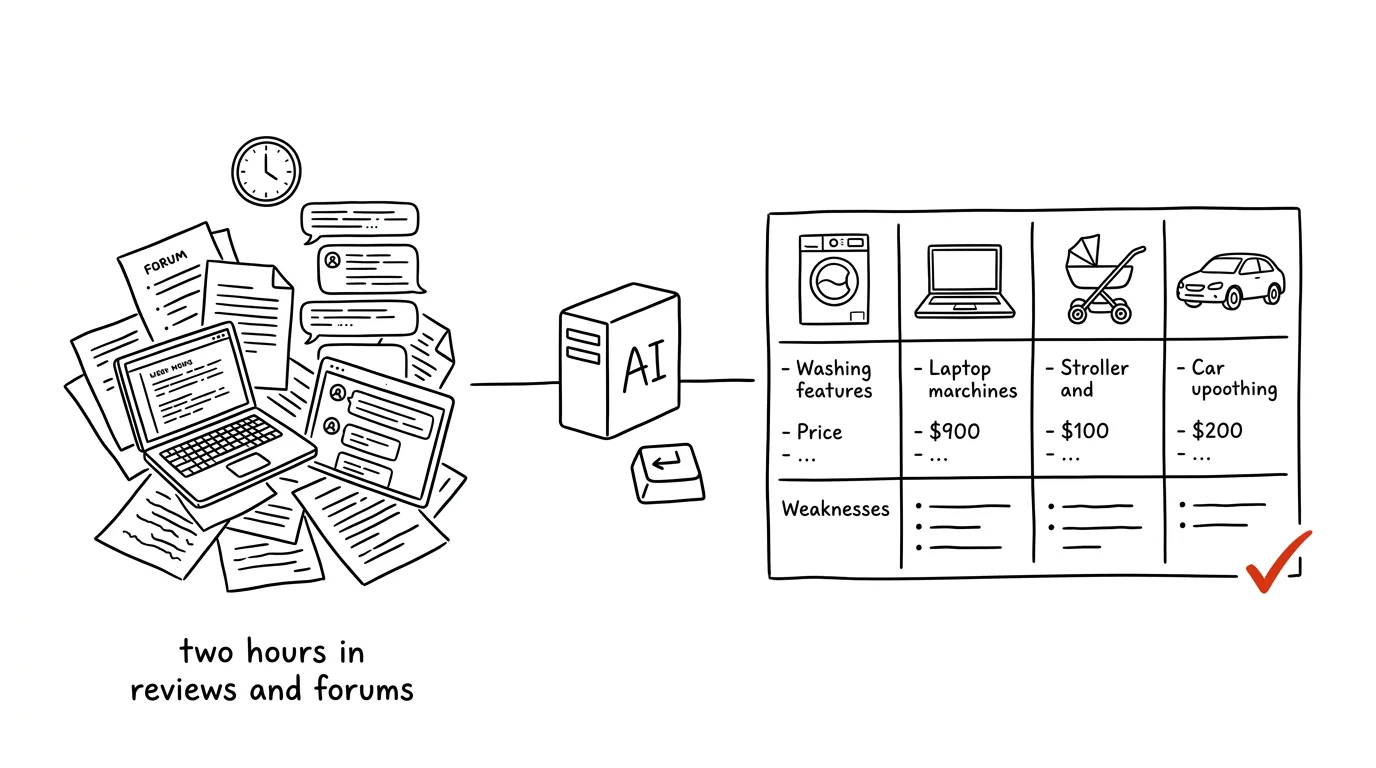
A big purchase always follows the same curve. The first half hour is excitement, the second confusion, the third exhaustion — and you end up buying whatever was on sale, or whatever a friend recommended. The problem isn't a lack of information — it's that there's too much of it, and it's written for someone else: reviews rate the model in general, comparison sites rank by commission, lab tests measure in a lab, and forums are full of people with a different kitchen and different needs. The shortcut isn't letting something else choose for you. It's defining your own criteria and having a comparison built around them — including what people complain about most on a given model.
This guide breaks the whole process down into prompts: from nailing down your criteria (the most underrated step, and the one that decides everything else) through searching with citations, a comparison table, and a complaints section, to five questions you take to the seller. Just copy the prompts and fill in the brackets.
One thing up front, because it changes where this guide pays off the most. The biggest savings aren't in appliances — they're in services. A washing machine gets bought once a decade, and a mistake costs a few thousand. Insurance, a phone plan, or an energy provider gets paid every month for the next five years — and a mistake multiplies by the number of months. For services, comparison sites often compare price alone, while the real difference sits in the terms. So pay attention to Phases 6 and 7, even if you came here for a laptop.
A typical scenario
Lucy needs a washing machine. The old one died, her apartment bathroom has a recess 47 centimeters deep, her budget tops out around twelve thousand, and she does laundry alone for two people — so capacity matters less to her than noise, since the bedroom is right behind the wall. She spends an hour and a half on comparison sites one evening and walks away with ten open tabs and zero decisions. The classic ending: the next day she buys whatever's on sale.
The second time, she does it differently, and it takes her twenty minutes. First she writes down her criteria and has AI fill in what she missed — out comes spin-cycle noise level, whether there's service available in her city, and the cost of a typical post-warranty repair, none of which she'd have thought of. Then she has it search for washing machines that fit the recess, with a source link for every figure. Finally she asks for a table: model, depth, spin-cycle noise level, energy rating, approximate price, the three most common complaints from reviews, and a link.
The table has seven rows. Two drop out immediately over depth — for one of them, it turns out the manufacturer's own specs differ by two centimeters between two versions of the same model that differ only by a number after the dash in their name. Reviews of one popular model keep mentioning electronics failing right after the warranty expires; another runs louder than its spec sheet claims. Three candidates remain, plus five questions for the seller: is the model in stock, what's the exact depth including hose connections, how much does hauling away the old machine cost, what's the warranty, and where's the nearest authorized service center. Lucy decides in twenty minutes — and knows why.
A second example from a different category, because that's exactly where the money is. Martin's car insurance — both mandatory liability and collision coverage — is due for renewal in a month, quoted two thousand more than last year. Instead of the usual “fine, I'll just sign it,” he has AI list what comparison sites don't show: payout limits, deductibles, exclusions for street parking, and whether roadside assistance is included and under what conditions. It turns out the offer that looked eight hundred cheaper on the comparison site actually has triple the deductible. He stays with his current insurer, but with adjusted terms — and ends up saving twelve hundred a year on better coverage than he had before.
Phase 1: criteria before models
This is the step most people skip, and it's the reason they spend two hours afterward reading reviews about things that don't matter to them. Until you know what actually decides this purchase, you'll get a generic overview — one you could read anywhere.
Write down five to seven things that actually decide it
Before you open any tool, write down on paper or in a note:
- budget and ceiling — not “somewhere around ten thousand,” but “ideally 8, absolute max 12”;
- physical constraints — dimensions, space, weight, compatibility with what you already own;
- what it's for and how often — daily use has different requirements than three times a year;
- what bugged you about the last one — the most valuable item on the list, because it's specific and it's yours;
- what's non-negotiable — one or two things without which the purchase doesn't make sense;
- how long it needs to last — two years or ten is a different category entirely;
- what happens to it once it's done — service, spare parts, resale value.
That last point deserves emphasis: the difference between a good purchase and a bad one often only shows up in year three, when something breaks. Parts and service availability is a criterion you won't find on any comparison site.
Have an interview drag your criteria out of you
Your own list tends to be incomplete, and you don't know it. The best way to fill it out isn't to ask for advice — it's to be interviewed.
I'm about to buy [what], and I want to first get clear on what
I should actually be choosing by. Don't give me any specific
models or recommendations yet.

What I know about my situation: [budget], [space and
constraints], [how often and for what I'll use it], [what bugged
me about what I have now], [how long it needs to last].

Ask me 8 questions whose answers would substantially change what
I should buy. Ask about things people usually don't think about
for this kind of purchase and then regret — not things I'd read
in any article.

Ask one question at a time, wait for my answer, and only then
move to the next. At the end, turn all my answers into a list of
my criteria, ranked by importance.
The one-question-at-a-time approach is deliberate — answer eight questions all at once and you'll answer them superficially; one at a time forces you to actually think. The output is a ranked list you'll use through every later phase. One thing to watch: if the model starts hinting at the answer in its questions (“you'd prefer quiet operation, right?”), tell it to ask neutrally instead. Leading questions plant criteria in your list that aren't actually yours.
What you probably overlooked
A follow-up prompt that costs a minute and often changes the whole purchase.
I'm about to buy [what] for [use case] with a budget of
[amount]. My criteria: [list].

Tell me what I've most likely overlooked for this purchase.
Split it into three groups:
1. Costs that aren't in the sticker price (delivery,
   installation, consumables, running costs, insurance, service,
   disposing of the old one)
2. Things that only show up after six months of use and don't
   appear in first-week reviews
3. Situations where my choice would turn out to be wrong — what
   would have to happen for me to regret it

One sentence per point on why. No specific models, just what to
look at.
For a washing machine, this surfaces noise and service; for a laptop, battery life after two years and whether you can add memory later; for a stroller, whether it fits through the elevator door and how heavy it is to carry up stairs; for a car, the cost of mandatory insurance and common parts. Group 1 is where budgets fall apart: on big purchases, the sum of “costs around it” often runs tens of percent of the sticker price.
Weights: what's a must-have and what's nice-to-have
Criteria without weights lead to a table where whatever has the most checked boxes wins — and that's not the same thing as what you actually need.
Here's my list of criteria for buying [what]:

[paste the list]

Sort them into three groups, with one sentence per item on why:
A) Dealbreakers — if a candidate fails this, it's out no matter
   what else
B) Deciding factors — these are what choose between the ones
   that remain
C) Bonus — nice to have, doesn't affect the decision

Be strict about group A: if there are more than three items in
it, tell me which of them don't actually belong there, because
they wouldn't stop me if everything else fit.

For group B, suggest percentage weights that add up to one
hundred, and justify them.
Group A is the filter that turns ten candidates into three, and it should be short. Put five things in it and you'll usually find that nothing exists that satisfies all of them — and that's useful information too: either you shift your budget, or one of your “non-negotiable” criteria isn't actually non-negotiable.
Phase 2: searching with citations
Only now do actual models and offers enter the picture. And here, one hard rule applies.
Without web search turned on, it isn't research
A language model's knowledge has a cutoff date, and product lineups change every year. Ask without search enabled and you'll get last year's specs, prices from the year before, and quite possibly a model that never existed at all, because its name just sounds plausible. Turn on web search and insist on a source link for every claim — otherwise what you have isn't research, it's an impression. More in the tip research with verifiable sources.
Search the web and prepare candidates for me to buy: [what].

My dealbreaker criteria (rule out anything that fails these):
[list from group A]
My deciding criteria:
[list from group B]
Budget: [amount], buying in [my country], I need it by [when].

Find 6 to 10 specific models that meet the dealbreaker criteria.
For each one:
- the exact designation, including the full model code (variants
  often differ only by the number after the dash and have
  different specs)
- values for my deciding criteria
- a source link for EVERY parameter — ideally the manufacturer's
  own page
- an approximate price range and a link to where you got it,
  with a date
- year of release and whether it's the current lineup or a model
  being phased out

Rules:
- don't invent any model; if you're not sure it exists in this
  exact variant, say so
- where you can't find a parameter, write UNKNOWN, don't fill it
  in with a guess
- at the end, list which of my criteria you weren't able to
  verify, and why
You'll get a narrower shortlist you can keep working with. Check two things. The exact model designation — the number after the dash is often the whole difference between the version that fits and the one that doesn't. And the date attached to the price — sales end, and a price from a six-month-old article is worthless. Values marked UNKNOWN aren't a failure, they're honesty; go fill them in on the manufacturer's page.
Deep research for big purchases
For a purchase worth a serious sum, it's worth running deep research — a mode that goes through dozens of sources on its own and returns a report with citations. It takes minutes instead of seconds, and reads like a briefing document, not an answer. More in the tip deep research.
Do deep research on buying [what] in the [range] price bracket
for [use case]. Market: [my country].

I want a report covering:
1. How this category is segmented today — what you actually get
   for what money, and where the point is beyond which you start
   overpaying for things an average user won't use
2. Which specs are marketing and which have a real effect on
   day-to-day use — explain why for each one
3. An overview of brands: reputation, availability of service
   and spare parts in [my country], typical weaknesses
4. Independent tests and expert reviews from the last two years,
   with links — and distinguish lab tests from first-week
   impressions
5. What's coming in this category: is there a risk that a new
   lineup shows up in three months and this one drops in price

Cite a source and date for every claim. Where sources disagree,
show both views instead of picking one.
Point 2 is the reason this pays off. Every category has parameters that look important and aren't — and telling them apart from the outside takes hours of reading. Point 5 alone can save you real money just by delaying the purchase a month.
Phase 3: a comparison table built around your columns
The table is the core of the whole research process. The key is that you decide the columns — you don't accept whatever a comparison site offers.
From the candidates you found, build a comparison table.

Columns, in this order:
1. Model (exact designation)
2. Approximate price and the date it applied
3. [my criterion 1]
4. [my criterion 2]
5. [my criterion 3]
6. Extra costs in the first year (delivery, installation,
   consumables, running costs)
7. Three most common user complaints
8. Source link for the main parameters

Sort the rows by how well they fit my deciding criteria and
their weights, not by price.

Below the table, write:
- which two models are most similar, and what difference between
  them is significant enough to matter
- which model is the best choice if I want to save money, and
  what I'd give up for that
- which one, if I can go up to the top of my budget, and what
  extra I'd get for it
- whether there's a type of solution missing from this shortlist
  that I hadn't considered at all

Leave cells blank where you don't have a verified value. Don't
fill anything in with a guess — an incomplete table beats a
tidy but false one.
The last paragraph is the most important line in this whole prompt. A table is a format that tempts a model to fill in missing numbers, because an empty cell looks like a mistake. It will happily fill it with a plausible-sounding value — and then you're comparing a figure nobody actually stated. Before you decide based on the table, check the key parameters for your finalists on the manufacturer's page.
The last point under the table is, again, the one most likely to change your decision. “Have you considered that a drying rack and a dehumidifier might do the job instead of a dryer” or “at this budget, a refurbished higher-tier model makes more sense than a new laptop” — sentences like that only show up if you ask for them.
A table you can actually move around in
A static table has one weakness: if you realize two days later that noise matters more to you than energy use, you have to reshuffle the whole thing by hand. The fix is to have it generate an interactive artifact — a small app right inside the chat where you can drag the weights and watch the ranking recalculate.
Turn this comparison table into an interactive artifact:

[paste the table, or refer back to the previous message]

Features:
- sliders for the weight of each criterion (always adding up to
  100%)
- automatic recalculation of the overall score and candidate
  ranking
- a toggle that hides models failing the dealbreaker criteria
- an expandable section for each candidate with complaints and
  links
- a field for manually editing the price, so I can plug in a
  current offer I found myself

Enter the data in the code exactly as it is in the table,
including blanks — don't fill in missing values. Calculate the
score only from criteria that are filled in, and show how many
values are missing for each candidate.
You'll get a mini-app that shows you how fragile your decision actually is. If nudging one weight by ten percent flips the ranking, that means there's no meaningful difference between your top two candidates — and you can decide on price or availability with a clear conscience.
Phase 4: the complaints section
This is the one part you'll never get from a comparison site, and it's the most valuable of all. First-week reviews describe what it's like to unbox a product. What you need to know is what bothers people a year in.
Search for what users complain about on these specific models:
[list of finalists with exact designations]

Search seller reviews, forum threads, comments under reviews,
and user tests. For each model:

1. The five most frequently repeated complaints, ranked by how
   often they show up
2. For each one: how often it repeats (a single mention, or does
   it run across multiple sources), how long into ownership it
   shows up, and whether it's a defect in one unit or a trait of
   the model
3. At least one source link per complaint
4. What users repeatedly praise, on the other hand

At the end, one sentence per model: who this model is a bad
choice for.

Don't generalize from one furious review. If a complaint is a
one-off, say so.
Point 2 is the whole reason for this prompt. The difference between a defective unit and a design flaw is the entire difference: one broken washing machine is bad luck, ten identical descriptions of electronics failing in year three is a trait of the product. The last sentence (“who this is a bad choice for”) is the fastest way to find out whether you happen to be that person.
How to read what comes back
Reviews carry three systematic biases, and it's worth knowing them. Mostly the dissatisfied write them — a happy customer has no reason to bother, so the star ratio skews negative. First impressions outweigh long-term experience, because most reviews get written a week after delivery. And a share of ratings are paid or incentivized, especially for new products and on sites that hand out points for leaving a review.
The practical consequence: look specifically for reviews a year old or older, and for complaints that repeat in similar words from different people on different sites. That's a real signal. One emotional one-star review about a package that never arrived tells you about the carrier, not the product.
Here are the complaints you found for model [model]:

[paste the list]

Sort them for me into four groups:
A) A design flaw in the product — repeats across sources and is
   about how the thing is built
B) A problem with one unit or a bad batch — bad luck, can be
   fixed through a warranty claim
C) A problem with the seller or shipping — unrelated to the
   product itself
D) A misunderstanding or misuse — the user expected something
   the product was never designed to do

For group A, tell me whether it applies to my way of using it
([usage description]) — or whether I'd avoid it based on how
I'll actually use it.

For group D, tell me what those people were expecting, and
whether I might be expecting the same thing without realizing it.
Group D tends to be surprisingly large, and it's instructive: it often reveals that you'd assumed something about the whole category that isn't actually true. Group A, filtered through your specific use case, is then the only one that actually affects your decision.
Phase 5: a devil's advocate and questions for the seller
Two steps remain, and both are short. The first protects you from the thing you forgot to ask about; the second protects you from simply confirming what you already believed at the start.
Have your own choice picked apart
Models tend to agree with the direction of your question. Write “I picked this one, is it a good choice?” and you'll get a justification. Assigning it the role of an opponent flips that around; see let it push back.
I've decided to buy [model] for [price] for [use case].
My criteria were: [list].

Don't confirm this for me. Play the role of someone trying to
talk me out of this purchase, and write:

1. Three specific reasons this is the wrong choice for my
   particular use case
2. What I'd buy instead for the same money — two specific
   alternatives, including one from a completely different
   category of solution
3. What I'm overpaying for here that I won't actually use
4. What I should instead spend more on, because skimping on that
   particular spec doesn't pay off
5. When it makes sense to delay the purchase — is a new lineup
   coming, seasonal discounts, or any other reason to wait

Be specific and back it up with actual specs, not generic
advice. At the end, tell me whether, after all that, my choice
still holds up.
The last sentence is there so the devil's advocate doesn't run away with itself. If your choice survives all five points of criticism, you can buy with a clear conscience. Point 4 is the single most useful kind of advice there is: “you can save here, but not here” is exactly what no seller will ever tell you.
Five questions for the seller
The last step. Research doesn't end with an order — it ends with a list of things that need confirming by a human with access to the stockroom and the price list.
I'm about to buy [model] from [seller / any seller]. Prepare
questions I need to answer myself or verify with the seller
before I pay.

Split them into:
1. Questions for the seller (stock availability, exact model
   variant, all-in price, delivery and installation, hauling
   away the old one, warranty and its terms, where the nearest
   authorized service center is)
2. Things I need to verify myself at home (dimensions including
   hookups and door clearance, connections, compatibility with
   what I already have, weight limits, whether it fits through
   the apartment)
3. Questions that decide whether to buy now or wait

For each question, write one sentence on what a bad answer looks
like and why — so I can recognize when someone's holding
something back.

Ten questions total, maximum, so I can actually bring them with
me.
The “what a bad answer looks like” column is the part worth reading twice. “In stock at our supplier” isn't “in stock.” “Standard warranty” from a seller who otherwise offers an extended one means you won't get the extended one on this particular unit. And the second group of questions — verifying things at home — is usually behind the most expensive returns: an appliance that fits the recess but not through the bathroom door.
Phase 6: big purchases — cars, appliances, electronics
For physical goods, everything above still applies, with a few specifics of its own.
Cars
A car is a purchase where the price you pay is only part of what it actually costs you. What matters is the total cost of ownership: insurance, servicing, common wear parts, fuel or energy use, road tax, tires, and depreciation.
I'm considering buying [model, year, engine, mileage] for
[price]. Usage: [km per year, city/highway mix], I'll keep it
for [number] years.

Estimate my cost of ownership over that period:
- mandatory liability and collision insurance (an order-of-
  magnitude range, not a specific quote)
- scheduled servicing per the manufacturer's plan, and what it
  covers
- wear parts that will come due in that time (timing belt,
  clutch, brakes, shocks, tires) and roughly what the parts and
  labor cost
- fuel or energy use for my driving profile
- road tax, inspection, and any other applicable fees
- an estimate of resale value at the end

Separately, list:
1. Typical weaknesses of this exact engine and generation, with
   a source link
2. What to have checked before buying, and what to ask the
   previous owner
3. Which documents I want to see (service book, mileage history,
   proof of origin)

For every number, state where it comes from and how reliable it
is. I'll verify prices with a mechanic myself — I just want an
order-of-magnitude sense.
Underline that last line for yourself: numbers from AI are an order of magnitude, not a price list. A mechanic will give you the actual repair cost, an insurer's calculator the actual premium. What you really get out of this prompt is points 1 and 2 — a list of typical weaknesses for that generation and questions for the seller. That's information you'd otherwise spend three evenings fishing for on forums.
Appliances and electronics
For appliances, lifespan and repairability matter more than spec-sheet numbers. Ask specifically about what the catalog doesn't say.
Compare [list of finalists] in terms of lifespan and
repairability, not specs.

For each one:
- how long the manufacturer guarantees spare-parts availability
- is there authorized service in [my country], and how many
  locations
- what the most common failures are, and how long into ownership
  they show up
- the approximate cost of the most common post-warranty repair,
  compared to the price of a new unit
- can it actually be repaired, or is it glued together and gets
  thrown out when something breaks
- warranty length, and whether the manufacturer offers an
  extension, for how much

At the end, tell me which of these models has the best ratio of
price to likely lifespan, and why. Cite a source for every value;
where you don't have one, write UNKNOWN.
The answer to “how much does the most common repair cost compared to a new unit” decides whether you're buying an appliance for ten years or just for the warranty period. On cheap models, a post-warranty repair is often more than half the price of a new one — and that's the whole answer right there.
Phase 7: services — this is where research saves the most
And now the main event. With services, you don't pay once — you pay every month, and the difference isn't in the price, it's in the terms. Comparison sites compare the headline number because it's easy to rank by. The interesting part sits in the document nobody reads.
One rule applies to this entire phase: calculate the annual or total cost over the length of the commitment, not the monthly payment. A hundred a month is twelve hundred a year, and six thousand over a five-year commitment. An activation fee that quietly disappears into a “great deal” shows up immediately once you look at it this way.
Insurance
With insurance, you're not buying a price — you're buying when the insurer actually pays out. What matters is payout limits, the deductible, and above all exclusions — the situations where it doesn't pay.
Compare these [type] insurance offers for me:

[paste the offers, ideally including the policy conditions]

My situation: [what I'm insuring, where, how I use it, what I'm
specifically worried about].

A table with columns: offer | annual premium | deductible |
payout limit for [thing I care about] | limit for [another
thing] | is roadside/emergency assistance included, and what it
covers

Below the table:
1. EXCLUSIONS: what each offer does NOT cover. Go through the
   full policy conditions, not just the summary sheet, and cite
   the clause for every exclusion.
2. Obligations I have to meet to be eligible for a payout
   (security measures, reporting deadlines, documentation)
3. Three specific situations from my description, and for each:
   which offers would pay out and which wouldn't, and why
4. The offer that looks cheapest — why is that? A higher
   deductible, lower limits, or broader exclusions?

Point 3 is the most important — spend the most space on it.
Point 4 is the question that unmasks most “great deals.” A cheaper policy is usually cheaper for a specific reason, and that reason is always stated somewhere — just not on the first page. Before you sign, go through both the contract and the conditions using the process from the tip a contract before you sign — with insurance it's especially worth it.
Energy providers
For energy providers, everyone compares the unit price, but what actually decides it is the combination of price, standing charges, how long the rate is fixed, and penalties for early cancellation.
Compare these [electricity / gas] provider offers for me:

[paste the offers]

My usage: [kWh or m3 per year], tariff [tariff], [number] of
metering points.

For each offer, calculate the TOTAL annual cost, broken down
into:
- usage charges (unit price × my consumption)
- fixed monthly charges per metering point
- regulated components, if the offer lists them
- one-time fees for switching providers

Then, for each offer, list:
1. Length of commitment and the price-lock period — until when
   the stated price applies
2. What happens once the price lock ends (switching to a
   standard rate, automatic renewal, and under what conditions)
3. Penalties for early cancellation and under what circumstances
   they apply
4. Can the provider change the price during the lock period?
   Under what conditions?
5. Conditions I have to meet for the offered price to apply
   (direct debit, paperless billing, bundling another product)

At the end: which offer comes out best over the whole commitment
period, not just the first year. State which numbers you're
calculating from, so I can redo the math myself.
That last sentence matters. Have it show you the inputs and redo the calculation yourself — a language model isn't a calculator, and it makes mistakes once several numbers are involved. The safest approach is to have it list the values and calculate the result yourself in a spreadsheet; for more complex cases, have it write a short script. Point 2 is where the real money gets lost: an offer that's great for two years, after which it automatically rolls onto a standard rate three times as expensive.
Plans and subscriptions
The smallest individual amounts, and the money most easily overlooked. This is worth going through all at once, once a year.
Here's a list of my recurring payments for services and
subscriptions:

[paste the list: name, monthly amount, what I get for it, how
often I actually use it]

Turn this into an overview:
1. Total annual cost, broken down by category
2. Rank the items by the ratio of “what I pay” to “how often I
   use it” — worst first
3. For each item: is there a cheaper equivalent (a lower tier,
   annual billing instead of monthly, a family plan, a student
   rate), and what would I lose by switching
4. Which two items overlap and do the same thing
5. Which ones are locked into a commitment, and until when — and
   which ones I can cancel right now

At the end, suggest three specific actions, with an estimated
annual saving for each, ranked by the ratio of saving to effort.
You'll get back an overview that usually surfaces two or three payments you'd forgotten were still running. Pull the data from your bank statement — the process is in the tip a budget from your bank statement. One warning: a bank statement is a sensitive document, it belongs only in a paid account with contractual data protection, and it's worth stripping out the account number and your name before uploading it.
The most common mistakes
- Asking about models before criteria. Without a list of what matters, you get a generic overview and spend an hour reading about specs that don't matter to you. Phase 1 takes five minutes and saves two hours.
- Leaving web search turned off. A model without web access answers from what's in its memory: last year's lineup, outdated prices, and occasionally a model that never existed. Without citations, it isn't research.
- Trusting prices and stock levels from AI. Prices and stock are the fastest-aging data there is. Treat them as an order-of-magnitude estimate and verify with the seller right before buying.
- Overlooking the exact model variant. Two versions of the same product can differ in name by only a number after the dash, and in dimensions by two centimeters. Always double-check your finalists' specs on the manufacturer's page.
- Generalizing from one furious review. The difference between a defective unit and a design flaw is the whole difference. Take seriously the complaints that repeat across sources and show up after extended use.
- Comparing services by the monthly payment. For insurance, energy, and phone plans, the terms decide, not the headline number: the deductible, the exclusions, the length of commitment, what happens after the price lock, and cancellation penalties.
- Letting it choose for you. The question “what would you recommend?” returns a decision built on criteria the model guessed at for you. Ask about differences; decide for yourself.
The best tools
- Claude — web search with citations, deep research for big purchases, a comparison table built around your own columns, and an interactive artifact where you can drag the weights around without writing a single formula.
- Projects (persistent context) — for a longer decision (a car, an apartment, a renovation), set up a project to store your criteria and running findings; you don't have to rewrite the context every time.
- Perplexity — a citation-first search engine; good for a quick pass through what's being said about a specific model, clicking straight through to sources.
- Manufacturer websites — the only reliable source for exact specs and model variants. Always verify your finalists there.
- Independent tests from consumer organizations — lab measurements instead of impressions; irreplaceable especially for appliances and food.
- Calculators and comparison tools straight from service providers — for insurance and energy, the actual quote always comes from here; AI supplies the questions and an overview of the terms.
What you get out of it
- Time: two hours of tab-hopping shrink to twenty or forty minutes of focused work plus a few minutes of checking with the seller. For a big purchase with deep research, budget an hour — instead of three evenings.
- Money: for an appliance, it's a few thousand, mostly from not buying the wrong category outright. For services it's different: a thousand to three thousand a year on insurance, similarly on energy and subscriptions — and that repeats every single year the contract runs.
- Better decisions: you choose by your own criteria, not by whatever showed up first or has the most stars. And you know what you're giving up — which is the whole point of any compromise.
- Peace of mind: a decision you can explain doesn't come back at 2 a.m. as “should I have gone with the other one?” And if something does go wrong, you know whether you accepted that risk knowingly.
Pro tip
An advanced trick: have it write a brief for the seller instead of a query about a model. The prompt: “summarize my criteria in ten lines so I can send it to three sellers asking for a quote and a proposal.” You get a precise description of what you need — and instead of browsing catalogs yourself, you let people who actually know the inventory do the work. When offers come back, compare them with the table from Phase 3. For services (insurance, energy, telecom), this approach works best of all, because the responses come back with actual numbers for your specific situation, not a generic price list.
And one final rule: treat data from AI as a starting point, not a price list. Always verify prices, stock, and the current model lineup directly with the seller or on the manufacturer's page — lineups change, sales end, and a language model's knowledge has a cutoff date. Research's job is to narrow the field and hand you good questions, not to place the order. The last step is always made by a person: AI proposes, the person approves. And if you're comparing offers that involve your personal data or your finances (a loan, insurance, a lease), the same rule applies as everywhere else: a paid account with contractual data protection, and anonymize what you can.
Want to go deeper? The handbook has a whole chapter on it — AI and automation.
Similar tips
A closed lid doesn't have to put your laptop to sleep: run it as just a monitor setup
With an external monitor and keyboard, a laptop can run closed and save desk space. Just change one setting for what closing the lid does.
Notion: the slash inserts anything
/
The / key opens the block menu — headings, tables, reminders, columns. Notion's core control.
The Notion formula that sorts your backlog for you
(Impact × Urgency) / Effort — three numbers per task, and the database sorts itself by actual value.
Common questions
Why not just start by asking AI which model to buy?
“What would you recommend?” returns a decision built on criteria the model guessed at for you. First have it interview you to surface your own criteria and sort them into dealbreakers, deciders, and bonuses — then ask about differences and decide yourself. The criteria phase takes five minutes and saves two hours.
Can I trust the prices and specs AI lists?
Only up to a point. Without web search on, the model answers from memory — last year's lineups, old prices, occasionally a model that never existed. Even with search, treat prices and stock as an order of magnitude and verify the finalists' specs on the manufacturer's page; variants often differ only by the number after the dash and by two centimeters.
What if some values in the comparison table are missing?
Leave the cells empty — a table is a format that tempts filling in missing numbers, and a model will happily populate an empty cell with a plausible value nobody ever published. Better an incomplete table than a pretty, untrue one; UNKNOWN isn't a failure, it's honesty.
How do I tell a serious complaint from one angry review?
The difference between a defective unit and a design flaw is the entire difference: one broken washing machine is bad luck, ten identical descriptions of electronics failing in year three is a trait of the product. Take seriously complaints that repeat in the same words across sources and appear after longer use — first-week reviews only describe the unboxing.
Why does research pay off most with services?
Because you don't pay once, you pay every month — a mistake multiplies by the number of months, and the difference isn't in the price but in the terms: deductibles, exclusions, payout limits, fixed-price periods, and exit penalties. Calculate the annual or total cost over the commitment, not the monthly payment, and ask why the “cheapest” offer is cheapest.
Can AI close the purchase for me?
No — research's job is to narrow the field and hand you good questions, not to place the order. The last step is always made by a person: AI proposes, the person approves. And offers involving your personal data or finances belong only in a paid account with contractual data protection, anonymized as much as possible.
Was this helpful?
Liked this tip?
I send one like it every week by email. Two minutes to read, hours saved.
The Top 30 tips e-book, free — it lands in your inbox right away.
Then 1 tip a week · no spam · unsubscribe in one click
Prefer a system to single tips? The free email course — seven days, seven emails, one skill a day.