Tips & tricks · AI · Everywhere · ~hours of babysitting a week · 15 min read · in-depth guide, doing it ~1 h
What loops are: the agentic cycles said to replace prompting
Last reviewed:
In this article
You may have caught it in a meeting or a podcast: “Prompting is dead, now you run loops.” A colleague supposedly let AI run overnight and had a finished project by morning. On social media, loop engineering has replaced prompt engineering in the conversation, and it sounds as if the rules changed in a matter of months — anyone still writing prompts just hasn't caught up.
The reality is more interesting than the slogan. A loop doesn't replace prompting — it replaces waiting. Instead of a single shot, the prompt becomes the rules of a game that plays itself. You're still writing the brief, just a different kind: instead of “do this,” you write “this is the goal, this is how you'll know it's done, and here are the boundaries you can't cross.” The difference isn't whether you can phrase things well — it's what you're phrasing.
This article translates the hype into reality: what a loop actually is, why people are talking about it right now, what's true in the claims and what's overblown — and how to try your first loop even if you don't code. The prompts in boxes are ready to copy.
What a loop is, in plain terms
Normal work with AI is question and answer: you write a prompt, get an output, read it, write the next prompt. You're the engine — every step only moves when you push it. When the output isn't right, you're the one who notices, you formulate the fix, you wait for the next version.
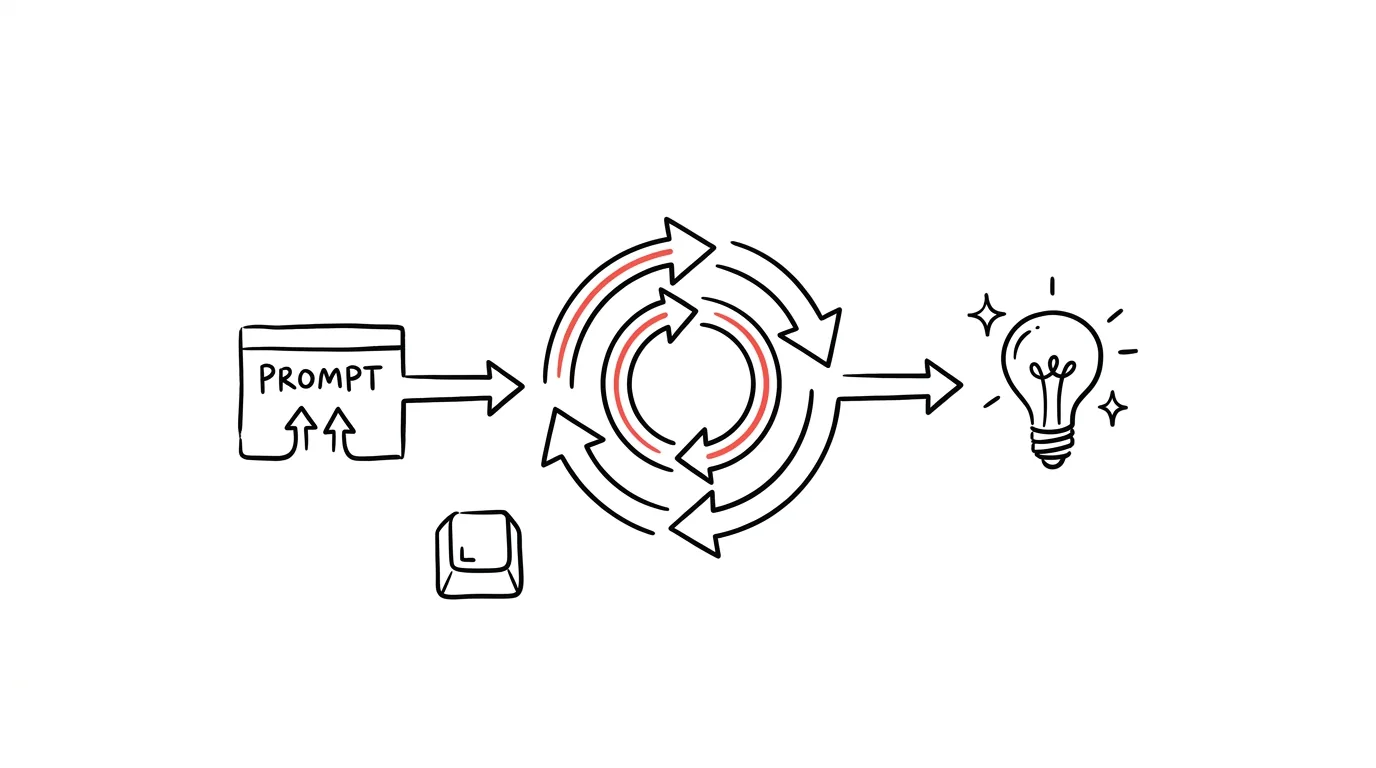
A loop (an agentic loop) flips this. AI doesn't get a question — it gets a goal, and permission to repeat a cycle:
- Take a step toward the goal (fix a file, write a function, fill in data).
- Check the result with objective verification (run tests, recompute a checksum, validate a format).
- If the check fails, fix it and go back to step 2.
- Keep going until the done criterion is met — or a preset limit is hit.
The closest everyday analogy: the difference between “advise me on how to do it” and “do it and check your own work afterward.” The first is a consultation — you get advice and the work stays on you. The second is delegation — and as with any delegation, what matters isn't how cleverly you phrase the first step, it's whether you can say what finished work looks like.
The key word in the whole cycle is step 2. A loop without verification isn't a loop — it's just AI talking to itself. What gives it power is objective checking that isn't done by the model, but by reality: tests either pass or they don't; a checksum either matches or it doesn't; a spreadsheet either has a thousand correctly formatted rows or it doesn't. The model can be wrong about whether the work is good — a test that's actually been run can't be.
Why people are talking about this now
The honest answer first: this isn't a new idea. The “try, verify, fix, repeat” cycle is as old as programming, and people have been trying agents that run in a loop since the earliest days of language models. Most of the time it went the same way: the agent lost the thread after a few rounds, started imagining progress that wasn't there, and burned through money. What's new isn't the pattern — it's that it started working reliably enough for real work.
Three things came together to make that happen. First, agentic tools: environments like Claude Code, where AI works directly with files, runs scripts, and sees their output — without that, step 2 has nothing to read from. Second, model stamina: current models can sustain hours of continuous work, where earlier generations lost the thread after tens of minutes. And third — least visible, but most important — the ability to verify a result mechanically: tests, builds, data validation. Once an agent has a hard yes/no available, iteration stops being a gamble and becomes a craft.
The hype wave crested in the summer of 2026. Tech press wrote about “the AI world going into a loop,” Claude Code's creator Boris Cherny said at a conference that loops are as big a step as the shift from hand-written code to agents, and the term loop engineering spread as “the successor to prompt engineering.” Alongside it came folklore: a technique jokingly named the Ralph Wiggum loop (after the Simpsons character) — at its core an ordinary infinite loop that keeps feeding the agent the same task, including its own past mistakes, until it grinds the job to completion. It sounds dumb, but on tasks with a clear done criterion it works well enough that it spawned an official Claude Code add-on, and stories circulate about teams generating entire repositories overnight. Claude Code today even has a built-in command that repeatedly runs a given task until the work is done.
And one note of sobriety: the carousel of terms keeps spinning. As this article is being written, part of the same scene is already declaring that “loop engineering is dead” and coining the next term. That's not proof loops don't work — it's a reminder that names cycle faster than substance does. It pays to learn the mechanism, not the vocabulary.
What's true and what's hype
A fair comparison of what's claimed against what's actually happening:
| Claim from the hype wave | How it actually is |
|---|---|
| "Nobody prompts anymore." | Prompting just looks different. Instead of step-by-step instructions, you write a goal, done criteria, and limits. It's still a formulation skill — and a harder one than before. |
| "AI finishes the task entirely on its own." | On tasks with a verifiable result, often yes, and the quality is noticeably higher, because it finds and fixes its own mistakes. On tasks without verification, it spins in circles. |
| "You won't need to know anything anymore." | The opposite. A loop amplifies the quality of the brief — good criteria get amplified, bad ones do too. A loop without good criteria just produces bad results faster. |
| "Set it running and it's done by morning." | Sometimes. But independent tests of long agentic runs repeatedly show that code from many iterations tends to bloat and lose structure — without a morning human review, the debt piles up quietly. |
| "It works for any kind of work." | It works for work with a hard yes/no. Writing, strategy, and decisions don't have a hard yes/no — there, a loop converges toward an average, not toward perfection. |
Two items from that table are worth expanding on, because the rest of the article rests on them.
True: on verifiable tasks, the leap is real. Code with tests, data with checksums, format conversions with validation — there, a loop changes the game, because it does what a human can't sustain for mechanical work: checking every single step, every time, without getting tired. A bug you'd have found a week later gets fixed on the third iteration, before you ever see it.
Hype: "converging on perfection" for creative work. When a loop has no objective yardstick, all it has left is the model's own judgment of what's "better." And that judgment reliably drifts toward a smoothed-out average — a piece of writing after ten iterations isn't ten times better, it's ten times more sanded down. Anything that was distinctive about it gets reliably ironed out. For creative and judgment-based work, a conversation stays better: a draft, your reaction, another draft — with you as the yardstick.
What a loop looks like in practice
Three examples, from simplest to boldest. All of them stand on the same skeleton — goal, verification, limit — and all of them end the same way: a human approves the result. That principle doesn't get relaxed by loops, it gets reinforced; we cover it in depth in the Routines and agents guide.
Example 1: fixing data with a checksum (no coding required)
The smallest possible loop fits in an ordinary chat with an uploaded file — no terminal, no code. The trick is computing your check values in advance (in Excel: a sum of amounts, a row count) and turning them into a done criterion.
I'm uploading a payments export [file.csv]. It's a mess: some
amounts use a comma, others a period, some rows are missing a
currency, and dates come in three different formats.

Goal: standardize amounts to the format 1234.56, fill in the
currency CZK wherever it's missing and the amount is in koruna, and
convert every date to YYYY-MM-DD.

Work in a loop: after each batch of fixes, recompute two check
values — the total of the amount column and the row count — and
compare them against the starting values: total [742,315.20], rows
[1,480]. If they don't match, find where it broke, fix it, and
recompute. Stop once both values match and the formats are
consistent.

Limits: never delete rows or change amount values, only how they're
written. Anything you can't fix with confidence, flag in a “needs
review” column and leave alone.
At the end, report: how many rows you changed, both check values,
and the list of rows flagged for review.
You'll get back the fixed file and a closing report. Check three things: that the check totals really do match your own (recompute them yourself, don't just trust the printout), that the number of changed rows matches your estimate, and go through the “needs review” rows by hand. That “needs review” column is precisely the safeguard against the worst failure mode: a model that quietly guesses at an ambiguity instead of admitting it.
Example 2: Claude Code and a task with tests
In Claude Code, a loop is the natural way to work, because verification is right at hand: the agent can run the tests itself and read their output. The brief then describes the target state, not the procedure:
The order import in this project is broken — the tests in
[tests/import] are failing. Goal: every test in the project green.

Work in a loop: run the tests, read the first failure, fix the
cause (not the test), run the tests again. Repeat until the whole
suite passes.

Rules:
- Don't change or delete the tests themselves. If you're convinced
  a test itself is wrong, stop and tell me, with your reasoning.
- Stay within [src/import] — if the fix requires touching anything
  else, stop and ask.
- Limit: 15 iterations. If the tests still aren't green by then,
  stop and summarize what you tried, what you know about the cause,
  and what you'd suggest next.
At the end, list the files you changed and, for each, one sentence
on why.
You'll get back either a green test suite or an honest “I couldn't do it, and here's why” — either is a good outcome. Watch for two rules that must never be missing from the prompt: a ban on editing the tests (otherwise the agent will "fix" the done criterion itself so it passes — the single most common shortcut loops take) and an iteration limit (fifteen rounds without progress means the problem is somewhere the loop isn't looking). Then review the changes like any diff from someone else — green tests mean "it behaves according to the tests," not "it's written well."
And if you don't have tests? Have them written before the loop, not inside it — as a separate task you review yourself. A loop that writes both its own yardstick and its own work isn't measuring anything:
Before I set an agent loose on [module/function], I need a
yardstick. Write a test suite that captures its current correct
behavior:

1. Go through [src/module] and list what it does — inputs, outputs,
   edge cases. Don't write any code yet, just the list of
   behaviors.
2. Wait for my confirmation on which of those behaviors are
   intentional and which are accidental or actual bugs.
3. Only then write tests for the confirmed behaviors — including
   edge cases and at least one test per bug that a later change is
   meant to fix (that one should be red for now).

The tests need to run with a single command and must not depend on
network access or on the order they run in.
Step 2 is there deliberately: without it, the model will cement today's bugs into the tests as "correct behavior." You're the only one who knows what's intentional — which is why you approve the list of behaviors before a single test exists. Once the suite exists and you understand it, that's when it makes sense to run the loop from the previous prompt.
Example 3: an overnight run with a morning review
The boldest variant: set a larger task in the evening and find the result in the morning. This is where hype and practice diverge — the difference between "I let it run overnight" as a boast and as a working process is in the preparation. Three conditions up front: the task has mechanical verification, the loop has hard limits (iterations, scope, banned operations — and, where you can set one, a spending cap: a long run consumes noticeably more than a chat), and it runs in an isolated space (a copy of the data, a separate git branch), so the worst-case outcome is a deleted branch, not real damage.
Overnight, run a migration: convert all [214] articles in the
[old-site/] folder from [HTML] to [Markdown] following the rules in
[migration-rules.md].

Work in batches of 10 files. After each batch, run the check
[script check.py]: valid output, no lost images, character count
within 5 percent of the source. If a file fails the check, try to
fix it; if it still fails on the third attempt, move it to
[needs-review/] and continue with the next batch.

Limits: work only in the [migration] branch, never delete source
files, don't install anything new. If the check script itself
crashes, stop the entire run — don't work around it.

Keep a running file called LOG.md throughout: one line per batch
(time, number OK, number of fixes, number deferred). At the end,
append a summary: what's finished, what's in needs-review/ and why,
anything you noticed in the data, anything I should know about.
In the morning, you don't start by reading 214 files — you start with the log — and spot-check a handful of finished files plus everything in needs-review. Only after your review does the result get merged into the main branch or deployed; the loop may work on its own, but a human approves. The same logic applies to scheduled tasks and routines, which can be used to run something like this repeatedly. And if an overnight run touches data, the rule from the tip on reproducible data analysis applies doubly: every step as a script you can replay and check in the morning.
When to loop, and when to just prompt
The whole decision fits into one question: does the task have a verifiable done criterion? One that a machine or a number can decide, not a feeling.
- Yes → loop. The tests pass. The total matches. The validator stays silent. All 214 files are converted and checked. Here a loop wins, because it iterates faster and more conscientiously than you would.
- No → conversation. Is the copy persuasive? Is this the right strategy? Should we buy it? Here the yardstick is your judgment — and that can't be locked inside a loop. A draft, your reaction, another version: plain prompting is still the right tool, and it isn't going anywhere.
A gray zone exists: tasks that look unverifiable but have a piece of verification hidden inside them. A newsletter can't be measured mechanically as a whole — but "has three sections, no paragraph over four lines, every link points to a page that exists" can be. The move experienced users make: split the task into a verifiable skeleton (loop) and creative content (conversation).
When you're not sure which side a task falls on, ask:
I want to run AI on this task and I'm deciding between a one-shot
brief and a loop (the agent iterates until it's done): [task
description].

1. Propose a done criterion for this task that can be checked
   mechanically or numerically — no human judgment involved. If no
   such criterion exists, say so plainly rather than inventing a
   pseudo-criterion.
2. If one only exists for part of the task, split the task into a
   verifiable part (suited to a loop) and a part I need to judge
   myself.
3. Propose sensible loop limits: iteration count, scope (what it
   must not touch), and what to do if it gets stuck.
You'll get back either a usable criterion with limits, or an admission that the task belongs in conversation — either one saves you a wasted evening. Watch out for point 1: the model tends to manufacture pseudo-criteria like "the text is good and readable." That's not a criterion, it's a feeling in disguise; you know it's a real criterion if a script could rule on it.
And once you do have a criterion, the way you write the prompt itself changes. This is the part of "prompting is written differently" that the hype gets right — and it can be practiced by converting your own old prompts:
Here's a prompt I use repeatedly: [paste prompt].

Rewrite it from "step-by-step instructions" style into a brief for
an agentic loop. The result must have four blocks:
1. Goal — the target state in one sentence, not a procedure.
2. Done criteria — how you'll know it's done, verifiably.
3. Rules and bans — what must not be touched, what must not be
   changed (including the criteria themselves), when to stop and
   ask.
4. Limits and reporting — max iteration count, what to do if it
   gets stuck, what belongs in the closing summary.
If the original prompt doesn't allow for any verifiable criterion,
say so and recommend sticking with a conversation.
You'll get your own brief rebuilt into the goal-criteria-rules-limits skeleton. Comparing both versions side by side is the fastest lesson in loop engineering I know: you'll see how much of your original prompt was instructions standing in for a missing criterion. Where a loop needs to run across a bigger volume of work at once, that connects to orchestrating multiple agents — covered in depth in the tip Subagents: let AI manage AI and in the guide Five levels of AI, where loops and routines form the upper rungs of the ladder.
Common mistakes
- A loop with no criteria. "Keep improving it until it's great" isn't a goal, it's a prayer. The agent will iterate against its own sense of taste, and the result is a polished version of the first idea, not better work. Don't start a loop without a verifiable "done."
- A loop with no limit. Without a cap on iterations and scope, a stuck loop spins for hours on an unsolvable problem — consuming resources the whole time. A limit isn't a sign of distrust, it's part of the brief; "stop after 15 rounds and summarize" belongs in every prompt.
- A loop on a task with no verification. The most common beginner disappointment: they set a loop on a piece of writing or a proposal, and find the tenth version worse than the second the next morning. It's not a flaw in the tool — there was just no yardstick. That task belongs in conversation.
- A criterion the agent can edit. When a loop is allowed to change its own tests or check script, sooner or later it will — not out of malice, but because it's the shortest path to "done." A ban on touching the yardstick has to be explicit in the brief.
- No log. A run that leaves behind nothing but the result can't be checked any other way than reading the entire result. A running record (what, when, why, what got deferred) turns the morning review from archaeology into reading.
- Skipping approval "because the tests passed." Green tests are a necessary condition, not a sufficient one. A loop may work without you, but sending, deploying, deleting, and paying only happen after a human look — a rule that gets stronger, not weaker, as tools get more autonomous.
What you get out of it
- Time: on mechanical tasks with verification (data fixes, migrations, tests), the biggest time sink disappears — babysitting and nudging after every step. You set it running in the evening, review in the morning; active hours turn into minutes of review.
- Money: be realistic here — loops consume noticeably more than a chat does, so the savings are in your working hours, not your AI bill. It pays off wherever your hour is more expensive than the run's hours, which for mechanical work is nearly always.
- Peace of mind: a well-bounded loop with a log means unfinished mechanical work stops hanging over your head. You know it's running, you know its boundaries, and you know you'll see a report in the morning.
- Quality: higher than manual iteration on verifiable tasks — the loop checks every step against itself and never gets tired. Lower on unverifiable ones — that boundary is the whole secret.
Pro tip
Once your first loops are running smoothly, add a step that turns one-off runs into a learning system: a loop post-mortem. After each larger run, have the agent evaluate not the result, but the brief itself — and improve it for next time:
You just finished a run using this brief: [paste loop brief].
Here's the run's log: [paste log].

Evaluate the brief, not the result:
1. Which done criteria worked, and which turned out to be leaky
   (satisfiable without the work actually being done)?
2. Where did you lose the most iterations, and what sentence in the
   brief would have prevented that next time?
3. Which limits were unnecessarily tight, and which were missing?
Based on that, write an improved version of the brief for the next
run.
Mark the changes and give a one-sentence reason for each.
You'll get back a new version of the brief that's one real run smarter — and after five runs you'll have a brief you'd never have written from a blank page. Review the proposed changes critically: sometimes the agent will try to loosen exactly the limit that rightly stopped it during the run.
And a closing rule that will outlive the next wave of terminology: a loop is just an amplifier for the brief. A good brief with verification amplifies into work you could never have finished by hand; a vague brief amplifies into fog. The hype says you won't need to know how to prompt anymore. The truth is you'll need to be better at it — the skill just moved from instructions into criteria.
Want to go deeper? The handbook has a whole chapter on it — AI and automation.
Similar tips
XLOOKUP: Lookups Without VLOOKUP's Weaknesses
The newer replacement for VLOOKUP searches in either direction, doesn't break when a column gets inserted, and has a built-in “not found” fallback.
Freeze Panes: Keep Headers Visible Even at Row 500
View → Freeze Panes keeps the table header locked at the top no matter how far you scroll.
Answer clients in windows, not on demand
A reply within 24 hours is the professional standard. A reply within 5 minutes is a bar you can never lower again.
Common questions
Do loops replace prompting?
No — they move it elsewhere. Instead of step-by-step instructions, you write a goal, done criteria, and limits, and that's still a prompt, just a different kind. Anyone who can't describe what “done” looks like just gets bad results faster with a loop.
What kinds of tasks suit a loop?
Tasks with a verifiable done criterion: code with tests, data with checksums, format conversions with validation, bulk fixes with rules. There, a loop lifts quality dramatically, because it checks every step against itself and fixes an error before you ever see it.
And what doesn't suit it?
Tasks without objective verification — writing, strategy, decisions. There, the loop has no way to tell it's improving, so it iterates toward an average, polished version. For that kind of work, a conversation is still better: a draft, your reaction, another version.
Can I let a loop run overnight unsupervised?
Run, yes. Decide, no. Set limits before you start (iteration count, scope of work, what's off-limits), have it keep a running log, and let a human check and approve the result in the morning. The loop may work on its own, but nothing it produces goes out the door without your eyes on it first.
Do I need to know how to program to use loops?
Not necessarily. The “do it, check it, fix it, repeat” principle can be given just as well in a plain chat over a spreadsheet with a checksum. Programmers just have the advantage that their field has verification built in — tests and a build give a clear yes or no.
Is this all just more hype that'll be gone in six months?
The name, maybe. The mechanism, no. Terms cycle through fast — people are already talking about another layer on top of loops — but the principle of “an agent with a goal, verification, and a limit” stays, because it demonstrably works on verifiable tasks. Learn the mechanism, not the vocabulary.
Was this helpful?
Liked this tip?
I send one like it every week by email. Two minutes to read, hours saved.
The Top 30 tips e-book, free — it lands in your inbox right away.
Then 1 tip a week · no spam · unsubscribe in one click
Prefer a system to single tips? The free email course — seven days, seven emails, one skill a day.