Tips & tricks · Apps · Everywhere · ~the right choice on the first try · 19 min read · in-depth guide, doing it ~1 h
Claude, ChatGPT, or Gemini: A Fair Comparison Based on What You Actually Do With AI
Last reviewed:
Facts verified against the tools:
Change history for this guide →
In this article
The question “which AI tool is best” has an uncomfortable answer: for ninety percent of everyday work, it doesn't matter which of the big three you pick. Summarizing a long email, tightening up an awkward paragraph, explaining an error message, coming up with ten headline options — Claude, ChatGPT, and Gemini all handle these so similarly that you won't spot the difference. Anyone who claims otherwise is either measuring something other than your actual work, or selling something.
But the remaining ten percent decides whether, a year from now, you'll have a tool that saves you hours a week, or a subscription that just quietly bleeds money out of your account. And that ten percent isn't about “model intelligence.” It's about whether the tool can see into your files, whether it can run on a schedule without you, how it handles longer stretches of Czech text, what its business tier looks like, and whether it even fits the environment you already work in. Don't pick a model — pick how it plugs into your day.
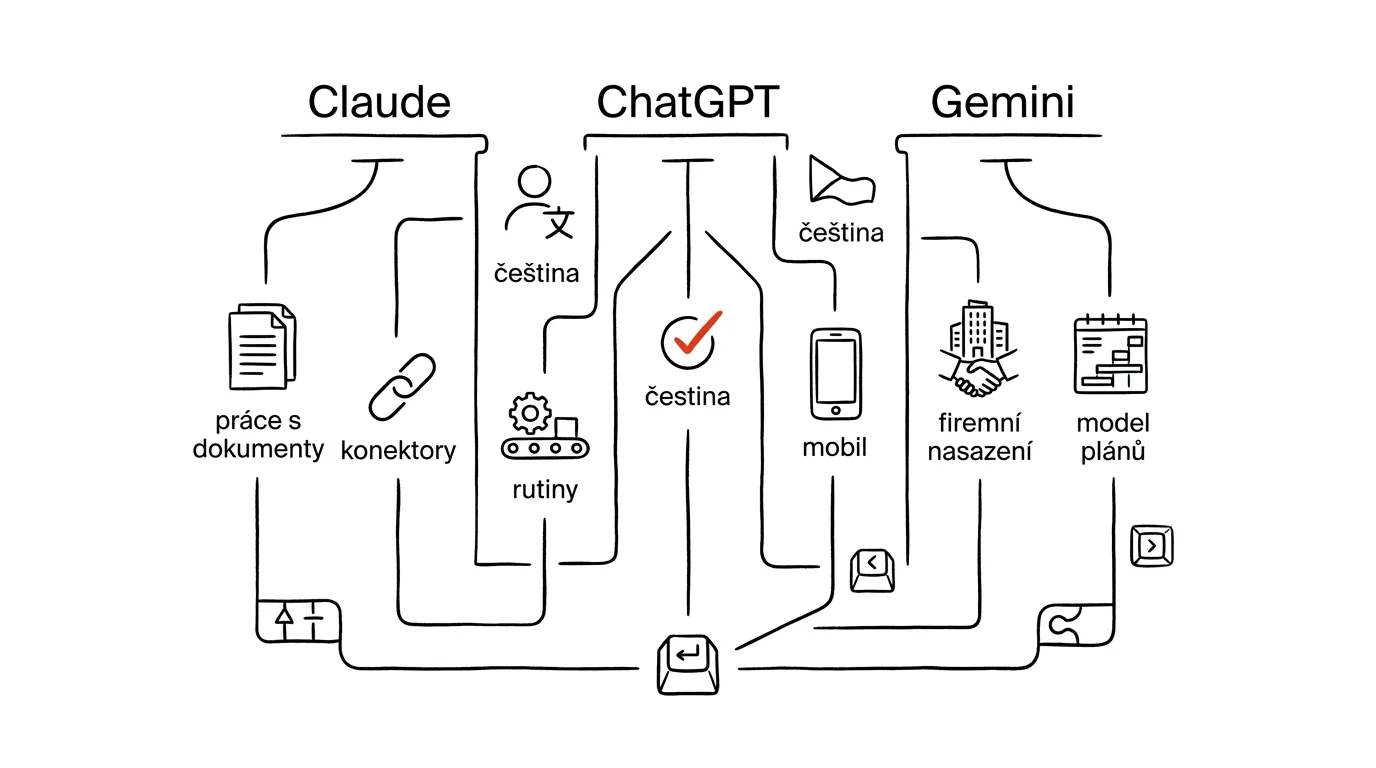
This is a comparison across seven criteria, not a ranking. For each tool you'll find where it genuinely excels, where it falls short, and who it suits — followed by a summary table, a decision guide for eight typical situations, and finally the most common mistakes people make when choosing. If you're brand new to AI, start with your first AI conversation instead and come back here once you know what you actually want from a tool.
How we compared
Full disclosure first: this site runs on Claude. Its author uses it to manage content, generate source material, and automate the routine work around publishing. Leaving that unsaid would make the whole piece suspect. A preference doesn't mean the other two are worse — it means one specific person has a specific working pattern that one specific tool happens to fit. Your pattern might be different, in which case a different tool wins. In the ChatGPT and Gemini sections you'll find things they're demonstrably better at, and those aren't polite concessions.
We compare seven criteria, chosen for what actually matters to people in practice, not for what benchmarks happen to measure well.
Czech-language quality. Not “does it speak Czech” — all three already do. This is about the quality of longer, continuous text: whether the output reads like something a person wrote or like a translation from English, whether it holds up grammatically across complex sentences, whether it slips into English word order, and whether it can handle more specialized vocabulary.
Document handling. How much it can read at once, how reliably it sticks to the uploaded source instead of its own impressions, how it handles scans and photos, and whether it can return output as a file.
Connectors and integrations. Whether the tool can see directly into your mail, calendar, cloud storage, and business systems, or whether you have to copy everything in by hand. This is by far the most underrated criterion — covered in depth in the explainer on connectors and MCP.
Routines and automation. Can the tool run a task on a schedule without you? Can it reach your data while doing so? And can the output land somewhere you'll actually see it in the morning?
Mobile and voice. How usable the app is on the go, how good Czech dictation is, and whether there's a fluent voice mode.
Business deployment. Whether a team or enterprise tier exists, how user management works, how data is handled, and whether you can guarantee that business inputs aren't used for training.
Price. No numbers — any figure here would be out of date before you finished reading. We only describe the shape of the plans. Always check current pricing straight from the source: Claude pricing, ChatGPT pricing, Google AI pricing. Prices and plan contents change several times a year — never buy based on an article, including this one.
One last note on how current this is. This piece reflects the state of things in August 2026. All three ship major changes on a scale of months, so treat specific model names as a rough reference point, not a fact that'll still hold next year. What ages slowly is the character of each tool — and that has changed far less over the past two years than its version numbers have.
Claude
Claude, from Anthropic, is the tool that tries hardest to be a colleague for long text and files, rather than a universal portal for everything. Its model line has three tiers: Haiku for quick, small tasks, Sonnet as the default working model, and Opus for heavy lifting. As of mid-2026, Sonnet 5 is the default model across plans, with the stronger Opus available on paid plans and set as the default on the top tier.
Where it excels. Long-form Czech text — and here we're talking about a difference you can actually see. Across continuous material running dozens of pages, Claude holds its tone, doesn't repeat itself, and doesn't slide into that recognizable “AI filler” made of phrases about being “key” and “comprehensive.” The second strength is file handling. Claude Cowork is a desktop mode where Claude works over an entire folder: it reads what's in it, edits, renames, produces new files. It's not a chat you upload something into — it's work done directly on your drive. The third is programmability without programming: Claude Code reaches into files, runs scripts, and works with git, so even a non-technical person can gradually build their own small automations.
Claude approaches connectors through MCP, an open standard the other two have since adopted as well. In practice that means a directory of one-click connectors (Gmail, Calendar, Drive, Notion, Slack, and more) plus the option to hook up your own MCP server to a company system. Routines — scheduled tasks that run on their own — have access to the same connectors, tools, and capabilities in Claude as a regular conversation does. That combination is exactly what turns Claude into a tool that goes through your mail at six in the morning and drafts replies; the how of it is covered in the guide on routines over mail and calendar.
Worth mentioning among the rest: Projects (persistent context where you drop in source material and instructions once, without repeating them), Artifacts (mini-apps built right inside a conversation — a calculator, a dashboard, a simple tool), subagents in Claude Code, deep research with citations, and the Claude extension for Chrome, where an agent drives the browser under human supervision. Since spring 2026 the lineup also includes add-ins for Word, Excel, and PowerPoint (Outlook in beta) — Claude runs as a sidebar directly inside Microsoft 365, not just as a connector, sharing context across the apps.
Where it falls short. The surrounding ecosystem is the smallest of the three. No image or video generation, no dedicated search engine. The mobile app is usable but spare compared to the competition — voice mode isn't as fluid, and it's missing small conveniences people are used to from other apps. And last: anything interesting — custom connectors, routines, Cowork — requires a paid plan. The free tier is more for trying it out than for actual work.
Who it's for. People whose work is largely text and files: analysts, lawyers, editors, consultants, academics, project leads. And anyone who wants AI to actually do things on a schedule, not just answer questions.
ChatGPT
ChatGPT is both the most widely used and the broadest of the three. The GPT-5.6 model line arrived in summer 2026 in several variants, from the strongest through balanced to the cheapest, and the interface can switch between them automatically based on how demanding your query is — plus a slider that lets you say how hard the model should work on its answer.
Where it excels. Breadth. Text, images, voice, graphics generation, data analysis with its own running code, web browsing, an agent mode that walks through websites and handles something on your behalf — all in one window, with no switching tools. If you need a single app that covers ten different kinds of tasks, this is it.
The second strength is voice. ChatGPT's voice mode is the most fluid of the three and usable enough in Czech to hold a real conversation while walking or driving — which changes work habits more than you'd expect when it comes to capturing thoughts and dictating drafts. Voice recently learned to work with files and Projects too, so you can pick up work in progress by talking.
Third is the extension ecosystem. Custom GPTs (tailored assistants with their own instructions and knowledge) have a massive user base and exist for practically everything. Connectors to Gmail, Calendar, Contacts, and Drive are native, and 2026 added write actions — so ChatGPT no longer just reads documents, it can create and edit them too. On the business tier that's followed by connectors into enterprise systems like SharePoint, Salesforce, ServiceNow, or data warehouses, with write operations disabled by default until an admin turns them on. Scheduled tasks got their own overview page in 2026 and can reach connected apps, so there's a version of “go through my mail every morning” here as well.
Where it falls short. The interface is the most overgrown of the three — there are so many features that an average user will never find half of them, and the naming keeps shifting (connectors got renamed to apps and moved into an add-on directory). Czech in long, continuous text tends to read a notch less naturally than Claude's; for messages and summaries it doesn't matter, but you'll notice it in text meant for publication. And a wider range of features means a wider surface for something to go wrong — an agent mode that browses the web on its own and clicks where it shouldn't is convenient right up until the moment it isn't.
Who it's for. People with varied work who want one tool for everything: marketing, sales, support, small businesses without IT, anyone who works a lot by voice or needs images and data alongside text. And anyone who wants the reassurance that a guide already exists for their problem — the community around ChatGPT is the largest.
Gemini
Gemini, from Google, is strongest wherever you already live inside Google. The Gemini 3 model line offers a fast default model for free, with a daily allowance of the stronger one, and full access to the stronger model on paid plans.
Where it excels. Integration into Workspace. Gemini isn't a separate app you additionally open — it's a sidebar inside Gmail, Docs, Sheets, Slides, Drive, and Meet. You write an email and Gemini rewrites it right beside you. You're sitting in a spreadsheet and ask about a formula without leaving the sheet. You're on a call and Gemini takes notes from it. No external connector can match this, because it's not about access to data — it's about being present exactly where the work happens.
The second strength is context drawn from Google as a whole. The assistant has a standing view of your mail, calendar, chat, and Drive, so you don't have to re-explain which projects are running in every conversation. Gems are Google's version of custom assistants: describe a role and its knowledge once, then reuse it. Scheduled actions can run a task on a timetable — a morning calendar overview, a Friday summary, a recurring brainstorm.
Third is research and multimodality. Deep Research goes through sources and returns a structured summary with links. Image and video generation are among the best on the market and included with the subscription. And on Android, Gemini is the system assistant, which means the best availability right from your phone — hold the button and talk, without opening anything.
NotebookLM, from the same stable — renamed Gemini Notebook in mid-2026, though it's functionally still the same tool — deserves a special mention. It isn't a chat competitor — it's a different kind of tool: it answers exclusively from the sources in the notebook, and that's its main strength. For studying, legal research, or working with internal documentation, that property is worth more than any amount of creativity.
Where it falls short. Outside the Google ecosystem it loses most of its edge — if your mail runs on Microsoft and your documents live on SharePoint, Gemini is just another chat. The quality of longer Czech text is solid but the least consistent of the three; you won't notice a difference on short pieces, but you will on multi-page material. Connecting to systems outside Google is its weakest chapter. And the plan lineup is confusing: some features hang off a consumer subscription with cloud storage, others off business Workspace, and you only find out exactly what you have after signing in.
Who it's for. Businesses and individuals on Google Workspace, Android users, people who work a lot in Docs and Sheets, and anyone who routinely needs images and video alongside text.
Comparison table
The values are deliberately descriptive, not numeric — a numeric score would fake a precision this discipline doesn't have.
| Criterion | Claude | ChatGPT | Gemini |
|---|---|---|---|
| Czech in short text | excellent | excellent | excellent |
| Czech in long text | most natural | very good, slightly translated-sounding | good, less consistent |
| Working with long documents | very strong, sticks to the source | strong | good, wavers on very long ones |
| Working with files on disk | yes, desktop mode over a folder | limited, via upload | via Drive, not local |
| Connectors to mail and calendar | yes, open MCP standard | yes, both native and business | tightest inside Google, weak elsewhere |
| Connecting business systems | custom MCP server | wide range of connectors | primarily Google, otherwise limited |
| Scheduled routines | yes, with full access to tools | yes, with access to apps | yes, narrower scope |
| Custom assistants | Projects | custom GPTs | Gems |
| Research with citations | yes | yes | yes, strong |
| Image and video generation | no | yes | yes, top of the market |
| Mobile app | spare | most mature | best on Android |
| Voice mode | basic | most fluid | very good |
| Integration into document editors | yes, add-in for Word, Excel, PowerPoint | no, only via connectors | yes, sidebar |
| Business tier | Team and Enterprise | Business, Enterprise, Edu | Workspace add-on |
| Plan structure | free, paid personal, higher personal, team, business | free, paid personal, higher personal, business, education | free, several personal tiers, business via Workspace |
| Usable for real work for free | for trying it out | partially | partially |
Choose based on your situation
This is the core of the whole article. Find the sentence that describes you, and you have your answer.
You write a lot in Czech, in long form — articles, analyses, reports, reviews. Claude. The gap in naturalness of continuous Czech text is the one criterion where there's a genuinely visible difference, and it shows up exactly on material longer than two pages. Verify it yourself with the test below, because this is subjective and your ear may hear something different.
You live in Google Workspace: mail, Docs, Sheets, Meet. Gemini, even if another tool would write prettier sentences. A sidebar right inside the document saves more time than a nicer phrase you have to click somewhere else to get. The business Workspace add-on also handles user management and data handling under a contract you already have.
You want routines that go through your mail on their own and draft replies. Claude or ChatGPT — both can do it, and the difference is in character. Claude's routines are wired into its full toolset and tune better to more complex scenarios. ChatGPT has clearer management of scheduled tasks and a wider range of connected apps. Whichever you pick, one hard rule applies: a routine is allowed to prepare — only a human sends.
You need one tool for everything, including images, data, and voice. ChatGPT. Breadth is its main asset, and for someone who doesn't want to manage three subscriptions and three interfaces, it's the most sensible choice.
You work mostly from your phone and talk a lot. ChatGPT if you have an iPhone. Gemini if you have Android — system integration there means you can summon the assistant without hunting for an icon.
You're studying or doing research and can't afford to make anything up. NotebookLM for the material you already have, plus any regular chat for phrasing. NotebookLM answers only from the sources you upload, so the risk of a fabricated citation drops close to zero. Use a regular chat only for what still needs to be written — and check citations either way, as covered in the guide on fact-checking.
You run a business with sensitive data and need to defend the choice to your lawyer. Any of the three, on its business tier — never the free one. Decide based on where you already have a contractual relationship and where they can confirm data handling and confirm your business inputs are excluded from training. Technical superiority is secondary here — the contract and user management are what decide it.
You want to automate your own work with files, spreadsheets, and scripts, but you're not a developer. Claude. The desktop mode over a folder, plus its tool for working with files and scripts, is the most direct route from “I do this by hand every week” to “this just runs on its own” for someone with no programming background.
You don't actually know what you need. Start with the free version of ChatGPT or Gemini and spend a month writing down what you actually used it for. Pick a paid plan based on that. Deciding before you know what you'll be doing is just guessing.
You can have more than one
The choice isn't for life, and it definitely isn't exclusive. All three have a free tier good enough to try out — run your own test before you start paying.
The fastest way to compare Czech-language quality is to give all three the same task on the same material and read the results side by side. Use a real text of yours, not a sample off the internet.
You're an experienced Czech-language editor. Below is my text.

Edit it so it's clearer and shorter, but keep my tone
and every fact. Don't add anything that isn't in the text.
Avoid generic filler like “key,” “comprehensive,”
“in today's world.”

Return three things:
1. The edited version.
2. A list of five changes you made, and why.
3. Two spots where you're unsure of my intent, with a question for each.

Text:
[paste your own text, ideally 300–600 words]
Read the outputs out loud. Whichever one trips up your tongue the least, and makes you think “I wouldn't have written it that way” the least often, is yours. Watch out for the trap: don't judge by which output sounds smarter, but by which one sounds like you.
The second test is about working with a source, and it exposes the most dangerous trait — a willingness to fill in what isn't actually in the source.
Read the attached document and answer strictly from it.

Answer these questions:
1. [a question the document does answer]
2. [a question the document does NOT answer]

For each answer, state which part of the document it's based on.
If the answer isn't in the document, write exactly:
“That's not in the document.” Don't infer and don't fill in from general knowledge.
A tool that honestly says the second question isn't answered in the document has earned some trust. One that invents a plausible-sounding paragraph hasn't earned it even for the first question.
Combining two tools makes sense more often than it seems. A typical pair: Gemini as part of Workspace, since you're paying for it anyway, plus Claude or ChatGPT for work that falls outside Google. Or the reverse — one paid plan plus a second tool's free tier as a second opinion; having the same text judged by two models is a cheap way to catch a weakness the first one would miss. This practice is developed further in the guide on AI as your opponent.
The most common mistakes when choosing
Choosing based on benchmarks. Tables full of percentages measure capabilities that have nothing to do with your work. A model that's two points better at math olympiad problems won't write you a better meeting summary. Decide based on your own test on your own material.
Choosing based on the newest model. Anyone who switches tools every time a new version ships spends more time migrating than working. Differences between generations have shrunk over the past year; differences in how well a tool fits into your day have stayed the same.
Testing only simple things and judging by that. “Write me a poem about coffee” is handled identically by all three, so that test settles nothing. Give them a real task from your work — the most annoying one you do every week.
Ignoring integrations and deciding based on writing alone. The single most common mistake. A tool that writes a shade better but can't see your mail loses to one that writes worse but can. Copying data back and forth eats up more time than a nicer sentence saves.
Dumping sensitive data into the free tier. Health records, salaries, client personal data, non-public contracts — none of that belongs in a freely available chat without contractual data protection. In a business setting, sensitive data belongs strictly on a paid account with a contract, and if it can be anonymized, anonymize it.
Trusting output without checking it. All three occasionally make things up, and confidently at that. Always verify names, numbers, citations, statutes, and links, regardless of which tool wrote them. The difference between tools is how often it happens, not whether it happens.
Giving AI the authority to act. Sending emails, payments, deleting files, canceling meetings — a human approves these, across all three tools, no exceptions. Agent modes are tempting, but saving twenty seconds isn't worth a single email that shouldn't have gone out.
Pro tip
Once you've decided, do one more thing almost nobody does: write down, on paper, the three tasks you're paying for, and check a month later whether you're actually doing them. The most common reason people cancel a subscription isn't a bad tool — it's that they never built the habit of opening it. A tool you launch once a week is expensive no matter what it costs.
And one final rule that will outlast every future model version: the choice of tool decides five percent of the outcome; how you prompt it decides the other ninety-five. Someone who can write a good prompt and check the output will get better work out of the worst of the three tools than someone who types “write me something about this” into the best one. So invest more time in how you ask than in whom you ask — and keep the final say for yourself, no matter which tool you're using.
Want to go deeper? The handbook has a whole chapter on it — The app categories that matter.
Similar tips
Batched notifications: a summary instead of a drip
iOS and Android can both hold non-urgent notifications and deliver them as a summary at times you choose. Your phone stops yanking at your attention.
Open a QR code from a screenshot without a second phone
You can't scan a code on your own screen with the camera. But you can hold your finger on it in Photos, or open it through Google Lens.
Share your Wi-Fi password without reading it out loud
iPhone offers to share the password automatically as soon as someone nearby tries to connect. Android generates a QR code that scans and connects.
Common questions
Which AI tool is best?
For ninety percent of everyday work — summarizing an email, tightening a paragraph, explaining an error message — the difference between Claude, ChatGPT, and Gemini is unnoticeable. What decides is the remaining ten percent: whether the tool sees into your files, can run on a schedule, how it writes longer Czech text, and whether it fits the environment you already work in.
How do the three tools actually differ?
Claude is strongest at long-form Czech text, working over a folder of files (Cowork, Claude Code), and routines with full connector access. ChatGPT has the widest range — images, voice, data, an agent mode in one window — and the most fluid voice mode. Gemini shines with its side panel right inside Gmail, Docs, and Sheets; outside the Google ecosystem it loses most of its edge.
How do I choose without relying on benchmarks?
With your own test on your own material: give all three the same real task and read the outputs aloud — yours is the one that sounds like you, not the one that sounds smarter. Second test: upload a document and ask a question it doesn't answer. The tool that honestly says “that's not in the document” deserves your trust.
Is it worth paying for two tools at once?
More often than you'd think. A typical pair: Gemini as part of Workspace you're paying for anyway, plus Claude or ChatGPT for the work that sticks out of Google. Or one paid plan and a second tool on the free tier as a second opinion — having the same text reviewed by two models is a cheap way to catch a weakness.
Can I put company data into the free tier?
No — health records, salaries, clients' personal data, and non-public contracts don't belong in a freely available chat without contractual data protection. In a business setting, sensitive data belongs strictly in a paid account with a contract, and anonymize whatever can be anonymized.
How much does the choice of tool actually matter?
The tool choice decides about five percent of the result; how you write the prompt decides ninety-five. Someone who writes a good brief and checks the output gets better work out of the worst of the three than someone who types “write me something about that” into the best. And all three occasionally make things up — the difference is how often, not whether.
Was this helpful?
Liked this tip?
I send one like it every week by email. Two minutes to read, hours saved.
The Top 30 tips e-book, free — it lands in your inbox right away.
Then 1 tip a week · no spam · unsubscribe in one click
Prefer a system to single tips? The free email course — seven days, seven emails, one skill a day.