Tips & tricks · AI · Everywhere · ~a calm signature · 22 min read · in-depth guide, doing it ~2 h
A contract before you sign: let AI find the catches
Last reviewed:
In this article
- A typical scenario
- Phase 1: before you upload anything
- Phase 2: mapping the contract
- Phase 3: risk analysis with cited clauses
- Phase 4: five everyday contract types
- Phase 5: comparing two offers
- Phase 6: questions for the other party
- Phase 7: when to see a lawyer
- The most common mistakes
- The best tools
- What you get out of it
- Pro tip
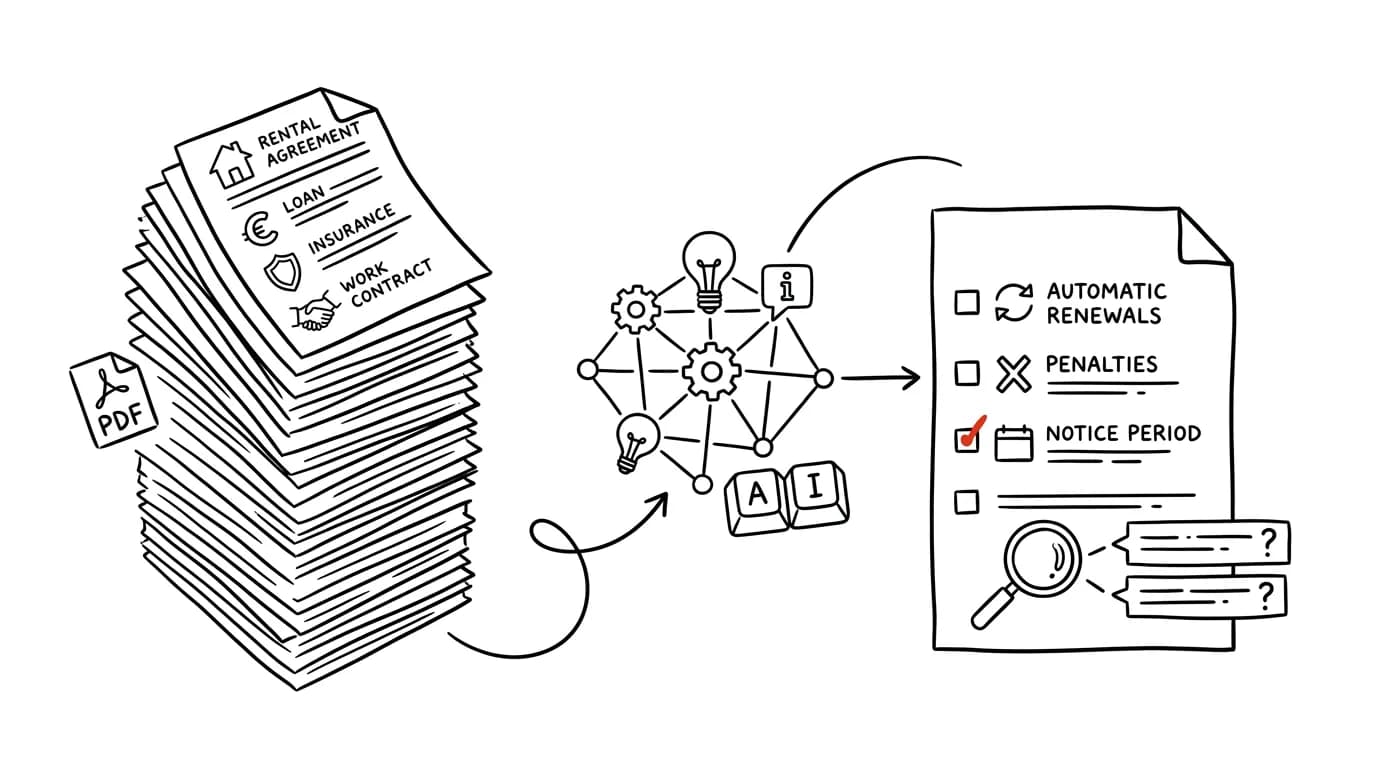
Contracts get signed in the worst frame of mind. You've been apartment-hunting for three weeks, the bank is waiting on an answer, the new job starts Monday — and in front of you sits fourteen pages of text you lose focus on after the second paragraph. Most people deal with that by skimming it and signing. AI won't tell you whether to sign. What it can do is pull out exactly the passages that are hardest to read and hurt the most — auto-renewals, penalties, one-sided changes, notice periods — and turn them into concrete questions you take to the other party or to a lawyer.
This guide walks you through the whole process: what to strip out of a contract before you upload it anywhere, a risk analysis that cites the exact clause behind every finding, an email for requesting changes, and a one-page brief worth bringing to an attorney. The prompts are written to be copied straight in — just fill in the brackets.
One rule governs this whole guide, and it's worth accepting before you open the first chat: AI is an attentive reader, not your legal representative. It doesn't know your situation, carries no liability, and holds no license. Everything it returns is an input to your own judgment — a hypothesis to verify, never a conclusion. Where real money or a years-long commitment is at stake, this guide ends at the attorney's door. The difference is that you arrive with five specific questions instead of a stack of paper.
A typical scenario
Tom is thirty-one, works as a freelance graphic designer, and after a month of searching finally landed an apartment. The landlord sent him the lease on Friday afternoon with a note that they'd sign on Monday. Fourteen pages, small print, two appendices. The classic scenario goes like this: Tom skims the text on Saturday, dozes off around page seven, signs on Monday, and spends the next year hoping for the best.
Instead, he spends forty minutes on Sunday morning. First he strips his ID number, account number, and the landlord's name out of the PDF, then has it produce a clause-by-clause summary, and finally a risk analysis written from the tenant's side. The result is nine findings, each with a clause number and a verbatim quote of the sentence in question.
Four of them are worth discussing. A one-year fixed term with automatic renewal unless the tenant gives written notice three months in advance — a deadline that's easy to miss in practice because nobody writes it down anywhere. A deposit worth three months' rent, but the contract is missing a sentence about when and how it gets returned and what can be deducted from it. A penalty of 500 Kč for every day a payment is late, with no cap at all — during a two-month income gap, that turns into an amount bigger than the rent owed. And a clause letting the landlord unilaterally raise the rent “in line with price developments,” with no defined mechanism and no limit.
Tom didn't send a legal analysis. He sent six politely worded questions in a single email, each with one sentence explaining why he was asking. The landlord fixed two things himself — a cap on the penalty at one month's rent, a fourteen-day deadline for returning the deposit — and for the rent increase added a reference to the official inflation index, capped at once a year. He didn't want to change anything about the automatic renewal, so Tom set a calendar reminder for three months and a week before the fixed term ended. He signed on Monday, as planned. The difference isn't that he landed a contract worth tens of thousands more. The difference is that on the four points that could have hurt him, he knows exactly how they're set up.
Phase 1: before you upload anything
A contract is one of the most sensitive documents you'll ever sign. It contains your ID number, address, account number, often your income, health information on insurance policies, and salary figures on employment contracts. This phase takes ten minutes and isn't optional.
Anonymizing: what to remove and what has to stay
The rule is simple: a risk analysis doesn't need your identifying details. The model is assessing how the sentences are constructed, not who's signing under them. Delete or replace:
- national ID numbers, and passport or driver's license numbers (replace with “TENANT ID”);
- bank account numbers, payment references, contract numbers, and client numbers;
- first and last names of both parties, including company officers (replace with “TENANT,” “LANDLORD,” “BANK,” “EMPLOYER”);
- your home address and the exact address of the contract's subject (“one-bedroom apartment, [city], 4th floor” is enough);
- health information from insurance questionnaires, unless it's the subject of your question;
- contact details, signatures, and scanned ID documents in the appendices.
On the other hand, leave in everything that carries legal weight: amounts, deadlines, percentages, clause numbers, references to statutes, appendices, and links to terms and conditions. Without those the analysis doesn't mean anything. Feel free to leave exact figures in place — the number “rent: 16,500 Kč” on its own, without a name or address, doesn't identify anyone.
And then there's the rule that applies everywhere on this site: sensitive documents belong only in a paid or business account with contractual data protection, never in a freely available chat where you don't know what happens to your file. Anonymizing is a second layer, not a replacement for the first one.
I'm attaching a contract. Before I start analyzing it, I need to
know what to strip out of it first.

Go through the text and list every piece of personal or
identifying information it contains, in a table:
columns: item | where in the document (clause, page) | type (ID
number, account number, name, address, health information, other)
| what to replace it with so the text stays readable

Separately list any items that repeat in more than one place in
the contract (typically name and address), so I don't miss an
occurrence.

Don't analyze or evaluate anything yet. Just the list to remove.
You'll get back a map of personal data, including things you'd have missed — most often the name in the header of every page and an account number tucked away in the payments clause. One catch: if you upload the contract for this check in the first place, you've already uploaded it. So this prompt mainly makes sense when you're working in an account with contractual data protection and want an anonymized version to share further, or when you're anonymizing by hand and want to confirm nothing slipped through.
Scan, photo, PDF: what the model actually reads
Contracts arrive in three forms, and each one has a different level of reliability. A text-based PDF (exported from Word) is the best case — the text gets read exactly as written. A scanned PDF or a phone photo is an image, read through text recognition: a clean scan works well, but a crooked, poorly lit, or small-print one leads to mixed-up digits and mangled accented characters. That's dangerous precisely on contracts, where it matters whether a deadline is 3 days or 8.
The fix takes two minutes. Before you start analyzing, have it transcribe one dense page verbatim and compare it against the original.
Transcribe the content of page [number] of the attached document
word for word, character by character. Don't summarize, don't
fix formatting, and don't correct typos — I want to see exactly
what you're reading in the document.

Wherever you're not sure of the reading (blurry, crossed out,
an unclear digit), write [UNREADABLE] at that spot and keep
going. Pay special attention to numbers, amounts, and deadlines.

At the end, tell me how good the scan quality is and whether
I can trust it for numeric values.
If more than a couple of spots come back unreadable, get a better copy — or at least verify by hand, against the paper original, every number you're going to rely on. This step looks pointless right up until the day a model reads “30 days” as “3 days.”
Context you have to supply
An analysis written from the tenant's side looks different from one written from the landlord's side — and you need your own. Before you ask the first question, say in three sentences: who you are in the relationship, what you expect from the contract, and what you're worried about. Without that, you'll get a generic essay on the risks of contract law.
If you sign contracts often — typically as a freelancer — it's worth setting up a project with persistent context where you store your standard terms: what payment period you'll accept, what cap you require on penalties, what you never sign. Every new contract then gets assessed against that, not against some generic average.
Phase 2: mapping the contract
Before you start hunting for risk, you need to know what's actually in the contract. This phase gives you the document in a form you can hold in your head: what each part does, where things are written, and what those sentences mean that you've read three times and still don't understand.
A clause-by-clause summary
The goal is one page instead of fourteen — with clause numbers, so you can always jump back to the original.
I'm a [tenant / employee / borrower / policyholder / contractor],
and I'm attaching a contract I'm supposed to sign.

Turn it into a structured summary:
1. In one sentence: what the contract is about and what each
   party is promising the other.
2. A table of key parameters: what (amount, deadline, term,
   penalty, notice period) | specific value | clause where it's
   found
3. A clause-by-clause walk-through: one sentence per clause on
   what it does. Keep the numbering from the document.
4. A list of every document the contract refers to that I don't
   have in hand (terms and conditions, price list, fee schedule,
   appendices, insurance terms) — for each one, note what it's
   supposed to cover according to the contract.

Don't judge yet whether anything is favorable. Just describe
what's there. Cite the clause for every item, so I can find it.
You'll get back an overview you can actually work with. Point 4 is usually the biggest surprise: a two-page contract often refers to forty pages of terms and conditions that are just as binding, and that's often where the interesting part is. Request the documents from point 4 before you sign — and analyze them the same way. More on working with long documents in the tip a summary with page numbers.
Plain-language translation
Legalese comes in two flavors: complicated (a sentence that runs ten lines) and deceptively simple (a sentence you understand, but that means something other than what you think). The same prompt works on both.
Here's a passage from the contract that I don't understand:

[paste the exact wording]

Do three things:
1. Translate it into plain everyday language, the way you'd
   explain it to a friend over coffee. Five sentences is fine.
2. Describe a concrete situation where this sentence would
   actually apply — who does what, and what it means for me.
3. Show how the same thing would read if it were worded in the
   other party's favor, and how it would read worded in mine,
   so I can see where on that scale this sentence actually sits.

Where the wording is ambiguous and can be read two ways, give
both readings and mark which one is worse for me.
Point 3 is the useful one. It shows that a sentence that sounded neutral is actually tilted in one direction — and hands you wording you can ask for right away. The last paragraph catches a classic problem: in a dispute, ambiguous wording tends to get interpreted however suits whoever has the better lawyer.
Phase 3: risk analysis with cited clauses
This is the core of the whole guide. The difference between a useful analysis and a useless one comes down to one thing: a fixed list of categories, plus a mandatory quote of the exact sentence involved. Without the list, the model picks whatever catches its attention at the moment. Without the quote, you have nothing to verify and nothing to show the other party.
The main prompt
I'm a [tenant / employee / borrower / policyholder / contractor].
I'm attaching the contract I'm supposed to sign, along with any
terms and conditions it refers to.

Do a risk analysis from MY position. Go through these eight
categories one by one and list what the contract says under each:

1. Term and automatic renewal — how long am I committing, does it
   renew itself, by when and in what form do I have to opt out
2. Termination — who can terminate, on what grounds, with what
   notice period, and is it the same for both sides
3. Penalties — fines, late-payment interest, fees: how much, for
   what, and is there a cap
4. Unilateral changes — can the other party change the terms,
   prices, or the documents the contract refers to, and what can
   I do about it
5. Security — deposit, guarantee, promissory note, lien, frozen
   funds: what am I putting up, and under what conditions do I
   get it back
6. Liability — what am I liable for, up to what amount, and is my
   liability capped the same way the other party's is
7. Dispute resolution — arbitration clause, court jurisdiction,
   mandatory mediation
8. References to other documents and their versions — what I'm
   bound by without having it in hand

For EVERY finding, give, in this order:
- the clause number and a verbatim quote of the sentence (in
  quotation marks)
- what it means for me, in one sentence
- risk level: low / medium / high, and why
- what I'd want it to say instead

For any category the contract says nothing about, write that
explicitly as “the contract is silent on this” — that's
information too.
Don't make anything up: if you're not sure about a quote, say so.
This is the longest prompt in the guide, and it's worth running all at once rather than piecemeal — the categories reinforce each other, and in a single pass the model is better at noticing that the penalties in point 3 connect to the termination terms in point 2.
What to check: find every quote in the document itself. Models can quote precisely, but they can also rephrase a sentence just slightly, and the difference between “may” and “must” is the whole difference. Verifying quotes follows the same discipline as verifying facts — see fact-checking with AI. The second check is on the risk scale: models tend to flag a perfectly ordinary clause as high risk. Treat the ratings as a ranking, not a verdict.
What's missing from the contract
Silence is often more dangerous than a paragraph in small print. A missing sentence about returning the deposit, a missing cap on a penalty, a missing description of what happens with early termination — in a dispute, all of that gets filled in by interpretation, and interpretation usually goes against whoever didn't write the contract.
I'm attaching a [lease / employment / loan / insurance /
service] contract, and I'm in the position of [role].

I'm not interested right now in what's in it, but in what's NOT
in it. List the things that are normally covered in this type of
contract and are missing from mine, or only partially covered.

For each one, write:
- what specifically is missing
- in what situation it would actually hurt me (describe it
  concretely)
- how that missing sentence could be worded if I asked to have
  it added

Rank them from the one most likely to cause me the biggest
problem. At the end, list things the contract does mention, but
so vaguely that it's impossible to tell what actually applies.
You'll get a list that's often more valuable than the analysis of what's actually written in the contract. The last paragraph catches phrases like “within a reasonable time” or “in the customary manner” — they look harmless, and in practice mean whatever the other party decides they mean.
Non-standard clauses
One last pass: what's unusual for this type of contract. A model has ingested a huge volume of text, and spotting “this isn't standard practice” is something it's actually good at.
I'm attaching a [type] contract, and I'm the [role].

The question is: which clauses are unusual for this type of
contract, unusually strict, or significantly one-sided against
my interest?

For each one:
- the clause number and a verbatim quote
- why it's unusual (what's standard in this kind of contract
  instead)
- how much this could realistically hurt me

Pay special attention to asymmetry: places where one side has a
right the other doesn't — a different notice period, a
one-sided right to change terms, penalties that only run one
way, liability limits that apply only to the other party.

Don't give me a general lecture on contract law — I want
findings from this specific document.
Asymmetry is the single most useful lens you can apply to a contract. The question “why do I have a three-month notice period here while the other side only has fourteen days?” can be asked politely, and it's hard to dodge.
Phase 4: five everyday contract types
The categories from the previous phase work everywhere. But each contract type has its own places where things typically break down — and it's worth asking about those separately.
Lease agreements
The most common contract people sign in a hurry. Watch for: the fixed term and its renewal mechanism, the deposit amount and the conditions for returning it, who pays for which repairs and above what amount, how utility advance payments get settled, restrictions (subletting, pets, guests), whether and how rent can be raised, and the apartment's condition at handover. A move-in checklist with photos is the cheapest insurance against a deposit dispute — and if it isn't mentioned in the contract, it's the first thing you should ask for.
I'm attaching a residential lease; I'm the tenant.
Context: [one-bedroom apartment, one-year fixed term, deposit of
3 months' rent, planning to stay at least 3 years, I have a cat].

Go through it from the tenant's point of view and give me, with
clause citations:
1. How renewal is handled and what I have to do to stay in the
   lease — and what to do to exit it. Give me specific dates for
   what I need to do by when, counting from [signing date].
2. Deposit: amount, when and how it's returned, what can be
   deducted from it, is there a deadline for the return
3. Repairs and maintenance: what I pay for, what the landlord
   pays for, where the line is
4. Utilities and advance payments: how they're set, when they're
   settled, what happens if there's a shortfall
5. Rent increases: can it happen, by how much, how often, based
   on what
6. Restrictions and prohibitions that apply to me
7. Handover: does the contract include a checklist and a
   condition report

At the end: five things missing from this contract that should
normally be covered in a lease.
Point 1, with specific dates, is the part you should move into your calendar immediately. A “three months in advance” deadline is dangerous precisely because it's counted backward from a date that, in your head, feels like a distant future.
Loans, mortgages, and leasing
This is where the biggest money and the longest commitment are. The key is not comparing the monthly payment, but the total amount you'll pay and the conditions for getting out of the contract. Watch for: the interest rate and whether it's fixed or variable, and for how long; the APR, which folds in fees too; early-repayment terms and their cost; fees for account maintenance, changes, and reminders; bundled products (insurance, a bank account, a card) without which the advertised rate doesn't apply; and what happens if a payment is late.
I'm attaching a loan agreement and the fee schedule. I'm the
borrower. Principal: [amount], term: [number of years].

Give me, with clause citations:
1. Interest rate: level, fixed or variable, how long it's locked
   in for, and what happens once that period ends
2. The total amount I'll pay if I stick to the repayment
   schedule — and whether the contract actually states it
3. Every fee that could apply to me, including anything in the
   fee schedule: what for, how much, one-time or recurring
4. Early repayment: can I, under what conditions, what does it
   cost
5. Conditions I have to keep meeting for the offered rate to
   apply (bundled insurance, an account, a minimum deposit) —
   and what happens if I stop meeting them
6. What happens after one missed payment, and after repeated
   ones: penalties, acceleration, further steps
7. Can the lender unilaterally change rates or fees?

At the end, give me five questions my loan officer has to
answer before I sign this.
For a loan, always verify two numbers by hand: the total amount paid and the cost of early repayment. Those are the two that tell you most clearly whether an offer is good. And if the model does any math — don't rely on it. A language model is not a calculator; have it list the inputs instead and recalculate them yourself in a spreadsheet, or have it write a short script.
Insurance policies
With insurance, you're not really buying the policy text — you're buying the policy conditions, the document nobody reads and where the substance actually lives. Three things matter most: what's covered, what's excluded, and how much you pay out of pocket. Exclusions determine whether the policy actually helps in exactly the situation you took it out for.
I'm attaching an insurance policy and its terms and conditions.
Type of insurance: [home / liability / accident / travel /
vehicle]. Context: [apartment in a multi-unit building, a bike
on the balcony, I work from home].

Give me an overview:
1. Exactly what's covered and up to what amount (payout limits
   per item, not just the total sum)
2. Deductible: how much of each claim I pay myself
3. EXCLUSIONS: a complete list of situations where the insurer
   doesn't pay. This is the most important point — go through
   the terms and conditions, not just the policy itself, and
   cite the clause for every exclusion.
4. Obligations I have to meet to be eligible for a payout
   (security measures, reporting deadlines, documentation) —
   and what happens if I don't meet them
5. How the premium changes over time, and whether the insurer
   can raise it on its own
6. Termination: by when and how I can cancel the policy

At the end, describe three specific situations from my context
where this policy wouldn't actually help me, and why.
The last paragraph is the whole point of this prompt. “It wouldn't cover you if the bike were stolen off the balcony, because the terms don't count a balcony as a locked space” is information you'll never get from a marketing brochure. Verify every situation like that directly against the terms and conditions, and ask your insurance agent about it.
Employment contracts
An employment contract itself tends to be short, and the interesting content sits in the documents around it: the compensation statement, internal policies, an agreement on liability for property, a non-compete clause. Watch for the job description and how broadly it's defined (overly vague wording means you can be reassigned to almost anything), the place of work, the probation period, the components of pay and which ones are guaranteed versus discretionary, remote work, overtime, and above all the non-compete clause and its penalty.
I'm attaching an employment contract, a compensation statement,
and [other documents]. I'm starting as [position], start date
[date].

Give me, with clause citations:
1. Job description and place of work — how broadly are they
   defined, and everything the employer could assign me based
   on that wording
2. Probation period: length and how it's set
3. Pay: what's the fixed component and what's variable, what I'm
   actually entitled to versus what's “may be granted,” and who
   decides that
4. Working hours, overtime, remote work: what's in the contract
   and what's pushed into an internal policy that can be changed
   unilaterally
5. Non-compete clause: does it exist, for how long, how broadly
   is “competition” defined, what's the penalty for breaching
   it, and what compensation do I get for complying with it
6. Liability for damages and any agreement on liability for
   company property
7. Anything pushed into a document I haven't actually received

At the end: what's unusually strict for an employee in this
contract.
The non-compete clause is the one part of a standard employment contract worth a professional consultation almost every time — it can lock you out of your entire field for a year. Point 7 is a silent killer: the sentence “details are set by the employer's internal policy” means the other party can later change the very condition you're signing on its own.
Contractor agreements for freelancers
As a freelancer you sign more contracts than anyone, and most often without reading them, because “this is just the client's standard template.” And yet this is exactly where the most easily negotiable clauses live. Watch for: the scope of work and what actually counts as done (acceptance), payment terms and penalties for late payment, how many rounds of revisions are included, when and how rights to the deliverable transfer, confidentiality and its duration, non-compete restrictions, liability caps, and penalty clauses.
I'm attaching a contract from a client; I'm the contractor
(freelancer, field: [field]). The job: [description], fee
[amount], deadline [deadline].

Go through it from my position and give me, with clause
citations:
1. Scope of work: is it clearly defined what I have to deliver,
   and where's the line beyond which it becomes extra billable
   work
2. Acceptance: who decides the work is done and by what
   criteria, by when they have to decide, and what happens if
   they stay silent
3. Revisions and feedback rounds: how many are included in the
   price
4. Payment: due date, any advance payments, what happens if the
   client pays late, can I charge interest
5. License and rights to the deliverable: exactly what I'm
   transferring, when (on delivery, or only after payment?),
   for how long, and where
6. Penalty clauses against me: for what, how much, is there a
   cap
7. Limits on my liability: is there any cap at all, or am I
   liable without limit
8. Confidentiality and non-compete restrictions: for how long
   and how broadly
9. Termination: can I walk away from the contract, and what
   happens if the client cancels the project midway

At the end, suggest three specific changes I should ask for
first, ranked by how much money they could save me.
Point 5 is the one to remember: transfer the license to the deliverable only once payment is complete. It's a one-line change, and it's the strongest leverage you have if a client doesn't pay. Point 2 addresses the other classic problem — acceptance where the client stays silent and the work is therefore never “done.”
Phase 5: comparing two offers
Sometimes you don't have one contract but two: two banks, two insurers, two landlords, two clients. Comparing them in your head doesn't work, because each is written differently and the substance sits in a different place. This is where AI wins outright.
I'm attaching two offers for the same thing: [description of
what it covers]. I'm in the position of [role]. Call the offers
A and B.

Build a comparison table. Rows = the parameters that matter,
columns = A, B, and a third column “which one's better, and why.”

Choose the parameters yourself based on the contract type, but
always include: total cost over the full term, length of
commitment, termination conditions, penalties, unilateral
changes, security requirements, liability. Cite the clause each
value comes from, for both contracts.

Below the table, write:
1. The three most important differences that aren't obvious
   from the table at first glance
2. What A covers that B doesn't address at all, and vice versa
3. If I could take the best of each, what would the ideal
   contract look like — name exactly which offer each piece
   comes from

Don't recommend one of them to me. Show me the differences; I'll
decide myself.
The last sentence is there on purpose. The moment you ask for a recommendation, you get a decision built on criteria the model guessed at for you. Point 3, on the other hand, is the single most practical output of this whole prompt — it's a ready-made list of things to ask for in negotiations with whichever side you prefer.
Two versions of the same contract
A special case: after your feedback, the other party sends you a new version. Never assume that only the things you discussed have changed.
I'm attaching two versions of the same contract: the ORIGINAL
(version 1) and the NEW one (version 2), which the other party
sent me after my feedback.

List EVERY difference between them, don't skip any:
- the clause where they differ
- the original wording (verbatim)
- the new wording (verbatim)
- what this actually changes for me: better / worse / no impact

Split them into three groups:
A) changes I asked for
B) changes I didn't ask for that improve my position
C) changes I didn't ask for that worsen my position, or new
   clauses that weren't in the original version

List group C first, and don't skip anything in it, not even a
minor rephrasing — in contracts, even a single word can change
the meaning.

My original feedback was: [list].
Group C is the whole reason for this prompt. Rewording “within 30 days” as “generally within 30 days” looks cosmetic, and it's actually a change that guts the deadline. This kind of comparison is also the single most reliable task in this whole guide — the model is comparing two texts, not relying on its own knowledge, so it makes very few mistakes. Still: for every change in group C, find both versions of the wording in the documents yourself.
Phase 6: questions for the other party
This is where it's decided whether all the work was worth anything. The output of this analysis isn't a verdict — it's a list of questions. Either the other party answers them and you're clear, or they start dodging — which is also an answer, and a valuable one.
Based on the previous analysis, prepare questions for the other
party.

Context: I'm signing a [contract type] with a [landlord / bank /
future employer / client], I want the relationship to be
[long-term and good / purely transactional], my negotiating
position is [strong / weak — I do / don't have other options].

Prepare 5 to 10 questions. For each one:
- the question itself, worded politely and matter-of-factly,
  ready to send in an email
- the contract clause it relates to
- one sentence on why I'm asking (for my own benefit, not the
  recipient's)
- what a fine answer looks like, and what's a warning sign

Rank them by importance, not by their order in the contract.
Make the first three the ones whose answer I genuinely care
about — I can give up on the rest if I need to compromise.

Don't make it sound like I'm a lawyer. I'm writing as an
ordinary person who read the contract carefully.
The last paragraph matters more than it looks. An email written in pseudo-legal language triggers a defensive reply from a legal department. A matter-of-fact question like “Clause 7.3 has no cap on the penalty — could we add one of one month's rent?” gets handled easily. Ranking by importance also tells you in advance where you can afford to give ground — that's the basis of every negotiation; see preparing for a negotiation.
The email that asks for a change
Write an email to the other party with my feedback on the
contract.

Recipient: [landlord / HR / loan officer / client].
Tone: polite, matter-of-fact, cooperative — I want to sign the
contract, I just need to clarify a few things. No threats, no
legalese, no apologizing for asking.

Structure:
- one sentence saying I'm interested in the contract and want to
  sign it
- [number] specific points, each with: the clause, what the
  problem is in one sentence, and a specific suggested wording
  or question
- a closing with a date by when I'd like to know, so we can
  still sign on schedule

The points I have: [paste the selected questions from the
previous step]. 250 words maximum. Make it clear for each point
what I want from the recipient — an answer, or a change to the
text.
You'll get an email you can send right after reading it. Read the whole thing and adjust it to sound like you — and the site's basic rule applies here too: AI proposes, the person approves. Sending it is always on you, just like signing.
When the other party refuses
A refusal isn't the end. What matters is its shape. “This is our standard, and we don't change it” is a legitimate answer from a large institution, and more of a warning sign from an individual landlord. It's worth asking for the reason — and offering an alternative: if a penalty can't be reduced, a cap might be added instead; if a commitment length can't be shortened, an option to exit on a price increase might be added.
The other party rejected my feedback on these points: [list].
They gave this reason: [quote their response].

For each rejected point, suggest:
1. An alternative that addresses my risk but is easier for the
   other side to accept (a compromise, not a surrender)
2. What I can keep track of outside the contract if I can't get
   the change (a calendar reminder, documentation, photos, a
   saved copy of the correspondence)
3. How serious this risk actually is if I just accept it — and
   what would actually have to happen for it to hit me

At the end, tell me which of these points is serious enough
that I should consider not signing over it.
Point 2 is the gem here. A lot of risks you couldn't negotiate away can still be managed organizationally: a calendar reminder for a three-month-plus-a-week notice deadline, photos of the apartment at handover, a saved email with a promise in writing. Point 3 then brings you back to reality — some of the findings from a risk analysis are theoretical possibilities that will never actually happen to you.
Phase 7: when to see a lawyer
This guide isn't a substitute for legal services, and it can't be. AI doesn't know your situation, doesn't know current case law in fine detail, doesn't spot the connection between two distant paragraphs as reliably as a person, and carries no liability for whatever it advises you. For an ordinary lease or insurance policy, a list of questions is often enough. But there are situations where a consultation is cheap insurance:
- a years-long commitment involving real money (a mortgage, a loan, a lease, buying property);
- personal liability with your own assets, a promissory note, a lien, any form of security;
- a non-compete clause and penalty amounts running into serious money;
- transferring a business, a stake, or intellectual property worth enough that losing it would genuinely hurt;
- anything where a dispute has already started, or where the other party is pressuring you to sign quickly;
- a contract in a foreign language or governed by foreign law.
A decision rule that holds up well: if a mistake would cost you more than an hour of consultation costs, go see a lawyer. And go prepared — an hour spent on five specific points is worth three hours of reading blind, and it costs the same.
I'm taking this contract to a lawyer and have [60] minutes for
the consultation. Prepare me a one-page brief.

Structure:
1. My intent and situation in five sentences (who I am, what I'm
   signing, what I expect from it, what I'm worried about, what
   time pressure I'm under)
2. Seven questions I need answered — the kind where the answer
   would actually change my decision. Not questions I can answer
   myself just by reading the contract.
3. A list of the clauses I want to discuss, with the number and
   one sentence on why — ranked by importance, so we get to the
   essential ones in time
4. What I need to leave with in writing, so I don't have to come
   back to this a year from now
5. Documents I should bring with me

Be concise — I'm printing this on one page.
Where to look for legal help if you don't already have an attorney: students often have access to a free university legal clinic, employees can try their union or a local labor board for employment contracts, and consumers can turn to consumer-protection organizations and hotlines. For insurance and loans, many countries have a financial ombudsman for disputes that have already arisen. Bar associations keep directories of attorneys by specialty — for contracts, it's worth searching by practice area rather than by the nearest address.
One more thing AI handles well: if you don't fully understand the opinion you get back from your attorney, have it explained to you. Explaining a piece of expert writing is a different task from producing one — and a much more reliable one.
The most common mistakes
- Uploading a contract with your ID number and account number into a freely available chat. Sensitive documents belong only in a paid or business account with contractual data protection, and even there it's worth replacing identifying details with roles. Removing them takes five minutes and has zero downside.
- Treating the analysis as a verdict. A model can confidently write “this clause is invalid” — and has no way of actually knowing whether it is. Every significant finding is a hypothesis to verify against the source or with a professional, not a conclusion.
- Not verifying quotes. The single most dangerous failure in this whole process: the model gives you a clause number and a sentence that isn't actually worded that way in the document. Before you send anything to the other party, find every quoted sentence in the original.
- Forgetting the documents the contract refers to. Terms and conditions, fee schedules, insurance conditions, and internal policies are just as binding as the contract itself, and the interesting part is usually in them. Analyzing a contract without them is analyzing half of it.
- Asking generically instead of from a specific position. “Go through this” returns a generic essay. “I'm the tenant, I'm worried about my deposit, and I want to live there for three years” returns findings that actually apply to you.
- Stopping at the analysis and doing nothing with it. A list of risks you never send anywhere just ruins your mood. The value only shows up once you actually ask the other party a question — and set a calendar reminder for deadlines you couldn't negotiate away.
- Having the model rewrite the contract outright. Wording a model generates can look good and still mean something different from what you expect. Use its suggested wording as a description of what you want, not as text to drop straight into the contract.
The best tools
- Claude — upload a PDF or a scan and get an analysis with references to specific clauses; it also handles comparing two versions of a contract with a full list of what changed between them. For long documents with appendices, this is the strongest part of the workflow.
- Projects (persistent context) — if you sign contracts often, especially as a freelancer, set up a project with your standard terms and principles; every new contract then gets assessed against what you normally accept.
- Claude Cowork — a mode that works over a whole folder of files: the contract, terms and conditions, fee schedule, and your notes all together, without dragging each one into the chat. Useful for contracts with five appendices.
- A second model as an opponent — a second round of analysis with a different tool catches what the first one missed; see let it push back.
- A calendar — the most underrated tool on this list. Every deadline the analysis finds belongs in your calendar immediately, with a lead time, not in your head.
- An attorney or legal clinic — the only tool on this list that actually carries liability. Students often have access to a free university legal clinic, unions handle employment contracts, and consumer-protection organizations handle everyday consumer contracts.
What you get out of it
- Peace of mind: the difference between “I signed something” and “I know what I signed” mostly comes down to how well you sleep over the following months. And to knowing, the moment a problem shows up, exactly where in the contract to look.
- Time: fourteen pages of legalese take an hour and a half of focused reading, and you'll forget half of it anyway. A risk map with citations takes twenty to forty minutes, including anonymizing the document, and after that you read purposefully — only the parts that actually carry weight.
- Money: an auto-renewal caught in time, a penalty that gets a cap added, a license transferred only after payment, an early-repayment fee you knew about in advance — individually these are worth thousands, and combined, on a bigger contract, easily tens of thousands.
- Better negotiations: the other party reacts differently to “something feels off about this” than to “Clause 7.3 has no cap on the penalty — could we add one of one month's rent?” A specific question is easy to handle; vague unease isn't.
Pro tip
One advanced trick to close on: have the model rewrite the contract from the other party's side. The prompt: “Rewrite this contract to be even more favorable to the landlord, and for every change explain what they'd gain from it.” You'll get back a version that's worse than yours — and comparing the two, you'll suddenly see exactly where your version really stands. Anything that stayed the same in the “worse” version is something that was already set against you. It's the fastest way to find out whether your contract is average or unusually harsh.
And one final rule that overrides everything else: AI proposes, the person approves — and only a person signs. Treat the output as an attentive colleague who read the text before you did and flagged where to look. Not as a legal opinion. Verify every significant claim against the original document, take large commitments to an attorney, and keep the decision for yourself. If you're still unsure after going through the whole process, that's a valid outcome too: uncertainty before signing is cheaper than certainty after it.
Want to go deeper? The handbook has a whole chapter on it — AI and automation.
Similar tips
Ctrl+Z works on files too: undoes a move, rename, or delete
Ctrl+Z
Accidentally dragged a file who-knows-where? Ctrl+Z in File Explorer undoes the last file operation — move, copy, rename, and delete to the recycle bin.
F2 renames a file — and Tab jumps straight to the next one
F2
Renaming without a mouse: F2 opens the name for editing, Tab saves it and skips to the next file. Select several files, and they all get renamed at once.
Family sharing: buy a paid app once, not twice
Both Apple and Google can share purchased apps and a range of subscriptions across a family. Plenty of households pay twice for the same thing and don't even know it.
Common questions
Can I upload the contract to a chat as is?
No — first strip out ID numbers, account numbers, both parties' names, and addresses; the risk analysis doesn't need identifying data, the model judges how the sentences are built. Leave in amounts, deadlines, and clause numbers. And sensitive documents belong only in a paid account with contractual data protection — anonymization is a second layer, not a substitute for the first.
Can I trust the clause citations the model returns?
Only after checking — it's the most dangerous failure of the whole process. Models can quote precisely, but they can also subtly reword a sentence, and the difference between “may” and “must” is the entire difference. Before you send anything to the other party, find every quoted sentence in the original.
Is an AI analysis a legal opinion?
No. AI doesn't know your situation, carries no liability, and holds no license — everything it returns is a hypothesis to verify, never a conclusion. The rule of thumb: if a mistake would cost you more than an hour of legal consultation, see an attorney — but arrive prepared, with five specific points instead of a stack of paper.
What about terms and conditions the contract refers to but I don't have?
Request them before you sign and analyze them the same way — they're just as binding as the contract, and the interesting part is often in them. A two-page contract frequently refers to forty pages of terms; analyzing the contract without them is analyzing half of it.
What do I do with risks I couldn't negotiate away?
Manage them organizationally: a calendar reminder for the notice period well in advance, photos of the apartment at handover, a saved email with a promise. And ask for alternatives — if a penalty can't be lowered, a cap can be added. Part of the findings are theoretical possibilities that will never actually happen to you.
Can AI just rewrite the contract for me?
Better not — wording a model generates looks good and can mean something different than you expect. Use its suggested wording as a description of what you want, not as text to paste into the contract. And only a human signs: uncertainty before signing is cheaper than certainty after.
Was this helpful?
Liked this tip?
I send one like it every week by email. Two minutes to read, hours saved.
The Top 30 tips e-book, free — it lands in your inbox right away.
Then 1 tip a week · no spam · unsubscribe in one click
Prefer a system to single tips? The free email course — seven days, seven emails, one skill a day.