Tips & tricks · AI · Everywhere · ~4 hrs a week · 62 min read · in-depth guide, doing it ~3 h
AI automation: the complete guide
Last reviewed:
In this article
- A typical scenario
- Automation in plain terms: what the word actually covers
- When a Claude routine is enough, and when you need a platform
- Comparing platforms: what to pick and why
- Anatomy of a scenario: trigger, AI step, action
- Process automation at a company: where to start
- Ten ready-made automations, step by step
- The AI step's prompt: why it's written differently than in chat
- When it breaks: testing, monitoring, and fixes
- Security, access, and personal data
- When not to automate
- The most common mistakes
- The best tools
- What you get out of it
- Pro tip
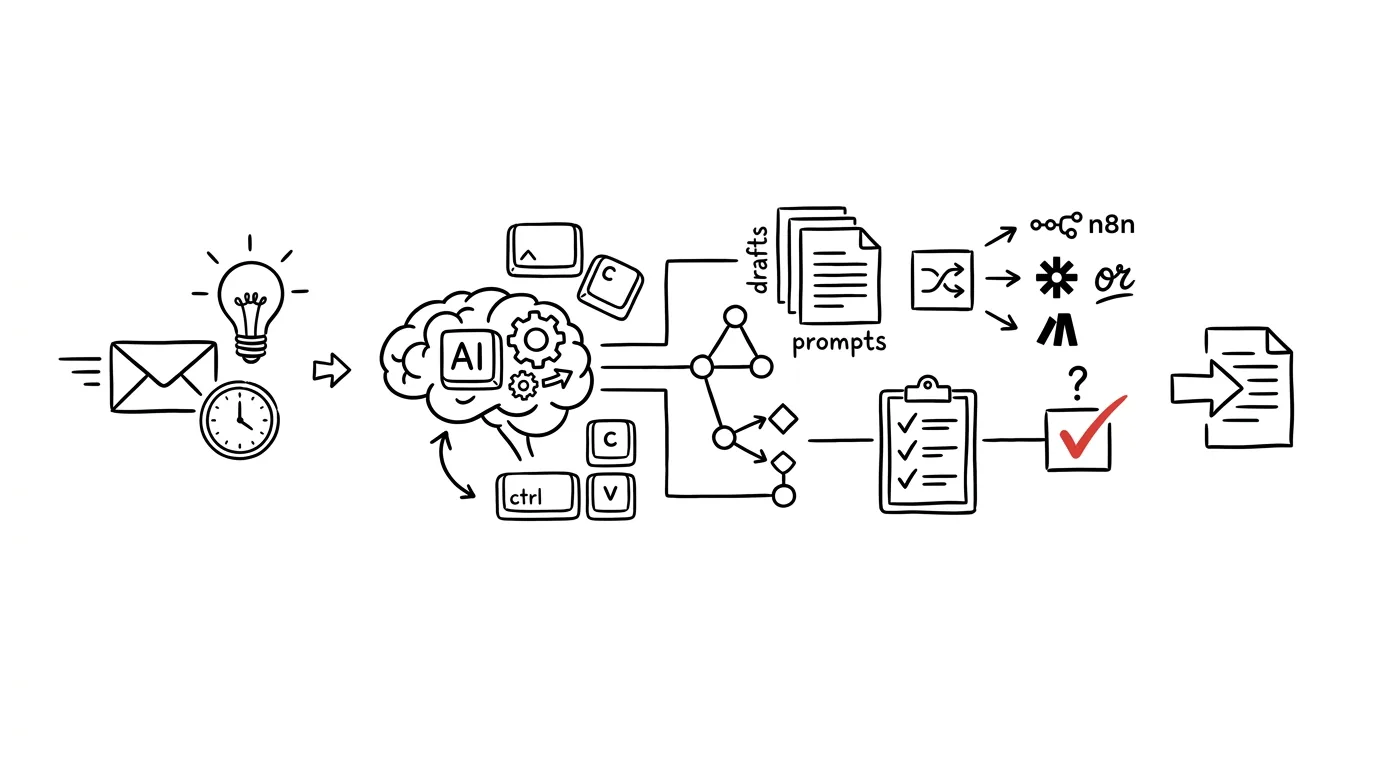
Chatting with AI is manual labor — you carry data in and results out. An automation platform removes that walking — data reaches the model, results land where needed. No coding needed; assemble steps like building blocks. The trick: AI isn't the whole automation, it's one step in the middle — something triggers it, the model pulls out or writes something, and the result moves on to a spreadsheet, a CRM, or your Drafts folder.
Read it from zero or skip around: the basics for non-technical readers — trigger, action, branch, run, and why runs get counted — plus a glossary of terms you'll see in every editor. Then the question most people skip (do you need a platform at all, or does a scheduled routine suffice), a comparison of Zapier, Make, n8n, Power Automate, and Apple Shortcuts, the anatomy of a scenario, and process automation at a company: what to automate first, who's accountable. The core: ten ready-made automations, step by step — from inquiry to CRM, through invoices, a newsletter, meeting transcripts, and deadline tracking, to attachment backups. It closes with the least fun, most important part: handling breakage, access, and personal data, and when not to automate at all.
New to automating? Read in order, start from the ten-scenarios chapter. Already running scenarios? Skip to the platform comparison, process automation, and the breakage chapter — where most of what other guides leave out lives.
Because we're talking about an automation that touches your mail, invoices, and client data, one rule applies from minute one: AI drafts, a human approves. Sending, paying, deleting, signing — always a human. Every scenario here ends in a draft for review, never a completed act.
A typical scenario
Klára, a freelancer, gets inquiries from a web form, ten a week on average. For each one: read it, copy name, company, job type, and budget into a spreadsheet, create a “follow up” task, write an opening reply. About twelve minutes per inquiry, two hours a week — not once did she have to decide anything, just transcribe. Worse than the time is the disruption: the form arrives at random moments, opened right away, and her day fractures.
After building one scenario, it's different. A new inquiry triggers the automation: the model pulls name, company, job type, budget range, and deadline from the text, scores the inquiry A through C for fit with Klára's focus, writes a row to the spreadsheet, creates a task labeled “needs approval,” and drafts a reply in her inbox. Klára checks mail twice a day, works through the drafts, edits two, deletes one.
A month in: two hours a week is down to twenty minutes, and the form no longer breaks up her day. Klára still sends every reply herself — she just skips the transcribing now.
Automation in plain terms: what the word actually covers
The word “automation” sounds like something for the IT department. It's actually the simplest idea in computing: describe a procedure once, and a program does it for you from then on. No programming language needed — just the ability to describe what happens after what, which you already have, or you wouldn't be doing that work.
This chapter is for anyone who's never opened a scenario editor — skip it if you already automate. Without these terms, every guide will lose you, and you'll blame your own clumsiness. Don't: nobody explains them, since to guide-writers they seem obvious.
An automation is one sentence: “when this happens, do that”
Every automation, however complex, is an elaboration of one sentence. When a new inquiry arrives, write it to the spreadsheet. When an invoice lands, save the attachment to a folder. When it's Friday morning, send me the week's summary. The first half of the sentence is the trigger, the second is the action. Everything else — branching, conditions, repetition — is just a finer-grained description of the same thing.
Different tools name this differently: Zapier's “Zap,” Make's “scenario,” n8n's “workflow,” Power Automate's “flow,” Apple's “shortcut.” Same thing. This guide calls it a scenario — the clearest term, and it really does look like a film script: a numbered sequence of steps you can narrate.
Try saying your procedure aloud as one such sentence before building anything. If you can't, you don't have a process yet — you have a habit. Nothing shameful about that, but it can't be automated: a habit can't be described in steps, since you make half the decisions subconsciously. More on turning a habit into a describable procedure in the chapter on mapping a process.
Trigger: what wakes the scenario up
A trigger is the event that wakes a scenario up. Until then it does nothing and costs nothing. There are three kinds, and knowing the difference is the first thing to understand about any scenario.
- An event in an app — an email with a label arrived, a row was added to a spreadsheet, someone submitted a form, a CRM status changed, a file landed in a folder. This is the most common trigger and drives nine out of ten scenarios.
- Time (a schedule) — every day at 7:00, every Monday, the last day of the month. Nobody did anything; time simply passed. A note here: when the trigger is time and the data is reachable through a connector, you might not need a platform at all — a scheduled Claude routine can be enough.
- An outside call (webhook) — another system knocks on an address you gave it. This is the fastest and cheapest option, because the scenario wakes up exactly when something happened, not a second sooner.
Hiding behind the first two is a fourth term: polling. The platform asks itself, every few minutes, “did anything new show up?” It looks like an event, but it's a timer running in a loop — and every check can count against your quota, even when nothing happened. That's why a webhook always beats polling, when the service supports one.
Action: what the scenario does
An action is a step that carries out something in an app. Write a row, save a file, create a task, post to a channel, draft an email. A scenario can have one action or fifteen, run in order top to bottom — the output of one step is the input to the next.
Actions split into two groups worth keeping apart in your head. Harmless actions add something: a new row, a new file, a new draft. Get one wrong and you clean it up by deleting it. Irreversible actions change or send something out: a sent email, an overwritten record, a paid invoice, a deleted file. Here a mistake isn't cleaned up, it's apologized for. This whole guide rests on one habit: put only actions from the first group in a scenario, and keep the second group for yourself.
Filter, branch, and loop
Three tools that turn a linear list of steps into an actual scenario:
- A filter is a gate right after the trigger. “Only continue when the email field is filled in.” “Only continue for invoices above a certain amount.” When the condition doesn't hold, the scenario quietly stops — the cheapest step you can have, and the one most often left out.
- A branch is a fork in the road. “If the category is billing, send it to accounting; if it's a complaint, send it to support.” Each branch continues with its own steps. Make calls this a router, Zapier calls them paths, n8n calls it IF or Switch.
- A loop (iteration) repeats a step over a list. An email arrives with five attachments — a loop goes through them one by one. Without one, the scenario processes only the first, and you wouldn't notice for a month.
Two helper steps do nothing on their own, but their absence makes scenarios brittle. A delay waits for the other side to finish writing its data. Setting a variable sets a partial result aside so you can come back to it later.
Run: the unit you pay for
This is where most budgets break, so pay attention. A run is one wake-up of the scenario, from trigger to last step.
Platforms don't all bill the same way. Some count runs (one wake-up = one unit, regardless of steps). Others count operations or tasks (every executed step = one unit, so an eight-step scenario burns eight). The difference is tenfold, and you find out when your monthly quota runs out in week three.
Three practical rules follow, and they hold everywhere:
- Filter right after the trigger. A step that never runs costs nothing. A scenario that only discovers in step five that this item shouldn't have been processed just paid for four steps for nothing.
- Don't use polling where a webhook will do. Checking a mailbox every minute is forty-three thousand wake-ups a month, the vast majority of which find nothing.
- Don't send the model more text than it needs. An AI step is billed by the amount of text going in and out, and the gap between “send the whole email, signature and quoted history included” and “send just the message body” is often fivefold.
Where AI fits into all this
The important part: why this is about AI automation, not just automation. The model is one step in the middle of a scenario, not the scenario.
Classic automation moves data that already has a shape: field to field, row to row. It always failed at free text — someone writes a paragraph containing a name, a budget, a deadline, and a worry, and no rule can pull those four fields out. This is where an AI step changes the game. Give it a paragraph, get back structure.
In practice, an AI step is good for four things, nothing else:
- Pulling structure out of text — from an inquiry, an invoice, a message, a transcript. The single most reliable use.
- Sorting into a category from a fixed, predefined list — priority, department, request type.
- Summarizing a long text into two sentences that fit in a notification.
- Drafting text — a reply, a newsletter draft, a comment on the numbers.
What it's not: a calculator, a database, a judge. Don't let it add numbers (a spreadsheet's job), look up facts from memory (search's job), or decide about money or people. Above all: the output of an AI step is always a proposal, never a verdict. Into a CRM, a spreadsheet, a draft — yes. Into a sent email unread — never.
Glossary: seventeen terms you'll see in every editor
- Scenario (Zap, workflow, flow) — the whole automation from trigger to last step.
- Trigger — the event that wakes a scenario up.
- Action (module, node) — one step doing something in an app.
- Run (execution) — one wake-up from start to finish.
- Operation / task — the unit you pay for; one step or one run, by platform.
- Webhook — an address another system calls when something happens.
- Polling — a recurring “did anything show up?” check, used without webhooks.
- Filter — a condition that stops a scenario when it shouldn't continue.
- Router / branch — a fork where the scenario picks a path by condition.
- Iterator / loop — repeating steps over a list of items.
- Field mapping — “this value from the trigger goes in this column.” More mistakes happen here than in the AI step.
- Connector / integration — a ready-made link to a specific app.
- Authorization (connection) — the stored permission a scenario uses to enter your account.
- API key / token — a password for machines: never shared, never pasted into documents, revocable.
- JSON — the text format steps use to pass structured data. A list of “key: value” pairs; you just need to recognize it, not understand it deeply.
- Log (run history) — a record of what a scenario did, and with what data. First place to check when something's off.
- Sandbox / test mode — a mode where the scenario runs without touching live data.
Not sure you even have a process that can be described in steps? Translate it into automation language before opening any editor:
I'll describe a procedure I do manually. Translate it into automation
language so I can see whether it can even be built.

MY PROCEDURE (as I do it today):
[describe step by step, unordered is fine, including when
you do it and what prompts you to]

Give me back:
1. One sentence in the form “when X happens, do Y” — the core
   of the whole procedure
2. Trigger: what exactly kicks off the work in the real world, and
   whether it's an event in an app, time, or an outside call
3. A list of steps in order, for each: which app it happens in,
   and whether it's an addition (harmless) or a change or send
   (irreversible)
4. Decisions I make in my head during the procedure — list them
   separately, and for each say whether it can be described as
   a rule, or is judgment that has to stay with me
5. Places where the input is free text someone has to read and
   understand — that's where an AI step belongs
6. An honest assessment: can this procedure be automated, can it
   only be partly automated, or is it a habit that needs to
   settle first?

For point 6, don't tell me what I want to hear.
You'll get a description you can carry straight into an editor — and, above all, points 4 and 6, the reason this prompt is worth running. A typical first-attempt result reads “six of nine steps can be automated, two are judgment calls, one has no stable input.” That's exactly the answer you need before spending an afternoon on it.
When a Claude routine is enough, and when you need a platform
The most expensive beginner mistake: a seven-step scenario where one sentence in a routine would do. Just as often, the flip side — cramming into a routine something that needs to react to an event in another system.
A Claude routine is enough when…
- The trigger is time: every morning at 6:30, every Friday at 3pm.
- The data lives wherever a connector reaches: mail, calendar, Drive, Notion — connectors explained.
- The brief changes often, stays vague. Update a routine by rewriting one sentence; a platform scenario means remapping fields.
- The output is text for a person: a draft, an overview, a list to approve.
The typical example is a set of routines over mail and calendar, covered in full in the Claude routines tip. If your task fits all four points, build it as a routine and skip the extra service.
You need a platform when…
- The trigger is an event in another system: a submitted form, a new invoice, a CRM status change, a payment. Can't be scheduled on time — has to be called.
- The chain has more than two apps: form → AI → spreadsheet → CRM → team notification.
- You need a webhook, reacting within seconds, not by morning.
- You need reliable runs at volume: two hundred rows a day, with a log and the ability to retry failures.
- Data can't leave your infrastructure — that's where self-hosted n8n comes in.
How to decide in five minutes
Write down three things: trigger, app count, speed needed. One app plus time as trigger means a routine. Two-plus apps, or an event as trigger, means a platform. For borderline cases, go simpler — rebuilding a routine into a scenario takes an afternoon; abandoning a running one hurts.
Before building, have this decided for you. Run this prompt in an ordinary chat:
I'll describe my recurring work, and you pick the first scenario
to automate from it.

What I do repeatedly:
[list 8–12 activities; for each: how often, how many minutes it
takes, where the data comes from, and where I file it]

Tools I use: [list them]

Give me back:
1. Those activities ranked by time saved / build effort
2. For the top three, sketch the scenario: what triggers it, what
   steps follow, where AI fits in, and where the result goes
3. For each of the three, say whether a scheduled routine in an AI
   assistant with connectors is enough, or an automation platform
   is needed — and why
4. Which of those activities NOT to automate, and why (too rare,
   too many exceptions, error cost too high)

Be strict on point 4 — I don't want to automate things I do
twice a month.
You'll get a ranked list where the top scenario is usually not what you expected — people underrate boring transcription work and overrate visible but rare tasks. Read point 4 carefully: automating something you do twice a month won't pay off, even if it's technically easy.
Comparing platforms: what to pick and why
“Which automation platform is best” has no answer — the best one already connects to your apps and has an editor you don't get lost in. This chapter won't hand you a winner, just a map.
One warning missing from comparisons like this and worth bolding: terms change faster than an article can stay current. Free tiers grow and shrink, billing logic gets reworked, AI features arrive every quarter. What follows is the state as of writing, and more importantly the logic behind each choice — verify it at the source before you pay. No specific prices here on purpose; in six months they'd be lying to you.
How to read this comparison
Track four things:
- Are your apps there? Without a connector, a scenario can still be built through generic steps, with extra work. Check the integration catalog first.
- Do you understand the editor? Some like a plain stacked list; others a canvas with lines between blocks. Not a minor thing — an editor that doesn't suit you means scenarios you stop maintaining.
- How is usage counted? Per run, or per step? For a ten-step scenario, that's an order-of-magnitude difference.
- Where does your data run? Someone else's cloud, your company domain, your own server, or your phone? For customer data, this is the first question, not the last.
Zapier — the fastest path to a first working scenario
Zapier is the oldest and most widespread, and its main strength is sheer connector count: your app's odds of being there are the highest here. The editor is a simple stacked list, walks you through field mapping by hand, and your first scenario runs within twenty minutes.
Where it pinches: the free tier, as of writing, is just for trying it out — a limited task count a month, and scenarios of only two steps: one trigger, one action. That rules out almost everything here, since “trigger, filter, AI step, write” alone is four steps. Zapier bills by task, so multi-step scenarios burn quota faster than expected. More complex logic — branching, loops, lists — is less clear than with the competition.
AI and MCP: Zapier has its own AI steps and assistants, and runs an MCP server exposing its actions to an AI assistant as tools. One catch: as of writing, MCP usage counts against the same quota as regular scenarios, so an AI assistant can burn through it on its own.
Pick it when: you want a result today, have an unusual app you won't find elsewhere, and scenarios will stay simple.
Make — a visual editor where you can see the data flow
Make builds a scenario on a canvas as a chain of round modules connected by lines. Sounds cosmetic, isn't: for branching, filters, and loops, Make is noticeably easier to read, and after a run you see right on the canvas how many items went down which branch and what was in them — the fastest way for a beginner to understand what a scenario is actually doing.
Where it pinches: billed by operation, roughly per step, so a rich scenario burns through usage fast. The free tier, as of writing, allows on the order of a thousand operations a month, few simultaneously active scenarios, and a shortest run interval around fifteen minutes — plenty for learning, not production. Working with data structures (collections, arrays, aggregators) is powerful but has its own learning curve.
AI and MCP: Make has ready-made LLM steps, its own agents, and MCP support. For our purposes, a plain “ask the model” step is enough — drop in a prompt, get back text or JSON.
Pick it when: scenarios need branching and conditions, you want to see the data flow, and you don't mind counting operations.
n8n — an open platform you can run yourself
n8n is a different category: open-source software you run on your own server, free with no run limit in that form — you only pay for the server. The editor is node-based like Make, with one crucial extra: drop in a step with your own code anywhere, doing something no ready-made block has a button for. A paid cloud version exists for those who'd rather not manage a server, billed by whole runs, not steps — a big win for long scenarios.
Where it pinches: self-hosting makes you the administrator. Updates, backups, crash recovery, certificates, uptime — all suddenly your job. Server down Friday evening, scenarios sit idle until Monday. n8n has fewer connectors than Zapier, though you won't notice for common apps, and gaps get covered with a generic API step.
AI and MCP: n8n is furthest ahead here. It has an AI agent node, nodes for models and memory, can connect to external MCP servers as a client, and can go the other direction too — publish its own workflow as an MCP tool an assistant calls. For anything on the border between automation and an agent, this is the most open playground. More on MCP connectors: connectors as the USB-C of AI.
Pick it when: data can't leave your infrastructure, volume would get expensive under per-step billing, or you need a step with your own code.
Power Automate — when you're already all-in on Microsoft
Power Automate is the automation platform built into Microsoft 365, and its biggest advantage is you probably already have it. When a company runs on Outlook, SharePoint, Teams, and Excel in the cloud, the connectors are within reach, sign-in runs through the company account, and IT sees what anyone built.
Where it pinches: the standard/premium connector split is a trap you step in halfway through a build. A basic license builds scenarios over Microsoft services, but touch a database or outside system and you're in a different pricing tier. The free run allowance with Microsoft 365 is, as of writing, in the hundreds a month — fine for personal scenarios, not company-wide operations. The editor is wordier than the competition, error messages cryptic.
AI and MCP: built-in AI capabilities (AI Builder, assistants) are mostly behind a paywall, and their billing is being reworked as of writing. Nothing stops you from calling a language model over a plain API inside a flow instead.
Pick it when: the company is all-Microsoft, IT wants oversight, and scenarios don't need to reach outside.
Apple Shortcuts — automation in your pocket
Shortcuts is the one entry here that doesn't run in the cloud at all — it runs on your device. The trigger can be time, location, plugging into a charger, opening an app, an incoming message, a Focus mode, or tapping a home-screen button. Something no cloud platform can do — and the reverse is just as true.
There's an AI step here too: newer OS versions have an action sending text to a language model and returning the result as a variable, choosing an on-device model, Apple's cloud, or an external assistant. You can build “take the text from the clipboard, rewrite as a polite reply, save to Notes” without a single external service.
Where it pinches: personal, not a business tool. No team sharing, thin run history, annoying debugging, and nothing runs when the phone's off. Server-style tasks like “watch a form on a website” can't be built this way. More: iPhone shortcuts and automation.
Pick it when: a personal routine on your phone or Mac, and the data has no reason to leave the device.
The built-in automations you already have
Before adding another service, check what you already pay for — surprisingly often, it's enough:
- Mail rules sort, archive, forward, and label — at no extra cost; how-to: Outlook rules.
- Notion automations can create a task, assign a person, or alert on a status change.
- Claude routines with connectors handle “pull data from mail and calendar, write me a summary” without a single scenario.
- Spreadsheet scripts can recalculate and send a report on schedule.
The rule: every extra service is another account, another password, another place something can break. Deciding between “add a platform” and “use what I already have” — start with the latter.
When self-hosted n8n pays off — and when it's a trap
It pays off in three situations. When data can't go into someone else's cloud — health data, personal client data at scale, trade secrets, anything where moving data out would be a legal problem. When you have volume where per-step billing gets expensive; the threshold sits around thousands of runs a month. And when you need steps nothing else has a button for — a custom calculation, file handling, an internal system with no public API.
It's a trap in two situations. When nobody administers the server. An automation platform is infrastructure: updates, backups, disk-space monitoring, someone who finds out on a Sunday evening why scenarios stopped running. Without that role, self-hosting is a false saving — you save the subscription and pay in outages. And when you're only doing it because it's free, even though a cloud free tier would be plenty.
A middle path few mention: start with n8n's paid cloud service and move to self-hosting later, since scenarios are portable. More honest than starting out managing a server.
AI steps and MCP: what platforms can do today
A short summary — this picture changes faster than anything else:
- An AI step (send text to the model, get back text or JSON) is, as of writing, on every serious platform. This is ninety percent of what you need from automation, and it's the most boring and reliable option.
- An AI agent (a model that decides on its own which tools to call) is on most platforms too. It's powerful, and it's also where control over what happened is easiest to lose. Leave it alone for your first scenarios — see what loops are for how agentic loops work and where they bite.
- MCP is a standard by which an app presents itself to an AI assistant as a set of tools. In practice that means two directions: the platform as a client (a scenario reaches out to an external MCP server) and the platform as a server (your scenario becomes a tool an assistant can call). n8n is furthest ahead here, but support is growing everywhere.
The rule for getting started: build it as a fixed scenario with one AI step. Agents and MCP are extra layers, added on top of something that already works and that you can verify.
How to choose in ten minutes
Write down three things — which apps, how many items a day, whether personal data flows between them — and have a recommendation built from that:
Help me pick an automation platform. I don't want a generic
comparison, I want a recommendation for my specific situation.

Apps that need to connect: [list all of them, including the
lesser-known and local ones]
How many items a day: [estimate]
How fast it must react: [within seconds / within the hour /
morning is fine]
Personal or sensitive data in the chain: [yes/no, what kind]
Who will maintain it: [me / an IT colleague / nobody]
What we already pay for: [Microsoft 365, Google Workspace,
Notion, Slack, …]

Give me back:
1. A recommended platform and one sentence why
2. A second choice and under what circumstances it would be better
3. Whether I can do this without a new service — with mail rules,
   automations in tools I already have, or a scheduled routine
   in an AI assistant
4. A usage estimate: how many runs or steps a month this will be
   based on my numbers, and whether it fits the free tier
5. Three questions I need to verify directly with the provider,
   because terms change

Be strict on point 3: if it can be done without a new service,
say so.
You'll get a recommendation including a usage estimate — the figure that surprises people most in hindsight. Take point 5 seriously: a model's knowledge has a cutoff date and free tiers change, so verify on the provider's site, not in the answer.
Portability: how not to lock yourself in
Scenarios don't move between platforms with a click, but the logic does — worth keeping written down outside the platform. For every scenario, keep a short document: trigger, steps, field mapping, prompts used. Twenty minutes, and the one thing that makes you an automation's owner instead of its tenant.
Keep prompts in a prompt library, not just in a field inside a step. When you move, you're only moving clicks, not rethinking everything.
Anatomy of a scenario: trigger, AI step, action
Every scenario — Zapier, Make, n8n — shares the same skeleton. Learn it once, carry it between platforms in an afternoon.
Trigger: what starts it
Triggers come in three kinds, and the difference decides both speed and how many operations you burn. A webhook is an address another system calls the moment something happens — fastest and cheapest, since it never wastes runs on nothing. Polling means the platform asks every few minutes if anything's new; used where a service has no webhook, paid for in both delay and empty runs. A schedule is a plain timer — and here's the catch: when the trigger is time and the data is reachable through a connector, you might not need a platform at all.
Whatever you choose, right after the trigger belongs a filter: only inquiries with an email filled in, only invoices above a threshold, only messages with a given label. A scenario that discovers only in the AI step that it shouldn't have processed an item has wasted both operations and money.
AI step: one task, one output
A step with a model has three parts: what you send it, what it should do, and the shape of the result. The most common beginner mistake is sending it everything and asking for everything at once. Two smaller AI steps in sequence beat one big one — when something breaks, you know where.
Key difference from chat: the output isn't read by a person, it's read by the next step. Have it return JSON with fixed keys, and parse it into fields on the platform side:
{
  "jmeno": "Jana Nováková",
  "firma": "Stavebniny Sever",
  "typ_zakazky": "custom website",
  "rozpocet": "not stated",
  "termin": "by end of October",
  "znamka": "B",
  "zduvodneni_znamky": "field fits, budget unknown",
  "chybi": ["rozpocet", "telefon"]
}
Two details separate a toy from production. The chybi (missing) key lists what wasn't in the source material — it flags an incomplete inquiry without you reading it. And neuvedeno (not stated) is a mandatory stand-in for guessing: without it, the model fills a missing budget with a guess that looks like a fact.
Action: the output is always a draft
The last step decides whether a scenario is a helper or a liability. Three rules, no exceptions: a draft instead of a sent email, a task labeled “needs approval” instead of one in a live project, a new row instead of overwriting an existing one. The automation must never send, pay, or delete — give it write access to a separate table, not the middle of your live records.
Before you start clicking, have the whole scenario sketched out, field mapping included:
I want to build an automation scenario and need a plan before
I start clicking.

What the scenario does: [one-sentence description]
Trigger: [new form entry / webhook from CRM / new file…]
Apps in the chain: [list in order]
What the result should be: [a spreadsheet row, an email draft,
a task…]

Give me back:
1. A list of scenario steps in order, for each: what it receives
   as input, what it does, what it passes on
2. Exactly where the filter belongs so the scenario doesn't run
   needlessly
3. Field mapping: which field from the trigger goes to which
   field in the target app — as a table
4. Which steps can fail, and what the scenario should do in
   each of those cases
5. Whether the number of steps can be reduced — and how

Don't write instructions for a specific platform, I want the
scenario logic.
You'll get a plan you just click through. Point 3 is why the prompt is worth running: most first-scenario mistakes aren't in the AI step, they're swapped field mapping — a phone number lands in the budget column and nobody notices for a month.
Process automation at a company: where to start
Personal automation is easy: decide, build, use. Company automation is a different animal — the process doesn't belong to you, it passes through several people, each with their own idea of “correct,” and nobody has the whole picture. This chapter covers what to do before anyone opens an editor.
Company automation failures almost always share the same cause, and it isn't technical: a process gets automated that nobody understood end to end, one enthusiast builds it and leaves in six months, and nobody defined how you'd know it's working. The technical part is the easy half.
What to automate first: frequency times duration times error rate
Usually twenty candidates and time for one. Pick by three numbers estimated per process — precision isn't needed, just the right order of magnitude.
- Frequency — how many times a month someone does it. Five? Two hundred?
- Duration — minutes per pass, including hunting for source material and switching apps. People underestimate this by about a third; they don't count the ramp-up.
- Error rate and its cost — how often a mistake happens and what it costs. A typo in a transcribed amount is a different category from a typo in a surname.
Multiply the three for a ranking, then apply two correctors:
- Process stability. A procedure changed three times in the past year drops several places, even done daily. Automating an unstable process means rebuilding it every time it changes.
- Build difficulty. A process involving a system with no machine interface, a paper signature, or a vendor-only app is expensive no matter how high it ranked.
Practical advice: let the first automation be boring, daily, and low-risk — not the flashiest one to show off at a meeting. A boring process builds experience for the next ones, and when it breaks, nobody's hurt.
We are [company description: industry, headcount, main tools]
and want to start with process automation. Help me pick what
comes first.

PROCESSES WE DO REPEATEDLY:
[for each: name, who does it, how many times a month,
how many minutes per pass, how often a mistake happens
and what it causes, which apps it runs through]

Give me back:
1. A table: process | estimated hours saved per year | build
   difficulty (low/medium/high) | error risk | recommended order
2. For the top three ranked processes, break down where an AI
   step would make sense and where plain fixed rules would be
   enough instead
3. Which of these processes look, from the description, unstable
   or poorly defined and should be settled first
4. Which of them should not be automated at all, and why
5. A suggestion for the very first process: boring, frequent,
   low-risk, one we can learn on

Don't try to find an impressive project. I'm looking for the
first one, not the best one.
You'll get a ranking where something unexpected usually tops the list — typically a data transcription nobody's bothered by because “it's only a moment,” done fifty times a month. Read point 4 out loud at the meeting; it's the most useful part.
Mapping the process before you click anything
The best investment in company automation costs ninety minutes and needs no tool at all: draw the process as it actually runs. Not as the policy describes it, not as it should — as it does.
A procedure that works:
- Walk through the process with the person who does it, and have them demonstrate it live. Not describe it — demonstrate it. The gap between a description and a live demonstration is usually three steps the person doesn't even know they're doing.
- Note every app switch. Every switch is a place where time is lost and where transcription errors happen. Automation is ninety percent about removing switches.
- Mark the decision points. Where does a person look at something and decide? For each, note what the decision is based on. If they can't put it into words, it's judgment, and judgment can't stay in the scenario.
- Mark the waits. Where does the process stall, waiting on someone else? Waiting can't be automated away, but it can be automatically nudged.
- Mark the exceptions. What happens when an attachment is missing, when the client is abroad, when the amount is zero? Exceptions decide whether it's worth automating at all.
This exercise almost always turns up two steps done purely from habit, that nobody gets anything from. Cutting a step beats automating it — and it's free. For a proper mapping to share with the team, see company process maps; to just settle the procedure, use a checklist for a month.
Help me map a process before we automate it. Act like an
analyst who asks about the things people forget to mention.

PROCESS: [name]
How the person who does it described it to me:
[paste the description, unordered is fine]
Apps used in it: [list them]
Who's involved: [roles]

Do three things:
1. Rewrite the process as numbered steps; for each: who, in which
   app, what's the input, what's the output, how long it takes
2. List fifteen follow-up questions I need to ask, because they
   aren't clear from the description — focus on exceptions,
   decision points, and what happens when something is missing
3. Tag each step with one label: TRANSCRIBE (moving data between
   apps), DECIDE (someone makes a judgment call), WAIT (the
   process depends on someone else), CHECK (someone verifies
   something), UNNECESSARY (the description shows it accomplishes
   nothing)

Finish with: which steps I should cut before I automate anything
at all.
You'll get a structured process, and more importantly a question list — the valuable part, since without it you discover exceptions only once it's live. The UNNECESSARY tag tends to be controversial; discuss with the team rather than deleting silently.
Who owns the process
An automation with no owner dies within six months — not dramatically, one day someone just notices it hasn't run in three weeks and nobody knows why.
Every deployed scenario needs one name attached and four responsibilities. The process owner is the person the work belongs to in substance, not technically — usually whoever did it by hand before. Their four duties:
- Review the output — check weekly what the scenario produced and whether it's right.
- Decide on changes — when the process changes, report it before the scenario breaks.
- Receive failure reports — a daily summary lands in their inbox; they notice when one arrives empty.
- The right to switch it off — no approval needed, whenever it looks wrong to them.
Alongside the owner there's a scenario administrator — someone who can actually get into the editor. The two don't have to be the same person, but they must know about each other. Worst case: “a colleague from marketing built it and no longer works here.”
Write up one page per scenario: what it does, owner, administrator, accounts used, where errors land, how to switch it off. That page is the entire documentation you need, and it'll save your day the moment someone's out sick.
Pilot run: three weeks and twenty cases
Deploying with “it goes live Monday” is the surest way to have it switched off within a month. This works instead:
- Week zero — dry run. The scenario runs over old data, writing to test destinations. Compare its output to what a person did at the time. Goal: catch dumb field-mapping mistakes.
- Weeks one and two — parallel run. The scenario runs live, but a person still does the work too and compares. Tedious, necessary — this is where you find the exceptions nobody thought of.
- Week three — live with oversight. The person no longer does the work, but checks output daily. End of week: continue, tune, or switch off.
Throughout the pilot, log how many cases went through untouched, how many needed intervention, and why. That number later tells you whether it paid off — and it's the only thing that convinces management.
How to tell the team
Automation raises two legitimate fears: “I'll lose my job” and “it'll make mistakes I'll have to clean up.” Staying silent on either is the fastest way for the team to quietly work around the scenario.
What works: say up front what's being automated and what isn't, and why. Transcription and sorting get automated; decisions and customer communication don't. Say the final click stays with a human — and keep that promise. Give the person who used to do the work the owner role, not to make them feel better, but because they know the process best and you can't build it right without them.
What doesn't work: promises about headcount saved, deploying without a pilot, and a scenario sending emails under the names of people who didn't know about it.
How to know it worked
Three numbers, measured before and after, no impressions:
- Turnaround time — hours or days from input to completion; the number the customer sees.
- Share of cases handled with no human touch — percentage going start to finish untouched. Below half, the scenario isn't saving time yet, just shifting it.
- Number of post-scenario corrections — how often a week someone fixes what the automation produced. A rising number means the process changed and the scenario doesn't know.
One softer but important measure on top: how many times the scenario stopped and nobody noticed. The only way to measure it: deliberately run an artificial case once a month and see if it goes through. Without that test, you're just hoping.
Ten ready-made automations, step by step
Ten scenarios follow, buildable on any platform from the previous chapter. For each: the trigger, steps in order, prompts to copy, and a note on what most commonly breaks it. Ranked roughly by build difficulty, not usefulness — the first three make a good first project, the last three assume you know what you're doing.
One rule holds across all ten: the last step is always a proposal, never an act. A draft instead of a sent email, a task labeled “needs approval” instead of one in a live project, a new row instead of an overwrite.
1. Incoming inquiry → CRM record and draft reply
Goal: every new inquiry produces a structured record with a quality score and a draft reply, with no human hand touching it before approval.
Scenario steps
- Trigger: webhook from the web form (or a new row in a spreadsheet the form writes to).
- Filter: only when the email is filled in and the text is at least twenty characters. This drops spam and incomplete submissions.
- AI step A — extraction: turn the free text into structured data.
- AI step B — scoring: assign the inquiry an A/B/C grade and list risks.
- Action 1: write a row to the spreadsheet or CRM with status “new, unprocessed.”
- Action 2: create a task labeled “needs approval” with a 24-hour deadline.
- Action 3: create a draft reply in your mailbox. Never send.
AI step A: extraction
You are an inquiry data extractor. You'll receive the raw text
of an inquiry from a web form.

INQUIRY TEXT:
[input from the form]

Return only JSON with these keys, no commentary, no lead-in text:
jmeno, firma, email, telefon, typ_zakazky, rozpocet, termin,
strucne_zadani (max 200 characters), chybi (array of key names
missing from the text)

Rules:
- When a field isn't in the text, write “neuvedeno” as its
  value and add the key's name to the chybi array.
- Do NOT infer anything. Don't estimate a budget from the job
  type, don't derive a deadline from “as soon as possible” —
  that's neuvedeno.
- Pick typ_zakazky from: [web, e-shop, grafika, konzultace, jine].
  If it doesn't fit, write jine.
- Don't correct or restyle the text — you're extracting facts.
Returns clean JSON you parse into fields on the platform side. Watch two things: whether the model really returns only JSON (it sometimes adds an explanatory sentence and breaks the parser — a step grabbing only the text between the first and last curly brace helps), and whether it respects neuvedeno for budget, where the temptation to guess is strongest.
AI step B: enrichment and scoring
You'll receive structured inquiry data and information about my
business. Your job is to score the inquiry, not sell to it.

INQUIRY:
[JSON from the previous step]

MY FOCUS:
I do [field], a typical job is [description], I don't do
[what I decline]. Smallest job that's worth my time: [threshold].
Ideal client: [description].

Return JSON with keys: znamka, zduvodneni, rizika, prvni_otazky.
- znamka: A (fits my focus and is realistic), B (fits, but
  something's missing or unclear), C (outside my field,
  unrealistic deadline, or clearly out of scope)
- zduvodneni: two sentences, specific, no stock phrases
- rizika: an array of 1–3 sentences — what could be a problem
  (unclear brief, unrealistic deadline, client wants something
  I don't do)
- prvni_otazky: 3 questions I need to ask before quoting a price

When data is incomplete, score based on what's there — don't
guess what the job probably looks like.
Returns a score that decides the queue order. Don't use grades for automatic rejection — C means “look at this last,” not “discard.” The model doesn't have your context.
Action: draft reply
The last step assembles the reply from what the earlier steps found — and is written deliberately to handle incomplete data:
Write a draft first reply to the inquiry. I'm writing as [name,
field], tone: [businesslike and friendly, formal address, no
marketing phrases].

INQUIRY DATA:
[JSON from step A]
SCORE:
[JSON from step B]

Rules:
- Max 150 words, three paragraphs.
- Thank them, summarize in one sentence how I understood the
  brief, and ask the two most important questions from
  prvni_otazky.
- Do NOT mention price or deadline, not even roughly.
- When chybi in the data is non-empty, ask specifically for
  those missing items, by name.
- When the score is C, write a polite version that offers a
  referral elsewhere — but don't turn anyone down definitively,
  I'll do that myself.
- End with the signature [signature].

Return only the email text, no explanation.
Returns a draft you usually send after one edit. The most important line is the ban on mentioning price and deadline: that's exactly the kind of thing the model likes to fill in with a plausible-sounding guess — one that then traps you in negotiation.
2. Incoming requests and mail → category, priority, notification
The second scenario is simpler and gets deployed most often: sort incoming requests and route them to the right person. Works for an internal help desk, complaints, or requests from production alike.
Scenario steps
- Trigger: a new form response (webhook or new row).
- AI step: categorize, prioritize, and summarize in two sentences.
- Branch by category: each category has its own recipient.
- Action 1: post a message to a team channel, readable on mobile.
- Action 2: write a row to a spreadsheet for statistics.
- Action 3 (high priority only): alert a work phone.
AI step: categorization
You sort incoming requests. Categories are fixed, don't invent
others.

REQUEST:
Sender: [name and role]
Text: [text from the form]
Attachments: [filenames, if any]

Categories: [technical issue, billing, complaint, sales inquiry,
HR, other]

Priorities:
- high: something is broken and blocks work, or a legal or
  contractual deadline is at risk
- medium: needs a response within two business days
- low: informational, can wait

Return JSON: kategorie, priorita, shrnuti (max 2 sentences,
factual, not a paraphrase of the whole text), kdo_by_to_mel_resit
(a guess at the responsible role), chybejici_informace (what
needs to be asked before this can be resolved), citlivost
(yes/no — whether the text contains personal or health data,
salary information, or anything under confidentiality).

When you're unsure of the category, use “other” and explain why
in shrnuti. Never set high priority just because the sender used
all caps or the word “urgent.”
Returns sorting more accurate than a tired person manages on a Friday afternoon. The last paragraph guards against tone-driven escalation — without it, every irritated message becomes high priority. The citlivost key is a safeguard: when yes, the scenario should only post “a sensitive request arrived, open it in the system.”
Action: a notification you can read on mobile
Build a team channel message from the categorized request.

DATA:
[JSON from the previous step]
Link to the original request: [link]

Format:
Line 1: priority in caps, category, from whom
Line 2: summary, max 20 words
Line 3: what needs to happen as a first step
Line 4: the link

Rules:
- No greetings, no emoji, no lead-in sentences.
- When citlivost is yes, replace the summary with just
  “sensitive content — open directly in the system” and
  quote nothing from the text.
- The whole thing must be readable on mobile without scrolling.
Returns a message the team actually reads, because it's short. The ban on greetings and emoji isn't pettiness — a notification opening with “Hi team, a new request came in” gets skipped by the twentieth read.
Variant for mail instead of a form
The same scenario built over incoming mail is one of the most rewarding uses there is — the inbox is where everything lands at once. Trigger: a new mail in a given folder or with a given label; the filter pushes aside newsletters and automated messages; the AI step categorizes and summarizes; the result is a label plus a row in an overview. Never a reply.
Two differences from the form version: mail includes a signature, footer, and often the entire quoted history, so send the AI step only the latest message body — otherwise the model answers something resolved a month ago. And labeling is the only change the scenario may make to mail; archiving, deleting, replying don't belong here. Full manual-sorting procedure to build from: sorting your inbox with AI.
You sort incoming mail. You'll receive one message and categorize
it.

MESSAGE:
From: [sender name and address]
Subject: [subject]
Body of the latest message (no quoted history, no signature):
[text]
Has attachments: [yes/no, filenames]

Categories (don't invent others): [inquiry, existing client
question, invoice or accounting, contract or legal, meeting
and scheduling, newsletter or announcement, personal, spam]

Return JSON with keys:
- kategorie
- vyzaduje_odpoved (yes/no)
- do_kdy (today / within two days / no deadline / deadline
  stated in the text)
- shrnuti (max 20 words, factual, not a paraphrase of the subject)
- pozadovana_akce (what exactly the sender wants from me, one
  sentence)
- prilohy_dulezite (yes/no — whether an attachment holds
  something I need to keep: an invoice, a contract, a document)
- citlivost (yes/no — personal data, health information, salary,
  trade secrets)

Rules:
- Categorize automated system messages by content, not by sender.
- State a deadline only when it's actually written in the text.
  Don't derive it from tone.
- When you're unsure of the category, use “personal” and explain
  why in shrnuti.
Returns sorting you turn into a label and a row in an overview. The most common problem is do_kdy: without the last rule, the model happily invents a deadline out of “as soon as possible,” leaving your overview with ten false due-todays.
3. Watched sources → newsletter draft
The third scenario shows a different pattern: collecting all week for one combined output at the end. Splitting the AI work into two steps on different timeframes pays off most here. Newsletter automation is also the single most requested scenario, and the one you're most tempted to let send itself too. Don't: one made-up sentence in public writing does more damage than a month of missed issues. From-scratch procedure: newsletter from scratch.
Scenario steps
- Trigger A (ongoing): a new item in the RSS feeds you follow.
- Filter: only items with your keywords in the title or lead. Without a filter, the scenario drowns in volume.
- AI step A: for each item, a summary and a relevance decision.
- Action: write to a “newsletter candidates” spreadsheet with a score.
- Trigger B (Thursday 9:00): schedule.
- AI step B: assemble a draft issue from what's been collected.
- Action: save the draft — to your send tool, a document, or mail. Never send.
AI step A: summarizing one item
Summarize one article for my newsletter.

I write this newsletter for: [audience], interested in [topics].
Not interested in: [what to skip].

ARTICLE:
Title: [title]
Source and date: [source, date]
Text: [content or lead]

Return JSON: relevance (0–10), shrnuti (3 sentences, what
happened and why the reader would care), citace (one verbatim
sentence from the article worth quoting — if there's none, an
empty string), pro_koho (which part of my audience it helps
most), zdroj_typ (original report / commentary / reprinted press
release / advertising).

Rules:
- Work only from the article text, don't fill in context from
  memory.
- When the article is just a reprinted press release or covert
  advertising, cap relevance at 3 and note it in zdroj_typ.
- Copy numbers and names exactly, don't round.
Returns scoring the spreadsheet uses to rank candidates. zdroj_typ is there on purpose: without it, press releases sneak in because they read as informative. Verify second-hand numbers against the original source — see fact-checking.
AI step B: newsletter draft
Assemble a newsletter draft from this week's collected items.

ITEMS (sorted by relevance):
[paste rows from the spreadsheet: title, summary, link,
relevance, pro_koho]

The newsletter is called [name], goes out [frequency], written
in a [businesslike, lightly personal, no superlatives] tone,
length [about 400 words].

Structure:
1. Opening paragraph (3 sentences) — what this week's main theme
   was across the items. If there's no shared theme, say so plainly.
2. Three main items — for each, a headline, two to three sentences
   in my own words, and a link. Don't copy the summary verbatim,
   rewrite it in my voice.
3. A short “also worth a look” block — the rest as bullet points,
   one sentence each.
4. A closing question to the reader, one sentence.

Rules:
- Use only the items I gave you. Don't add anything from memory,
  no “as we all know.”
- No claim that isn't in the source material, even if it seems obvious.
- Keep every link exactly as it came to you.
- End with a CHECK list: numbers and names in the draft that I
  need to verify against the original articles.
Returns a draft you rewrite and add commentary to — and, above all, the CHECK list that keeps a bad number out of the newsletter. Never send without reading: one made-up sentence is more visible in public writing than ten good ones.
4. Invoices from mail → folder, spreadsheet, and review
Incoming invoices are the textbook case: they arrive as attachments, always hold the same fields in a different place each time, and get transcribed by hand into a spreadsheet. This scenario turns them into a named file and a row in an overview. It never pays, approves, or sends anything to accounting as final.
Scenario steps
- Trigger: a new mail with an attachment in a given folder or with a given label.
- Filter: has a document-format attachment, and the sender isn't on the ignore list.
- Loop: go through every attachment, not just the first.
- AI step: read the document and return the invoice data as JSON.
- Sanity check: is the amount a number in the expected range? Is the due date in the future or the last few months? Is an invoice number filled in? If not, the item goes to the manual queue, not the spreadsheet.
- Duplicate check: does a row with the same vendor and invoice number already exist? Then write nothing and just flag it.
- Action 1: save the file to a folder by year and month, named by a consistent pattern.
- Action 2: write a row to the overview with status “to be confirmed.”
- Action 3: one daily summary: what's new, what fell into the manual queue.
You are an invoice data extractor. You'll receive the text or an
image of a document.

DOCUMENT:
[attachment content]

Return only JSON with keys: dodavatel, ico, dic, cislo_faktury,
datum_vystaveni, datum_splatnosti, datum_zdanitelneho_plneni,
castka_bez_dph, sazba_dph, castka_dph, castka_celkem, mena,
variabilni_symbol, cislo_uctu, predmet_plneni (max 100
characters), je_to_faktura (yes/no), chybi (array of key names
missing from the document).

Rules:
- Write dates as YYYY-MM-DD. If the document uses a different
  format, convert it, but don't guess a missing part.
- Write amounts as a number with a period as the decimal
  separator, no currency symbol, no thousands separators.
- When a field isn't in the document, write “neuvedeno” and add
  the key to chibi. Don't calculate ANYTHING ahead: if VAT is
  missing, don't derive it from the total.
- When the document isn't an invoice (a delivery note, a
  reminder, a quote, an order confirmation), set je_to_faktura
  to no, fill in only dodavatel and predmet_plneni, leave the
  rest as neuvedeno.
- When a document has multiple invoices, process only the first
  and note that in predmet_plneni.
Returns structured data you write to the spreadsheet. Guard two things from day one: never let the model calculate amounts (that's a spreadsheet formula's job, and the gap between “read” and “compute” is the gap between reliable and random), and the je_to_faktura key — without it, reminders and pro-forma invoices land in your overview and the monthly total won't add up. Lower-quality scans tend to trip up the payment reference; route it to the manual queue automatically whenever it's in chybi.
Run the second prompt monthly over the finished overview — it looks not for transcription errors but for things that shouldn't be in the spreadsheet at all:
Here's the overview of invoices received this month. Act like a
meticulous accountant checking whether something looks off.

OVERVIEW:
[paste rows: vendor, invoice number, issue date, due date,
total, subject, status]

Normal monthly costs look like this: [describe what's typical —
regular vendors and roughly what level the amounts are]

Give me back:
1. Invoices that look like duplicates (same vendor, similar
   amount, close date)
2. Invoices from vendors who haven't appeared in previous months
3. Amounts that are significantly out of the usual range for
   that vendor
4. Invoices past due, or with a shorter-than-usual payment window
5. Subscriptions and recurring charges you see in the overview,
   and whether we're still using all of them

Don't compute totals, I have those in the spreadsheet. Look for
oddities.
Returns suspicious items, roughly half false alarm and half useful. Point 5 is the side benefit that makes the prompt worth running on its own — unused subscriptions are otherwise hard to spot. Similar logic over a bank statement: budget from a bank statement.
5. Watching brand mentions
A scenario replacing manually googling yourself. It collects mentions from watched sources, sorts them by tone and type, and instead of an endless alert stream gives you one daily summary plus an immediate ping for whatever's actually on fire.
Scenario steps
- Trigger: a new item in a watched source — a search alert, a forum feed, a tracked hashtag, a review overview.
- Filter: contains the brand name or your name; exclude your own channels so the scenario doesn't trigger on your own posts.
- AI step: confirm it's really about you, and categorize the mention.
- Branch: a negative mention or complaint goes straight to a human; the rest just gets logged.
- Action 1: a row in the mentions spreadsheet.
- Action 2: a daily summary in one message.
You are a brand-mention analyst. You'll receive one found mention
and categorize it.

OUR BRAND: [name] — [field and, in one sentence, what we do]
Words that get confused with our brand: [list homonyms, similar
names, common words]

MENTION:
Source: [website, network, forum]
Title or intro: [text]
Content: [text]
Link: [link]

Return JSON with keys:
- je_to_o_nas (yes / no / unsure), one sentence why
- typ (review / complaint / recommendation / press coverage /
  question / competitor comparison / incidental mention)
- ton (positive / neutral / negative)
- nalehavost (high — needs a response today / medium / none)
- shrnuti (max 25 words)
- konkretni_vytka (if the mention is negative, what specifically
  it's about; otherwise an empty string)
- doporuceny_dalsi_krok (one sentence, what I should do — never
  a draft reply text)

Rules:
- Mark high urgency only when the mention is both negative and
  public. An irritated tone alone isn't urgency.
- When you're unsure it's about us, use “unsure.” Better too
  many unsure than a false alarm.
Returns categorization that turns an alert stream into one readable overview. The biggest trap is name collisions: without the listed homonyms, the scenario flags every mention of an ordinary word. And the second rule: never let the scenario draft a reply to a negative mention. A public reply to a complaint is a relationship, not a data transfer — see the chapter on when not to automate.
6. Meeting transcript → notes and action items
The fastest payback of all ten scenarios: nobody wants to write meeting notes, everybody wants to have them. Input is a text transcript, output is notes and a task list — still pending approval, not in a live project.
Scenario steps
- Trigger: a new transcript file in a watched folder.
- Filter: longer than a few hundred characters and the filename matches a meeting pattern.
- AI step A: notes — decisions, open questions, context.
- AI step B: action items as structured data.
- Filter: don't create tasks with low confidence, just list them at the end of the notes.
- Action 1: save the notes as a document pending approval.
- Action 2: create tasks labeled “from meeting, needs review.”
Turn a meeting transcript into notes. You're writing for people
who weren't in the meeting.

TRANSCRIPT:
[paste the transcript]
Attendees and their roles: [list them]
Meeting topic per the invite: [topic]

Notes structure:
1. Three sentences: what it was about and what was concluded
2. DECISIONS — bullets, for each: what was decided and who
   decided it. Only things clearly stated.
3. OPEN QUESTIONS — what's still unresolved and who it's waiting on
4. CONTEXT — information that came up and is worth remembering,
   but isn't a decision or an action item
5. UNCERTAIN — things where the transcript doesn't make clear
   whether they were decided or just discussed

Rules:
- Don't add anything based on how meetings usually go. If it's
  not in the transcript, it's not there.
- When you're not sure who said what, write “one of the
  attendees.” Don't guess based on role.
- Skip pleasantries and small talk entirely.
- The UNCERTAIN section must not be left empty just to make the
  notes look complete — if it's genuinely empty, write “none.”
Returns notes you can polish in a few minutes. The UNCERTAIN section is deliberate: a transcript blurs “we'll do that” with “we could do that,” and without it the second one turns into a decision. The second prompt pulls out action items:
From the same transcript, pull out action items. I only care
about things someone was assigned or took on themselves.

TRANSCRIPT:
[paste the transcript]
Attendees: [list names and roles]
Meeting date: [date]

Return JSON — an array of objects with keys:
- ukol (what needs to be done, starting with a verb, max 12 words)
- kdo (attendee's name, or “neuvedeno”)
- do_kdy (date as YYYY-MM-DD, or “neuvedeno” — convert “next
  week” based on the meeting date, don't convert “soon”)
- jistota (high — stated unambiguously / medium / low — more of
  something that came up in discussion)
- doslovna_veta (the sentence from the transcript the item comes from)

Rules:
- Also return low-confidence items, just flag them. Don't filter
  them out.
- Never guess who logically should do it. If no name was said,
  it's neuvedeno.
- Don't invent deadlines. No deadline means neuvedeno.
Returns action items with the exact sentence they're based on — that key turns review into a ten-second job instead of a transcript search. Assigning people is the least reliable part, so label tasks “needs review” and never auto-assign. Full workflow: automatic meeting notes.
7. Numbers report → commentary for leadership
A monthly report is two-thirds mechanics (pull, compute, chart) and one-third commentary on why the numbers moved. Automate the mechanics — leave the commentary as a draft you rewrite.
Scenario steps
- Trigger: schedule, the first business morning of the month.
- Action: pull values from a spreadsheet or overview where they're already calculated.
- Check: is the data complete? A missing month should stop the scenario, not get filled in with a guess.
- AI step: write commentary on the changes.
- Action: save as a draft document and send the link for approval. Don't send it out.
Write commentary on this month's numbers. I'm writing for
[audience: leadership, owner, team], and they want to know what
changed and what to do about it.

THIS MONTH'S NUMBERS:
[paste a table: metric, this month's value, last month's value,
same month last year, plan]

WHAT HAPPENED THIS MONTH:
[list known events: a campaign, an outage, holidays, a new
client, a price change — brief is fine]

Write:
1. Three opening sentences: what's the headline for this month
2. For every metric that moved by more than [threshold]: one
   sentence on what happened, one sentence on a possible reason
3. What looks like a trend across several months vs. a one-off blip
4. Three questions this data can't answer that we should start
   tracking

Rules:
- Compute NOTHING. Every number you use must be in the source
  data; take percentages and differences from there, don't
  derive them.
- Flag explanations as a hypothesis, not a fact. You don't have
  the data to know the cause.
- No phrases about strong growth or excellent results. Describe,
  don't evaluate.
Returns commentary you fill in with what only you know. The ban on computing is essential: calculations belong in the spreadsheet, the model is for writing. Let it compute a year-over-year change and you get a number that looks right and might not be. More: reporting for leadership.
8. Tracking deadlines
A missed deadline is the cheapest mistake to prevent and the most expensive once it happens. This scenario watches one deadline spreadsheet and nags on time — one of the few cases where nagging is exactly the point.
Scenario steps
- Setup: one spreadsheet with columns: what, when (as a date, not text), who's responsible, type (contract, notice, review, trial, statutory deadline), link to source material.
- Trigger: schedule, every business morning.
- Action: calculate days remaining in the spreadsheet — with a formula, not the model.
- Filter: only rows with thirty, seven, or one day left.
- AI step: write what specifically needs to happen.
- Action 1: one daily summary message, sorted by urgency.
- Action 2: for a one-day deadline, also a high-priority task.
Turn the list of upcoming deadlines into one morning message.

DEADLINES:
[paste rows: what, date, days remaining, type, responsible, link]
Today's date: [date]

Message format:
- First a TODAY AND TOMORROW block, then WITHIN A WEEK, then
  WITHIN A MONTH. Skip empty blocks entirely.
- Each line: name, days remaining, responsible, and one sentence
  on “the first step that moves it forward.”
- End with one sentence: total number of deadlines on the list,
  and when the next one after this list falls.

Rules:
- Take the day count from the source data, don't compute it yourself.
- For type contract or notice, add a note that the deadline may
  be calculated differently than the spreadsheet shows, and that
  a human should verify it.
- No encouragement, no emoji. It's a morning list, not a
  motivational message.
Returns a message readable in ten seconds. Two things decide whether it works: the date must be stored as a date, not text (otherwise day counts come out nonsensical), and deadlines like a notice period or appeal window should only be flagged, never computed — legal deadlines follow their own rules that don't fit a formula.
9. New client onboarding
Once a contract is signed, the same sequence kicks off every time, and one step always gets forgotten. This scenario doesn't send anything for you, but prepares it all at once.
Scenario steps
- Trigger: CRM status change to “signed” (or a new row in the clients spreadsheet).
- Action 1: create a folder from a template and rename it after the client.
- Action 2: create a set of tasks from a checklist, with deadlines derived from the start date.
- AI step: draft a welcome email and a list of materials tailored to the job type.
- Action 3: save the email as a draft.
- Action 4: a reminder in seven days: did the materials arrive?
Prepare a welcome package for a new client. Don't send anything —
you're writing a draft for me to read.

CLIENT:
Name and company: [details]
Job type: [description]
What we agreed: [scope, deadline, working arrangement]
How they found us: [source]

MY STANDARD PROCEDURE:
[list what you need from a client at the start and what you
send them]

Give me back three parts:
1. WELCOME EMAIL — max 200 words, [tone], formal address. Thank
   them, summarize in one sentence what we agreed, describe
   what happens next, and say what I need from the client.
2. LIST OF MATERIALS — bullets, one sentence each on why I need
   it and in what format. Only items that make sense for this
   job type.
3. INTERNAL NOTE — what to watch for on this job based on the
   brief, and what to verify right at the start.

Rules:
- Don't put any number or deadline in the email that isn't part
  of what we agreed.
- Don't promise anything on my behalf. Don't use phrases like
  “we always reply within an hour.”
Returns three usable parts; the third is usually most interesting — the internal note sometimes flags an inconsistency in the brief you missed at signing. Watch that the welcome email doesn't pick up promises: the model tends to add service-style phrases you'd be stuck honoring. Adjacent scenario: onboarding a new hire.
10. Backing up important attachments
The last scenario creates nothing, it just tidies up — and of all ten, it's most appreciated the moment you're searching for something under pressure. It takes mail attachments, gives them a consistent name, and stores them somewhere reachable even without your inbox.
Scenario steps
- Trigger: a new mail with an attachment from a sender on your list, or with a label you add by hand.
- Filter: file type is a document or image, and size is above a threshold that excludes signature images from footers.
- Loop: go through every attachment.
- AI step: identify what it is and propose a filename following a consistent pattern.
- Action 1: save to a folder by year and type, with the proposed name.
- Action 2: write a row to an index: original name, new name, sender, date, link to the original message.
- Check: does a file with that name already exist? Add a sequence number, never overwrite.
Identify the attached document and propose a filename following
my pattern.

DOCUMENT:
Original filename: [name]
Sender: [name and address]
Message subject: [subject]
Document content: [text or description]

MY NAMING PATTERN:
YYYY-MM-DD_type_counterparty_shortdescription
Types I use (don't invent others): [invoice, contract,
amendment, confirmation, statement, protocol, quote, other]

Return JSON with keys: typ, datum (YYYY-MM-DD, from the document
content, not the mail date — if none is in the document, write
“neuvedeno”), protistrana (company or person name, no legal
suffix, no diacritics), kratky_popis (max three words, no
diacritics, hyphen-separated), navrzeny_nazev, jistota
(high/medium/low), duvod (one sentence on what you based this on).

Rules:
- Don't put anything in the name that isn't in the document.
- When confidence is low or the date is neuvedeno, prefix
  navrzeny_nazev with REVIEW_, so it doesn't get lost.
- Never propose a name containing personal data like a national
  ID number, account number, or address.
Returns a proposed name plus a reason you can use to spot when the model got it wrong. Always log the original filename in the index — renaming is the one irreversible thing this scenario does, and without the index you lose the ability to trace a file's origin. On storing files and turning this into an actual backup: backup to an external drive and a digital first-aid kit for documents.
The AI step's prompt: why it's written differently than in chat
A prompt inside an automation has three properties chat doesn't. You won't see it fail — a bad output gets quietly written to a spreadsheet. You can't ask a follow-up — the model must get it right first time. The output is read by a machine, so format matters more than elegance.
Five rules follow. One step, one task — extraction, scoring, drafting, each separate. A fixed output format, ideally JSON with named keys. An explicit ban on guessing: “when a field isn't in the text, write neuvedeno” saves more trouble than any other instruction. Closed enumerations instead of free-form categories — let the model invent categories and you'll have forty variants of the same thing within a month. And a sample input and output right in the prompt — see format examples. Keep prompts outside the platform, in a prompt library, versioned by date.
Tuning a prompt blind is pointless — build a test set from real data instead:
Here's a prompt I use in an automated step, and twenty real
inputs from past months along with what the output should have
looked like.

PROMPT:
[paste the prompt]

INPUTS AND EXPECTED OUTPUTS:
[paste 20 pairs]

Do three things:
1. Go through the inputs and find the ones where the prompt is
   ambiguous — where the instructions could be read two ways
2. For each ambiguity, propose a specific sentence to add to the
   prompt that resolves it
3. List 5 edge cases missing from my set that the prompt would
   likely fail on (empty input, a foreign language, two inquiries
   in one message, an attachment instead of text, spam)

Don't rewrite the whole prompt, I want targeted edits with reasoning.
Returns gaps and edge cases you wouldn't have thought of on your own — a scenario's first real production crash is usually “two inquiries in one message” or “an empty form submission.”
When it breaks: testing, monitoring, and fixes
A scenario that has quietly broken is worse than none — you're relying on it and don't know it isn't running. A dull section that decides whether you switch the automation off two months from now.
Start with a dry run
Run the scenario by hand over twenty old cases, comparing output to what you actually did at the time. In week one, every action should point at test destinations: a test spreadsheet, a test channel, drafts in your mailbox. The live CRM comes into play once you trust the output.
Four kinds of failure, and what to do about them
An external service doesn't respond. The most common and most harmless case. Fix: automatic retry with a delay — two or three attempts, minutes apart, not seconds.
The model returns something that can't be parsed. Three defenses: the instruction “return only JSON,” a step that pulls just the text between the curly braces, and validation — when parsing fails, the scenario writes nothing and sends you the item for manual handling.
The model returns valid but nonsensical content. The trickiest case — the scenario completes and reports success. Defense: a sanity check before writing — a budget outside range, a date in the past, a category outside the enumeration, an empty required field — any of these route to the manual queue, not the CRM.
The scenario processes the same thing twice. Happens when one scenario's action triggers another's trigger, or a webhook delivers more than once. Defense: a processed marker — the scenario notes it's already seen the record and checks that marker first.
Every scenario needs a failure path: a separate table everything that didn't go through falls into, plus one combined alert a day, not one per error. Check it weekly — if it's empty for a month, either the scenario is excellent, or error reporting isn't working.
Here's a description of my automation scenario. I want you to
propose error handling, not praise.

SCENARIO:
[list the steps and apps used]
What happens if the output is wrong: [impact, e.g. a wrong
number gets written to the CRM and nobody notices]

Give me back:
1. A table: step | how it can fail | how I'd know | what the
   scenario should do | what I should do
2. Sanity checks to add between the AI step and the write
   (value ranges, required fields, enumerations)
3. A way to make sure the same input never gets processed twice
4. What the daily summary report should contain so it reads in
   ten seconds
5. One test I can run once a month to confirm the scenario is
   actually running

Be specific — generic advice like “add monitoring” doesn't help me.
Returns a plan you can click through in an hour, saving your day the next time something breaks. Don't skip point 5 — a regular artificial test is the only way to tell “nothing happened” apart from “the scenario hasn't run in a week.”
Monitoring: three things you must be able to see
Monitoring sounds like a server-room word, but in practice it's three numbers you can set up in an afternoon. Without them you're running automation blind.
- When the scenario last completed successfully. The single most important figure — it tells “nothing came in today” apart from “the scenario is switched off.” In practice: the last step of every scenario writes a timestamp to one spreadsheet, and a second, watchdog scenario checks daily whether anything there is older than 24 hours.
- How many runs ended in error. Raw count isn't enough — the share and its trend matter. Three errors out of four hundred is normal; three out of ten is broken.
- How many outputs a human corrected. The platform won't measure this for you — log it yourself, one checkbox for “approved unchanged” in the review queue. The only number that measures quality, not just uptime.
Build one page on top of this: a row per scenario, columns for last successful run, errors this week, correction rate. Five minutes a week reading it is the entire maintenance an ordinary operation needs.
Alerts that actually get read
An error alert fails two deadly ways. One is a flood: an email on every failed run — within a week you've filtered it out. The other is silence: set so cautiously it never fires, and you read that as proof everything's fine.
A setup that works looks like this:
- An immediate alert only for things with a same-day consequence — a scenario watching deadlines, or a step someone's waiting on. One message, one channel, the scenario's name on the first line.
- A daily summary for everything else, sorted by how often it occurred, not by time. Ten instances of the same error is one line item with a count next to it.
- A weekly inactivity watchdog that speaks up when some scenario hasn't run even once all week. This is the one that catches quiet deaths.
- Every alert includes a link to the specific run in the history. Without it, you spend five minutes hunting for what happened.
Turn error logs into one daily summary I can read in ten seconds.

ERRORS FROM THE LAST 24 HOURS:
[paste rows: time, scenario, step, error message, input data
shortened, link to the run]

Format:
1. First line: total error count, how many distinct kinds, and
   whether any of them is blocking work
2. Then groups by error kind, sorted by count: scenario name,
   how many times, one plain-language sentence on what happened
   (not the technical message), and what I should do about it
3. At the end: scenarios that didn't run even once in the last
   24 hours, though they should have

Rules:
- Translate error messages into plain, human language.
- When the same error repeats, that's one line item with a
  count, not ten line items.
- Don't propose a fix unless you're sure of the cause. Say what
  I should verify instead.
- No reassurance, no apologies. It's an operational report.
Returns a summary readable over morning coffee. Point 3 is why this is worth building — a missing run never shows up in any error list, because no error occurred.
Retrying runs and what to do with the queue
When a scenario fails, there are three options — know ahead of time which one you're using.
Automatic retry is right for temporary outages in external services. Two or three attempts, minutes apart, not seconds. One caveat: only retry a step repeatable without consequence — writing a new row, yes; sending a message, no, or you'll produce a triple notification.
Manual retry from history is the most common day-to-day intervention. Platforms can rerun a failed run with the same data; find where that is in your platform before you need it.
A manual-processing queue is the last resort and most important of the three. Anything that failed the sanity check or couldn't be parsed lands in one spreadsheet with four columns: time, scenario, original data, reason. This table is the one place nothing may be lost — it's exactly where the cases that deserved attention end up.
The rule broken most often in practice: when a scenario doesn't know what to do with an item, it must not discard it or write it half-finished. Either a complete record, or the queue. A half-written row is worse than none — it looks finished.
Versioning scenarios so you can roll back
Scenarios get edited live, and a mistake surfaces two days later. Three habits turn that into a solvable situation:
- Export or copy before every significant change. Most platforms can export or duplicate a scenario. Name the copy by date and one sentence on what's changing.
- One change at a time. Edit a prompt, add a step, and change a filter all at once, and you can't tell which one broke the result.
- A change log per scenario. One line: date, what changed, why. Three months later it's priceless — “why did I put this filter here” is a question you will ask yourself.
Version prompts separately, outside the platform — in the prompt library, dated per version. The prompt is the part of a scenario that changes most often and the one no platform shows in a clean comparison view.
When a tool changes its API
Sooner or later a scenario breaks without you touching it. An external service changed its interface, dropped a field, renamed a category, or tightened authentication. You can't prevent it, only survive it with less disruption.
Before it happens: keep a list of scenarios and the services they use, so you know who's affected by a given change. Subscribe to developer notices for anything important. Write scenarios so a missing field routes to the queue instead of writing an empty value.
When it happens: first check the run history for the specific error — nine times out of ten it's one remapped field or a fresh sign-in. Only then look for what changed. Before deploying the fix, run it against five old cases from the queue; a fix that passes one test input can still fail the next.
My automation scenario stopped working. Help me narrow down
where the problem is before I start rebuilding.

SCENARIO:
[describe the steps and apps used]
When it last worked: [date]
What I've changed since then: [list, “nothing” is fine]

ERROR:
Step it fails on: [step name]
Message: [paste the exact text]
Input data for that run: [paste it, replace sensitive data with
placeholders]

Give me back:
1. What that message means in plain language
2. The three most likely causes, ranked by probability, and for
   each how to verify it in a minute
3. Whether the description points to a change on the external
   service's side (expired login, a dropped field, a tightened
   limit) or a bug in my scenario
4. The smallest possible fix that gets it running again
5. What to add so this kind of failure lands in the review queue
   next time instead of silently writing bad data

Don't propose a rebuild. I'm looking for the smallest fix.
Returns a narrowed list of suspects, and above all point 5, which turns a one-off fix into a lasting improvement. Before pasting data in: error logs hold real inputs, so replace personal data with placeholders.
What this consumes
Platforms bill by operation count, the AI step by text processed. Watch two things: filter as early as possible, and don't send the model more text than it needs. A scenario polling a mailbox every minute and sending whole messages to the AI step burns many times more than one with a webhook and a filter — for the same result.
Security, access, and personal data
A scenario is a program that logs into your accounts on your behalf. Most guides tack security on as a closing sentence; this chapter exists because the first serious automation mishap is rarely technical — it's an access problem.
Access: give the automation its own account and the least privilege possible
The most common beginner setup is also the worst: the scenario signs in under the owner's personal account, with rights to everything. When something goes wrong, nobody can tell what a person did and what the automation did, and revoking the automation's access means revoking your own too.
A better setup, three parts:
- A dedicated account for automation, wherever the service allows it — a separate mailbox, CRM user, service account. It shows you, in the history, who did what, and you can disconnect it with one click.
- The least privilege possible. Access to one folder, not the whole mailbox. Write access to one spreadsheet, not the whole workspace. Read where read is enough. An automation that copies inquiries into a spreadsheet has no business deleting anything.
- Regular review. Twice a year, go through each service's connected-apps list and disconnect what you no longer use. A forgotten permission is an open window you don't know about.
Keys and passwords for machines
An API key is a password with no owner, one nobody memorizes. The rules are short and boring — exactly why they get broken:
- A key belongs in the platform's built-in secrets vault — not a text field inside a step, and never a document, spreadsheet, or chat.
- A key is never sent as an attachment or in a message. When you must hand one over, do it a way that lets you revoke it.
- Every integration gets its own key, so it can be revoked individually.
- A key that's shown up anywhere it shouldn't — a screenshot, an error message, an export — is compromised. Revoking and reissuing is a two-minute job; arguing about it afterward is a week's job.
- A scenario export contains more than you'd expect. Look through it before sending or storing it in a shared folder.
What never runs without human approval
This list is the core of the whole guide, with no exceptions:
- Sending communication outward — an email, a message to a client, a public post, a reply to a review. Always a draft.
- Anything involving money — a payment, an invoice approval, issuing a credit note, a price change, an order.
- Deleting and overwriting — a deleted file, an overwritten record, a canceled calendar entry. An automation adds, it doesn't delete.
- Legal actions and deadlines — a notice, a withdrawal, a filing, confirming consent.
- Decisions about people — an evaluation, candidate selection, anything touching someone's work or reputation.
- Disclosing data to a third party — handing over contacts, sharing a document externally, publishing anything that was internal.
Putting this into practice is simple — you've seen it in all ten scenarios: a draft instead of a send, a task with a review label instead of one in a live project, a new row instead of an overwrite. When a scenario can only act and can't produce a proposal, it's not a candidate for automation.
Personal data and GDPR, practically
The moment a scenario touches a name, email, phone number, or anything identifying a person, you're working with personal data — even if it's five contacts. Four questions to answer before switching a scenario on:
- Where does the data flow? Chart the chain: where it came from, which services it passes through, where it ends up. For every service in that chain, be certain the data is allowed to be there.
- Does this step actually need the full field? Usually not. An AI step that categorizes a request doesn't need a surname or phone number — the text plus an identifier for opening the record is enough. The single most effective safeguard, and it costs one prompt edit.
- Which account is the AI step using? Sensitive data belongs only in company-approved tools, on accounts with a contractual data-protection agreement. A free personal account is not the place for client data.
- How long does the data stay in the scenario? Run history holds input data, often for months. Find out how long, and shorten it for sensitive scenarios wherever you can.
Two more things people forget. Special categories of data — health status, religion, union membership, biometrics — don't belong in automated scenarios at all, unless a legal review says otherwise. And the right to erasure applies to your spreadsheets and logs too: when someone has the right to be forgotten, they must be forgotten in the side overview a scenario quietly built as well. Know where all of a scenario's data lives before you deploy it.
Review my automation scenario from an access and personal-data
angle. Act like a careful colleague, not a lawyer.

SCENARIO:
[list the steps, apps, and what's transferred at each step]
Who has access to it: [roles]
Accounts the scenario runs under: [describe]
Type of data flowing through it: [contacts, message content,
invoices, health data, salaries…]

Give me back:
1. The data path: a step-by-step table — what field goes in,
   where it's stored, where it remains even after the run finishes
2. Fields that don't need to be in individual steps at all — and
   how to change the scenario so they don't end up there
3. Steps where the scenario has more permissions than it needs,
   and what permissions would be enough
4. Actions that, per my description, the scenario could take
   irreversibly, and how to turn them into proposals for approval
5. Three questions I need to answer before I switch this on

Don't write a generic GDPR lecture. I want specific changes to
my scenario.
Returns a list of changes; the most useful part is usually point 2 — it typically turns out half the data in the AI step doesn't need to be there, and the scenario works exactly the same without it. The cheapest security improvement there is: data that isn't there can't leak.
When not to automate
This is the most important chapter in a guide about automation, because it argues against its own interest. Not everything that can be automated should be — the most expensive scenarios aren't the ones that failed, but the ones that succeeded and shouldn't have existed. Nine situations where the right answer is “leave it alone”:
- You do it fewer than three times a week. Building and maintaining costs time forever; the payoff scales with frequency. Rare tasks never pay back.
- The process is unstable. A procedure that changes every month means rebuilding the scenario every month. Settle it first as a checklist, automate later.
- The cost of an error is high and the error isn't visible. Anything touching money, legal deadlines, or health data. If you do it anyway, make it strictly a proposal for approval.
- It's a relationship, not a data transfer. A reply to a complaint, a thank-you, a condolence, negotiating a price. Automated politeness is worse than none — the recipient can tell.
- There are more exceptions than rules. Stepping in on three cases out of ten means the scenario isn't saving time, just added a review step.
- The scenario would need permissions you wouldn't give an intern. Sending under your name, deleting records, confirming orders. If the scope can't be narrowed, don't build it.
- It takes less than five minutes a month. A classic trap: an annoying task feels expensive. Do the honest math — five minutes a month is an hour a year, and a build won't pay that back in ten years. Annoying isn't costly.
- The inputs aren't stable. A vendor sending invoices in a different format each time, a form with no required fields, source material that's text once and a photo next — the scenario fails on half the cases and you fix more than you'd have transcribed. Stabilize the input first, then automate.
- Nobody wants it. A process whose owner insists there's no problem can't be automated — not technically, but humanly. Without someone who checks the output and wants it to work, the scenario freezes within a month.
On a borderline case, ask three questions out loud. How many hours a year does this really save? (Frequency times duration, not a gut feeling.) What happens if it quietly fails and nobody notices for a month? (“Nothing terrible” — build it. Otherwise, a proposal for approval only.) Who will maintain it once I've moved on? No name, no build.
The most common mistakes
- Building a big scenario on the first try. Seven steps, four apps, two branches — and when it breaks, you don't know where to look. Build three steps, get them working, then add on.
- Letting the automation send. A draft costs ten seconds of reading; one unfortunate sent email costs a client.
- Letting the model invent categories. Without a closed enumeration, you'll have forty variants of the same thing within a month, and your statistics are useless.
- Not filtering right after the trigger. A scenario that runs on every item wastes both operations and money.
- Not testing on real old data. What works on a made-up example breaks on the first real input — typically an empty form.
- Forgetting error reporting. A broken scenario looks exactly like a working one. You find out when someone asks why you didn't respond.
- Letting the model do arithmetic. Sums, percentages, and differences belong in a spreadsheet formula. The model returns a number that looks right, and nobody double-checks it.
- Sending the AI step a whole email, history and footer included. Costs more, runs slower, and the model answers something resolved a month back.
- Having no queue for what the scenario can't handle. Discard an item and you lose exactly the cases that deserved attention.
- Building a scenario under your personal account with rights to everything. You can't tell what a person did and what the automation did, and revoking its access means revoking your own too.
- Not having the process mapped. Automating a broken process just makes it a faster broken process — and adds a layer that hides where it's going wrong.
The best tools
- Zapier — the fastest path to a first working scenario, and the most connectors; the choice for simple scenarios.
- Make — a visual editor where you see the data flow; clearer for conditions, branching, and loops.
- n8n — an open platform you can run on your own server; the choice when data can't go to someone else's cloud, or you need a step with your own code.
- Power Automate — when the company runs on Microsoft 365 and scenarios stay inside Outlook, SharePoint, Teams, and spreadsheets; watch the standard/premium connector line.
- Apple Shortcuts — personal automation on your phone or Mac, with triggers the cloud can't touch (location, Focus mode, charging) and an on-device AI step; see iPhone shortcuts and automation.
- The built-in automations you already have — mail rules, Notion automations, inbox filters. When they're enough, skip the extra service.
- Claude routines with connectors — when the trigger is time and the output is text for a person; how-to: Claude routines.
- Claude Code or a custom script — when a scenario needs to touch files or recompute data; see scripts for non-developers.
What you get out of it
- Time: one well-chosen scenario typically saves an hour or two a week — but only until you build a fifth one nobody checks.
- Money: a faster reply raises your odds of winning the job; a scenario that cuts a reply from next-day to two hours pays for itself on one job.
- Reliability: an automation never forgets and never mistypes a number. It will, however, repeat the same mistake a hundred times if set up wrong — hence the review loops.
- Quality: a structured record per inquiry, consistently named files, notes from every meeting. Not because a person couldn't do it better, but because a person doesn't do it every time.
- Peace of mind: incoming items stop fracturing your day. You decide in batches, not one at a time.
- Visibility: after six months, you know how many inquiries came in, how long replies took, and where work gets stuck — it's all sitting in the spreadsheets the scenarios happen to fill.
Pro tip
Build yourself a scenario control panel: one spreadsheet, a row per run — time, scenario, input, result, and whether you approved it unchanged or fixed it. Add writing to it as every scenario's last step. After a month it tells you three things you'd never learn otherwise: which scenario you rewrite most (fix the prompt), which you haven't used once (switch it off), and how much time it actually saved — not a guess, a row count.
And the rule that sums the whole guide up: the automation may prepare anything, the final click stays yours. The day you're tempted to make an exception and let a scenario send or pay on its own — don't make it.
Want to go deeper? The handbook has a whole chapter on it — AI and automation.
Similar tips
A Drop-Down List in a Cell: No More Typos
Data validation turns a cell into a menu of allowed values. Task statuses or categories can no longer be typed wrong.
Grouping Sheets: Edit a Dozen Excel Sheets at Once
Ctrl+click on sheet tabs groups them — and whatever you type into one gets written into all of them. Fix twelve monthly sheets in one move.
Sum and Average Without a Formula: Just Select
Select the cells and look down at the status bar — the sum, average, and count are always right there.
Common questions
What is AI automation, exactly, and how does it differ from regular automation?
Regular automation moves data by fixed rules: a form arrives, write a row to a spreadsheet. AI automation adds one step in the middle that understands free text — it pulls a name, amount, and deadline out of an unstructured message, sorts a request into a category, or drafts a reply. The rest of the scenario stays plain fixed rules. That's exactly why the model is one step in the middle, not the whole automation.
Which automation platform should I pick as a beginner?
First check what you already have: mail rules, Notion automations, or Power Automate in Microsoft 365 are often enough and add no new service. If that's not enough, start wherever your combination of apps already has a connector and the editor suits you — Zapier gets you to a first working scenario fastest, Make is clearer for branching and loops. Save n8n for when you outgrow the free tier or your data can't leave your own infrastructure.
When is a Claude routine enough, and when do I need an automation platform?
A routine is enough when the trigger is time, the data flows through a connector, the brief changes often, and the output is text for a person. You need a platform when the trigger is an event in another system (a form, an invoice, a payment), the chain has more than two apps, or you need a webhook and reliable runs at volume. For borderline cases, go with the simpler option.
Which company process should I automate first?
For each candidate, calculate frequency times duration times error rate, and start at the top — but only among processes that are stable and have a clear owner. The best first process is boring, frequent, easy to describe, and its errors show up by the next day. Before you click anything, map the process as it actually runs — half the savings usually come from steps you simply cut once you've mapped it.
Can you automate putting together a newsletter?
Yes, but only up to the draft. The scenario continuously collects candidates from your watched sources, has each one summarized and scored for relevance, and once a week assembles a draft issue. Never let the send go out automatically: a model can write a sentence that sounds right and isn't true, and in a public piece of writing, one such sentence outweighs ten good ones.
Is the automation allowed to send emails or make payments on its own?
No — AI drafts, a human approves. Three rules with no exceptions: a draft instead of a sent email, a task labeled "needs approval" instead of a task in a live project, a new row instead of overwriting an existing one. A draft costs you ten seconds of reading; one unfortunate sent email costs you a client.
How do I tell that a scenario has quietly broken, and what do I do about it?
A broken scenario looks exactly like a working one. Every scenario needs a failure path — a separate table that catches everything that didn't go through, plus one daily summary alert. Add an inactivity watchdog (speak up if the scenario hasn't run in 24 hours) and run an artificial test once a month. It's the only way to tell "nothing happened" apart from "the scenario hasn't run in a week."
When is it better not to automate at all?
When you do it fewer than three times a week, when the process is unstable, when the cost of an error is high and the error isn't visible, when it's a relationship rather than a data transfer (a complaint, a condolence, a negotiation), when there are more exceptions than rules — and when the scenario would need permissions you wouldn't give an intern.
Was this helpful?
Liked this tip?
I send one like it every week by email. Two minutes to read, hours saved.
The Top 30 tips e-book, free — it lands in your inbox right away.
Then 1 tip a week · no spam · unsubscribe in one click
Prefer a system to single tips? The free email course — seven days, seven emails, one skill a day.